



Copilot Cowork is Microsoft's answer to a question every office worker is now asking: can an AI do the whole task, not just help me type? You describe the work, it makes a plan, carries it out across your Microsoft 365 data, and hands back finished files.
We ran it on real tasks before writing this. Below is what it is, how it behaves, what it costs and what to watch for. If you would rather learn it live, our Microsoft Copilot and Copilot Studio workshop on December 20 and 21 covers it hands-on.
TL;DR: Copilot Cowork in one table
| Question | Answer |
|---|---|
| What is it? | A Microsoft 365 Copilot agent for long, multi-step tasks that returns finished work. |
| When did it launch? | General availability on June 16, 2026. Preview ran from March 30. |
| Where do I use it? | copilot.cloud.microsoft, Outlook, Teams, and the Copilot desktop and mobile apps. |
| Which models? | Anthropic Opus 4.8 and Sonnet 4.6 at launch, GPT 5.5 in Frontier. |
| What does it cost? | A Microsoft 365 Copilot licence plus per-task usage in Copilot Credits. |
| Is it on by default? | No. An administrator enables it. |
| Does it act without asking? | No. It asks approval before actions such as sending email. |
| Biggest risk? | Wrong or unfinished output that looks finished. |
What is Copilot Cowork, in plain words?
Microsoft describes Cowork as an agentic system inside Microsoft 365 Copilot for complex, long-running tasks that use multiple tools. The difference from Chat is the verb. Chat answers. Cowork does.
Microsoft's general availability post says you define the work, Cowork runs it end to end, and you get a completed result instead of a draft or a recommendation. It runs in the cloud, so a task continues when your laptop is closed. It grounds its work in your business data through what Microsoft calls Work IQ, and it operates inside the Microsoft 365 trust boundary and your existing policies.
In practice, you will see it in the Copilot app as a toggle next to Chat. Choose Cowork and you get a task box, your recent tasks, search, an Automations page, a Customize page and a model picker.
How does Cowork work step by step?
Microsoft Learn's get-started guide lays out the loop. It is worth knowing because it explains why Cowork feels different from a chat window.
- You describe the task. You can type up to 250,000 characters and attach files from your device or from OneDrive, SharePoint and Teams. Specific requests work better than vague ones. "Send an email to the marketing team summarising last week's campaign and format it as a PDF" beats "send an email".
- Cowork thinks and loads skills. The chat shows messages such as preparing to create Word documents, then tool steps such as creating your presentation.
- It asks before it acts. Before sending an email, posting a Teams message or scheduling a meeting, it shows a preview and asks you to approve. You can allow similar actions for the rest of a session, or cancel.
- You can pause or cancel. Microsoft says you can pause to finish the current step or stop immediately.
- Files appear in a side panel. You preview them in the browser, download them, or open them in OneDrive and PowerPoint on the web.
That approval step matters. The documentation states that Cowork does not take actions without your approval. It is the single most important safety control, and it is why we teach people to read the preview and not click through it.
What we saw when we ran it
We ran two sample tasks on our own account, with made-up data and an instruction not to touch our files, mail or calendar.
A Word template. We asked for a one-page weekly sales status report. In under a minute Cowork prepared the Word tooling, created the file, made several edits, previewed the page and summarised what it built: a header, a headline-numbers table, a performance-by-rep table, and short sections for highlights, risks, priorities and support needed. It noted that the table text was light in colour and suggested darkening it for print.
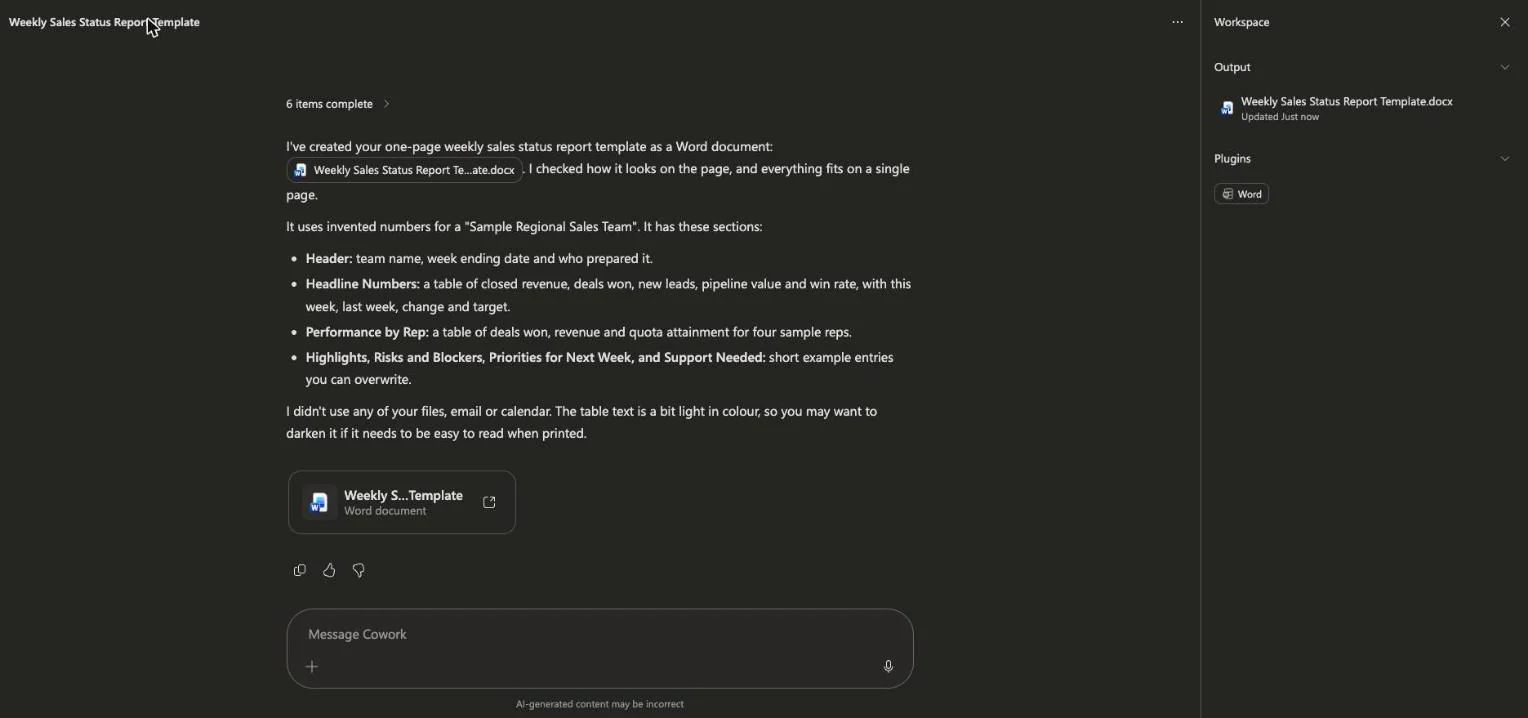 Copilot Cowork reporting a finished Word weekly sales report template and listing the sections it built
A five-slide deck. We asked for a pitch deck for an invented coffee subscription startup. It took a few minutes, generated an image, made about 64 edits, rendered the slides to check them and opened a deck in PowerPoint on the web. It labelled every figure as an invented example, and it told us two text boxes sat very close to their edges and that it had not adjusted them.
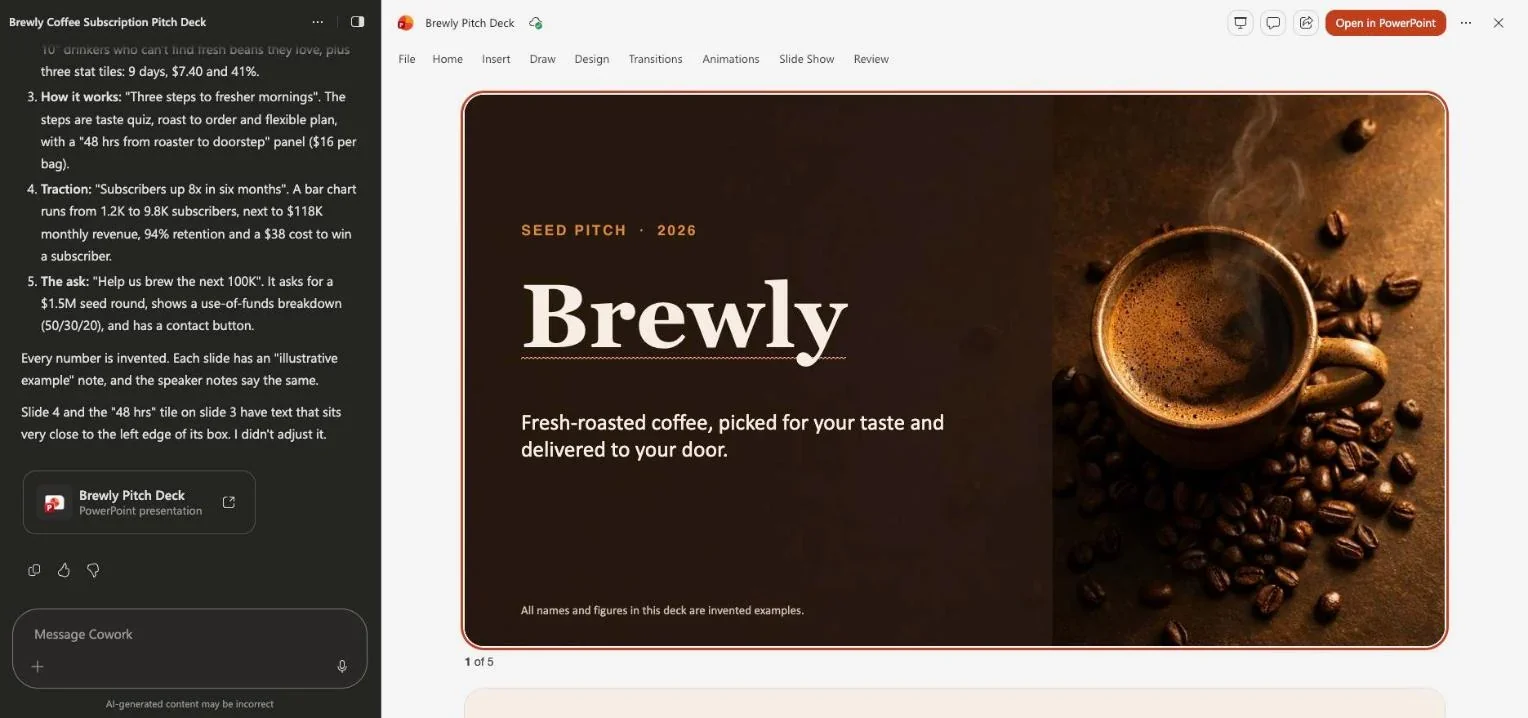 A five-slide pitch deck built by Copilot Cowork and open in PowerPoint on the web, with Cowork's summary alongside
Three takeaways. First, the speed is real. Second, it checks its own work more than we expected. Third, it still leaves small flaws and tells you about them. Treat the result as a strong first version.
What can you customise: skills, plugins and automations?
The Customize page is where Cowork becomes yours. Microsoft documents three levers: custom instructions, personal skills you add yourself, and plugins that extend what Cowork can reach. At general availability Microsoft said nine partner plugins were available and eight more were coming, and that Dynamics 365 is included.
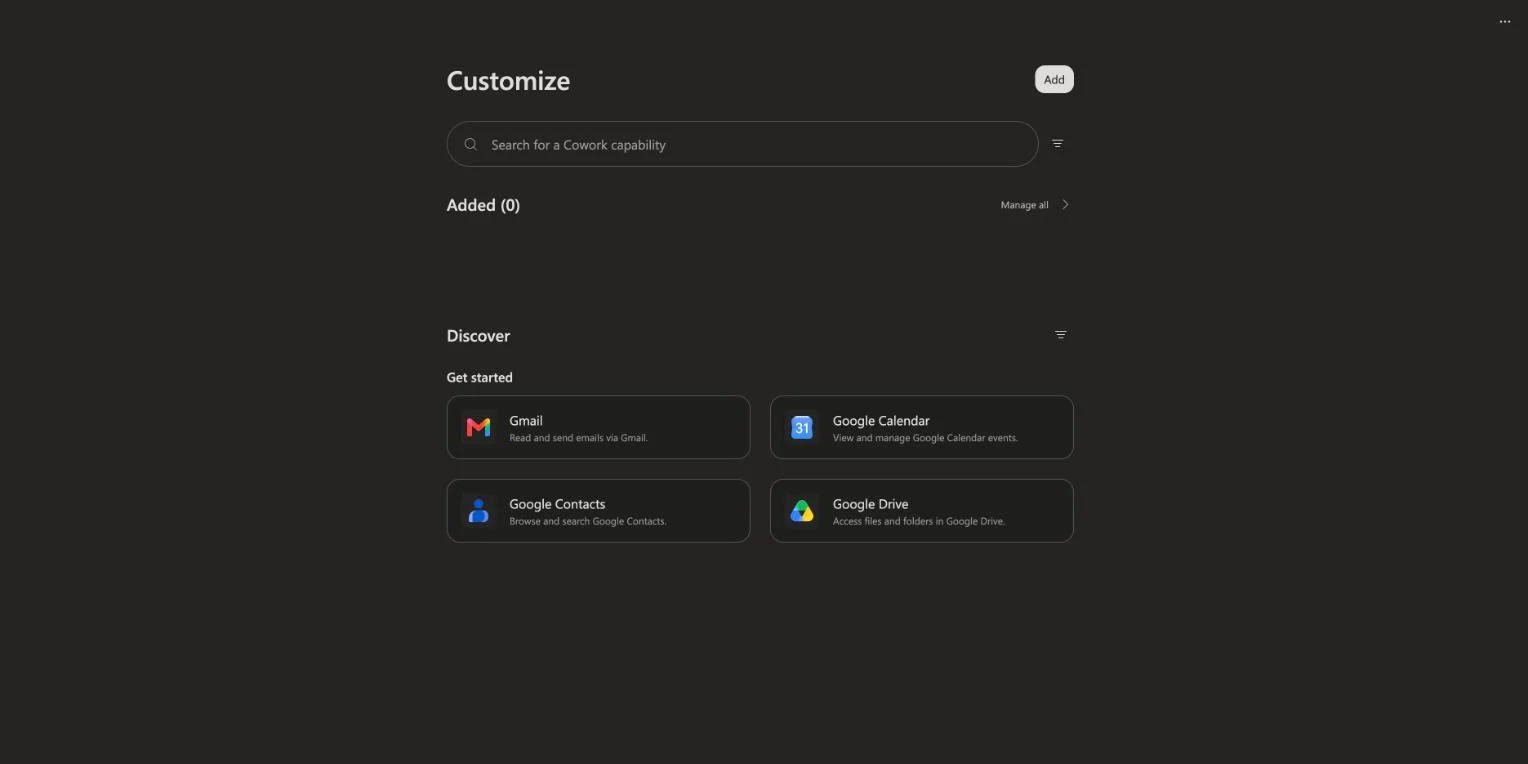 The Copilot Cowork Customize page with a capability search box and a list of connectors to discover
On our account the Customize page showed zero added capabilities and listed connectors such as Gmail, Google Calendar, Google Contacts and Google Drive under Discover. Plugin availability depends on your tenant, so yours may differ.
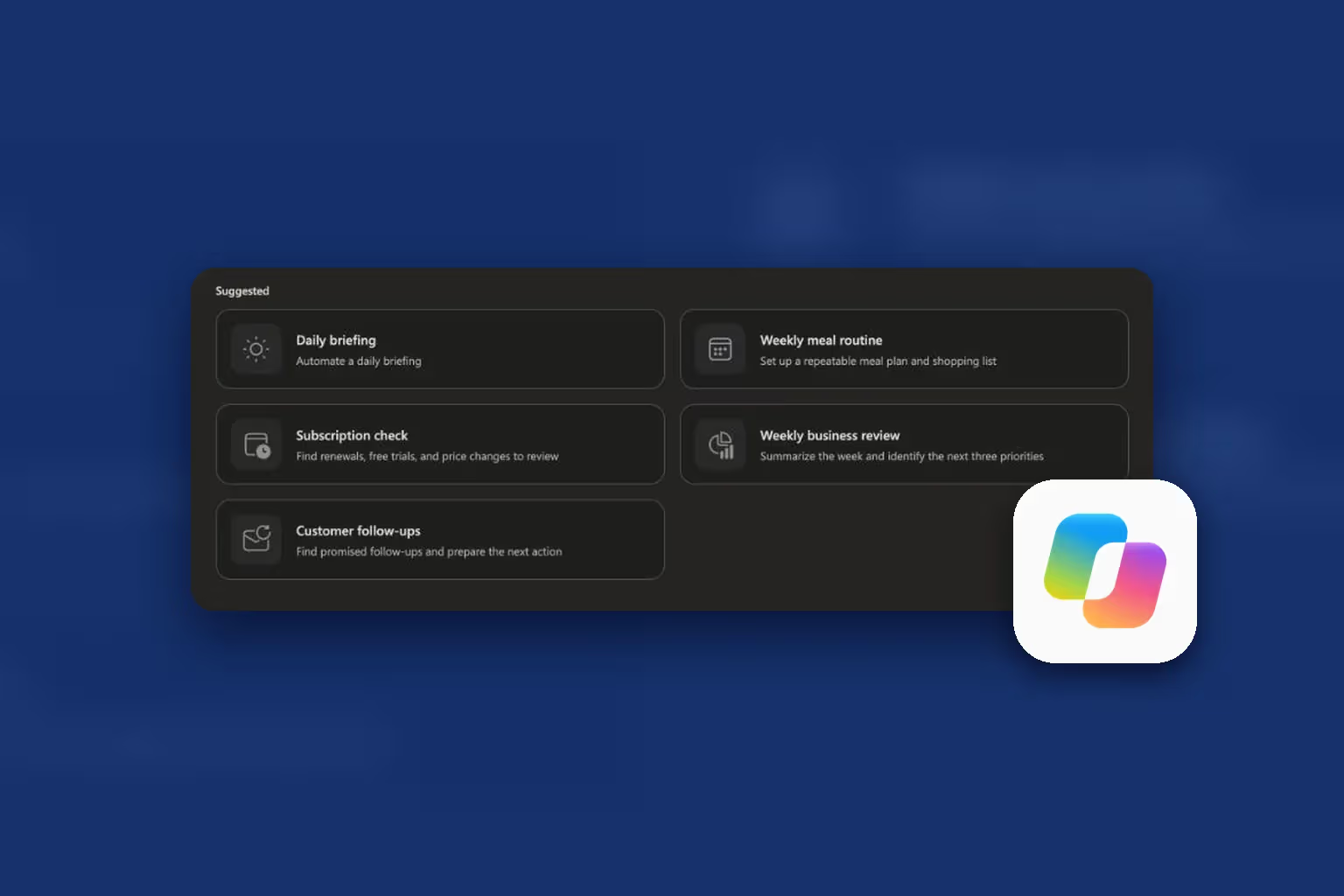
Automations let you schedule a prompt or set up an event-driven task, then manage them from one page. Suggestions on ours included a daily briefing, a weekly business review, a subscription check and customer follow-ups. If you know how reusable instructions work in other agents, the idea will be familiar from agent skills and Claude's knowledge work plugins.
Which models does Cowork use?
Microsoft says Cowork uses a multi-model design so a model can be matched to a task. At general availability that meant Anthropic's Opus 4.8 and Sonnet 4.6, with GPT 5.5 in the Frontier program, and a fine-tuned model called Cowork 1 promised for everyday tasks at lower cost. Microsoft's documentation adds that Cowork can optionally use Anthropic models as a subprocessor.
You can pick a model and a reasoning level in the app, or let Cowork decide. Higher effort trades speed and cost for quality. For background on the Microsoft and Anthropic relationship, read our piece on the Copilot numbers, claimed versus verified.
How much does Copilot Cowork cost?
This is the part that surprises people. Cowork is not simply included in the Copilot seat.
- A licence first. You need a Microsoft 365 Copilot user subscription licence. Licensing advisers commonly cite a list price of about 30 dollars per user per month, though contracts and regions differ.
- Usage on top. Cowork is billed per task in Copilot Credits. Microsoft says the price of a task depends on model use, context retrieval, tool calls and runtime.
- Two ways to pay. Microsoft lists pay-as-you-go at 0.01 dollars per credit, or a volume commitment called P3 that earns a discount.
- Controls. Admins can set spending limits and usage alerts at tenant, group and user level, and users see per-task costs and can request more credits.
Microsoft also claims, from its own internal testing, that Cowork costs 30 to 40 percent less per prompt than Claude Cowork connected to Microsoft 365. That is a vendor claim, and your results will vary with your tasks.
Budget by running a pilot. Pick three real tasks, run each several times, note the credits used, and multiply by how often your team would run them.
How does an administrator turn Cowork on?
It is off by default. Microsoft says admins enable it, choose who gets access, and link billing. Third-party licensing guides add that users may also need to be covered by a Copilot Credits spending policy. If you are not the admin, send your IT team a short note asking for four things: Cowork enabled for a pilot group, usage-based billing switched on, a spending cap, and a named owner.
Microsoft also lists governance features including audit logs, eDiscovery, data security posture management and Insider Risk Management, with Data Loss Prevention marked as coming soon at launch.
Copilot Cowork vs Claude Cowork
The names are close, so the confusion is understandable. Copilot Cowork lives inside Microsoft 365 and Microsoft's billing. Claude Cowork is Anthropic's own product. We have written about Claude Cowork use cases and its security record.
Choose by where your work lives. If your documents, mail and meetings are in Microsoft 365 and your IT team already governs Copilot, Copilot Cowork fits with less setup. If you work across tools outside Microsoft or you want Anthropic's own interface, Claude Cowork is the closer match. Many people will use both, which is why we also teach the Claude for Work approach.
What are the limits and risks?
- Looks finished, is not. Our deck had two spacing flaws and invented numbers. Check everything that leaves your hands.
- Cost drift. Long tasks with many tool calls burn credits. Set caps early.
- Access gaps. Some features, such as the built-in App skill, are limited to the Frontier program.
- Prompt injection. Any agent that reads mail and documents can be steered by hidden instructions inside them. Keep approvals on, and give it the least access it needs.
- Fast change. Microsoft updates Cowork often. Features in this post may have moved by the time you read it.
Should you use it?
Yes, if you have a Copilot licence, an enabled tenant and a repeat task with a clear output, such as a weekly report, a meeting pack or a research summary. Start with read-heavy, low-risk work. Add sending and scheduling only after you trust its plans.
Related reading
- Microsoft Copilot and Copilot Studio workshop: Excel, Cowork and automations
- How to choose Microsoft Copilot courses and workshops
- Microsoft Copilot in Excel: what it can actually do
- Microsoft Copilot in Teams: meeting recap guide
- Copilot Managed Runtime, the Vite 8 template and the Claude Code plugin
- Top 10 Claude Cowork use cases
- Official: Get started with Copilot Cowork and the general availability announcement
Product details, models and pricing are accurate as of November 6, 2026 and come from Microsoft's announcement and documentation plus our own tests. Microsoft changes Cowork frequently, so confirm current terms before you budget.