



Claude Knowledge Work Plugins: Turn Claude Into Your Team's Specialist
TL;DR: Claude Knowledge Work Plugins transform Claude into a role-specific expert for your job function. With 15.8k GitHub stars and 11 official plugins covering sales, engineering, product, marketing, and more, these plugins integrate your tools, understand your workflows, and deliver finished professional work—not just suggestions.
What Are Knowledge Work Plugins?
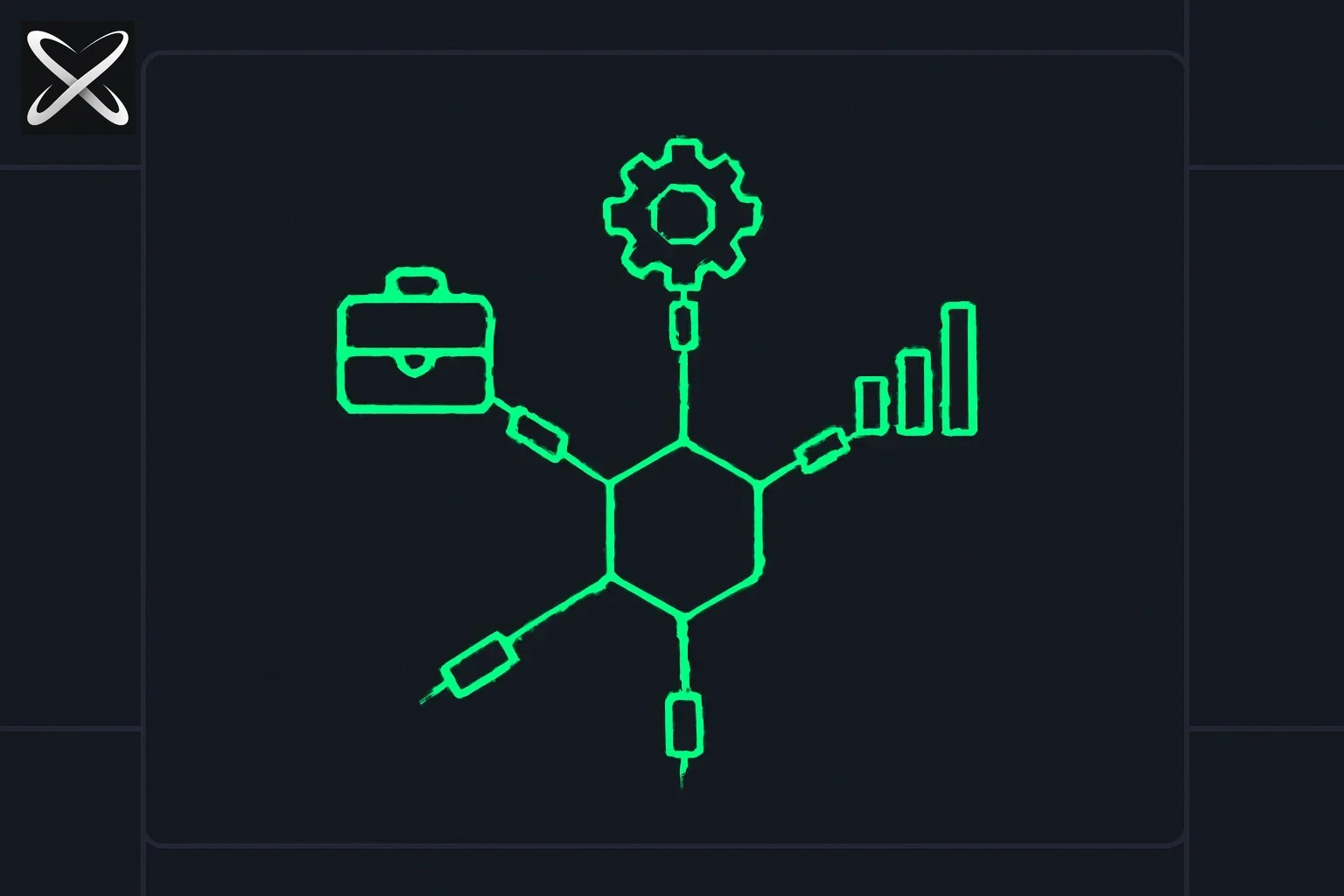 Claude Knowledge Work Plugins — a central agent core connected to distinct role-specific plugin modules via sockets
Knowledge Work Plugins are role-specific extensions for Claude that bundle:
- ✅ Skills: Domain expertise and best practices
- ✅ Connectors: Integrations with your tools (Slack, Notion, HubSpot, Jira, etc.)
- ✅ Commands: Slash commands for explicit actions (/sales:call-prep, /product:write-spec)
- ✅ Workflows: Step-by-step processes for common tasks
Repository: github.com/anthropics/knowledge-work-plugins (15.8k stars, 1.9k forks)
License: Apache 2.0 (free for commercial use)
Maintained by: Anthropic + 19 contributors
Built for: Claude Cowork and Claude Code
The Core Philosophy: From Chat to Completion
Traditional AI Assistants
Old model:
- You ask questions → AI suggests answers
- You describe tasks → AI provides guidance
- You're still doing the work
Claude with Knowledge Work Plugins
New model:
- You set goals → Claude delivers finished work
- Claude understands your tools and processes
- Claude produces professional outputs (reports, emails, specs, analyses)
Example:
Without plugins:
You: "Help me prepare for a sales call with Acme Corp"
Claude: "Here are some things you should research..."
You: *Goes to multiple tools, manually researches, takes notes*
With sales plugin:
You: /sales:call-prep Acme Corp
Claude: *Automatically pulls CRM data, researches company, analyzes past interactions, generates call agenda with talking points, identifies decision makers, suggests questions, creates follow-up template*
You: Review and use the finished prep doc
The 11 Official Plugins
1. Productivity Plugin
For: Everyone Helps with: Daily workflows, task management, personal organization
Key connectors:
- Slack (communication)
- Notion (notes and docs)
- Asana / Linear / Jira (task management)
- Monday / ClickUp (project management)
- Microsoft 365 (email, calendar, files)
What it does:
- Manages your calendar and meetings
- Tracks tasks across platforms
- Reduces repetitive context-sharing
- Organizes personal knowledge base
- Automates routine workflows
Example workflows:
- Daily standup summaries from Slack/Jira
- Meeting prep from calendar + context
- Task prioritization across tools
- Weekly review generation
- Email drafting with context
Best for: Teams wanting consistent productivity across all roles
2. Sales Plugin
For: Sales reps, account executives, SDRs, sales managers
Key connectors:
- Slack
- HubSpot (CRM)
- Close (CRM)
- Clay (enrichment)
- ZoomInfo (contact data)
- Notion
- Jira
- Fireflies (call transcription)
- Microsoft 365
What it does:
- Prospect research and enrichment
- Call preparation with insights
- Pipeline review and analysis
- Outreach email drafting
- Competitive battlecard generation
- Deal progression tracking
- Forecasting support
Slash commands:
/sales:call-prep [company]- Generate call preparation doc/sales:research-prospect [name]- Deep prospect research/sales:draft-outreach [context]- Personalized email sequences/sales:competitive-analysis [competitor]- Battlecard creation/sales:pipeline-review- Deal analysis and next steps
Example workflow: Call Prep
1. You: /sales:call-prep Acme Corp
2. Claude:
   - Pulls CRM data (deal stage, contact info, past interactions)
   - Researches company (news, funding, competitors)
   - Analyzes past call transcripts (via Fireflies)
   - Identifies key stakeholders and decision makers
   - Generates agenda with talking points
   - Suggests discovery questions
   - Creates objection handling guide
   - Drafts follow-up email template
3. Result: Complete call prep in 2 minutes vs. 30 minutes manually
ROI: Sales teams report 40-60% time savings on prep work
3. Customer Support Plugin
For: Support agents, success managers, technical support
Key connectors:
- Slack
- Intercom (support platform)
- HubSpot (CRM)
- Guru (knowledge base)
- Jira (ticket management)
- Notion (documentation)
- Microsoft 365
What it does:
- Triages incoming tickets
- Drafts contextual responses
- Escalates complex issues
- Researches customer history
- Converts resolved issues to KB articles
- Tracks resolution patterns
Slash commands:
/support:triage [ticket]- Categorize and prioritize/support:draft-response [ticket]- Generate reply with context/support:escalate [ticket]- Package for tier 2/engineering/support:research-customer [account]- Pull full customer context/support:create-kb-article [topic]- Documentation from resolution
Example workflow: Ticket Response
1. New ticket arrives in Intercom: "Can't export data to CSV"
2. Claude (via plugin):
   - Reads ticket context
   - Checks customer account (tier, product version, history)
   - Searches Guru KB for relevant articles
   - Reviews similar past tickets
   - Drafts personalized response with steps
   - Suggests if escalation needed
3. Agent reviews, approves, sends
4. Result: 70% faster response time, consistent quality
ROI: 50-70% reduction in response time, 40% fewer escalations
4. Product Management Plugin
For: Product managers, product owners, program managers
Key connectors:
- Slack
- Linear / Asana / Monday / ClickUp (project management)
- Jira (development tracking)
- Notion (documentation)
- Figma (design)
- Amplitude / Pendo (analytics)
- Intercom (customer feedback)
- Fireflies (meeting notes)
What it does:
- Writes product specs (PRDs, user stories)
- Plans roadmaps and prioritization
- Synthesizes user research
- Stakeholder update generation
- Competitive landscape tracking
- Feature request analysis
- Metrics reporting
Slash commands:
/product:write-spec [feature]- Generate PRD/product:roadmap-plan [quarter]- Roadmap with prioritization/product:user-research-synthesis- Analyze feedback/product:stakeholder-update- Weekly/monthly updates/product:competitive-analysis [feature]- Market research
Example workflow: Write Product Spec
1. You: /product:write-spec "User authentication with SSO"
2. Claude:
   - Reviews existing auth implementation (via Linear/Jira)
   - Checks user feedback (via Intercom)
   - Analyzes usage data (via Amplitude)
   - Reviews competitive implementations
   - Drafts complete PRD:
     * Background and motivation
     * User stories and acceptance criteria
     * Technical requirements
     * Success metrics
     * Risk assessment
     * Implementation phases
3. Result: First draft PRD in 10 minutes vs. 2-3 hours
ROI: 60% faster spec writing, better consistency
5. Marketing Plugin
For: Content marketers, growth marketers, marketing managers
Key connectors:
- Slack
- Canva (design)
- Figma (design collaboration)
- HubSpot (marketing automation)
- Amplitude (analytics)
- Notion (content planning)
- Ahrefs (SEO)
- SimilarWeb (competitive intelligence)
- Klaviyo (email marketing)
What it does:
- Draft content (blogs, emails, social)
- Plan campaigns and calendars
- Enforce brand voice and guidelines
- Competitive research and tracking
- Performance reporting and analysis
- SEO optimization
- A/B test planning
Slash commands:
/marketing:draft-content [type] [topic]- Generate content/marketing:plan-campaign [goal]- Multi-channel campaign plan/marketing:competitive-analysis [competitor]- Market positioning/marketing:performance-report [period]- Metrics analysis/marketing:seo-optimize [content]- SEO improvements
Example workflow: Campaign Planning
1. You: /marketing:plan-campaign "Q3 product launch"
2. Claude:
   - Reviews past campaign performance (via HubSpot)
   - Analyzes audience segments (via Amplitude)
   - Researches competitive campaigns (via SimilarWeb)
   - Checks SEO opportunities (via Ahrefs)
   - Generates campaign plan:
     * Target audience and personas
     * Key messaging and positioning
     * Channel mix and timeline
     * Content calendar
     * Success metrics and KPIs
     * Budget allocation
     * Risk mitigation
3. Result: Campaign plan in 15 minutes vs. 2 days
ROI: 3x faster campaign planning, better data integration
6. Legal Plugin
For: Corporate counsel, contract managers, compliance officers
Key connectors:
- Slack
- Box (document management)
- Egnyte (document management)
- Jira (matter tracking)
- Microsoft 365 (documents, email)
What it does:
- Reviews contracts and NDAs
- Triages legal requests
- Navigates compliance requirements
- Risk assessment
- Meeting preparation
- Drafts templated responses
- Clause library management
Slash commands:
/legal:review-contract [file]- Analyze contract/legal:nda-triage [request]- NDA review workflow/legal:compliance-check [topic]- Regulatory guidance/legal:risk-assessment [issue]- Risk analysis/legal:draft-response [request]- Template-based drafting
Example workflow: Contract Review
1. You: /legal:review-contract vendor-agreement.pdf
2. Claude:
   - Extracts contract terms
   - Identifies non-standard clauses
   - Flags high-risk provisions
   - Compares to company templates
   - Checks compliance requirements
   - Generates review memo:
     * Key terms summary
     * Risk assessment (high/medium/low)
     * Red-flag clauses
     * Negotiation recommendations
     * Compliance notes
3. Result: Initial review in 5 minutes vs. 30-60 minutes
ROI: 75% faster initial review, consistent risk flagging
7. Finance Plugin
For: Controllers, financial analysts, accountants, CFO teams
Key connectors:
- Snowflake / Databricks / BigQuery (data warehouses)
- Slack
- Microsoft 365 (Excel, email)
What it does:
- Journal entry preparation
- Account reconciliation
- Financial statement generation
- Variance analysis
- Month/quarter/year-end close support
- Audit preparation
- Financial modeling
Slash commands:
/finance:journal-entry [transaction]- Prepare entry/finance:reconciliation [account]- Reconcile account/finance:financial-statements [period]- Generate statements/finance:variance-analysis [period]- Analyze variances/finance:close-checklist [period]- Close process management
Example workflow: Month-End Close
1. You: /finance:close-checklist April 2026
2. Claude:
   - Pulls GL data from data warehouse
   - Identifies incomplete reconciliations
   - Generates close checklist with status
   - Drafts variance explanations for significant items
   - Prepares preliminary financial statements
   - Flags potential issues for review
   - Creates audit trail documentation
3. Result: Close process organized in 20 minutes vs. 2-3 hours
ROI: 40% faster close process, fewer errors
8. Data Plugin
For: Data analysts, analytics engineers, data scientists
Key connectors:
- Snowflake / Databricks / BigQuery (warehouses)
- Definite (data catalog)
- Hex (notebooks)
- Amplitude (product analytics)
- Jira (project tracking)
What it does:
- Write and optimize SQL queries
- Statistical analysis
- Dashboard creation
- Data validation and quality checks
- Documentation generation
- Insight interpretation
Slash commands:
/data:write-query [question]- Generate SQL/data:analyze-results [data]- Statistical analysis/data:build-dashboard [metrics]- Dashboard design/data:validate-data [table]- Data quality checks/data:document-table [table]- Schema documentation
Example workflow: Ad-Hoc Analysis
1. You: /data:write-query "Weekly active users by signup source, last 90 days"
2. Claude:
   - Accesses data catalog (via Definite)
   - Identifies relevant tables and columns
   - Writes optimized SQL query
   - Executes query (if permissions allow)
   - Performs statistical analysis
   - Creates visualization recommendations
   - Generates insight summary
   - Documents query for future use
3. Result: Analysis complete in 5 minutes vs. 30-45 minutes
ROI: 60% faster analysis, better documentation
9. Engineering Plugin
For: Software engineers, DevOps, SREs, engineering managers
Key connectors:
- Slack
- GitHub / GitLab (code)
- Jira / Linear (project management)
- Notion (documentation)
- DataDog / PagerDuty (monitoring)
- Figma (design specs)
What it does:
- Code review and suggestions
- Bug triage and investigation
- Documentation generation
- Technical spec writing
- Incident response support
- Architecture planning
- Testing strategy
Slash commands:
/eng:code-review [PR]- Review pull request/eng:debug-issue [bug]- Investigation and root cause/eng:write-docs [feature]- Documentation generation/eng:tech-spec [feature]- Technical design doc/eng:incident-response [incident]- Incident management
Example workflow: Code Review
1. You: /eng:code-review #1234
2. Claude:
   - Pulls PR from GitHub
   - Reviews code changes
   - Checks for common issues:
     * Security vulnerabilities
     * Performance problems
     * Code style violations
     * Test coverage gaps
   - Compares to design specs (via Jira/Notion)
   - Generates review comments
   - Suggests improvements
3. Result: Initial review in 2 minutes vs. 15-30 minutes
ROI: 50% faster code reviews, consistent quality checks
10. Enterprise Search Plugin
For: Anyone who needs to find information across tools
Key connectors:
- Slack (messages)
- Notion (docs)
- Guru (knowledge base)
- Jira (tickets, issues)
- Asana (tasks, projects)
- Microsoft 365 (email, files, SharePoint)
What it does:
- Unified search across all connected tools
- Contextual result ranking
- Related information discovery
- Answer extraction from documents
- Search result summarization
Slash commands:
/search:find [query]- Search all tools/search:summarize [topic]- Aggregate information/search:related [document]- Find related content
Example workflow: Find Information
1. You: /search:find "Q4 pricing strategy"
2. Claude:
   - Searches across:
     * Slack conversations
     * Notion pages
     * Jira tickets
     * Email threads
     * Shared documents
   - Ranks results by relevance
   - Extracts key information
   - Summarizes findings
   - Identifies who to ask for more info
3. Result: Find information in 30 seconds vs. 10-15 minutes
ROI: 80% faster information retrieval
11. Bio-Research Plugin
For: Life sciences researchers, biotech R&D, pharmaceutical scientists
Key connectors:
- PubMed (literature)
- BioRender (scientific illustrations)
- bioRxiv (preprints)
- ClinicalTrials.gov (trial data)
- ChEMBL (chemical database)
- Synapse (genomics)
- Wiley (journals)
- Owkin (biomedical AI)
- Open Targets (target validation)
- Benchling (molecular biology)
What it does:
- Literature search and synthesis
- Genomics analysis
- Target prioritization
- Experimental design
- Protocol optimization
- Data interpretation
- Grant writing support
Slash commands:
/bio:literature-search [topic]- Research synthesis/bio:target-analysis [gene/protein]- Target validation/bio:protocol-design [experiment]- Experimental protocol/bio:data-analysis [results]- Statistical analysis
Example workflow: Target Validation
1. You: /bio:target-analysis BRCA1
2. Claude:
   - Searches PubMed for latest research
   - Checks Open Targets for druggability
   - Reviews ChEMBL for existing compounds
   - Analyzes ClinicalTrials.gov for ongoing studies
   - Synthesizes:
     * Function and mechanism
     * Disease associations
     * Druggability assessment
     * Existing therapeutics
     * Research gaps
     * Clinical trial status
3. Result: Comprehensive target report in 10 minutes vs. 2-4 hours
ROI: 70% faster literature review, better synthesis
12. Cowork Plugin Management
For: Plugin creators, team admins, customization needs
What it does:
- Create new plugins from scratch
- Customize existing plugins
- Add company-specific context
- Build custom workflows
- Manage plugin distribution
Use cases:
- Creating role-specific plugins for your company
- Adding proprietary tools as connectors
- Encoding company processes
- Building vertical-specific plugins (real estate, healthcare, etc.)
How Plugins Work: Architecture
The File-Based Structure
Every plugin is just files—no code, no compilation, no complex build:
plugin-name/
├── .claude-plugin/
│   └── plugin.json           # Manifest (metadata, commands)
├── .mcp.json                 # MCP server connections (tools)
├── commands/                 # Slash commands (explicit actions)
│   └── command-name.md       # Command definition and logic
└── skills/                   # Domain knowledge (automatic)
    └── skill-name.md         # Skill instructions and expertise
Plugin Components
1. Skills (Automatic Knowledge)
What: Domain expertise Claude draws on automatically
Format: Markdown files with instructions and best practices
Example (simplified):
# Sales Call Preparation

## When to Use
Claude should use this skill when the user needs to prepare for a sales call.

## Process
1. Gather company information from CRM
2. Research recent news and funding
3. Review past interactions
4. Identify key stakeholders
5. Generate talking points
6. Create objection handling guide

## Best Practices
- Personalize for the specific industry
- Focus on customer pain points
- Include competitive positioning
- Suggest discovery questions
Skills activate automatically when Claude detects relevance—no explicit invocation needed.
2. Commands (Explicit Actions)
What: User-triggered workflows via slash commands
Format: Markdown with command definition
Example:
# /sales:call-prep

## Description
Prepare comprehensive call preparation document

## Parameters
- company: Company name (required)
- contact: Contact name (optional)

## Workflow
1. Pull CRM data for company
2. Research company background
3. Review past communications
4. Identify decision makers
5. Generate call agenda
6. Create follow-up template
Commands are explicitly invoked by users when needed.
3. Connectors (Tool Integration)
What: MCP server connections to external tools
Format: JSON configuration in .mcp.json
Example:
{
  "mcpServers": {
    "hubspot": {
      "command": "npx",
      "args": ["-y", "@modelcontextprotocol/server-hubspot"],
      "env": {
        "HUBSPOT_API_KEY": "${HUBSPOT_API_KEY}"
      }
    },
    "slack": {
      "command": "npx",
      "args": ["-y", "@modelcontextprotocol/server-slack"],
      "env": {
        "SLACK_BOT_TOKEN": "${SLACK_BOT_TOKEN}",
        "SLACK_TEAM_ID": "${SLACK_TEAM_ID}"
      }
    }
  }
}
Connectors enable Claude to read/write data in your tools.
Installation Guide
For Claude Cowork Users
Step 1: Visit the plugin marketplace
Go to: claude.com/plugins
Step 2: Browse plugins by role
Step 3: Click "Install" on desired plugin
Step 4: Configure connectors (provide API keys)
Step 5: Start using slash commands and automatic skills
For Claude Code Users
Step 1: Add the plugin marketplace
claude plugin marketplace add anthropics/knowledge-work-plugins
Step 2: Browse available plugins
claude plugin list --marketplace knowledge-work-plugins
Step 3: Install a specific plugin
# Install sales plugin
claude plugin install sales@knowledge-work-plugins

# Install multiple plugins
claude plugin install productivity@knowledge-work-plugins
claude plugin install engineering@knowledge-work-plugins
Step 4: Configure connectors
# Edit plugin configuration
claude plugin config sales

# Add API keys
export HUBSPOT_API_KEY=your-key
export SLACK_BOT_TOKEN=your-token
Step 5: Use in sessions
# Slash commands available automatically
> /sales:call-prep Acme Corp

# Skills activate when relevant
> Help me research this prospect: john@acme.com
Customization Guide
Why Customize?
Generic plugins are useful, but customized plugins are game-changing:
- Your tools: Swap HubSpot for Salesforce, Jira for Monday
- Your processes: Match how your team actually works
- Your terminology: Use company-specific language
- Your context: Encode organizational knowledge
Customization Levels
Level 1: Swap Connectors (Easy)
Edit .mcp.json to use your preferred tools:
// Before: Generic sales plugin uses HubSpot
{
  "mcpServers": {
    "hubspot": { ... }
  }
}

// After: Your company uses Salesforce
{
  "mcpServers": {
    "salesforce": {
      "command": "npx",
      "args": ["-y", "@modelcontextprotocol/server-salesforce"],
      "env": {
        "SALESFORCE_API_KEY": "${SALESFORCE_API_KEY}"
      }
    }
  }
}
Level 2: Add Company Context (Medium)
Edit skill files to include your specifics:
# Before: Generic product spec skill
## Process
1. Define problem
2. Propose solution
3. List requirements

# After: Your company's process
## Process
1. Define problem using Jobs-to-be-Done framework
2. Reference our design system (Figma: acme-design-system)
3. Check alignment with Q3 OKRs in Notion
4. Include security review checklist per SOC 2 requirements
5. Generate spec using our template: [link to template]

## Company Context
- Our ICP: Mid-market B2B SaaS companies (50-500 employees)
- Our values: Security-first, user-centric, data-driven
- Our stack: React, TypeScript, PostgreSQL, AWS
Level 3: Adjust Workflows (Advanced)
Modify commands to match your team's specific workflows:
# /product:write-spec [feature]

## Workflow (Customized for Acme Corp)
1. Check if feature aligns with product vision in Notion page "Product North Star"
2. Review user requests in Intercom tagged with feature name
3. Analyze usage data in Amplitude (dashboard: "Feature Usage")
4. Check engineering capacity in Linear milestone view
5. Review competitive landscape in our Ahrefs competitor tracking
6. Generate spec using Acme PRD template (Notion template ID: abc123)
7. Include:
   - RICE prioritization score
   - Security impact assessment (required for SOC 2)
   - Mobile vs. web implementation decision
   - Internationalization requirements (we support 12 languages)
   - Accessibility compliance (WCAG 2.1 AA minimum)
Creating Custom Plugins
Use the cowork-plugin-management plugin:
# Install plugin creator
claude plugin install cowork-plugin-management@knowledge-work-plugins

# Create new plugin
> /plugin:create-new real-estate

# Add skills
> /plugin:add-skill real-estate property-valuation

# Add commands
> /plugin:add-command real-estate /real-estate:comps-analysis

# Add connectors (MLS integration, Zillow, etc.)
> /plugin:add-connector real-estate mls-connector
Or build manually:
# 1. Create directory structure
mkdir -p my-plugin/.claude-plugin
mkdir -p my-plugin/skills
mkdir -p my-plugin/commands

# 2. Create manifest
cat > my-plugin/.claude-plugin/plugin.json <<EOF
{
  "name": "my-plugin",
  "version": "1.0.0",
  "description": "Custom plugin for my team",
  "commands": [
    {
      "name": "/my:command",
      "description": "Description of command",
      "path": "commands/my-command.md"
    }
  ]
}
EOF

# 3. Add skills and commands (markdown files)
# 4. Add connectors (.mcp.json)
# 5. Install locally
claude plugin install ./my-plugin
Real-World Success Stories
SaaS Startup: Sales Efficiency
Company: 50-person B2B SaaS company Plugin: Sales + Productivity Results:
- Call prep time: 30 min → 5 min (83% reduction)
- Outreach quality: 45% higher response rates
- Pipeline accuracy: Improved forecasting by 30%
- Time saved: 10 hours/week per rep
- ROI: 5x within first month
Enterprise: Product Team Alignment
Company: Fortune 500 tech company Plugin: Product Management + Enterprise Search Results:
- Spec writing: 3 hours → 45 min (75% faster)
- Stakeholder updates: Automated weekly (saved 4 hours/week)
- Information retrieval: 15 min → 2 min (87% faster)
- Cross-team alignment: Significantly improved
- ROI: $500k/year in productivity gains
Law Firm: Contract Review
Company: Mid-size corporate law firm Plugin: Legal (customized) Results:
- Initial contract review: 45 min → 8 min (82% faster)
- Consistent risk flagging across attorneys
- Junior attorney training: 50% faster onboarding
- Compliance tracking: Automated
- ROI: 3.2x billable hours increase
Best Practices from the Community
1. Start with One Plugin
Don't install all 11 plugins at once:
- ✅ Choose your primary role's plugin
- ✅ Learn its commands and skills
- ✅ Customize for your workflow
- ✅ Then add complementary plugins
2. Invest in Connector Setup
The magic happens when connectors work:
- ✅ Set up all relevant tool integrations
- ✅ Ensure proper API permissions
- ✅ Test data access before relying on it
- ✅ Document authentication for team
3. Customize Progressively
Don't try to perfect plugins on day one:
- ✅ Use generic version first
- ✅ Note what doesn't fit your workflow
- ✅ Customize incrementally
- ✅ Share improvements with team
4. Build a Plugin Library
Create company-specific plugin versions:
- ✅ Fork and customize official plugins
- ✅ Add company context to all skills
- ✅ Document your customizations
- ✅ Version control plugin files
- ✅ Share across team
5. Combine Plugins
Most people use 2-4 plugins together:
- Sales + Productivity: Sales workflow optimization
- Product + Data: Data-driven product decisions
- Engineering + Enterprise Search: Code and docs discovery
- Marketing + Data: Campaign performance analysis
Plugin Comparison Table
| Plugin | Primary Users | Key Tools | Commands | Connectors | Complexity |
|---|---|---|---|---|---|
| Productivity | Everyone | Slack, Notion, Asana | 8+ | 9 | Low |
| Sales | Sales teams | HubSpot, Slack, Clay | 12+ | 9 | Medium |
| Support | Support teams | Intercom, Guru, Jira | 10+ | 7 | Medium |
| Product | PMs | Linear, Figma, Amplitude | 15+ | 11 | High |
| Marketing | Marketers | HubSpot, Canva, Ahrefs | 12+ | 9 | Medium |
| Legal | Lawyers | Box, Jira, M365 | 8+ | 5 | Low |
| Finance | Finance teams | Snowflake, Excel | 10+ | 4 | High |
| Data | Analysts | Snowflake, Hex, Amplitude | 12+ | 6 | High |
| Engineering | Developers | GitHub, Jira, Slack | 15+ | 6 | High |
| Enterprise Search | Everyone | All connected tools | 5+ | 6 | Low |
| Bio-Research | Researchers | PubMed, Benchling | 10+ | 10 | High |
Advanced Topics
Multi-Plugin Workflows
Combine plugins for complex workflows:
Example: Product Launch
1. /product:write-spec [feature]           # Product Management plugin
2. /data:analyze-results [user research]  # Data plugin
3. /eng:tech-spec [implementation]        # Engineering plugin
4. /marketing:plan-campaign [launch]      # Marketing plugin
5. /sales:battlecard [feature]            # Sales plugin
Result: Complete launch plan across all functions
Plugin Dependencies
Some plugins work better together:
- Data + Product: Product decisions backed by data
- Sales + Support: Customer lifecycle management
- Engineering + Productivity: Developer workflow optimization
Custom Connector Development
Build connectors for proprietary tools:
// Example: Custom CRM connector
import { McpServer } from '@modelcontextprotocol/sdk';

const server = new McpServer({
  name: 'custom-crm',
  version: '1.0.0',
});

server.tool({
  name: 'get_account',
  description: 'Retrieve account from custom CRM',
  parameters: {
    account_id: { type: 'string', required: true }
  },
  handler: async ({ account_id }) => {
    // Call your CRM API
    const account = await customCRM.getAccount(account_id);
    return account;
  }
});
Troubleshooting Common Issues
Issue 1: Connector Not Working
Symptoms: Claude can't access tool data
Solutions:
- ✅ Check API key is set correctly
- ✅ Verify API permissions (read/write access)
- ✅ Test API key directly via tool's UI
- ✅ Check rate limits and quotas
- ✅ Review MCP server logs
Issue 2: Commands Not Appearing
Symptoms: Slash commands don't autocomplete
Solutions:
- ✅ Confirm plugin is installed (
claude plugin list) - ✅ Restart Claude session
- ✅ Check plugin manifest syntax
- ✅ Verify command paths in manifest
Issue 3: Skills Not Activating
Symptoms: Claude doesn't use skill knowledge
Solutions:
- ✅ Make skill trigger conditions clearer
- ✅ Explicitly mention skill topic in conversation
- ✅ Check skill file syntax (markdown format)
- ✅ Reduce skill complexity (break into smaller skills)
Issue 4: Slow Performance
Symptoms: Commands take too long to execute
Solutions:
- ✅ Optimize connector queries (reduce data fetched)
- ✅ Use caching where possible
- ✅ Parallelize independent data fetches
- ✅ Consider using Claude Haiku for simple tasks
The Future: Roadmap and Upcoming Features
Based on GitHub activity and community requests:
Coming soon:
- More role-specific plugins (HR, Operations, Legal-specific)
- Enhanced customization UI in Cowork
- Plugin marketplace with community submissions
- Plugin analytics and usage tracking
- Team plugin sharing and versioning
- Better cross-plugin orchestration
- Mobile app support for plugins
Contributing to the Plugin Ecosystem
Ways to Contribute
1. Improve existing plugins:
- Add skills for common workflows
- Enhance command functionality
- Fix bugs and edge cases
2. Create new plugins:
- Vertical-specific (healthcare, finance, real estate)
- Function-specific (recruiting, operations)
- Industry-specific (manufacturing, retail)
3. Build new connectors:
- Integrate additional tools
- Support more platforms
- Enable richer data access
4. Share customizations:
- Document your company's plugin adaptations
- Share anonymized workflow improvements
- Contribute best practices
Contribution Process
# 1. Fork the repository
# 2. Create a feature branch
git checkout -b feature/new-plugin-or-improvement

# 3. Make changes (follow existing structure)
# 4. Test thoroughly
# 5. Submit pull request with:
#    - Clear description
#    - Use case explanation
#    - Testing evidence
Resources and Community
Official Resources
- Repository: github.com/anthropics/knowledge-work-plugins
- Documentation: Included in repo README and plugin files
- Cowork: claude.com (for Cowork users)
- Claude Code: CLI documentation
Community
- GitHub Issues: Bug reports and feature requests
- GitHub Discussions: Q&A and community support
- Anthropic Discord: Real-time community chat
- X/Twitter: Follow @AnthropicAI for updates
Learning Resources
- Plugin Examples: All 11 official plugins as templates
- MCP Documentation: modelcontextprotocol.io
- Video Tutorials: Coming soon from Anthropic
- Community Guides: Shared in GitHub discussions
Conclusion: The Plugin-Powered Future
Knowledge Work Plugins transform Claude from a helpful chatbot into a specialist member of your team—one that knows your tools, understands your processes, and delivers finished work.
The progression:
Without Claude: Do everything manually ↓ With Claude: Get AI suggestions and guidance ↓ With Claude + Plugins: Set goals, get finished professional work
Start today:
- Install your role's plugin (Cowork or Code)
- Configure your key tool connectors
- Try slash commands for common tasks
- Customize for your company's workflow
- Share improvements with your team
With 15.8k stars and growing, the Knowledge Work Plugin ecosystem represents the future of work: AI that doesn't just assist—it collaborates, understands, and delivers.
Get started:
- Cowork users: claude.com/plugins
- Claude Code users:
claude plugin marketplace add anthropics/knowledge-work-plugins - Repository: github.com/anthropics/knowledge-work-plugins
- Questions: GitHub Discussions or Anthropic Discord
The future of knowledge work isn't AI replacing humans—it's AI as a specialist teammate. Plugins make that future real, today.