



01Start here
Excel analysis with Copilot
Take a messy sales or finance sheet, clean it, ask questions of it and produce a short summary with charts.
Two live evenings. Explore Microsoft 365 Copilot, use it inside Excel and your Microsoft apps, put Copilot Cowork to work, and build automations in Copilot Studio.
See the curriculumYour take-home work
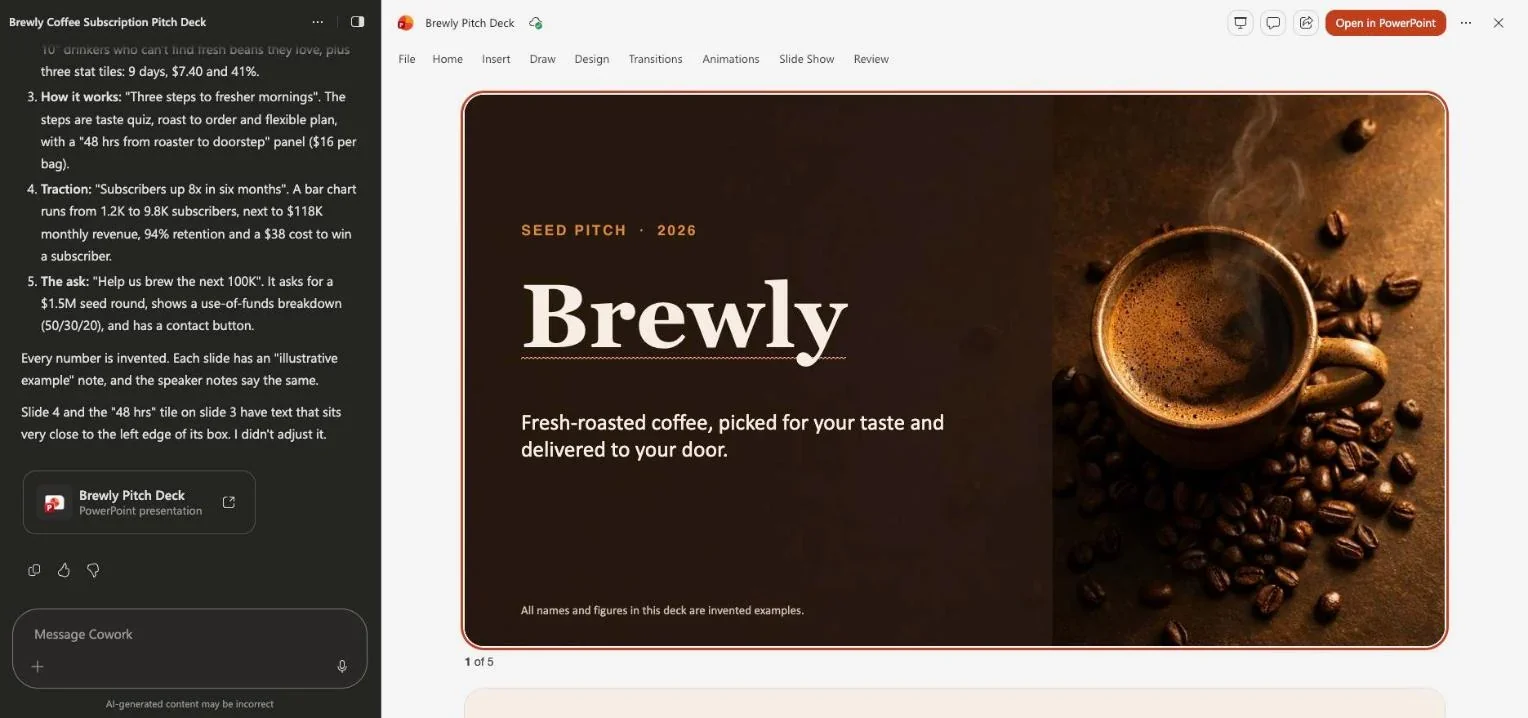
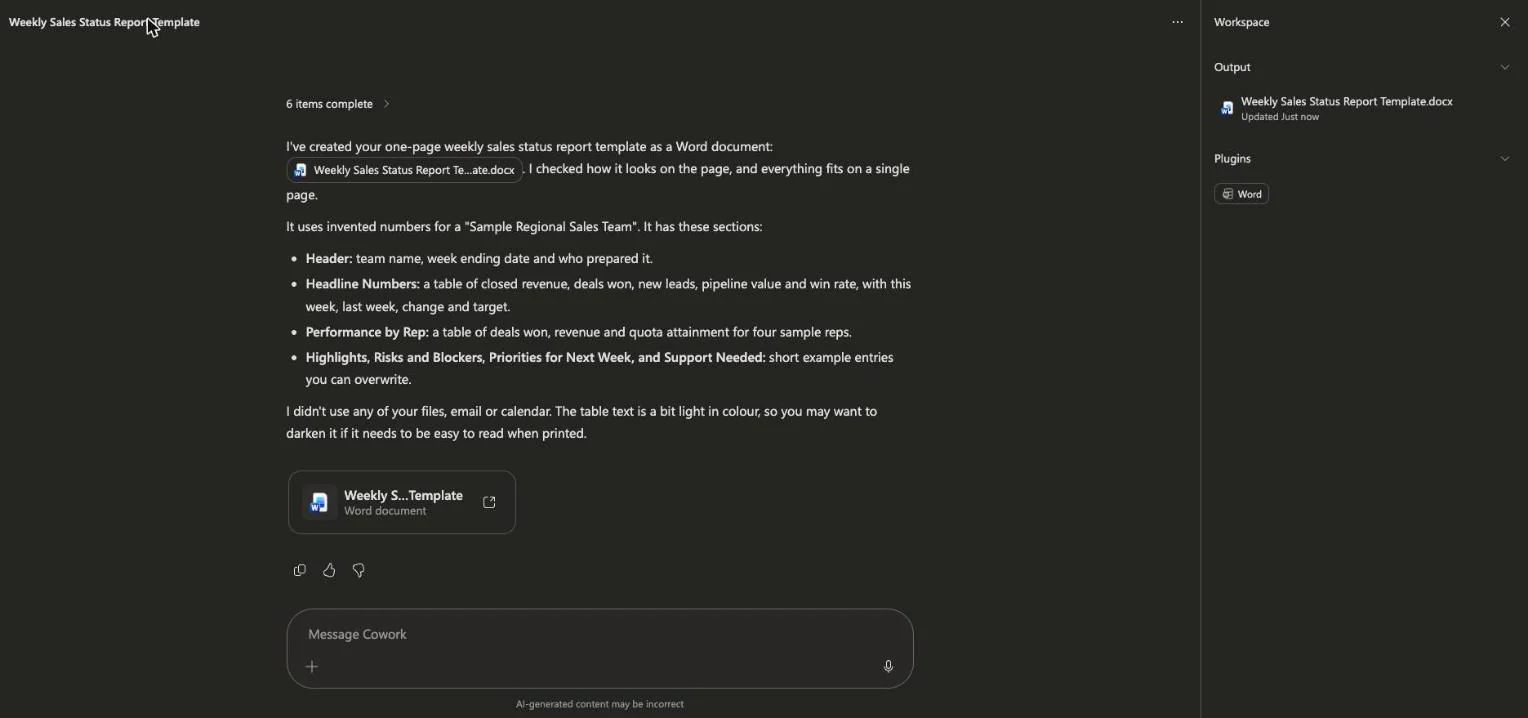
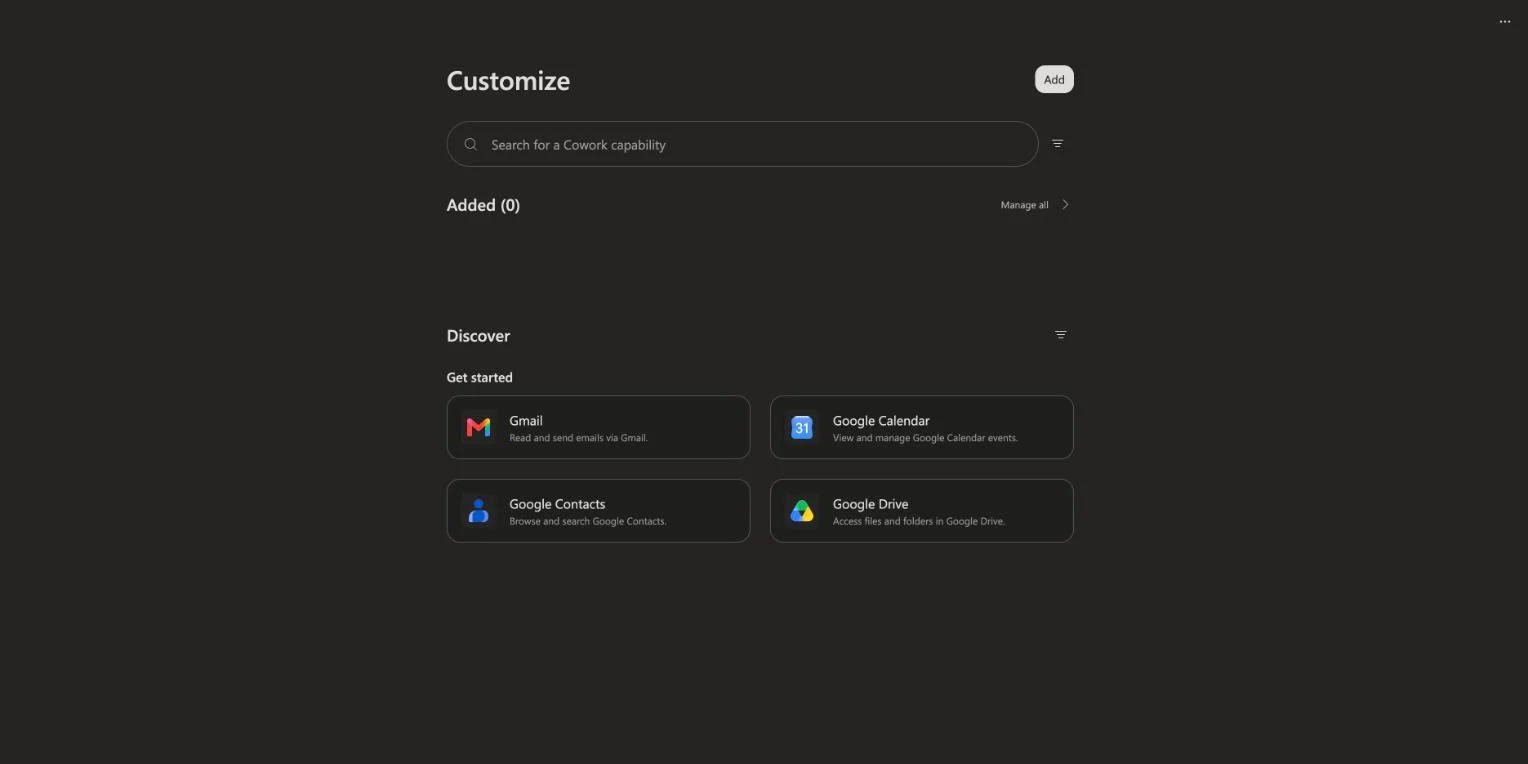
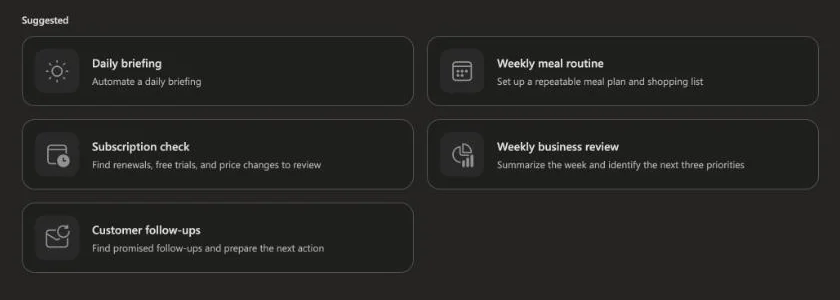
Build these with your instructor. Keep them, adapt them, and put them to work after the workshop. The screens below come from the demo project we build live, for a sample company.
01Start here
Take a messy sales or finance sheet, clean it, ask questions of it and produce a short summary with charts.
Early bird ends Dec 12
Dec 20–21, 2026
02Make it yours
Write one brief and have Copilot draft the Word document, the PowerPoint deck and the Outlook email, then edit them in your voice.
03Make it yours
Pick a repeat task from your own week, brief Copilot Cowork, review its plan and save the workflow for next time.
04Make it yours
Add connectors so Cowork can work with the tools you already use, and decide what it can and cannot touch.
05Make it yours
Turn a task you repeat every week into a Cowork automation, such as a daily briefing or a weekly business review.
06Make it yours
Build an agent with instructions and knowledge, connect a trigger and an action, and test it end to end.
This is what you build. Two evenings, live with your instructor.
Secure your spot
Founder of AISOLO Technologies; AI entrepreneur & educator
350K+
Students
12+
Yrs exp
3
Startups
Yash Thakker is the founder of AISOLO Technologies and one of the most sought-after AI educators in the country. He's known for one thing above all: by the end of any session, students have already built something — no saving it for 'later.' His classes are built around real-life, happening-right-now examples, zero dry theory, and a teaching energy that makes complex things feel obvious. With over a decade shipping AI products across media, fintech, and edtech, Yash has delivered every learning format imaginable — in-person workshops, live bootcamps, online courses, and hybrid sessions — always exploring new ways to make learning land faster. He's obsessed with what learning looks like for this generation, now that AI changes what's even worth teaching. He has reached 350,000+ learners and is the creator behind BGBlur.com and explainx.ai.
Teaches on
Has trained teams at
Who it’s for
Already a Copilot power user
Join for Cowork and Copilot Studio in Session 2. Session 1 will be a quick refresher.Microsoft 365 user
You open Excel, Outlook and Teams all day and want to save hours each week.Team lead or consultant
You will help a team adopt Copilot and need to show what is possible and what is safe.What you’ll take away
Professionals who work in Microsoft 365 every day: operations, finance, HR, sales, managers and consultants
Copilot is built into the apps your team opens every day, yet most people never go past a basic prompt. In two sessions you learn where Copilot saves real hours, what Copilot Cowork can take off your plate, and how to automate a repeat task with Copilot Studio.
Clean and analyse data in Excel, draft in Word and PowerPoint, and catch up on Outlook and Teams without switching tools.
See Copilot Cowork plan and carry out a task across your files, mail and calendar, and learn which tasks to hand over and which to keep.
Turn a repeat process into an agent or automation that your team can use, with clear limits on what it can do.
The curriculum
2 days · 2 hours per day · Recordings included · 6:30–8:30 PM GMT+5:30
The Copilot family in plain words: what Microsoft 365 Copilot, Copilot Chat, agents and Copilot Studio are, who gets what, and how to write prompts that work in each.
Ask questions of your data, clean messy columns, build formulas, summarise trends and draft charts. Learn where Copilot is reliable in a spreadsheet and where you must check it.
Turn one brief into a document, a deck and an email. Summarise long threads and meetings. Keep your tone and your facts under control.
Watch Copilot Cowork take a multi-step request, make a plan, work across your Microsoft 365 data and return a result for your review.
Skills you’ll practice: Microsoft 365 Copilot · Copilot in Excel · Copilot in Word and PowerPoint · Copilot in Outlook and Teams · Prompting for Copilot
Meeting prep, weekly reports, inbox triage, research packs and follow-ups. Learn how to brief Cowork, review its plan and approve what it does.
What to hand to Cowork and what to keep. Permissions, review steps and how to check output before it reaches a customer or a manager.
skills
Everything you practise hands-on across the live sessions.
Looks like something you need? Seats are limited.
Secure your spotYour next step
Dec 20–21, 2026 · 6:30–8:30 PM GMT+5:30 · 2 days · 2 hrs/day
2 live sessions
2 hours each · Dec 20–21, 2026
Copilot in Excel and Microsoft apps
Data analysis, drafting, summaries and meetings
Copilot Cowork demo and use cases
Multi-step tasks done for you, then on your own work
Copilot Studio automation
Build and test an agent and an automation
Prompt and workflow templates
Reuse them in your own tenant after class
Session recordings
1-year access to every live session
Lifetime class community
Your cohort’s private classroom: chat, Q&A, prompts and recordings, open for good
Lifetime AI community
Your instructor’s wider community, to keep learning long after class ends
Melo learning assistant
Pre learning, all workshop content, and post learning practice
Extra resources for early enrollers
Enroll early and get a lot more resources from Yash Thakker
$103.00$129.00
20% early bird — ends Dec 12 · Only 50 seats remaining
faq
Everything you need to know before enrolling.
It is best to have one, because it unlocks Copilot in Excel and the Microsoft apps. If you do not, you can still watch every live demo and use Copilot Chat. Licences and plans change, so check with your IT team.
Join 350K+ learners
Live, hands-on, and capped so sessions stay interactive.
Reserve your seat50 seats remaining
Learn with your teammates
Save 20% when 2 or more teammates enrol in the same cohort.
Run a cohort for your org
A dedicated cohort with a custom schedule and curriculum, tailored to your team. Live remote, in person, or hybrid.
Book a private cohortReviews
4.5averagefrom 119,479 reviews of Yash’s courses on Udemy, by 304,941 learners
Messages from students of Yash’s other live workshops and bootcamps. Each one names where it came from.
Oct 2026 cohort“”
Create an agent with its own instructions and knowledge sources, then test it and fix the weak spots.
Connect your agent to a trigger and an action so a repeat task runs without you. Test it, read the run history and set limits.
Skills you’ll practice: Copilot Cowork · Copilot Studio · Agent design · Workflow automation · Safe delegation and review
Oct 2026 cohort“Overall it was very well presented and the information shared with us was useful.”
Sep 2026 cohort“The projects, the instructor giving answers to my questions.”
Sep 2026 cohort“Explaining how to implement and create skills.”
Oct 2026 cohort“Great overall knowledge.”
“I had a great experience at this bootcamp. The chrome extension capstone was challenging and exciting. I enjoyed learning about LangChain, Tavily, and OpenAI API — I'm thinking of publishing it on the Chrome Web Store.”


