



Update — October 1, 2026: Google's consumer Gemini app now has chat Skills that replace Gems — / plus a saved instruction pack in gemini.google.com. That is not this guide. Agent skills are portable SKILL.md playbooks for coding agents (Claude Code, Cursor, Gemini CLI). Gemini app Skills are consumer chat shortcuts; Google accepting a SKILL.md upload into chat does not give Gemini a repo runtime.
Update — September 27, 2026: Skills tell an agent how to work. The matching question for the language itself — explicit types, a queryable program database, and runtime state — is in José Valim on programming languages in the AI era.
Update — September 1, 2026: headcount open-sourced a 16-department, 172-skill Claude Code plugin marketplace — company org design, hiring, comp, and reviewer-class guardrails as installable department:skill packages.
Update — August 31, 2026: Simon Willison's ChatGPT Work reference site published full SKILL.md sources for 44 bundled Work/Codex skills — including control-browser, which routes Playwright through nodeRepl instead of a dedicated browser tool.
Update — August 7, 2026: OpenAI, AWS, Cursor, GitHub, VS Code, and Vercel announced Agent Plugins — a new open standard that packages Agent Skills with MCP server configs into one cross-client install format (Codex, ChatGPT, Cursor, GitHub Copilot, Kiro, VS Code).
Update — July 21, 2026: jcode applies the same embedding-hit progressive disclosure pattern to skills — conversation vectors trigger SKILL.md injection on similarity, not at startup — plus explicit skill tools and slash commands.
Update — July 20, 2026: Bojie Li's open-source AI Agent textbook includes chapter2/agent-skills-ppt — a runnable demo of progressive disclosure (thin skill catalog → full pptx skill on demand) that mirrors the pattern this guide describes.
Agent skills are the practical answer to prompt fatigue: instead of re-typing the same conventions, checklists, and workflows every session, you package them once and let your AI coding agent load them when the task fits. This guide explains what that means in 2026 for Claude Code, Cursor, and the MCP ecosystem—with statistics-oriented framing, citations, and backlinks you can trust.
Concepts below align with the instructional narrative in Agent Skills for AI Coding Tools (lecture scripts for Claude Code, Cursor, and MCP)—synthesized here for the open web and adapted for explainx.ai readers.
TL;DR: what is an “agent skill”?
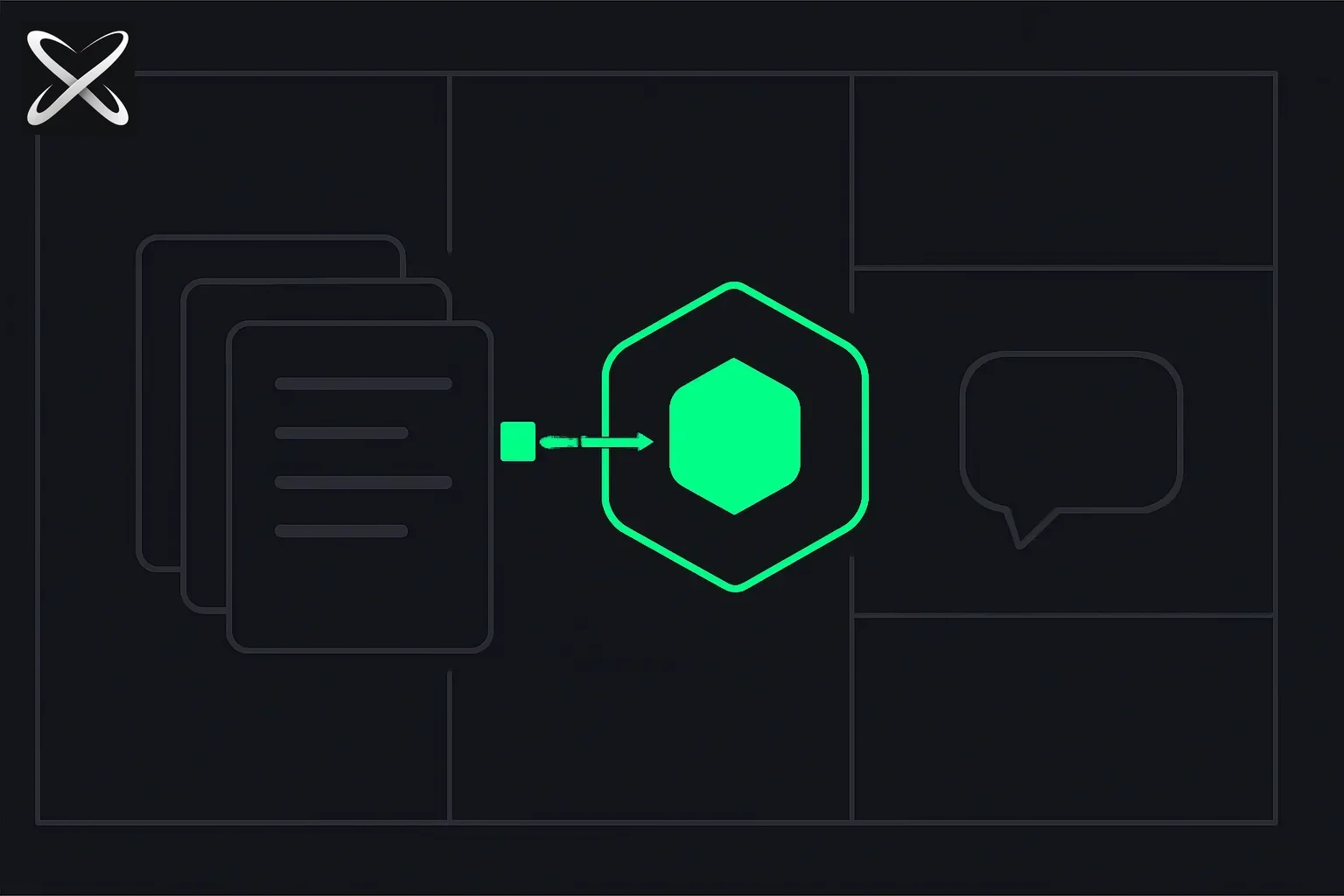 What are agent skills — reusable instruction cards plugging into an agent module versus a disconnected one-off prompt bubble
| Idea | Plain-language definition |
|---|---|
| Skill | A reusable instruction bundle (usually built around SKILL.md) that tells your agent how to work in a domain—not just what to do once. |
| Prompt | A single-turn (or short) instruction; it does not replace a versioned, shareable skill package. |
| Progressive disclosure | Metadata first, full skill body on demand—so discovery stays cheap in tokens while depth stays available when needed. |
| MCP | Model Context Protocol: tools and resources your host can invoke; complementary to skills, not a substitute. See MCP on explainx.ai and the specification overview. |
If you only remember one line: skills specialize the model; MCP connects it to live systems.
Why skills matter now
Developers report spending a large fraction of AI-assistant time re-stating team standards: error-handling patterns, repo layout, review etiquette, release steps, and doc tone. That overhead shows up as latency, inconsistent output, and context bloat when everything is stuffed into “global rules.”
Skills attack the problem structurally: encode the workflow once, invoke it when triggers match. Ecosystem growth has been rapid—public registries, vendor repositories, and IDE integrations now treat SKILL.md as a cross-tool artifact in many setups (details vary by product version).
On explainx.ai, the skills registry surfaces 100+ ranked skills (and growing) so you can compare adoption and copy install commands without hunting across GitHub READMEs alone.
The three-layer mental model: rules, skills, MCP
A useful way to organize your stack (taught in many curricula and team workshops) is three layers:
1. Rules (guardrails)
Rules are always-on constraints: style, safety rails, “never do X,” language preferences. They shape every turn—which means they consume context continuously. Good rules are short and high leverage.
2. Skills (domain playbooks)
Skills are on-demand expertise: packaged procedures, examples, and checklists. In typical architectures, the agent scores skill metadata against the user task, then loads a small subset in full. That pattern is often called progressive disclosure—keep idle footprint small, pay full token cost only when the skill is actually relevant.
3. MCP tools (actions in the world)
MCP exposes capabilities: call an API, run a query, fetch a resource. Anthropic’s introduction to MCP describes why the industry wanted a standard host–server shape; the living docs live on modelcontextprotocol.io.
Why the distinction matters: misuse has real costs—everything as a rule burns tokens; everything as MCP adds operational burden; skills fill the gap for repeatable cognition that is not a live tool call.
| Layer | Primary job | Token pattern (rule of thumb) | When to prefer |
|---|---|---|---|
| Rules | Always-on guardrails | Paid every message | Short, universal constraints |
| Skills | Domain workflows | Small idle metadata; full body when loaded | Repeatable multi-step playbooks |
| MCP | Side-effecting tools | Definitions in context; work often server-side | Live data, integrations, system actions |
For MCP discovery alongside skills, browse MCP servers on explainx.ai—we index categories, stars, and install-oriented profiles.
What lives inside a typical SKILL.md?
Most Claude-style skills center a SKILL.md with:
- YAML frontmatter —
name,description(critical for triggering), optional fields like tool allow-lists or flags for manual-only invocation. - Markdown body — numbered workflows, examples, constraints, edge cases.
The description is doing double duty: humans read it, but more importantly the agent uses it to decide when to load the skill. Strong descriptions state triggers (“Use when the user asks to…”)—not vague marketing (“Helps with Git”).
Body structure that teams converge on (because it works):
- Purpose in one short paragraph
- Numbered procedure the model must follow
- Good output examples (models calibrate quality from examples)
- Anti-patterns and formatting constraints
Keep bodies maintainable—very long essays belong in references/ files or separate docs the skill points to, a pattern used in production libraries like those under Anthropic’s skills distribution on GitHub.
Claude Code vs Cursor vs MCP (ecosystem map)
Claude Code popularized a .claude/skills/ layout with per-skill folders and SKILL.md at the center, optionally plus scripts and assets. Discovery is metadata scan → selective load.
Cursor historically emphasized .cursor/rules/ .mdc files with globs; SKILL.md-style skills under .cursor/skills/ have been converging toward the same portable format in many setups—check your Cursor version and product docs for the exact feature story.
MCP is orthogonal: configure servers in your host, expose tools, and let the model call them. If you build MCP servers, the mcp-builder skill on explainx.ai is a structured authoring guide.
Cross-links on explainx.ai
- Browse ranked skills →
- Browse MCP servers →
- Submit a listing →
- What is CLAUDE.md? Persistent Memory for Claude Code → (give Claude project context)
- What is MEMORY.md? The Long-Term Brain for AI Agents → (agent memory patterns)
- DESIGN.md: the open spec for AI design systems → (semantic design tokens)
- Introducing MCP servers on explainx.ai →
- SEO + GEO for AI-visible content → (if you publish skills or landing pages)
Installing and sharing skills (explainx.ai flow)
The homepage documents the one-command mental model:
npx skills initonce in a project.npx skills install <name>(or add from Git—follow the skill card) to pull a community skill.- Open the registry when you want adoption signals, tags, and copy-ready commands.
Adding a skill on claude.ai instead of the terminal? See the screenshot walkthrough of all three options — Create with Claude, Write skill instructions, and Upload — in How to Add Skills to Claude.
For visibility of what you ship—both in Google and in AI answer surfaces—pair technical skills with content skills such as seo-geo; it encodes audit + schema + GEO patterns cited in empirical generative-engine research summaries.
Security, trust, and “registry literacy”
Skills and MCP servers are third-party code or configuration. A directory helps discovery; it is not a substitute for your security review:
- Read the SKILL.md and any scripts before you install in sensitive repos.
- Prefer scoped tool permissions where your host supports them.
- Treat rankings as popularity or heuristics, not security guarantees.
- For the threat model and how explainx.ai/skills approaches verification (including automated checks and repo scanning), read Why agent skills are a security risk—and how explainx.ai verifies every skill.
Our Terms of Service (especially §7 on third-party listings) and Submission guidelines describe how explainx.ai approaches moderation and public listing data—still verify anything you run.
Learn skills & MCP in depth (Udemy)
For step-by-step video, environment setup, SKILL.md deep dives, publishing workflows, and MCP projects, the course Agent Skills: Claude Code, Cursor, and MCP in Practice matches the “learn skills & mcp” entry point in our site navigation (same link as the header/footer Udemy CTA).
Bottom line
Agent skills turn repeated natural-language training into versioned, discoverable packages—progressive disclosure keeps them scalable, and MCP handles live tooling. Start at the registry, explore MCP servers, and when you want a guided build, use the Udemy course linked above.
Companion: What is MCP? Model Context Protocol explained →
Update — July 21, 2026: NVIDIA SIGGRAPH brought MCP into Adobe, Blender Lab, Houdini 22 APEX, Unreal, and Silhouette, plus NVIDIA Agent Toolkit client/server for local RTX PRO and DGX Station agents — the production-creative counterpart to repo-native skills. SIGGRAPH MCP + agent stack guide →
Work-memory capture + Pipes: screenpipe (YC S26) — local timeline for agents, Jul 2026 →
Maintainer economics: Thoughtworks zero-cost fallacy — open source in the agentic era (Jul 2026) →
Example monorepo (process + slash skills): gstack by Garry Tan (YC) — deep dive on explainx.ai →
Thariq (@trq212) on SKILL.md size: thin prompts, thick artifacts, thin skills — July 2026 →
Visual chat lineage: Microsoft Comic Chat open source — 1996 automatic illustration from IRC text (Jul 17) →
3D procedural reconstruction: img2threejs — MIT skill rebuilds one photo as pass-gated Three.js factory code (Jul 20) →
Writing-focused skill: Peter Yang open-sources /no-ai-slop — a Claude skill for de-sloppifying writing (Jul 22) →
Skills meet code review: GitHub stacked pull requests public preview — the gh-stack skill for coding agents (Jul 31) →
Behavioral experiment skill + MCP: Wharton AIBO — open-source AI Behavioral Observatory (Jul 30) →
CEO demo of skills in Copilot code: Satya Nadella ROIC Intelligence — /drill-me + /rubber-duck + Fabric (Aug 1) →
Chart-generation skill from Microsoft Research: Flint — a visualization language + MCP server for AI agent charting (Aug 1) →
CRM research skills in production OSS: Comp AI agentic CRM — evidence.md, identity-matching, data-boundaries (Aug 2026) →
Test-time evolving libraries: Microsoft EvoLib — skills and insights that consolidate without weight updates (Aug 2026) →
Team memory + skill assets: TencentDB Agent Memory v2 — governed Skills/Wiki/CodeGraph loadouts (Aug 2026) →
Internet eyes for agents: Agent Reach — multi-backend capability layer (Aug 2026) →
One skill, six subagent roles: Arcads' Marketing OS — a single Claude skill structured as a simulated marketing department with role handoffs (Aug 18, 2026) →
Sixteen departments, 172 skills: headcount — MIT-licensed company org as Claude Code plugins (Sep 1, 2026) →
Platform response: Substack launches AI detection with Pangram (Jul 21) →
Learning-science skills, applied: LLM simulation games for learning — the ChipTycoon HN debate, feat. Dr. Cat Hicks's learning-opportunities/learning-goal skills (Aug 10) →
Live UI design variations on your own localhost: Variate — a zero-dependency skill that writes four real file variants and switches them with the arrow keys (Aug 21) →
Enterprise filename fight: Tobi / Shopify AGENTS.md vs CLAUDE.md (Aug 25) → · everyday users & harness drift →
GPT-Image-2 prompt library skill: awesome-gpt-image-2 — 530+ cases + gpt-image-2-style-library (Aug 26) →
Obsidian PKM skills: claude-obsidian — self-organizing second brain for Claude Code (Aug 26) →
Update — August 28, 2026: Verifiable architecture maps as a skill — Archify: typed JSON IR → validated HTML, Architecture Delta for PRs.
Curated five-skill garden: garden-skills — ConardLi's design, video, GPT Image 2, KB, and article packs for Claude Code, Cursor, Codex (Aug 28) →
Update — August 29, 2026: Compiling agent experience into a persistent knowledge base skills are rebuilt from — WikiSkill (Google Research + Virginia Tech): beats EvoSkill and SkillOpt, and small models with skills outperform much larger ones without.
Update — September 1, 2026: A skill for one specific craft problem — alphaXiv's orx-figures teaches coding agents like GPT-5.6 Sol to build publication-quality research figures, including inferring what to emphasize from the paper's own context.
Update — September 5, 2026: Model upgrades change what a skill should even say — OpenAI Codex's Eric Provencher on rethinking skill descriptions, AGENTS.md, and completion criteria for GPT-6 Astra, with a direct mapping to Claude Code's Agent Skills and CLAUDE.md.
Update — September 12, 2026: Proving a skill or plugin actually helps, not just assuming it does — claude plugin eval runs your test prompts with and without the plugin active and scores the delta, with a per-case HTML report and cost preview before a full run.
Update — September 12, 2026: A real-world case of the "skills go stale across model upgrades" risk this guide warns about — OpenAI's Tibo Sottiaux named skills written for previous models over-triggering and blocking GPT-6 Astra's own self-checking as one of three causes behind a wave of Astra quality complaints, fixed alongside a usage reset.
Update — September 7, 2026: A durable state surface for multi-step agent work, not just a stored recipe — GitHub Copilot canvases (Aug 17, 2026) make workflow decisions and approval gates inspectable instead of buried in chat, with a four-step blueprint that applies beyond Copilot.
Update — September 15, 2026: A new extension surface sitting alongside skills, not replacing them — Claude Code Mods, announced by Anthropic's Boris Cherny via GitHub issue anthropics/claude-code#91870, extend the interactive session surface itself (a Tetris board, a breathing-exercise focus tool, a CI panel) rather than the model's own capability set.
Update — September 18, 2026: Claude Team and Enterprise organizations can now publish skills and plugins org-wide into a shared library — defaulting to no review step for Team orgs unless an admin changes the policy.
Update — September 19, 2026: How to become the kind of builder who uses skills like these as a default workflow, not an occasional tool — what is an AI-native builder, and how to actually build the habit.
Update — October 1, 2026: NVIDIA shipped a Metropolis skill that composes a whole vision stack — VSS 3.3 vss-build-vision-ai on a juice line.
Update — October 1, 2026: Thariq Shihipar's internal skills taxonomy now lives on Anthropic's named hub — claude.dev, not a new model.
Update — October 14, 2026: New coverage — Scientific Agent Skills: 177 research skills and CLI-Anything, which generates a CLI and SKILL.md for existing software.
Primary conceptual structure and teaching metaphors in this article are adapted from the Agent Skills for AI Coding Tools lecture scripts (Claude Code · Cursor · MCP). Ecosystem statistics and product behaviors change quickly—verify version-specific details in official vendor documentation and on each skill’s repository.
Update — October 3, 2026: Example skill with a published benchmark: Ponytail, the skill that makes agents write less code.