



Update — October 3, 2026: llama-server now serves Jev-style decision models on /v1/systemone — five open GGUFs named in the ggml announcement.
July 2, 2026: Every week another model ships as GGUF on Hugging Face, another HN thread argues Mac vs Nvidia for local LLMs, and another developer asks "do I need Ollama or something else?" The answer underneath most stacks is the same engine: llama.cpp.
Georgi Gerganov open-sourced it in March 2023 to run Meta's Llama weights on a MacBook CPU. Today the ggml-org/llama.cpp repo carries 118k+ GitHub stars, 450+ contributors, and a release cadence that shipped build b9829 on June 28, 2026. Ollama, LM Studio, and dozens of embedders sit on top of it — but when you want MTP speculative decoding, exact -ngl offload, router mode, or embedding endpoints, you run llama.cpp directly.
Update — July 10, 2026: Colibrì is a parallel pure-C stack for GLM-5.2 — stream MoE experts from disk when you cannot hold a full GGUF in 256 GB RAM.
Update — August 11, 2026: The same properties that make local inference private also make it invisible to abuse monitoring. See Kimsuky ran LLMs offline on its own servers for the defensive read on why offline model runners strip every provider-side guardrail at once, and what endpoint signals still detect them.
Update — July 14, 2026: Tencent shipped Hy3 1-bit/4-bit GGUF — 295B MoE on 128 GB via llama.cpp + MTP (hy_v3 architecture).
This post is explainx.ai's foundation guide: what llama.cpp is, how GGUF fits, install paths, llama-cli vs llama-server, copy-paste run commands, and how to hand the API to OpenCode or Codex OSS.
TL;DR — what people search after "what is llama.cpp"
| Question | Answer |
|---|---|
| Do I need a GPU? | No — CPU works (slow). Metal on Apple Silicon, CUDA on Nvidia, Vulkan/ROCm elsewhere for speed. |
| What file format? | GGUF quants — see quantization guide. |
| Simplest run command? | llama-server -m model.gguf --port 8080 → browser UI + /v1 API. |
| vs Ollama? | Ollama = easy wrapper; llama.cpp = control plane. Same weights possible, different UX. |
| vs vLLM? | vLLM = multi-user production on big GPUs; llama.cpp = laptop to workstation breadth. |
| Best for coding agents? | llama-server + OpenAI-compatible /v1 — full local + OpenCode path. |
| Example model walkthrough? | Qwen 3.6 27B + MTP flags. |
What llama.cpp actually is
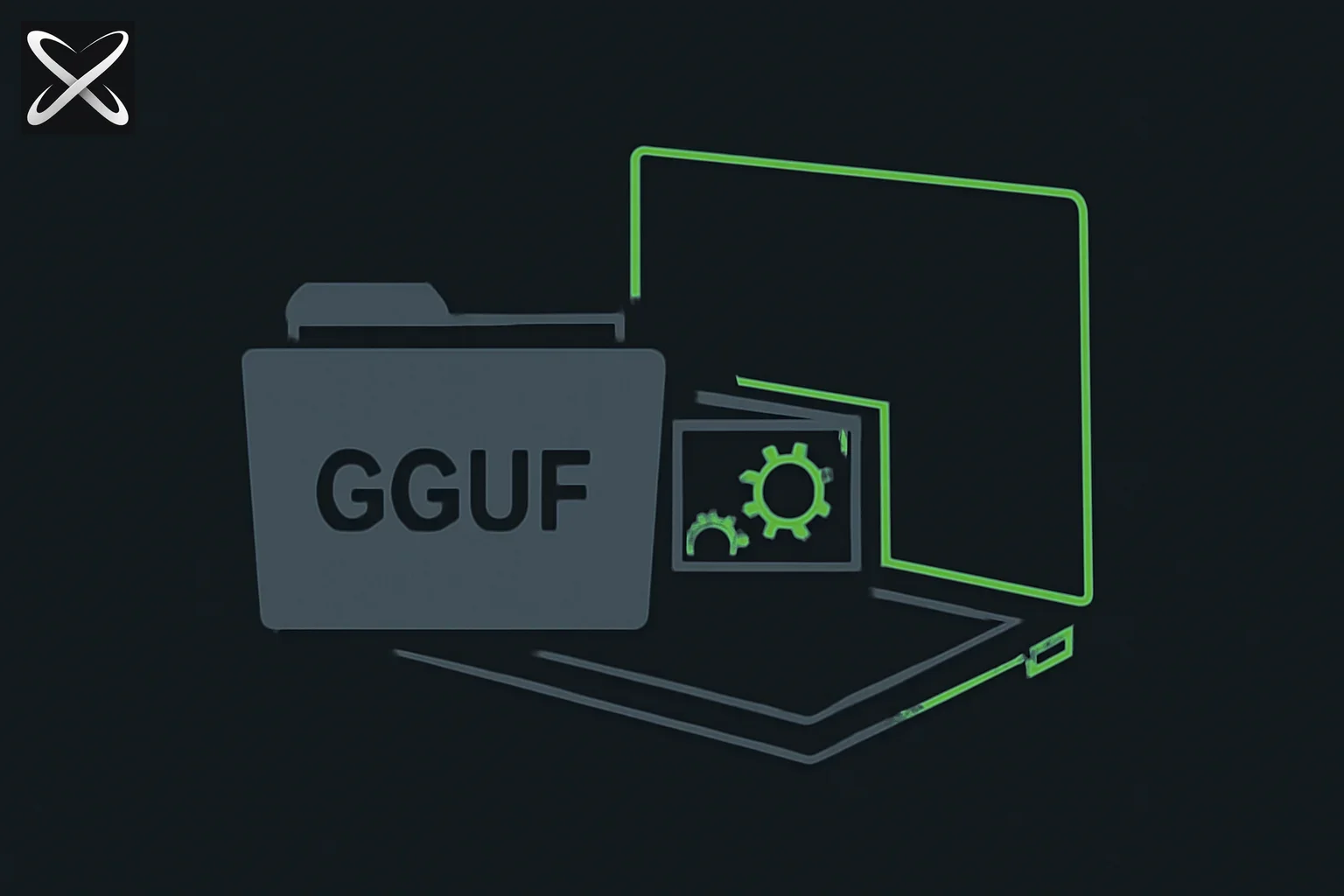 What is llama.cpp — a GGUF model file loading directly into a laptop's internal gears with no cloud connection
Three layers, one project:
┌──────────────────────────────────────────┐
│  llama-server / llama-cli  (user tools)  │
├──────────────────────────────────────────┤
│  libllama  (model load, decode, sampling)│
├──────────────────────────────────────────┤
│  ggml  (tensor ops — CPU/GPU backends)   │
└──────────────────────────────────────────┘
         ▲
         │ reads
    model.gguf  (quantized weights on disk)
llama.cpp is not a model and not a chat app. It is an inference runtime — load weights, manage KV cache, sample tokens, optionally expose HTTP.
GGUF is the file format llama.cpp natively consumes. One file holds architecture metadata plus Q4/Q5/Q8 (or F16) tensors. That is why a 27B model that would need hundreds of GB in FP32 can run in ~18–48GB RAM depending on quant — the math in our quantization guide applies directly here.
Historical note: The project predates the current explosion of Chinese open weights (Qwen, GLM, DeepSeek). llama.cpp's role stayed constant: make the file on disk talk.
llama.cpp vs the wrappers
| Tool | Relationship to llama.cpp | When to pick it |
|---|---|---|
| llama.cpp | Core engine | Tuning, MTP, router, embeddings, exotic hardware |
| Ollama | Uses llama.cpp (and MLX on Mac) | Fastest first run, ollama pull, no flag soup |
| LM Studio | Embeds llama.cpp server | GUI model browser + local API toggle |
| MLX | Separate Apple stack | Pure Mac optimization; some models faster than llama.cpp on M-series |
| vLLM | Different codebase (PagedAttention) | Team server, many concurrent users on datacenter GPU |
explainx.ai read: Start with building a personal local AI system for the full layer cake. Drop to raw llama.cpp when Ollama's defaults leave performance on the table — especially on Apple Silicon with MTP (Qwen 3.6 benchmarks).
Install llama.cpp
macOS (fastest)
brew install llama.cpp
# verify
llama-cli --version
llama-server --version
Homebrew ships recent builds with Metal enabled on Apple Silicon.
Linux — prebuilt release
Download the matching ggml-org/llama.cpp release asset for your OS/CUDA version from GitHub Releases, extract, add to PATH.
Build from source (CUDA / ROCm / custom)
git clone https://github.com/ggml-org/llama.cpp
cd llama.cpp
cmake -B build -DGGML_CUDA=ON    # or -DGGML_METAL=ON on Mac
cmake --build build --config Release -j
# binaries in build/bin/
Use source builds when you need a specific CUDA arch, ROCm on AMD, or bleeding-edge server features before packagers catch up.
Models — where GGUF files live
- Hugging Face — search
GGUF, publishers like unsloth, bartowski, MaziyarPanahi -hfflag — llama.cpp downloads/caches directly:
llama-server -hf unsloth/Qwen3.6-27B-MTP-GGUF:Q8_0 --port 8080
- Manual download — place
.ggufanywhere, pass-m /path/to/model.gguf
Pick quant by RAM: Q4_K_M for tight budgets, Q8_0 when you have 48GB+ unified memory and want coding quality — see VRAM/RAM tables.
The two binaries you will actually use
llama-cli — terminal chat
Interactive REPL in the shell. No HTTP. Best for smoke tests and prompt iteration.
llama-cli -m ~/models/Llama-3.2-3B-Instruct-Q4_K_M.gguf \
  -ngl 999 -c 8192 -fa on
Flags explained below. Exit with Ctrl+C or /quit depending on build.
llama-server — API + web UI
The production path for agents, Continue, Open WebUI, and OpenCode.
llama-server -m ~/models/Llama-3.2-3B-Instruct-Q4_K_M.gguf \
  --port 8080 -ngl 999 -c 8192 -fa on
| Endpoint | URL |
|---|---|
| Web chat UI | http://127.0.0.1:8080 |
| OpenAI models list | http://127.0.0.1:8080/v1/models |
| Chat completions | http://127.0.0.1:8080/v1/chat/completions |
Smoke test:
curl http://127.0.0.1:8080/v1/models
2026 server features (see server README): parallel decoding (-np), OpenAI + Anthropic-compatible chat routes, function calling, speculative decoding, multimodal input (experimental), embeddings and reranking endpoints, router mode for multiple models with LRU eviction, built-in MCP hooks in the web UI.
Essential flags (the ones that matter)
| Flag | Meaning | Typical value |
|---|---|---|
-m path.gguf | Model file | Local path |
-hf org/repo:quant | Hugging Face pull | unsloth/Qwen3.6-27B-MTP-GGUF:Q8_0 |
-ngl N | GPU layers to offload | 999 = all layers on GPU/Metal |
-c N | Context size (tokens) | 8192–65536; higher = more RAM |
-fa on | Flash attention | On when supported — faster long context |
--port N | HTTP port | 8080 (convention) |
-np N | Parallel slots / users | 4 on shared LAN box |
--spec-type draft-mtp | Multi-token prediction | Qwen 3.6 MTP GGUF builds |
-md draft.gguf | Speculative draft model | Smaller companion file |
--embedding | Embedding mode | Dedicated embed models only |
Sampling (quality vs creativity): tie to temperature, top-p, top-k guide — llama-server accepts the same params in API JSON as OpenAI.
Hardware cheat sheet (Mac vs GPU deep dive):
| Machine | Starting point |
|---|---|
| 32GB Mac | 7B–13B Q4, -ngl 999, -c 16384 |
| 48–64GB Mac | 27B Q4–Q8, MTP if available |
| 24GB Nvidia | 7B–14B Q4/Q5, watch KV cache vs -c |
| 48GB+ Nvidia | 27B–32B Q6/Q8, raise -np for roommates |
| CPU only | -ngl 0, tiny models (1B–3B), patience |
Step-by-step: first model in 10 minutes
1. Pick a small instruct model
Good first pulls: Llama 3.2 3B Instruct, Qwen3 4B, Gemma 3 4B — any GGUF Q4_K_M under ~3GB download.
2. Start the server
llama-server -hf bartowski/Llama-3.2-3B-Instruct-GGUF:Q4_K_M \
  --port 8080 -ngl 999 -c 8192 -fa on
3. Chat in browser
Open http://127.0.0.1:8080, ask: "Write a Python function that merges two sorted lists."
4. Hit the API like OpenAI
curl http://127.0.0.1:8080/v1/chat/completions \
  -H "Content-Type: application/json" \
  -d '{
    "model": "gpt-3.5-turbo",
    "messages": [{"role": "user", "content": "Say hello in one sentence."}]
  }'
(Model name string is often ignored locally — server uses the loaded GGUF.)
5. Wire a coding agent
Add to ~/.config/opencode/opencode.jsonc:
{
  "$schema": "https://opencode.ai/config.json",
  "provider": {
    "llama": {
      "name": "llama.cpp (local)",
      "npm": "@ai-sdk/openai-compatible",
      "options": {
        "baseURL": "http://127.0.0.1:8080/v1",
        "apiKey": "local"
      },
      "models": {
        "local": { "name": "local-gguf" }
      }
    }
  },
  "model": "llama/local"
}
Full harness walkthrough: run open-source models in OpenCode. For a production coding default on 48GB+ hardware, jump to the Qwen 3.6 27B llama.cpp recipe with MTP flags.
Advanced paths (when basics work)
Router mode — multiple models, one port
Omit -m and point at a models directory — llama-server loads models on demand, evicts LRU when memory is full. Useful for a home lab with 3B for fast autocomplete and 27B for hard prompts. See router mode docs in server README.
Embeddings and RAG
llama-server -m nomic-embed-text.gguf --embedding --pooling cls -ub 8192 --port 8081
Pair with local vector DB in a personal AI workflow.
Self-quantize
When upstream only ships safetensors:
llama-quantize input-f16.gguf output-q4_k_m.gguf Q4_K_M
Most users should download pre-made GGUF from trusted quantizers instead.
Speculative decoding
Load a small draft model (-md draft.gguf) or MTP weights (--spec-type draft-mtp) so the big model verifies multiple tokens per step — the ~32 tok/s vs ~18 tok/s gap in the Qwen 3.6 post.
What people complain about (honest limits)
| Issue | Reality |
|---|---|
| "Too many flags" | True vs Ollama. Keep a shell alias or Makefile for your daily server line. |
| Ollama drama | Some HN posts argue ethics of Ollama's packaging; llama.cpp is the neutral upstream. explainx.ai supports both — pick by friction vs control. |
| MoE sloppiness | Architecture matters more than runtime — dense vs MoE local coding. |
| Tool calling quality | llama-server supports tools; model must be trained for reliable function JSON. Weak local models → failed agent loops. |
| Windows friction | Builds exist; CUDA path is smoother on Linux. WSL2 + Nvidia is the usual Windows power-user route. |
| No training | Inference only. Fine-tune elsewhere (Unsloth GLM guide), infer here. |
llama.cpp in the explainx.ai local stack
Model (GGUF) → llama-server → /v1 API → OpenCode / Codex / Pi
                    ↑
              optional: Ollama wraps same engine for simpler pulls
After Fable 5 export controls, llama.cpp is the default on-ramp to enterprise open alternatives: weights stay on disk you control, API stays on localhost, harness swaps without re-downloading terabytes.
Add verification loops from explainx.ai loops when agents drive CI — e.g. ci-until-green.
Related on explainx.ai
- Mojo Is Now Fully Open Source — What It Means for AI Kernel Writing — a newer, Python-superset alternative to the C/C++ kernel code llama.cpp is built on, now open source under Apache 2.0
- Hugging Face speech-to-speech — build open-source voice agents — pairs a local llama.cpp server with local STT/TTS for a fully offline voice pipeline
- Framework Laptop 13 Pro — modular local AI hardware — LPCAMM2, Ubuntu Certified, why RAM upgrades still matter
- BitNet on a 1975 6502 / BBC Micro — extreme end of local inference: ~52K ternary params, no multiply ISA
- 28.9M LLM on $8 ESP32 — Per-Layer Embeddings — flash-backed tables at the opposite end of the scale from laptop GGUF
- Run open-source models locally in OpenCode — full stack pillar (Ollama + llama.cpp + opencode.jsonc)
- Qwen 3.6 27B — llama.cpp MTP deep dive — real coding benchmarks and OpenCode config
- What is AI model quantization? — GGUF, Q4/Q8, VRAM math
- Build a personal local AI system — Ollama vs llama.cpp vs vLLM layer cake
- Mac vs dedicated GPU for local LLMs — hardware before software
- Codex + Ollama OSS mode — same inference layer, OpenAI harness
- OpenCode harness guide — agent loop concepts
- Temperature, top-p, top-k sampling — decode parameters
- GigaToken — a Rust tokenizer claiming ~1000x faster than HuggingFace Tokenizers
- Kimsuky ran LLMs offline on its own servers — the security-team view of local inference: no telemetry cuts both ways
- A 1.5B shell-command model on a laptop CPU — 941MB Q4_K_M GGUF served by llama.cpp at 31.9 tok/s on four threads, plus the GBNF grammar trick for constraining output
Official: llama.cpp GitHub · llama-server README · GGUF on Hugging Face
Binary names, server routes, and star counts reflect the ggml-org/llama.cpp repo as of July 2, 2026 — verify release notes before production deployments. Last updated: July 2, 2026.