



Temperature, Top-P, and Top-K in LLMs: The Complete Sampling Guide (2026)
Every time a large language model generates a word, it doesn't just pick the most likely next token and move on. It computes a probability distribution over its entire vocabulary — tens of thousands of candidates — and then uses a sampling strategy to decide which one to actually output. Temperature, top-p, top-k, and min-p are the parameters that govern that sampling strategy.
Understanding these parameters is not optional for anyone working seriously with LLMs. They determine whether your model gives you a deterministic SQL query or a wildly hallucinated one. They determine whether your creative writing assistant sounds inventive or repetitive. And they determine why the exact same prompt can return completely different outputs on successive calls.
This guide covers the full pipeline: from raw logits to the final sampled token, with worked numerical examples you can follow step by step. By the end you will know exactly what to set for any use case, why each parameter exists, and how the 2026 landscape of model abstractions is starting to hide these knobs behind higher-level concepts.
Why This Matters at Inference Time (Not Training Time)
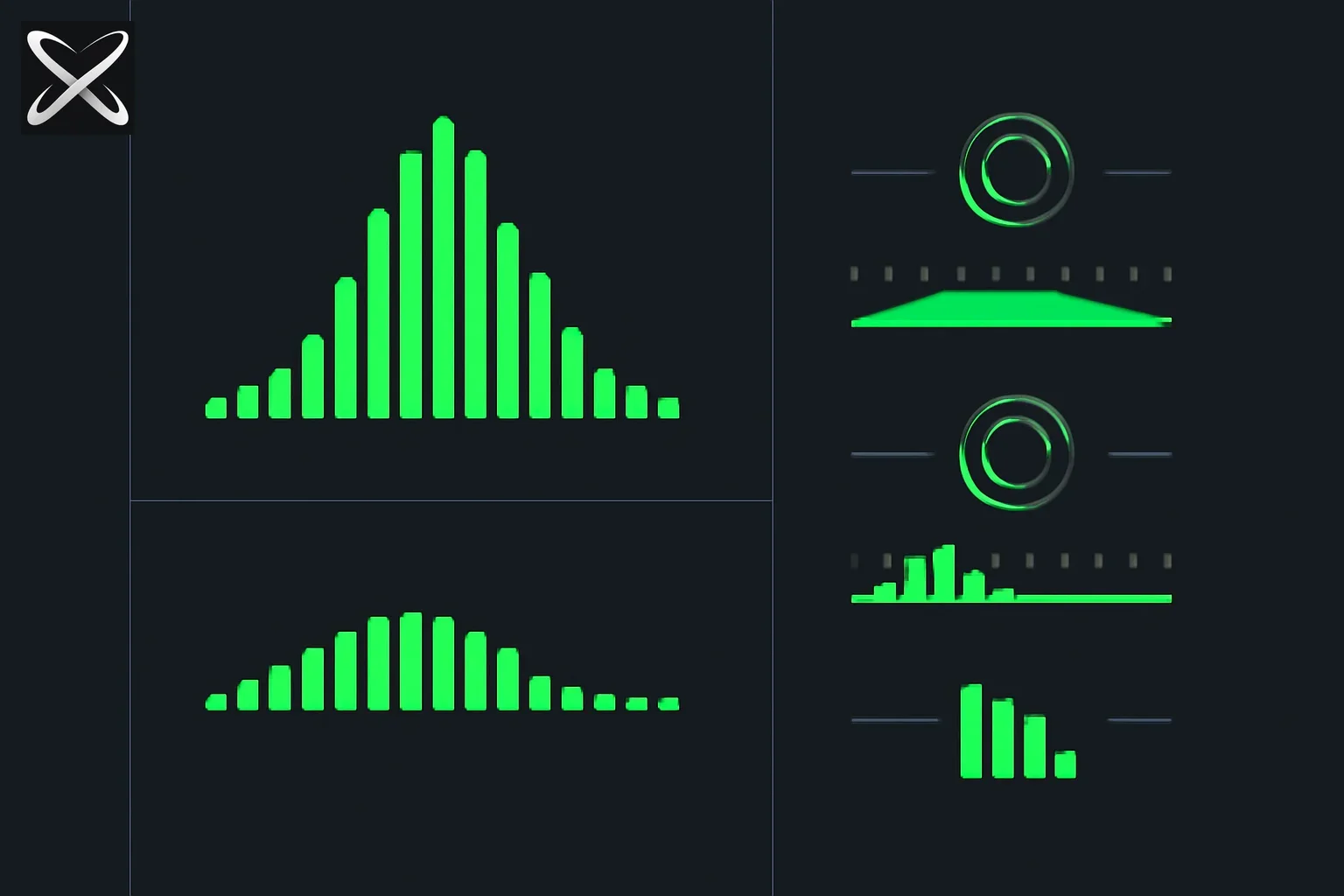 Temperature top-p top-k sampling diagram: three dial knobs reshaping a token probability curve in different ways
A common misconception: these parameters are baked into the model. They are not. The model itself is fixed after training. Sampling parameters are generation-time decisions — you pass them with every API request, and they control how the already-trained model picks the next token.
This matters for a few reasons:
- The same model checkpoint can behave radically differently depending on your sampling config.
- You can change your sampling strategy without retraining anything.
- Different tasks on the same model need different settings. A coding assistant and a creative writing assistant running on the same weights should use very different parameters.
The parameters operate on the output of the model's final layer — a vector of raw scores called logits — before any token is produced. They are applied once per generated token, for every token in the output sequence.
The Pipeline: Logits to Probabilities to a Sampled Token
To understand any sampling parameter you first need to understand the pipeline every generated token travels through.
Step 1: The Model Produces Logits
After processing your input, the model's final linear layer produces a logit for every token in the vocabulary. A logit is just a raw, unbounded real number — higher means the model considers that token more likely given the context, but the numbers aren't probabilities yet.
Step 2: Softmax Converts Logits to Probabilities
The softmax function takes the logit vector and converts it into a proper probability distribution — all values between 0 and 1, summing to exactly 1. The formula for the probability of token i is:
P(token_i) = exp(logit_i) / sum(exp(logit_j) for all j)
Step 3: Sampling Parameters Filter the Distribution
Before sampling, temperature, top-k, and top-p reshape or trim the distribution. Then a random draw picks one token from whatever remains.
Worked Example: 5 Tokens
Suppose the model is deciding the next token after "The capital of France is" and the top five candidates from a vocabulary of 50,000 have these raw logits:
| Token | Raw Logit | Softmax Probability |
|---|---|---|
| Paris | 8.2 | 0.621 |
| Lyon | 5.4 | 0.032 |
| Marseille | 5.1 | 0.024 |
| a | 4.8 | 0.017 |
| the | 4.3 | 0.011 |
| (all other ~49,995 tokens) | varies | ~0.295 combined |
Without any sampling parameters (or with temperature=1 and top-p=1), there's a 62.1% chance the model picks "Paris", a 3.2% chance it picks "Lyon", and so on. The model is not guaranteed to say "Paris" — it samples probabilistically.
This is where sampling parameters come in.
Temperature: The Master Dial
Temperature is the single most important sampling parameter. It scales the logits before the softmax function is applied, which changes the shape of the resulting probability distribution.
The Formula
The temperature-modified softmax is:
P(token_i | T) = exp(logit_i / T) / sum(exp(logit_j / T) for all j)
Where T is the temperature. When T=1, you get the standard softmax — the model's natural distribution. When T is not 1, the logits are divided by T before exponentiation, which reshapes the distribution.
What Each Temperature Value Means
Temperature = 1.0: Unmodified distribution. You sample from exactly what the model learned.
Temperature below 1.0 (e.g., 0.2): Dividing by a number less than 1 makes the logits larger before softmax. The exponential function amplifies differences. High-probability tokens become even more dominant; low-probability tokens become negligible. The distribution sharpens.
Temperature above 1.0 (e.g., 2.0): Dividing by a number greater than 1 makes the logits smaller before softmax. Differences between tokens shrink. The distribution flattens — lower-probability tokens get relatively more probability mass.
Temperature = 0: This is the limit case. As T approaches 0, the highest-logit token gets all the probability and everything else gets none. In practice, "temperature 0" means greedy decoding: always pick the single most probable token.
Worked Example: Same Distribution at Three Temperatures
Using our "capital of France" example, here is what happens to the top 5 tokens at different temperatures:
| Token | T=0.2 | T=1.0 | T=2.0 |
|---|---|---|---|
| Paris | 0.9994 | 0.621 | 0.331 |
| Lyon | 0.0003 | 0.032 | 0.098 |
| Marseille | 0.0002 | 0.024 | 0.088 |
| a | 0.0001 | 0.017 | 0.077 |
| the | ~0.000 | 0.011 | 0.063 |
At T=0.2, "Paris" dominates almost completely. The model will almost certainly output "Paris" every single time. This is useful when you want deterministic, correct answers.
At T=1.0, you get the model's natural distribution. "Paris" wins most of the time, but other tokens have a meaningful share.
At T=2.0, "Paris" still has the highest probability but its lead has shrunk dramatically. "Lyon", "Marseille", and others now compete seriously. Over many samples you'd see real variety — and occasional nonsense, since those ~49,995 other tokens also got a share of the redistributed probability.
Top-K Sampling: A Fixed Vocabulary Filter
Top-k sampling addresses a specific problem: even at reasonable temperatures, the long tail of the vocabulary contains genuinely bad tokens — garbled text, completely off-topic words, rare junk. Top-k cuts this tail off.
How It Works
After computing probabilities (post-temperature), keep only the K tokens with the highest probability. Set all other tokens' probability to zero and renormalize. Then sample from those K tokens.
If K=5, you only ever pick from the five most probable tokens. If K=50, you pick from the fifty most probable.
The Advantage
You eliminate the risk of the model sampling from its garbage tail. Even at high temperature, you won't get token ID 38,174 ("ñquet") just because the flattened distribution gave it a 0.2% chance.
The Disadvantage: K is Context-Blind
This is top-k's fundamental flaw. K is a fixed number regardless of how the probability is spread.
Sometimes the top 5 tokens cover 99% of the probability mass. Restricting to K=5 is perfectly sensible — you're already capturing almost everything the model cares about. But sometimes the top 50 tokens cover only 30% of the mass — the model is genuinely uncertain and the probability is spread wide. Cutting to K=50 in that case still discards 70% of the probability mass the model considered valid.
Top-k doesn't adapt to the model's confidence level. This led to the development of top-p.
Top-P (Nucleus Sampling): A Dynamic Vocabulary Filter
Top-p sampling, also called nucleus sampling, was introduced to solve top-k's context-blindness. Instead of fixing the number of tokens, you fix the cumulative probability you want to cover.
How It Works
- Sort all tokens by probability, highest first.
- Walk down the sorted list, accumulating probability.
- Stop when the cumulative probability first reaches or exceeds P.
- The tokens considered so far form the nucleus.
- Renormalize those tokens and sample from them.
At top-p=0.9, you sample from the smallest set of tokens whose cumulative probability is at least 90%.
Why Nucleus Sampling Adapts Dynamically
When the model is confident (say, "The capital of France is ___"), the top 1 or 2 tokens might cover 90% of probability mass. The nucleus is tiny — maybe just 1 or 2 tokens — and the model stays focused.
When the model is uncertain (say, continuing "Once upon a time there was a ___"), probability might be spread across hundreds of plausible tokens. The nucleus expands to include more candidates, letting the model express its genuine uncertainty through varied outputs.
This is the key insight: top-p is a confidence-adaptive filter. It narrows when the model is sure, broadens when the model is uncertain. Top-k cannot do this.
Worked Example
Continuing the capital of France example at T=1.0:
| Token | Probability | Cumulative |
|---|---|---|
| Paris | 0.621 | 0.621 |
| Lyon | 0.032 | 0.653 |
| Marseille | 0.024 | 0.677 |
| a | 0.017 | 0.694 |
| the | 0.011 | 0.705 |
| ... | ... | ... |
| (many tokens) | ~0.001 each | 0.900 at ~token 50 |
With top-p=0.9, the nucleus here spans roughly 50 tokens. You'd sample from those 50.
Now imagine a different context where the model assigns 0.65 probability to a single token. With top-p=0.9, the nucleus might be just 3-4 tokens. The filter automatically tightens.
Min-P: A Simpler Threshold (2024+)
Min-p was proposed in late 2024 as an alternative to top-p that some users find more intuitive. Instead of a cumulative threshold, min-p sets a minimum probability relative to the most probable token.
How It Works
- Find the probability of the single most probable token: P_max.
- Compute the minimum threshold: threshold = min_p * P_max.
- Keep only tokens with probability above this threshold.
- Sample from those.
If min_p=0.1 and the top token has probability 0.60, the threshold is 0.06. Every token with probability below 6% is discarded.
Why It's Intuitive
The threshold scales automatically with the model's confidence. When the model is very confident (high P_max), the absolute threshold is high — few tokens survive. When the model is uncertain (low P_max), the threshold is low — more tokens survive. It's a multiplicative relationship rather than the cumulative one in top-p, which some practitioners find easier to reason about.
Min-p is available in llama.cpp, vLLM, Ollama, and several open-source inference stacks. It hasn't yet appeared in all major cloud APIs, but adoption is growing.
How Temperature, Top-K, and Top-P Interact
These parameters don't operate independently — they form a sequential pipeline:
Raw logits
    → Divide by temperature
    → Apply softmax to get probabilities
    → Apply top-k filter (if set): keep only top K tokens
    → Apply top-p filter (if set): trim to nucleus
    → Renormalize remaining tokens
    → Sample one token
Temperature always comes first because it operates on logits. Top-k and top-p come after and filter the probability distribution that temperature produced.
Common Combinations and What They Mean
| Config | What Happens | Best For |
|---|---|---|
| temp=0 | Greedy decoding. Top-k/top-p are irrelevant. | Classification, extraction, deterministic tasks |
| temp=0.7, top-p=0.9 | Mild sharpening + nucleus filter. Balanced quality/variety. | Chat, general Q&A |
| temp=0.2, top-p=0.95 | Strong sharpening. Very few tokens survive even after top-p. | Code generation, SQL, structured output |
| temp=1.0, top-p=1.0 | Unfiltered sampling from the full distribution. | Research, understanding model behavior |
| temp=1.2, top-p=0.9 | Mild flattening but nucleus keeps quality in check. | Creative writing, brainstorming |
| temp=2.0, top-p=0.9 | Strong flattening filtered by nucleus. High variety. Risky without top-p. | Experimental creative tasks only |
Important: If you set temperature to 0, top-k and top-p have no practical effect. Greedy decoding is deterministic by definition.
Also important: Running temperature=2.0 without top-p or top-k filtering is dangerous — the highly flattened distribution gives garbage tokens meaningful probability, and you'll start seeing incoherent output. Always pair high temperature with a nucleus filter.
Practical Guidance by Use Case
Knowing the theory is one thing. Here is what to actually set for the most common tasks:
Code Generation
Recommended: temp=0.1–0.2, top-p=0.95
Code has one correct answer (usually). You want the model to be nearly deterministic, picking the highest-probability token almost every time. The small nonzero temperature (rather than temperature=0) can help on long sequences where the greedy path sometimes paints itself into a corner. Top-p=0.95 keeps the door open for the rare case where a less-expected but valid token belongs.
Classification and Extraction
Recommended: temp=0 (or temp=0.1)
When you're asking the model to classify sentiment, extract a JSON field, or output "yes" or "no", you want the same answer every time. Temperature 0 is correct here. If you find the model occasionally mis-classifies at temp=0, that's a prompting issue — not a sampling issue. Check your prompt engineering fundamentals.
Chat and Conversational Assistants
Recommended: temp=0.7, top-p=0.9
This is the sweet spot for most chat products. The distribution is mildly sharpened — the model feels articulate and coherent — but enough variety remains that consecutive responses feel fresh rather than robotic. Nearly every major chat product ships at or near these defaults.
Creative Writing
Recommended: temp=0.8–1.2, top-p=0.9–1.0
Creative tasks benefit from real variety. Push temperature up toward or above 1.0. Top-p=0.9 still provides a quality floor. If you go above temp=1.0, monitor outputs closely — some runs will be inventive, others will start drifting into odd territory. Consider iterating on outputs at these settings rather than treating any single output as final.
Brainstorming and Ideation
Recommended: temp=1.0–1.5, top-p=1.0
When you're trying to generate many diverse ideas and will curate later, go wide. Top-p=1.0 means no nucleus filtering — you're sampling from the full distribution (though temperature still shapes it). Be prepared for some outputs to be weird. That's partly the point.
Summarization
Recommended: temp=0.3–0.5, top-p=0.9
Summaries should be accurate but not robotically identical across runs. A mild temperature keeps the model on-task while allowing natural variation in phrasing.
Determinism and Random Seeds
A question that comes up constantly: how do I get the same output every time if I'm using temperature > 0?
The answer is a random seed. The sampling step — after probabilities are computed — is a random draw. If you fix the seed that drives the random number generator, you get the same draw every time. Same model, same input, same temperature, same seed → same output.
OpenAI API: Supports the seed parameter in /chat/completions. Set it to any integer.
Anthropic Claude API: Does not currently expose a seed parameter. Near-deterministic output requires temperature=0.
Open-source inference (llama.cpp, vLLM, Ollama): Almost universally support seed parameters. Check the specific API docs for the parameter name.
# OpenAI example: reproducible output at temperature 0.7
response = client.chat.completions.create(
    model="gpt-4o",
    messages=[{"role": "user", "content": "Write a haiku about clouds."}],
    temperature=0.7,
    seed=42
)

# vLLM / OpenAI-compatible example
response = client.chat.completions.create(
    model="meta-llama/Llama-3.1-8B-Instruct",
    messages=[{"role": "user", "content": "Write a haiku about clouds."}],
    temperature=0.7,
    extra_body={"seed": 42}
)
Note that seeds only guarantee reproducibility with the same model, the same hardware, and the same inference server version. Floating-point non-determinism from GPU operations can occasionally break reproducibility across different hardware or library versions, even with a fixed seed.
Common Mistakes and How to Avoid Them
Mistake 1: Temperature 0 for Creative Tasks
Setting temperature to 0 when you want creative, varied output will give you the same response every single time. The model finds one locally optimal path and follows it forever. Creative tasks need entropy. Use temperature 0 only for tasks where determinism is desirable.
Mistake 2: High Temperature Without a Nucleus Filter
Temperature=2.0 with no top-p or top-k is a common beginner mistake. You're flattening the distribution so severely that tokens which legitimately have near-zero probability — fragments, corrupted subwords, off-topic sequences — now have enough probability to get sampled. The result is text that starts making sense and then suddenly lurches into incoherence. Always pair high temperature with top-p=0.85–0.95.
Mistake 3: Ignoring Model Size
The same temperature setting produces different behavior depending on model scale. A 7B parameter model at temperature=1.5 will start producing noticeably degraded output — its distribution is already less peaked than a large model, so adding more entropy pushes it into chaos. A frontier model (70B+ or proprietary) at temperature=1.5 is more resilient. Calibrate your temperature settings whenever you switch between model sizes. What works for GPT-4o may need to be dialed down for a smaller local model.
Mistake 4: Treating Defaults as Universal Truths
Provider defaults (usually around temp=0.7–1.0, top-p=1.0) are reasonable for general chat. They are not optimal for every task. Read the documentation, understand the defaults your chosen provider ships, and override them explicitly for any production use case where output quality matters.
Mistake 5: Tuning Sampling Instead of the Prompt
If your outputs are consistently wrong or off-topic at reasonable temperature settings, the problem is almost always the prompt, not the sampling parameters. Sampling parameters control randomness and vocabulary; they don't fix semantic errors or unclear instructions. Fix your prompt first, then tune sampling. See the context engineering guide for practical prompt cleanup techniques.
The 2026 Context: Providers Are Abstracting This Away
In 2026, the raw sampling parameters are becoming less visible to end users. Providers are wrapping them behind higher-level abstractions.
Claude's Effort Parameter is the clearest example. Instead of asking you to set temperature and top-p manually, Anthropic's Effort parameter (detailed guide here) lets you choose Low, Medium, High, or Max — a setting that simultaneously adjusts sampling behavior and the model's internal thinking budget. "Max effort" doesn't just lower temperature; it triggers extended thinking and more thorough reasoning passes.
Similar abstractions are appearing elsewhere: "precision vs. creativity" sliders, "deterministic mode" toggles, and automatic parameter tuning based on task classification. These are all implementations of the same underlying sampling parameters dressed in user-friendly language.
Why this matters for practitioners: Understanding the underlying parameters still matters even when you're using high-level abstractions. When you need to debug unexpected model behavior — outputs that are too varied, too repetitive, or subtly wrong — you need to know whether the abstraction is actually setting the right temperature for your task. And when you're calling APIs directly for production systems, you almost always want explicit control.
The shift also reflects a real insight: most users don't need to think about temperature. The right defaults handle 90% of cases. The goal of abstractions like Effort is to give the remaining 10% a human-readable handle rather than a floating-point knob. For a deeper look at how tokens and context interact with generation cost, see what are LLM tokens.
Quick Reference: Parameter Summary
| Parameter | What It Controls | Range | Effect of Increasing |
|---|---|---|---|
| Temperature | Logit scaling before softmax | 0 to 2+ | More random, more creative, higher hallucination risk |
| Top-K | Fixed vocabulary cutoff | 1 to vocab size | More tokens eligible, more variety |
| Top-P | Cumulative probability cutoff | 0 to 1.0 | More tokens in nucleus, more variety |
| Min-P | Minimum probability relative to top token | 0 to 1.0 | Lower threshold = more tokens survive |
| Seed | Random number generator seed | Any integer | Same value = same output (given all else equal) |
| Use Case | Temperature | Top-P | Top-K | Notes |
|---|---|---|---|---|
| Code generation | 0.1–0.2 | 0.95 | — | Correctness over creativity |
| Classification / extraction | 0 | — | — | Pure greedy decoding |
| Chat | 0.7 | 0.9 | — | Standard balanced defaults |
| Summarization | 0.3–0.5 | 0.9 | — | Accurate but natural phrasing |
| Creative writing | 0.8–1.2 | 0.9–1.0 | — | Vary and curate outputs |
| Brainstorming | 1.0–1.5 | 1.0 | — | Maximum variety, filter later |
Putting It All Together
Sampling parameters are not magic. They are a handful of simple mathematical operations — a logit division, a softmax, a sort, a cumulative sum, and a random draw — applied once per generated token. Once you see the pipeline clearly, the parameters become obvious tools rather than mysterious dials.
The practical upshot:
- Temperature is your primary control. Start here. Set it based on how deterministic vs. creative the task requires.
- Top-P is your quality floor. Use 0.9 as a default and tighten if you need more focus.
- Top-K is useful but less adaptive than top-p. Use it when you need a hard cap on vocabulary breadth.
- Min-P is worth exploring if you use open-source inference stacks, especially at high temperatures.
- Seed is mandatory if you need reproducible outputs. Check whether your API exposes it.
- Never tune sampling before tuning your prompt. A bad prompt at temperature 0 is still a bad prompt.
As providers continue abstracting these parameters into higher-level concepts like Claude's Effort tiers, the underlying mechanics remain the same. The practitioners who understand what's happening under the hood will always have an advantage when defaults aren't quite right.