



Update — August 26, 2026: Cato CTRL documented fake Codex macOS installers via Google Ads — install only from official OpenAI docs, never sponsored search landing pages.
On June 17, 2026, Tibo Sottiaux (@thsottiaux, OpenAI Codex) posted a reminder that surprised developers who still treat Codex as GPT-only:
Reminder that you can use the Codex App, CLI and SDK with any open source model, not just with OpenAI models.
The post hit 1.6M+ views within a day—because it reframes Codex from "OpenAI's coding agent" to a portable agent harness that can point at local weights, Chinese frontier models, or your own vLLM endpoint.
Ollama immediately showed what that looks like in practice: ollama launch codex and ollama launch codex-app with GLM-5.2 and Kimi-K2.7-Code—the same open models many teams adopted during the Fable 5 suspension.
This guide covers official OSS mode, Ollama integration, what works today, and what the community says is still broken.
TL;DR
| Question | Answer |
|---|---|
| Docs | Codex config advanced — OSS mode |
| Ollama docs | docs.ollama.com/integrations/codex |
| Quick launch | ollama launch codex · ollama launch codex-app |
| Manual CLI | codex --oss · codex --oss -m glm-5.2 |
| Context min | 64k tokens (Ollama recommendation) |
| Wire API | wire_api = "responses" (required) |
| Models cited | GLM-5.2, Kimi-K2.7-Code, gpt-oss:120b |
| Confirmed by | @thsottiaux (OpenAI Codex), @ollama |
| Known bugs | Desktop model picker hides custom providers |
| GPT-only features | Computer use, browser automation (reported) |
Prerequisites
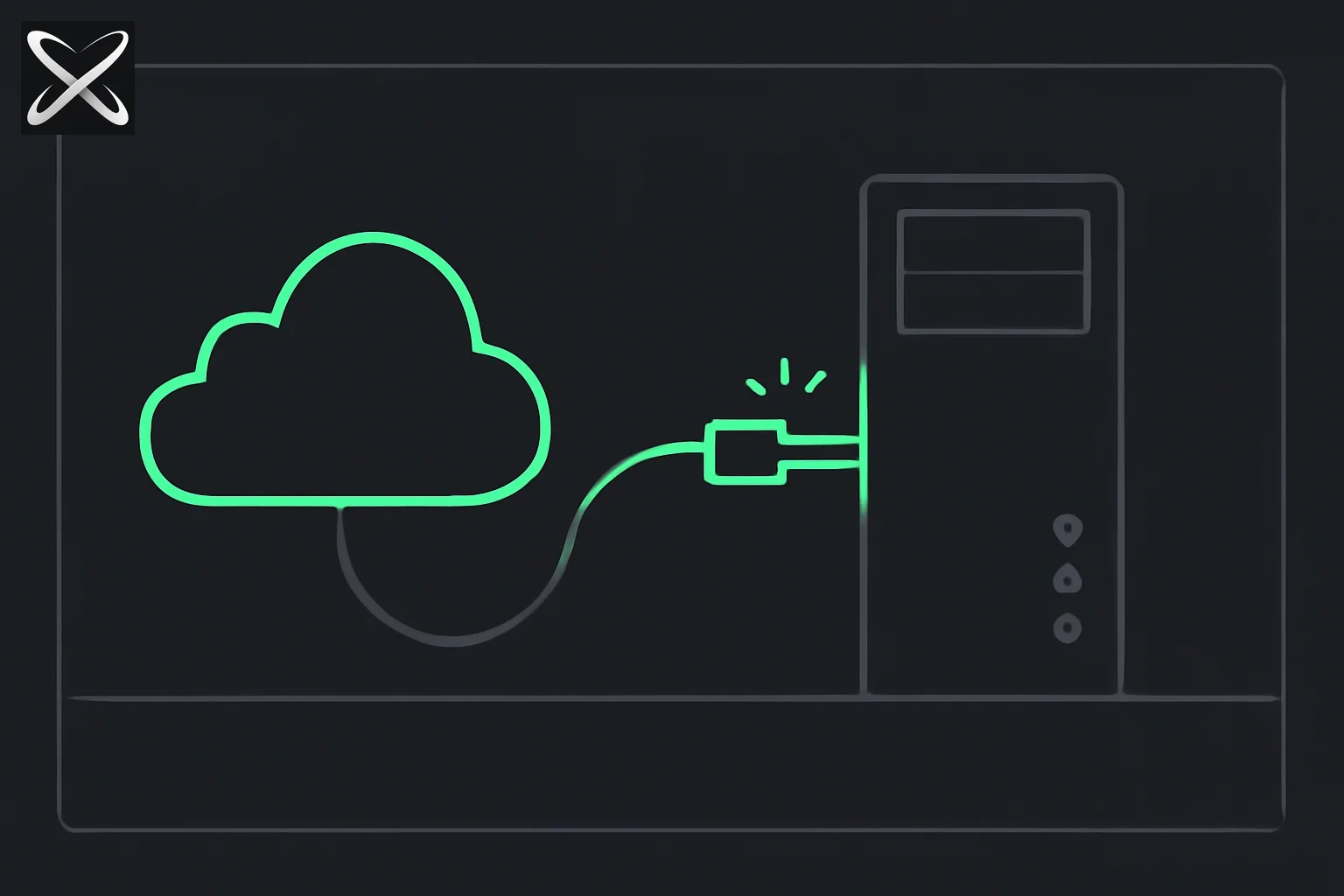 Codex switching its model connection from the cloud to a local Ollama desktop server
Before pointing Codex at open weights, confirm:
| Requirement | Why |
|---|---|
| Codex CLI | npm install -g @openai/codex — or Codex Desktop App |
| Ollama 0.30+ | Profile v2 support for ollama launch codex (Codex 0.134+) |
| 64k+ context | Ollama docs: Codex agent loops need large context windows |
| VRAM / RAM | Model-dependent — see model table below |
~/.codex/config.toml | User-level config (not project .codex/ for provider auth) |
Config location:
- macOS / Linux / WSL:
~/.codex/config.toml - Windows:
%USERPROFILE%\.codex\config.toml
Project-scoped .codex/config.toml cannot override model_provider or model_providers — those must live in user config per OpenAI docs.
Pick Your Setup Path
| Path | Best for | Command |
|---|---|---|
| A. Ollama launch | Fastest start | ollama launch codex |
B. --oss flag | One-off sessions | codex --oss -m <model> |
| C. Profile config | Daily driver, switch GPT ↔ OSS | codex --profile ollama-launch |
| D. LM Studio | GUI-first local inference | oss_provider = "lmstudio" |
| E. Custom provider | vLLM, Unsloth, OpenRouter OSS | [model_providers.my_api] |
Path A: Ollama Quick Launch (Recommended)
The lowest-friction path. Ollama manages Codex profiles, model catalog, and provider wiring.
Step 1 — Install and pull a model
# Install Codex CLI
npm install -g @openai/codex

# Pull a coding-capable model (examples)
ollama pull glm-5.2
ollama pull kimi-k2.7-code
ollama pull gpt-oss:120b
Step 2 — Launch Codex through Ollama
ollama launch codex          # CLI
ollama launch codex-app      # Desktop app
What happens under the hood (Ollama docs):
- Refreshes the model catalog for Codex
- Creates
~/.codex/ollama-launch.config.toml(profile v2 — separate from base config) - Keeps
[model_providers.ollama-launch]in~/.codex/config.toml - Invokes Codex with
--profile ollama-launch
Configure without launching:
ollama launch codex --config
Remove Ollama-managed profile:
ollama launch codex --restore
Profile v2 migration (Codex 0.134+)
If you see:
--profile ollama-launch cannot be used while config.toml contains legacy
[profiles.ollama-launch] or profile = "ollama-launch"
Fix: Update Ollama to v0.30+. Older ollama launch codex wrote legacy [profiles.*] tables Codex no longer accepts. Profile settings now belong in ~/.codex/ollama-launch.config.toml, not nested under [profiles] in the main config.
Path B: Manual --oss Flag
For ad-hoc sessions without Ollama's launcher:
# Default OSS provider (oss_provider in config.toml, usually ollama)
codex --oss

# Specific model
codex --oss -m gpt-oss:120b

# Ollama cloud-hosted variant
codex --oss -m gpt-oss:120b-cloud
Set default provider in ~/.codex/config.toml:
# Default local provider used with `--oss`
oss_provider = "ollama"   # or "lmstudio"
Ensure Ollama is running (ollama serve) and the model is pulled before launching.
Path C: Persistent Profile Config (Power Users)
For teams that switch between GPT for planning and OSS for execution across sessions.
Base provider in ~/.codex/config.toml
[model_providers.ollama-launch]
name = "Ollama"
base_url = "http://localhost:11434/v1/"
wire_api = "responses"
Critical: wire_api = "responses". Codex uses OpenAI's Responses API, not legacy Chat Completions. Endpoints that only expose /v1/chat/completions will fail or need a proxy (CC Switch community tool cited by developers).
Profile overlay in ~/.codex/ollama-launch.config.toml
model = "glm-5.2"
model_provider = "ollama-launch"
model_catalog_json = "/Users/you/.codex/ollama-launch-models.json"
Then:
codex --profile ollama-launch
codex exec --profile ollama-launch "fix the failing test in src/auth"
Profiles (Codex 0.134+): Each profile is a separate TOML file at ~/.codex/<profile-name>.config.toml with top-level keys — not nested [profiles.name] in the base config. Switch with --profile profile-name.
GPT profile for comparison
Create ~/.codex/gpt.config.toml:
model = "gpt-5.5"
model_reasoning_effort = "high"
approval_policy = "on-request"
codex --profile gpt          # OpenAI weights
codex --profile ollama-launch # Local OSS
Path D: LM Studio
Codex reserves built-in provider IDs ollama and lmstudio. For LM Studio:
oss_provider = "lmstudio"
Start LM Studio's local server, then:
codex --oss
Same 64k context and Responses API requirements apply — verify LM Studio exposes a Responses-compatible endpoint or use a proxy.
Path E: Custom Providers (vLLM, Unsloth, OpenRouter)
For self-hosted vLLM or API routers serving open models:
model = "your-model-id"
model_provider = "local_vllm"

[model_providers.local_vllm]
name = "Local vLLM"
base_url = "http://localhost:8000/v1"
wire_api = "responses"
requires_openai_auth = false
env_key = "LOCAL_API_KEY"   # optional; use dummy if none
Launch:
codex --oss --profile local_vllm
# or one-off:
codex --config model_provider='"local_vllm"' --config model='"your-model-id"'
Verify model ID: curl http://localhost:8000/v1/models
Reserved IDs you cannot use for custom providers: openai, ollama, lmstudio. Pick a unique name like local_vllm or openrouter_oss.
To route open models through OpenRouter while keeping Codex's harness, define a custom provider pointing at OpenRouter's base URL with your API key — same pattern as Fusion API but with a single OSS model instead of the fusion panel.
Recommended Models (June 2026)
| Model | Ollama tag | Strength | Context note |
|---|---|---|---|
| GLM-5.2 | glm-5.2 | Reasoning, post-Fable coding | Pull + verify 64k+ |
| Kimi K2.7-Code | kimi-k2.7-code | Agentic coding, SWE-bench | Large MoE — check VRAM |
| gpt-oss:120b | gpt-oss:120b | OpenAI open weights in Ollama | Official OSS stack pairing |
| DeepSeek V3 / R1 | varies | Reasoning, math | Popular self-host choice |
| Qwen3-Coder | varies | Fast coding slices | Good on 24GB GPUs |
Pair with our closed vs open source comparison when picking a GPT replacement.
Hardware rule of thumb: Coding agents need enough VRAM for the model plus headroom for long context. If the model stutters or truncates mid-task, reduce parallel tool calls or switch to a smaller quant.
What OSS Mode Actually Means
OpenAI's advanced Codex configuration documents OSS mode and local providers: point the Codex App, CLI, or SDK at an OpenAI-compatible or configured third-party base URL instead of default GPT endpoints.
That is structurally different from "run a chat UI on Llama." Codex brings:
- Agent loop with tool execution
- Repo-aware coding workflows
- SDK embedding for custom products
The model underneath becomes pluggable—same harness, different weights.
What stays the same with OSS:
- Agent loop, tool execution, sandbox
- Slash commands (
/plan,/goal,/review) - Project memory via
AGENTS.md/.codex/config.toml - Skills support (if your OSS model handles tool calls reliably)
What may degrade:
- Tool-calling reliability (model-dependent)
- Reasoning quality on hard agentic tasks
- Features explicitly gated to GPT (below)
First Session Workflow
Once configured, a typical OSS Codex session:
cd your-repo
codex --profile ollama-launch   # or: ollama launch codex

# Inside Codex TUI:
/init                            # generate AGENTS.md if missing
/permissions                     # set sandbox: read-only → workspace-write
/model                           # confirm local model selected
"Fix the auth test in src/login.test.ts using TDD"
Tips for OSS models:
- Smaller tasks — vertical slices, not "refactor the entire app"
/planfirst — OSS models benefit from explicit planning (Matt Pocock's/to-prdpattern works in any agent)/compactoften — local models hit context limits faster than GPT-5.x- Verify tool output — weaker models may hallucinate file paths or skip tests
Codex App (Desktop) With OSS
@ollama (June 17, 2026) added desktop support:
ollama launch codex-app
Same profile wiring as CLI. Known issue: @trashpandaemoji and others report the Desktop model picker does not list external providers even when config is correct—you may need to launch via Ollama integration or CLI until OpenAI fixes the UI.
No OpenAI API key required for local model inference. You still install the Codex client from OpenAI; only the inference endpoint changes.
Troubleshooting
| Symptom | Likely cause | Fix |
|---|---|---|
| Legacy profile error | Old [profiles.*] in config | ollama launch codex --restore, update Ollama 0.30+, relaunch |
404 on /v1/responses | Chat Completions-only server | Set wire_api = "responses" or use CC Switch proxy |
| Model not in picker | Desktop UI bug | Launch via ollama launch codex-app or CLI --profile |
| Context overflow / truncation | Model context too small | Use 64k+ models; /compact; smaller tasks |
| Tool calls fail silently | OSS model weak at function calling | Try gpt-oss:120b, GLM-5.2, or Kimi K2.7-Code |
| Auth / sign-in prompt | requires_openai_auth default | Set requires_openai_auth = false on custom provider |
| Hybrid GPT + OSS fails | Protocol mismatch in one session | Use separate profiles/sessions (below) |
Reset Ollama integration:
ollama launch codex --restore
ollama launch codex --config    # regenerate profile
Community Limitations (June 2026)
The viral tweet surfaced practical friction. Treat these as reported, not official roadmaps:
1. Desktop model picker bug
@trashpandaemoji and others: Codex Desktop does not show external provider models in the picker when using custom providers—config works, UI does not.
2. Computer use and browser need GPT
@0xSero, @rodasjateno: Computer use and Chrome/browser capabilities appear GPT-locked. Hacky workarounds exist; not first-class for OSS endpoints.
3. Responses vs Chat Completions gap
@Jason_Young1231: Many third-party APIs expose Chat Completions, not OpenAI's Responses API Codex prefers. Tools like CC Switch try to bridge the gap.
4. No hybrid orchestration in one session
@FilipBaturan: Using GPT as architect and OSS as executor fails because Codex expects uniform tool-calling protocols across the session.
@EatMyTarts17: Cannot combine image generation, planning, and OSS subagents in a single Codex session today.
5. Local vs cloud switching
@SongbeiYing: Switching flexibly between local and cloud models inside the app remains awkward—power users lean on CLI config.
6. Anthropic-style APIs
@SuryavirKapur asked about Anthropic-compatible endpoints—not the default OSS path; Codex is OpenAI-protocol-centric.
Codex OSS vs Claude Code Local
| Dimension | Codex + OSS mode | Claude Code |
|---|---|---|
| Default stack | OpenAI Responses + tools | Anthropic Messages + tools |
| Local models | Documented OSS providers | Community/Ollama patterns vary |
| Open models post-Fable | Ollama GLM/Kimi launch | Opus 4.8 fallback; API to others |
| Maturity (Jun 2026) | New; picker/browser gaps | Mature; 90+ slash commands |
Neither replaces the other—they compete as agent harnesses. Codex OSS mode matters if you already standardized on Codex SDK or want one agent client for GPT and GLM/Kimi.
When to Use OSS vs GPT in Codex
| Use OSS (local) | Stay on GPT |
|---|---|
| Routine bug fixes, tests, refactors | Browser automation, computer use |
| Air-gapped / no API spend | Hardest agentic coding (SWE-bench gap) |
| Fable 5 unavailable fallback | Multimodal (screenshots, design review) |
| Privacy-sensitive codebases | Hybrid architect + worker in one session |
| Experimenting with GLM/Kimi | Production CI with /review at scale |
Pragmatic pattern: --profile gpt for planning and architecture reviews; --profile ollama-launch for implementation slices—separate sessions, not one hybrid thread (until Filip Baturan's use case is supported).
Why OpenAI Did This Now
Timing aligns with:
- Export-control turbulence around US frontier models (Fable 5 ban)
- Open-weight coding models (Kimi K2.7, GLM-5.2) matching closed APIs on benchmarks
- Developer demand for local-first agents (Headroom, Ollama ecosystem)
Codex without model lock-in is OpenAI's answer to "what if GPT is unavailable or too expensive?"—while keeping the harness proprietary.
Summary
Codex is no longer GPT-only. Official OSS mode plus Ollama's launch codex makes GLM-5.2, Kimi-K2.7-Code, and gpt-oss first-class targets for the same agent loop many teams used only with GPT-5.x.
Fastest path: ollama pull glm-5.2 → ollama launch codex → /init → ship.
Power-user path: wire_api = "responses" provider in ~/.codex/config.toml + profile overlay → codex --profile ollama-launch.
The June 2026 reality is messier than @thsottiaux's tweet: model picker bugs, GPT-gated browser tools, Responses API requirements, profile v2 migration, and no clean multi-model orchestration in one session. For local coding on open weights today, it works. For full Codex desktop parity, expect friction.
Related Reading
- Ollama $88M funding (July 2026) — what Ollama is, 9M builders, hybrid cloud
- How to run open-source models locally in OpenCode
- Codex Slash Commands Reference
- Unsloth Desktop — swap local models into Codex, Claude Code and OpenCode
- Closed vs Open Source Model Alternatives
- GLM-5.2 and the Fable 5 Ban Response
- How to Run GLM 5.2 with Pi, ZCode, Claude Code & More
- Kimi K2.7-Code Open Source Model
- Matt Pocock Agent Skills for Real Engineers
- Claude Code Commands Reference
- OpenRouter Fusion as Fable Alternative
- Kaggle Agent Skills Whitepaper
Setup paths from OpenAI Codex advanced config, Ollama Codex integration, @thsottiaux and @ollama on X (June 17, 2026).