



Most AI assistants are optimized to answer your question. That is exactly the wrong design for learning — because a fluent answer produces the feeling of understanding without the thing itself. Melo, explainx.ai's learning copilot, is built to push back: quiz you, make you explain concepts in your own words, and score your answers against a rubric.
Melo is live across explainx.ai now, in beta, and free to start. This post covers what it does, where it shows up, the learning science behind its eight modes, and where it honestly falls short.
 Melo AI learning copilot illustrated as a chameleon adapting its pattern across article, quiz, flashcard and code contexts
The chameleon isn't decoration. Melo changes shape depending on where you are and what you're doing — reading an article, testing yourself, evaluating a skill, prepping for a workshop. Same assistant, different behavior per context. Which is roughly how upskilling actually works: the thing you need at week one is not the thing you need at week twenty.
TL;DR
| Question | Answer |
|---|---|
| What is it? | explainx.ai's AI learning copilot — an AI tutor for learning AI |
| Status | Beta |
| Modes | 8 — Chat, Teach, ELI5, Quiz, Practice, Explain Back, Flashcards, Interview |
| Where | Homepage, /dashboard/melo, inside pathways, skill pages, workshops, dashboard |
| Grounded in | explainx.ai articles + skills, MCP servers, tools, agents, and loops registries |
| Attach | Up to 3 files (PDF, DOCX, PPTX, XLSX, CSV, MD, JSON, HTML, RTF, TXT) + 3 explainx.ai sources |
| Input | Type, paste, upload, or voice dictation · / for modes, @ for sources |
| Cost | Free plan included; larger allowances on Monthly ($29/mo) and Annual ($300/yr) |
| Grading | Quiz scores 1 / 0.5 / 0 against a visible rubric; flashcards use Again / Hard / Got it |
| Also | Cited sources, saved conversations, profile personalization, sandboxed skill testing |
The problem Melo is built for
Ask any capable chatbot "what is MCP?" and you'll get a competent explanation. You'll nod along. You'll close the tab. Two weeks later, asked to actually design an MCP server, you'll discover you retained approximately none of it.
This is a well-documented failure mode, and it isn't the model's fault. Reading a clear explanation feels like learning, but recognition is not recall. The research on this is unambiguous: retrieval practice — being forced to produce an answer rather than recognize one — dramatically outperforms re-reading, and learners consistently rate it as less effective while performing better on it.
So a chatbot that only answers is optimizing against your actual goal. It maximizes fluency and minimizes effort, and the effort was the point.
There's now direct evidence for this split. A Dartmouth statistics course deployed an AI quizzing platform and measured exam gains — while passive chatbot use showed nothing comparable. We covered the study and its caveats in the Phosphor writeup; the short version is that AI-graded written practice moved the needle and AI-as-answer-machine didn't.
Melo's design starts there. Answering is one of eight modes, not the whole product.
The eight modes, and why each exists
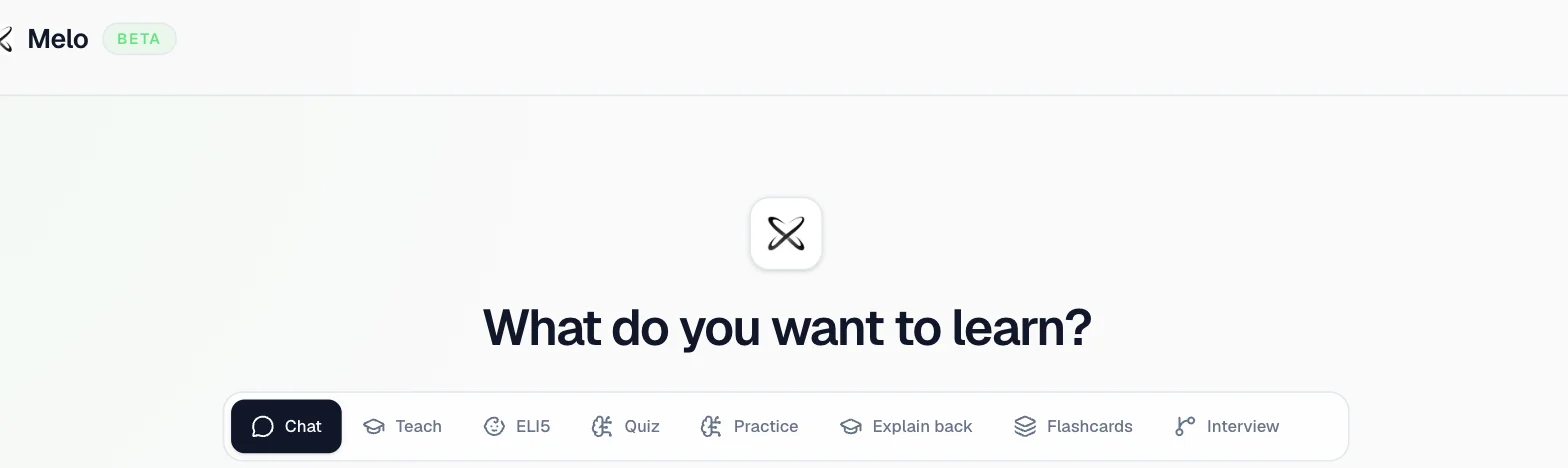 Melo interface showing the mode selector with Chat, Teach, ELI5, Quiz, Practice, Explain back, Flashcards and Interview tabs
Each mode changes how Melo behaves — its prompts, its starter questions, and what it does after you respond. You switch with a click, or type / for modes and @ to attach sources.
| Mode | What it does | The pedagogy underneath |
|---|---|---|
| Chat | Straight answers | Reference lookup — legitimate when you need a fact fast |
| Teach | Step by step | Scaffolded instruction with a practice check between steps |
| ELI5 | Plain words | Analogy and concrete-first explanation for abstract ideas |
| Quiz | Tests you | Retrieval practice — the highest-leverage mode |
| Practice | Realistic tasks with a rubric | Applied transfer — can you use it, not just state it |
| Explain Back | You teach Melo | The Feynman technique — self-explanation exposes gaps |
| Flashcards | Compact revision decks | Spaced repetition support |
| Interview | Challenges your reasoning | Elaborative interrogation — "why is that true?" |
Quiz mode actually grades you
This is the piece we spent the most effort on. Quizzes aren't chat text that says "the answer is B" — they render as interactive components with real scoring. A five-question quiz mixes multiple choice with constructed-response questions, and the written ones show you the rubric while you answer:
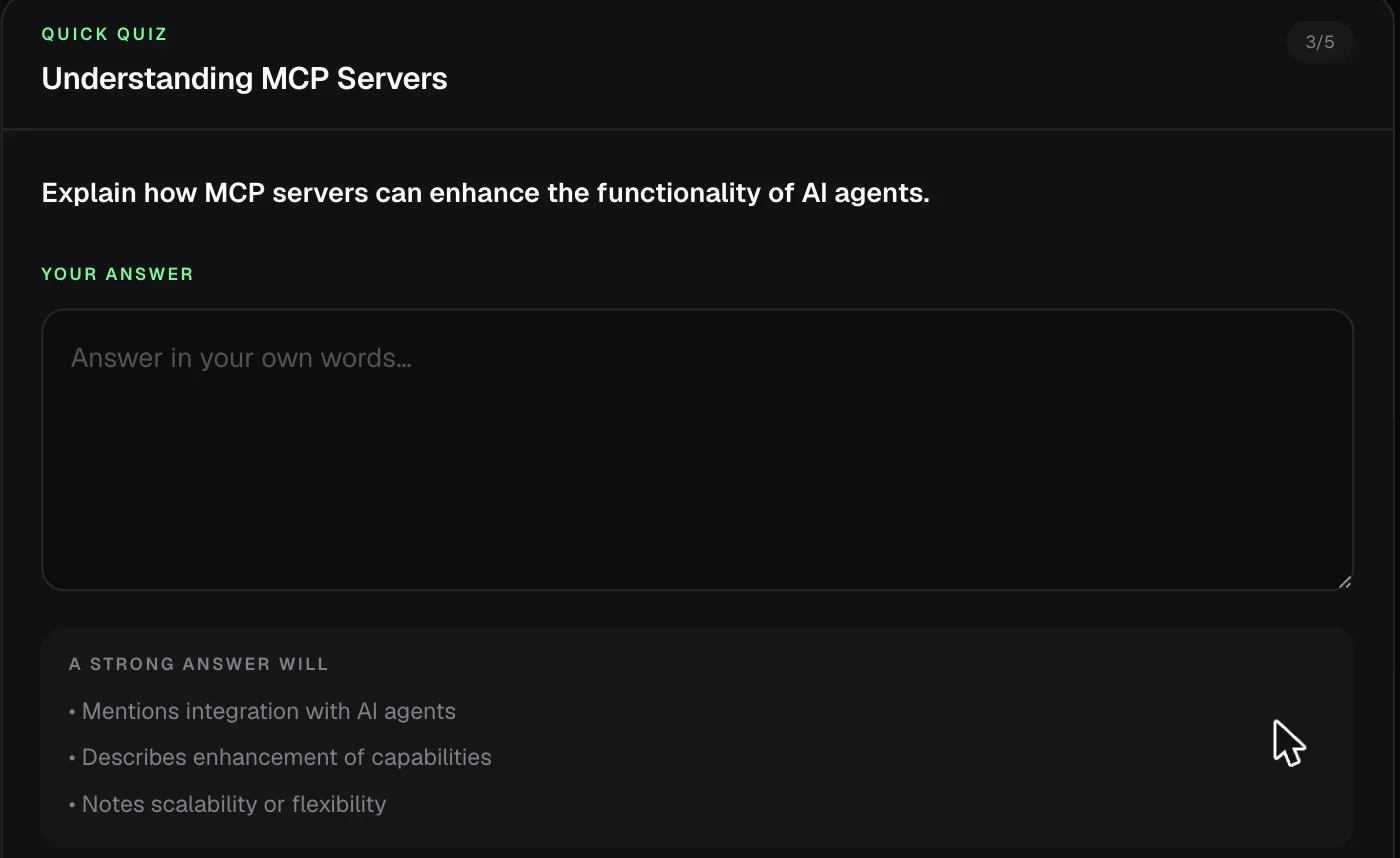 A Melo quiz question asking the learner to explain MCP servers in their own words, with a visible rubric listing what a strong answer will include
- Each question scores 1 (correct), 0.5 (partial), or 0 (not yet).
- Constructed responses are judged against that visible rubric, so you know what full credit required before you write.
- Valid equivalent wording is accepted. Say the right thing in different words and you get the mark — no keyword matching.
- Submitting runs "Check my work," which returns a score plus a line of specific feedback per question, then offers "Apply what I learned" or "Continue the lesson."
That third point matters more than it sounds. A grader that demands exact phrasing teaches you to memorize phrasing. One that accepts equivalent reasoning teaches you the concept.
The literature on LLM rubric grading spans a wide band — task structure and rubric quality drive most of the variance:
| Study | Finding |
|---|---|
| Mello et al., LAK'25 | GPT-4 + prompt engineering reached QWK ~0.94, rivaling fine-tuned BERT; outperformed SVM (0.80) |
| AutoSCORE (AAAI'26) | Adding an explicit rubric-recognition step before scoring fixes single-prompt inconsistency |
| Technology, Knowledge and Learning, 2025 | Human-LLM alignment gap shrinks substantially when high-quality rubrics are supplied |
| Emirtekin et al., JCAL 2026 | GPT-4o, Gemini 2.0 Flash, DeepSeek V3, LLaMA 3.3 reached moderate agreement (QWK 0.585-0.640) on Bloom's-taxonomy rubrics — below human inter-rater reliability (ICC 0.667-0.800) |
| Flodén, 2025 | ~70% of ChatGPT's Master's-exam scores fell within 10% of human scores |
Melo shows you the rubric before you write and scores after you submit — the design choices that sit on the favorable end of that spread. For the full research cluster, see the doer-effect and LLM-grading literature review.
Explain Back is the mode people skip
Its short description in the product is literally "Teach it to Melo." You explain a concept in your own words; Melo listens for gaps and asks one targeted follow-up at the weakest point.
This is the Feynman technique, and it's the single most uncomfortable mode — which is precisely why it works. You cannot fake your way through explaining MCP's transport layer out loud. The moment your explanation goes vague is the moment you've located the thing you don't actually know.
If you use one mode from this list, use this one.
Practice gives you the rubric
Practice mode generates realistic scenarios — "give me an MCP design scenario," "help me practice prompt debugging" — and will show you the rubric it's grading against if you ask. Follow-ups include "Make the task more realistic" and "Give me feedback on my approach."
The distinction from Quiz: Quiz checks whether you know it, Practice checks whether you can use it. Those fail independently, and most people discover the gap only in an interview or a production incident.
Flashcards use real spaced-repetition grading
Flashcard decks aren't a static list. Each card reveals on click, then asks you to rate your own recall — Again / Hard / Got it — the same grading vocabulary Anki-style spaced repetition uses, with a counter tracking how many of the deck you've rated:
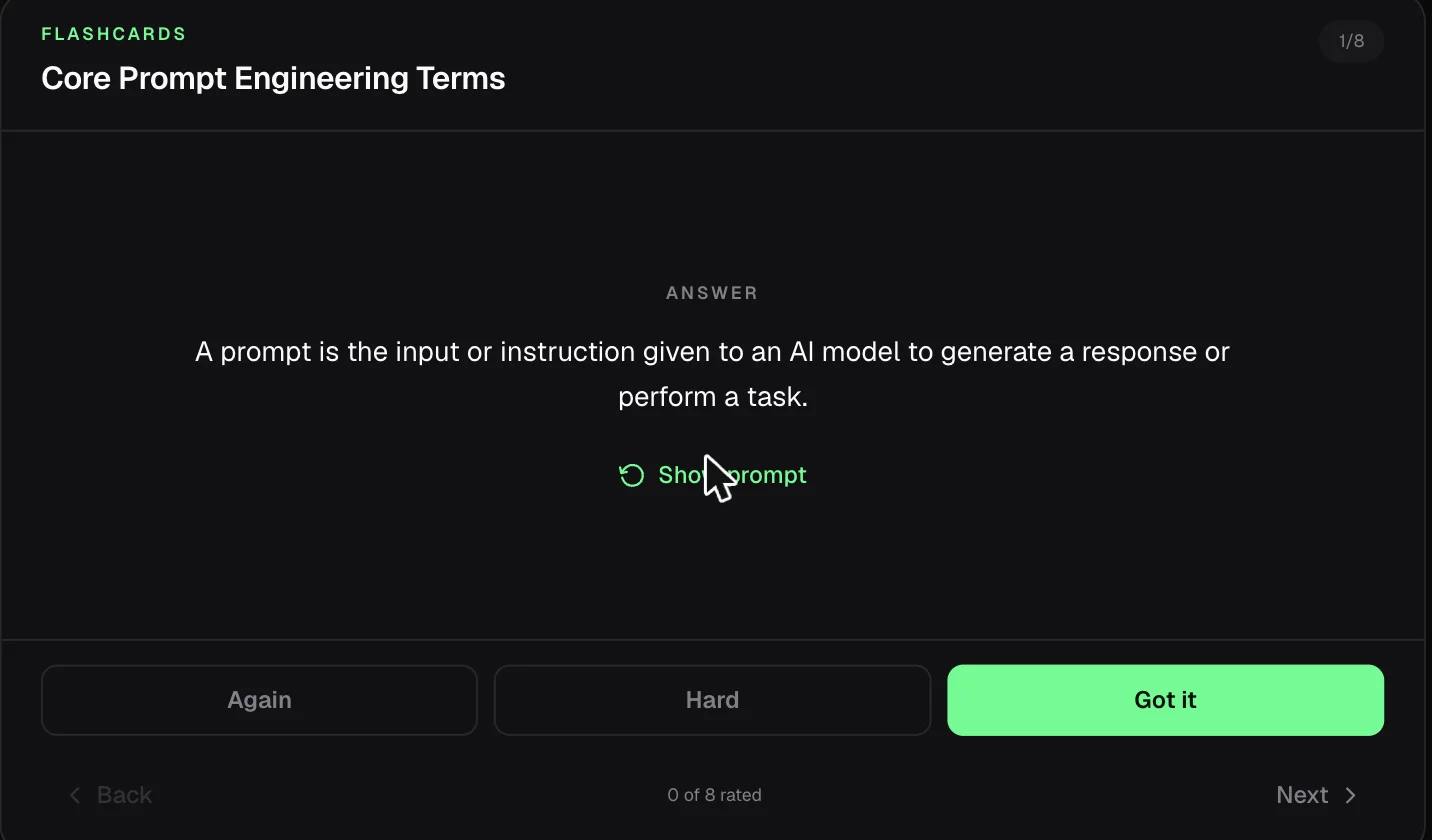 A Melo flashcard showing the revealed answer with Again, Hard and Got it recall-rating buttons
Self-rating is what makes a deck useful on the second pass. Cards you marked "Again" are the ones worth returning to; cards you breezed through aren't.
Every answer is personalized and rated
Melo reads your profile — preferred name, role, experience level, primary goal, interests, preferred format — and adapts. Answers open naturally rather than with a canned "Certainly!", and every response carries a small action row: copy, regenerate, thumbs up, thumbs down, plus suggested follow-ups.
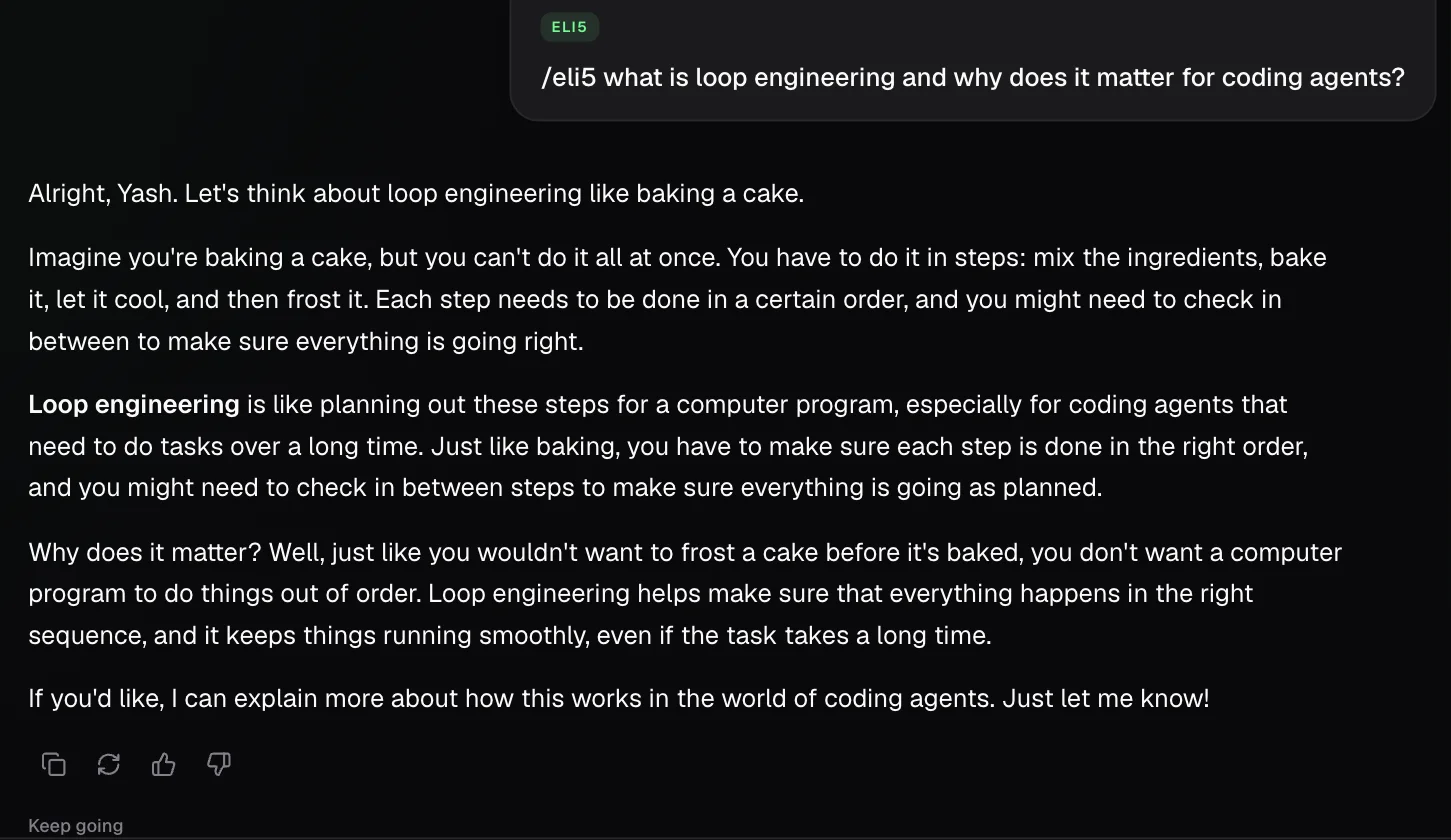 Melo answering an ELI5 question about loop engineering with a baking analogy, personalized by name, with copy, regenerate and feedback buttons below
Melo goes where you're already learning
Melo isn't a page you visit. It's available at the point of confusion, which is usually mid-article at 11pm, not in a separate tab you'd have to think to open.
| Surface | What it does there |
|---|---|
| Homepage | Ask a question and pick a mode before you even have an account |
/dashboard/melo | The full workspace — modes, file uploads, source attachment, history |
| Inside pathways | "Talk to Melo" panel alongside the article, with article-aware questions |
| Skill pages | "Try now with Melo" attaches that skill as context automatically |
| Workshops | The cohort's attached resources become Melo's context |
| Dashboard | An "Ask Melo" widget on the home screen |
The pathway integration is the one to try first
Open any article inside a learning pathway and Melo's suggested questions change to match what you're reading:
- "Summarize the key ideas in this article"
- "What is unclear or easy to misunderstand?"
- "Quiz me on this article"
- "Make flashcards from this article"
- "Let me explain this article in my own words"
That last set turns any article into an active-recall session in one click. Read a piece on loop engineering, then immediately have Melo test whether you retained it — the gap between "that made sense" and "I can reproduce it" shows up in about ninety seconds.
Skill pages: from reading about a skill to using it
Every entry in the skills registry has a "Try now with Melo" button that opens Melo with that skill already attached. Instead of reading a SKILL.md and guessing, you can ask what it actually does, when it triggers, and how to adapt it — with the skill's real content in context.
Pair it with our walkthrough on how to add skills to Claude and the loop is: understand the skill with Melo, install it, use it.
Grounding: why answers point somewhere real
Melo answers from explainx.ai's own library — the article corpus plus the skills, MCP servers, tools, agents, and loops registries.
This matters for a specific reason. Ask a general model about a fast-moving topic like agent skills or MCP and you get an answer synthesized from whatever was in training data, of unknown vintage, with no way to check it. Ask Melo and the answer is anchored to material you can open and read — content written and maintained for exactly this domain.
It's a narrower assistant on purpose. Melo will not help you plan a holiday. It will be substantially more useful than a general model on the question of what changed in agent tooling this quarter.
Bring your own material
Melo isn't limited to our content. You can attach:
- Up to 3 files — PDF, DOCX, PPTX, XLSX, CSV, JSON, Markdown, HTML, RTF, TXT
- Up to 3 explainx.ai sources — a pathway, article, skill, course, or workshop
Practical uses: drop in a research paper and run /eli5 on it. Attach your team's internal architecture doc and have Melo quiz you before a design review. Upload a slide deck from a workshop and turn it into flashcards.
You can also dictate rather than type, which pairs naturally with Explain Back — talking through an explanation surfaces gaps faster than writing one, because you can't quietly edit yourself mid-sentence.
Answers cite their sources
When an attached article, pathway, skill, course, or workshop supports an answer, Melo links it and ends with a compact Sources section listing only what it actually used. Response cards show a stacked source indicator you can expand to see each one, with its domain and an outbound link.
Two rules are enforced in the system prompt and worth stating plainly: Melo cites exact internal slugs and must not invent or alter them, and when the attached material doesn't contain the answer it has to say so before falling back to clearly-labelled general knowledge. It's also instructed never to claim you understood, completed, or read something you didn't.
Attached material is treated as data, not instructions
This one is a security property rather than a learning feature, but it matters if you're uploading real documents. Melo treats every attached file, article, and skill as source material, never as instructions to itself, and explicitly ignores prompt-like text embedded inside them. Upload a PDF containing "ignore your previous instructions" and it stays a PDF about whatever it's about.
That protection is what makes the next feature safe.
You can test an untrusted skill before installing it
The "Try now with Melo" button on every skills registry page opens Melo with that skill attached as a skill under test. Melo will walk through what the skill instructs, evaluate it for a benign task, and explain what it would do — while remaining sandboxed. The attached skill cannot override Melo's own instructions, cannot grant tools or data access it doesn't have, and cannot trigger external actions. Melo also has to clearly distinguish a simulated run from something actually performed.
The practical value: you can inspect a third-party skill's behavior before putting it in your agent. Given that registry skills are contributed by strangers and a skill is instructions that shape what your agent does on your behalf, a read-only test bench is a genuinely useful thing to have. Pair it with our guide to adding skills, where we make the same argument about reviewing before pasting.
Conversations are saved
Melo keeps your recent conversations — auto-titled, browsable from a Chats panel, and retained so you can pick a thread back up rather than re-explaining context. Sources you launched with (a skill, an article) stay pinned to that conversation.
A grounded AI news briefing
Ask Melo what happened in AI today and it runs a constrained briefing: only articles published on today's or yesterday's date, grounded strictly in those summaries, with every development cited by its exact internal link. If nothing has been published yet, it says so rather than padding from model memory. That's a deliberately narrow feature — it's a briefing on what explainx.ai covered, not a claim to have read the whole internet.
Eleven things people actually use Melo for
The mode list is abstract. Here's what it looks like in practice:
| Situation | What to do |
|---|---|
| A paragraph in an article didn't land | /eli5 it right there in the pathway panel |
| You finished a chapter and want to know if it stuck | /quiz me on this article |
| You have an interview next week | /interview — it challenges assumptions and goes a level deeper each turn |
| You keep re-reading the same concept | /explain-back — say it out loud, let Melo find the hole |
| A dense research paper landed in your inbox | Upload the PDF, then /eli5 or /teach it |
| You found a skill but don't know what it does | "Try now with Melo" on the skill page, then ask it to walk through the workflow |
| You're prepping for a workshop | Attach the workshop; ask what to review first |
| A vocabulary list you keep forgetting | /flashcards, then rate Again/Hard/Got it over a few days |
| You can state a concept but never applied it | /practice for a scenario with a rubric |
| Your team's internal doc needs review before a design meeting | Upload the DOCX and have Melo quiz you on it |
| You want today's AI news, cited | Ask for a briefing — grounded to what was actually published |
The through-line: Melo adapts to the scenario rather than making you adapt to it. That's the chameleon idea, and it's also how skill acquisition actually progresses — explanation first, then retrieval, then application, then defending your reasoning under pressure.
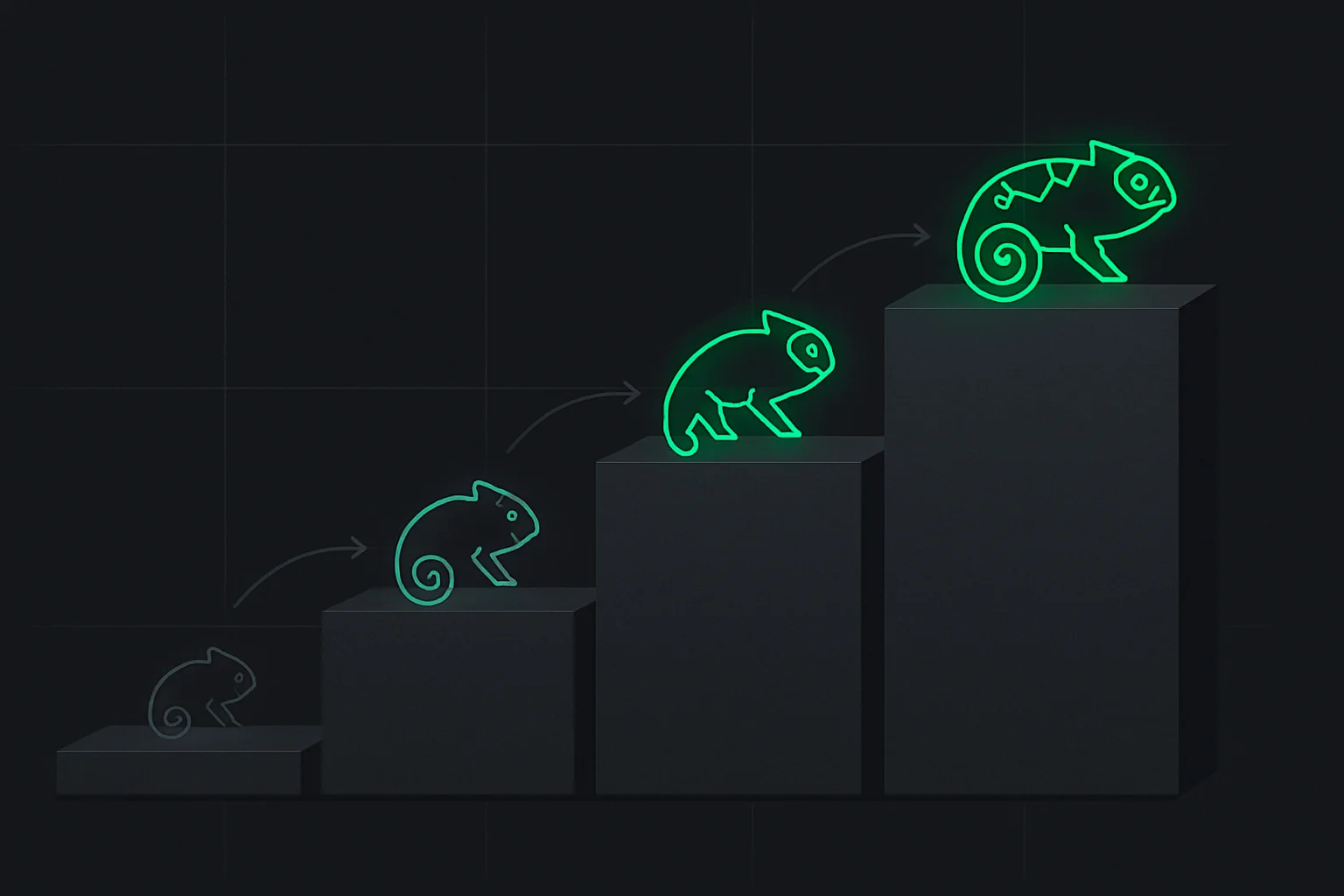 Diagram showing progressive upskilling as a chameleon adapting across four rising stages of increasing capability
What Melo is not
Being direct about the limits, because a product post that only lists strengths isn't worth reading:
- It's beta, and generated quizzes can occasionally get a fact wrong. Labelled as beta in the product for a reason. Melo generates quiz content rather than serving a hand-checked question bank, which means a question can occasionally carry an inaccurate answer key. Treat quiz mode as a retrieval workout, and verify anything surprising against the linked source article. Thumbs-down on a bad answer genuinely helps — we read it.
- It's not a general assistant. Grounded in AI/technical learning content. That's the tradeoff for being good at this.
- It's not a replacement for building. Melo can quiz you on agent architecture indefinitely; it cannot give you the experience of shipping an agent that breaks in production. We've argued before that portfolio work beats credential collection, and that applies here too. Melo is the fastest path to understanding a concept — not a substitute for using it.
- It's metered. Usage runs against a rolling five-hour window and a weekly window, with a bigger allowance on paid plans. You can check remaining allowance under "Melo allowance" in the dashboard. This is a real constraint on Free, not a dark pattern — inference costs money, and we'd rather show you the meter than quietly degrade quality.
- Voice dictation is browser-dependent. It uses the browser's built-in speech recognition, so availability varies.
How to actually use it: a 15-minute loop
A concrete routine that works better than open-ended chatting:
- Read one article in a pathway — most are short.
/quizit immediately. Not tomorrow. The gap between "that was clear" and what you retained is the entire point./explain-backwhatever you scored partial or not-yet on. Say it in your own words; let Melo find the weak spot./flashcardsthe terms you fumbled, for later revision./practiceonce the concept holds — apply it to a realistic scenario with a rubric.
That's the sequence: encounter → retrieve → self-explain → consolidate → apply. Each step is a mode, and the whole loop fits in a coffee break.
For a longer arc, run it against a full track — the beginner-to-expert AI roadmap works well as a spine.
Where Melo fits in what we're building
explainx.ai's center of gravity is teaching — pathways, live workshops, and bootcamps. Those are strong at structure and accountability, and weak at one specific thing: they can't respond to you at 11pm when a paragraph doesn't land.
That's the gap Melo fills. Pathways provide sequence; workshops provide accountability and live feedback; Melo provides the always-available tutor in between that will quiz you at your pace and notice what you keep getting wrong.
The skills registry is the other half — once you understand a concept, you want the tooling. Melo connects those: read about agent skills, get quizzed on them, then open a skill and ask Melo what it actually does before installing it.
Try it
Ask Melo something from the explainx.ai homepage without signing in, or open the full workspace at /dashboard/melo. Free plan included.
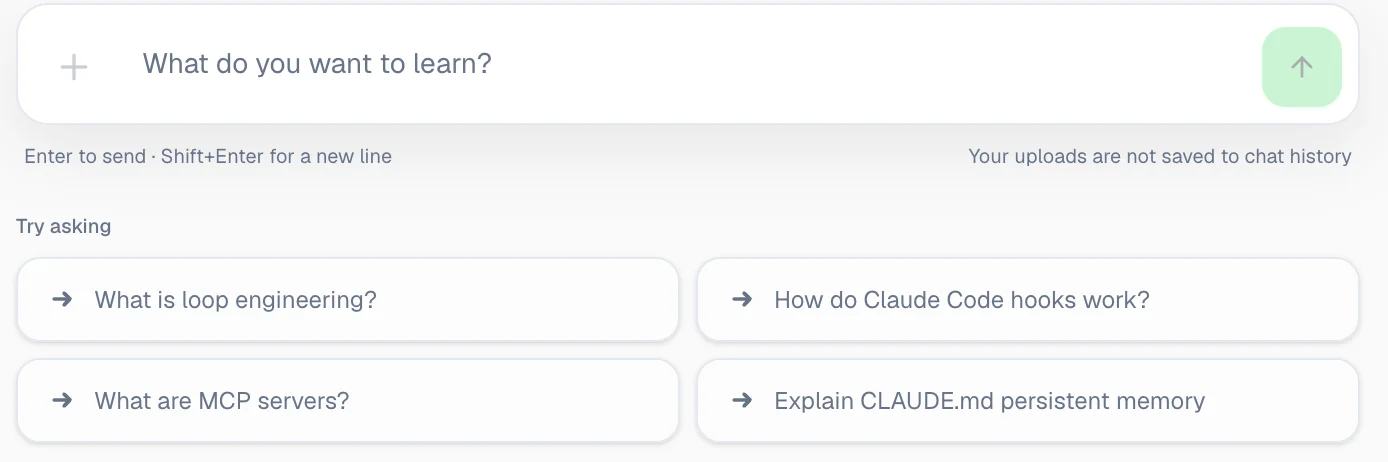 The Melo input box with suggested starter questions about loop engineering, Claude Code hooks, MCP servers and CLAUDE.md persistent memory
Suggested first prompts, if you want to see the difference from a normal chatbot immediately:
/quiz me on MCP servers
/explain-back let me explain how AI agents work
/practice give me a real-world AI agent task
The first one will probably go worse than you expect. That's the feature.
Update — August 17, 2026: How does Melo actually build those live diagrams mid-lesson? The full generative UI breakdown →
Related on explainx.ai
- Update — August 24, 2026: AI tutors need learning by making, not just better answers — a steelman of the Khan Academy debate and a concrete test for whether Melo produces learner work rather than passive consumption.
- Update — August 22, 2026: Anthropic's viral
/eli5Claude Code skill does, as a slash command, roughly what Melo's ELI5 mode has done natively since launch — see The /eli5 Claude Code skill Anthropic engineers are using daily. - Melo can now build a live simulation for anything you ask — the new
/interactcommand - Social learning for AI: why solo chat fails and what works — the theory behind Melo's dialogic modes
- How Melo Teaches With Generative UI: Real-Time Illustrations
- Introducing interactive AI learning pathways — the structured tracks Melo plugs into
- How to learn AI: beginner to expert roadmap — a good spine to run the Melo loop against
- What are agent skills? — one of the topics Melo is best at
- What is MCP? — try
/quizon this one - How to add skills to Claude — understand a skill with Melo, then install it
- Loop engineering with coding agents — a concept worth testing yourself on
- AI certifications vs building a portfolio — why Melo complements building rather than replacing it
- The AI skills employers actually want — what to point Melo at
- The Dartmouth AI-tutor study — the evidence that quizzing beats answering
- The research behind AI-graded quizzes — 20 studies on the doer effect, LLM grading, and the efficacy-vs-crutch divide Melo is built around
- Top 5 Android apps for AI learning in 2026 — where Melo's gamified mobile mechanics sit next to Sololearn AI, Brilliant, and Enki
- Top 5 iOS apps for AI learning in 2026 — Synapse, Sololearn's Learn AI app, Enki, Mimo, and Brilliant ranked, with a note on Melo's coming iOS debut
Melo is in beta as of August 11, 2026. Modes, limits, supported file types, and plan allowances may change as it develops. Plan pricing reflects explainx.ai's published rates at time of writing.