



Apple's August 25 silicon day was not just the M6 Mac mini — it was the box local-AI builders have been waiting for since the Namespace MacBook rack clip: Mac Studio with M5 Max and M5 Ultra, up to 512GB unified memory, Thunderbolt 5 RDMA clustering, and a new Core AI framework Apple wants MLX and LM Studio apps to call into.
Hacker News reaction split predictably: "Finally a machine that can run Kimi K3" vs "$18,299 for 256GB when RAM is $25/GB" vs "RTX 6000 still wins tok/s." All three takes have merit. This post is the builder read — not the polishing-cloth meme.
TL;DR — what people are actually asking
| Question | Direct answer |
|---|---|
| What's new for AI? | M5 Max (128GB, 614GB/s) and M5 Ultra (512GB, 1.2TB/s, 4.3× peak AI vs M3 Ultra) |
| Starting price? | $2,499 (M5 Max Studio) |
| Fully specced cost? | Social/HN cite ~$18,299 at 256GB; 512GB tier late October |
| When does it ship? | September 22, 2026 (512GB config later) |
| Can it run frontier open weights? | 128GB+ fits Kimi K3 1-bit; 512GB is Apple's "hundred-billion-parameter on device" pitch |
| Clustering? | 4× Mac Studios over TB5 + RDMA → Apple claims ~3× faster distributed inference |
| Mini or Studio? | M6 mini caps at 32GB; Studio is the step-up for 48GB+ local LLM |
| Studio or RTX 6000? | Biggest model on one socket vs fastest tokens — see Mac vs GPU |
What Apple shipped (AI-relevant specs)
Apple's August 25 press release frames Mac Studio as the on-device AI workstation — not a creative-pro box with AI bolted on.
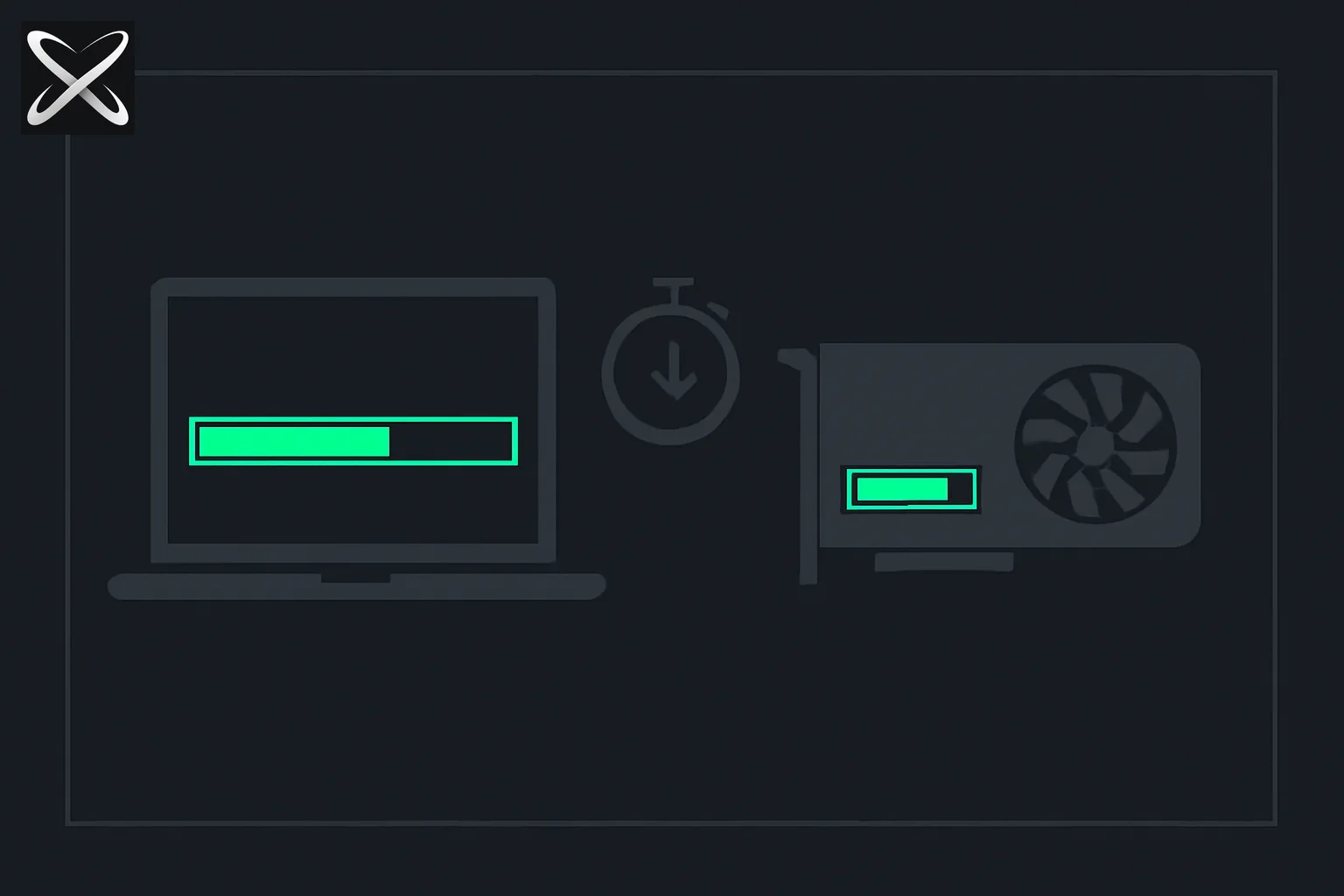 Mac Studio M5 Max and M5 Ultra local AI: unified memory bar versus discrete GPU VRAM for on-device LLM workloads
M5 Max Mac Studio
| Spec | Value | Builder read |
|---|---|---|
| CPU | 18-core | Enough for preprocessing + agent orchestration alongside inference |
| GPU | Up to 40-core with Neural Accelerator per core | MLX / Metal path for GGUF and diffusion |
| Unified memory | Up to 128GB | Kimi K3 1-bit territory; comfortable Qwen3.8-27B at Q4–Q8 |
| Bandwidth | 614GB/s | Better than laptop; still below high-end Nvidia |
| Price floor | From $2,499 | Entry Studio, not entry Apple AI |
M5 Ultra Mac Studio
| Spec | Value | Builder read |
|---|---|---|
| Die layout | Quad-die UltraFusion | Apple's largest single-socket Apple Silicon |
| CPU | Up to 36-core | Parallel agent + compile workloads while GPU decodes |
| GPU | 80-core with Neural Accelerators | Apple's quoted 4.3× peak AI compute vs M3 Ultra |
| Unified memory | Up to 512GB | MoE and aggressive-quant frontier models on one machine |
| Bandwidth | 1.2TB/s | The number that makes 512GB usable, not ornamental |
| 512GB availability | Late October 2026 | Plan lead time if your workflow needs the ceiling |
Apple's marketing line — "run models with hundreds of billions of parameters entirely on device" — is only honest at Ultra + high RAM. The M6 Mac mini is the on-ramp; Studio Ultra is the off-ramp from cloud tokens.
Core AI, MLX, and LM Studio — what Apple wants you to run
Launch materials name three stacks builders already touch:
- Core AI — new system framework Apple says routes inference across CPU, GPU Neural Accelerators, and Neural Engine automatically (successor path alongside Core ML)
- MLX — Apple's open inference/training runtime; community projects like dflash-mlx already benchmark on M5 Max silicon
- LM Studio — GUI + local server Apple cited for approachable open-weight runs
None of that replaces your personal local AI workflow design. It means first-party and third-party apps can opt into fixed-function AI blocks without each app hand-tuning Metal kernels.
Copy-paste starter (same on Max or Ultra — chip tier changes headroom and tok/s):
# Pull a model sized to your RAM tier
ollama pull qwen3:32b

# OpenAI-compatible localhost API
ollama serve

# Or MLX-optimized weights for Apple paths
pip install mlx-lm
mlx_lm.server --model mlx-community/Qwen3-32B-4bit
Point OpenCode, Continue, or any OpenAI-compatible harness at http://127.0.0.1:11434/v1 or your MLX server port.
Thunderbolt 5 + RDMA — when one Studio is not enough
The headline feature for scale-out homelabs: Thunderbolt 5 with RDMA on Mac Studio.
Apple's claim: four Mac Studios clustered deliver roughly 3× faster distributed inference compared to prior Thunderbolt clustering. Translation for builders:
- You can shard models or pipeline inference across boxes without building a Linux CUDA rack first
- RDMA reduces copy overhead — relevant when KV cache and weights span nodes
- This is Apple's answer to "what after 512GB on one socket?" without leaving unified memory semantics
Caveats HN will raise (fairly):
- Software maturity — clustering is only as good as the framework exposing it; verify your stack (MLX, llama.cpp, custom) before buying four Studios
- $/tok — four maxed Studios dwarf a multi-GPU RTX build
- Bandwidth still trails NVLink/NVSwitch for all-reduce-heavy training — this is an inference story
Still, for Apple-only shops and privacy-first agent fleets, TB5 RDMA is the first credible scale-out on-device path from the vendor that sells the boxes.
What fits in 128GB vs 256GB vs 512GB
Use the same ~75% usable RAM rule from MacBook vs dedicated GPU — macOS, IDE, and browser still live in the pool.
| Unified memory | Usable for weights (approx.) | Example workloads |
|---|---|---|
| 128GB (M5 Max ceiling) | ~90–100GB | Kimi K3 1-bit ~594GB on disk with MoE sparsity; Qwen3.8-27B Q8 + long context |
| 256GB (HN's $18,299 config) | ~190–200GB | Larger MoE quants; multi-model sidecars for agents |
| 512GB (Ultra, Oct 2026) | ~380–400GB | Apple's "hundred-billion-parameter" pitch; research-grade local stacks |
For interactive coding on dense 27B-class models, Qwen3.8-27B remains the HN sweet spot — a 128GB Studio runs it comfortably; you buy 256GB+ when context, concurrent agents, or a second model in memory matters.
Mac Studio vs RTX 6000 — the HN argument in one table
Launch-day threads keep comparing a fully specced M5 Ultra Studio to Nvidia RTX PRO 6000 workstations. Neither replaces the other.
| Dimension | M5 Ultra Mac Studio | RTX PRO 6000 workstation |
|---|---|---|
| Memory model | 512GB unified — CPU and GPU share one pool | 96GB VRAM per GPU — isolated, stackable |
| Bandwidth | 1.2TB/s unified | Much higher per-GPU for matrix math |
| Ecosystem | MLX, Core AI, Metal, silence | CUDA, vLLM, llama.cpp GPU, mature multi-GPU |
| Peak $ | ~$18,299 cited at 256GB; 512GB adds ~$25/GB | Jamesob's 4×6000 guide lands ~$46k — different scale |
| Best for | Largest single-socket model, privacy, desk-quiet 24/7 agents | Fastest tok/s, interactive coding, multi-GPU tensor parallel |
| Worst for | $/tok on small models; RAM upgrade tax | One-socket 512GB; Apple-only toolchain |
Buy Studio if the question is "What's the biggest open-weight model I can run without a datacenter?"
Buy RTX if the question is "What's the fastest loop for daily agentic coding?"
Many builders run both — Mac as quiet orchestrator, Linux GPU box as inference worker — the hybrid path Mac vs GPU documents.
Tokenomics — why $18,299 started a thread
HN's second-most-common launch take: Apple RAM math.
- Configurator reports roughly $25/GB for unified memory upgrades — a 256GB → 512GB jump is thousands of dollars on top of an already premium chassis
- $18,299 for a 256GB max-out (per social/HN) buys a lot of used GPU capacity or cloud tokens
- RAM spot prices are elevated industry-wide — Apple upgrades feel worse when DDR5 charts are already spiking
Honest $/tok framing:
| If you… | Verdict |
|---|---|
| Run overnight batch agents where latency is hours | Studio 256GB+ can beat cloud subscription + quota math over 18–24 months |
| Need frontier interactive coding daily | Cloud or RTX usually wins until you value privacy at a premium |
| Already own 64GB MacBook | Studio is an upgrade, not a first local AI buy — laptop handles ≤27B; Studio handles MoE frontier |
| Fleet CI like Namespace | M6/M5 Pro mini for density; Ultra Studio when compile + local LLM share a box |
MacBook vs Mac Studio for local LLMs
Another recurring HN theme: "Why Studio when M5 Max MacBook Pro exists?"
| Factor | MacBook Pro (M5 Max) | Mac Studio (M5 Max / Ultra) |
|---|---|---|
| RAM ceiling | Typically 128GB on laptop SKUs | 128GB (Max) or 512GB (Ultra) |
| Thermals | Sustained decode throttles on lap/desk | Desktop cooling — better 24/7 agent uptime |
| TB5 RDMA clustering | Not the scale-out story | Native in Apple's pitch |
| Portability | You wanted a laptop anyway | Homelab / desk / rack node |
| $/enclosure | Pays for display + battery | Pays for headroom and I/O |
Laptop if local LLM is a secondary workload on your daily driver.
Studio if local LLM is the product — agents, research, or a Namespace-style fleet node that will not cook itself overnight.
Who should buy (and who should wait)
Buy M5 Max Studio ($2,499+) if:
- You need 128GB unified memory without laptop thermals
- You run Qwen3.8-27B-class models daily with MLX or Ollama
- You want TB5 expansion without jumping to Ultra pricing
Buy M5 Ultra Studio if:
- 256GB–512GB is a hard requirement for MoE or multi-model agents
- You plan 2–4 node RDMA clusters for distributed inference
- Privacy/compliance forbids cloud inference for your weight class
Wait or skip if:
- 32GB is enough — the M6 Mac mini is $899 and ships the newest Neural Engine story
- Tokens/sec is the product — dedicated GPU still wins speed
- 512GB is the target — late October 2026; avoid buying 256GB now if you'll rebuy in six weeks
- You only need cloud agents — fix harness economics before spending five figures on metal
Related on explainx.ai
-
M6 Mac mini — on-device AI at $899 — when Studio is overkill
-
MacBook vs dedicated GPU for local LLMs — unified memory vs VRAM math
-
Kimi K3 1-bit GGUF on Mac Studio — what 128GB+ enables
-
Namespace MacBooks in server racks — why Apple fleet buyers care about Studio SKUs
-
Build your personal AI system — local workflow guide — software stack after hardware
-
Qwen3.8-27B — local model HN put at #1 — the 27B sweet spot on Apple Silicon
-
DFlash-MLX on M5 Max — speculative decoding throughput
-
RAM prices vs local inference cost — why upgrade pricing stings
Sources
- Apple — M6 and M5 Ultra press release — August 25, 2026
- Apple — Mac Studio with M5 Max and M5 Ultra — August 25, 2026
- Hacker News launch discussion — August 25, 2026 (pricing, RTX 6000, RAM upgrade themes)
Apple's quoted performance figures come from August 2026 preproduction testing; independent LLM tok/s on M5 Ultra was not available at publication. Configurator pricing varies by region. The 512GB tier ships late October 2026. Follow @explainx_ai for local AI hardware coverage.
Update — October 9, 2026: New coverage — Gigabyte W775 GB300 workstation versus Mac Studio and DGX Spark.