



Update — October 3, 2026: Opinion — Is the harness the company? Shrivu Shankar's thesis vs HN pushback — own vs buy at the org layer, and how that differs from the agent-harness definition below.
Update — August 24, 2026: Earendil's beginner-focused What Is a Harness? isolates four jobs that make the term easier to understand: system prompt, tools, agentic loop, and model translation. The new section below connects that model to production guardrails, portability, and local ownership.
Update — August 22, 2026: Barehands is a concrete local interface example: its ring and board expose agent state, observation, and bounded actions through tiny files and localhost commands.
The Model Is Not the Agent
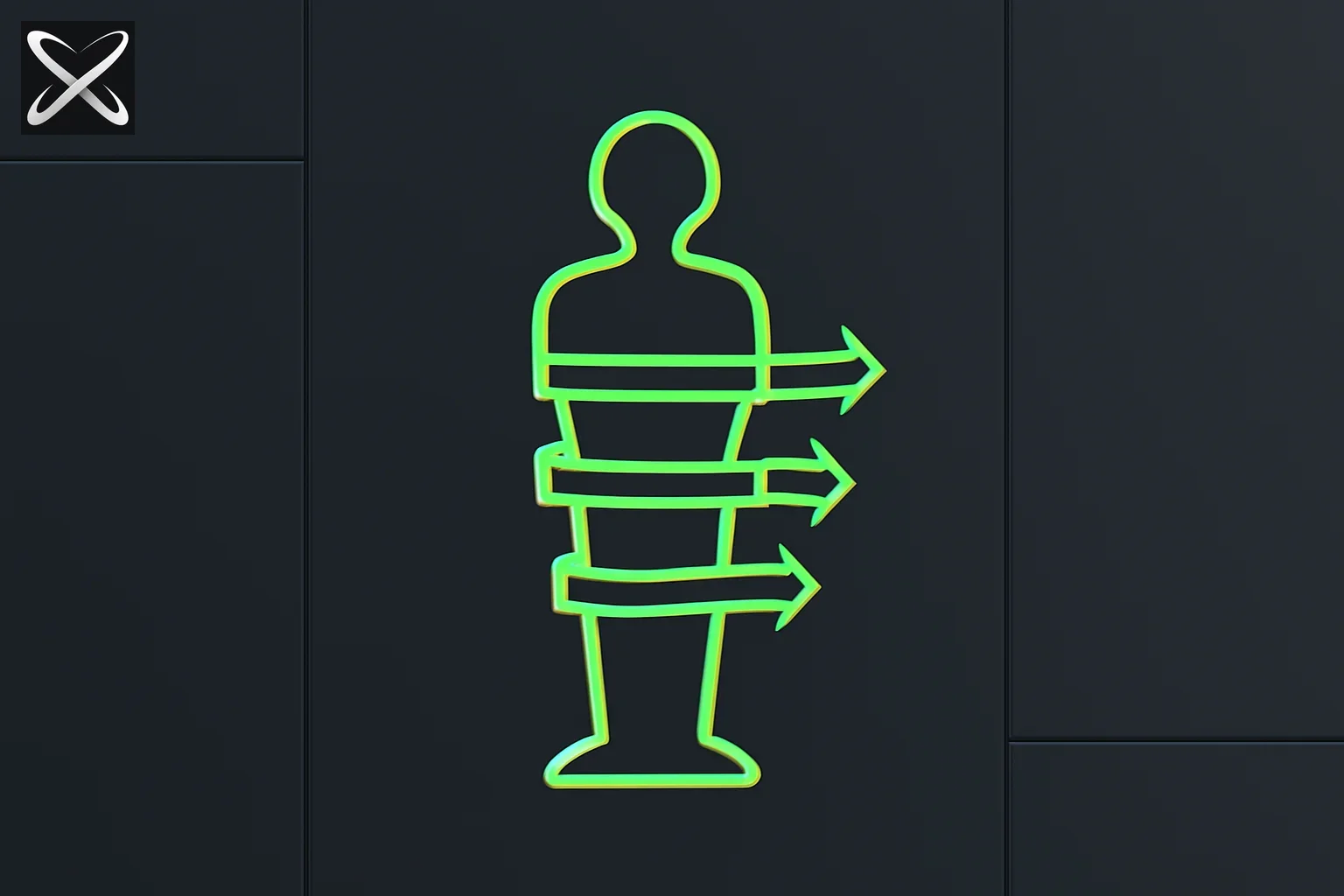 AI agent harness diagram showing straps tightening around a loose figure to hold it upright
When an AI model solves a complex task autonomously — browsing the web, writing code, running tests, fixing errors, and iterating until the output passes review — it is easy to credit the model. The model reasoned well. The model wrote good code. The model figured it out.
But almost always, a second system made that possible. It decided what context to give the model. It routed the model's output to the right tool. It checked whether the result was acceptable. It handled the errors. It ran the loop again when the first attempt failed.
That second system is the agent harness.
The harness is why the same model can fail at a task when called once and succeed at the same task when wrapped in the right scaffolding. It is also why, when researchers report benchmark gains without changing the model, they almost always changed the harness.
What an Agent Harness Is
An agent harness is the orchestration layer that sits between your AI model and the environment it needs to act in. It manages the full execution lifecycle of an agentic task:
- Receives the goal or task
- Prepares the context the model will see (relevant memory, prior steps, available tools)
- Calls the model with a structured prompt
- Parses the model's output — tool calls, text, decisions
- Executes tool calls — runs code, calls APIs, reads files, searches the web
- Captures the results and feeds them back to the model
- Checks a verification criterion — did the task succeed? did tests pass?
- Loops back if not done, or exits if done or if the iteration limit is hit
- Handles failures — timeouts, API errors, model refusals, unexpected output formats
- Returns the final result to whatever called the harness
Without the harness, you have step 3 and step 4 only — a single prompt and a single response. The harness is what turns a language model into an agent.
A Beginner Mental Model: The Four Jobs of a Harness
Earendil's August 20 explainer offers a useful four-part map for people encountering the term for the first time. It is less detailed than the six-component production breakdown later in this guide, but it captures the minimum shape of an agent harness.
| Question | Direct answer |
|---|---|
| What tells the model how to behave? | The system prompt supplies its standing role, constraints, success criteria, and response rules. |
| What lets it affect the world? | Tools expose typed actions such as reading files, running code, searching the web, or composing an email. |
| What makes one response become an agent? | The agentic loop feeds tool results back to the model and lets it inspect, revise, and continue until an exit condition is met. |
| What lets the same harness use different models? | A translation layer converts the harness's messages, tool schemas, results, and errors into each provider's API format. |
These four parts compose into one runtime:
user goal
   ↓
system prompt + tool definitions
   ↓
model ↔ translation layer ↔ provider API
   ↓
tool call → policy gate → execution → result
   ↑____________________________________↓
              agentic loop
1. System prompt: instructions, not enforcement
The system prompt is the harness's standing brief. It can establish tone, scope, priorities, and a definition of success. It is useful for judgment-heavy guidance such as "prefer the smallest safe change" or "ask for evidence before making a recommendation."
It is not a security boundary. If an accounting agent may post a journal entry only when a receipt and matching bank transaction exist, encode that rule as a deterministic gate before the write tool executes. The model can reason about the missing evidence; code must block the unauthorized action. This distinction was one of the strongest practical points in the Hacker News discussion around Earendil's post.
2. Tools: capability should be narrow and discoverable
A tool is both executable code and a contract the model can inspect. Good tools have precise names, typed parameters, bounded permissions, useful errors, and help text that lets the model discover the next action without a giant procedural manual.
That is why internal CLIs often make strong agent interfaces. Humans and agents can inspect --help, run a narrow command, receive structured output, and retry without loading every workflow into the prompt. For reusable tool contracts across clients, see explainx.ai's MCP guide and tool-schema design guide.
3. Agentic loop: act, observe, judge, repeat
The loop turns tool access into purposeful work. After every action, the harness records the result, decides what context should return to the model, and checks whether the task should continue. A useful loop has explicit limits for time, tokens, retries, and irreversible actions.
The model may choose the next step, but the harness owns the lifecycle. It should preserve evidence, surface partial progress, and stop cleanly instead of spinning forever. That is the practical connection between a beginner's "agentic loop" and loop engineering.
4. Translation layer: portability needs more than an API switch
Provider portability sounds simple: send the same conversation to another model. In practice, providers differ in message roles, tool-call encoding, streaming events, reasoning-state formats, image inputs, retry semantics, and token accounting. A translation layer normalizes those differences so the rest of the harness can work with a stable internal interface.
Real portability also requires portable state. Keep task history, tool results, approvals, files, and summaries in formats you control. If the session depends on opaque server-side state or provider-specific reasoning tokens, changing the model mid-task may lose information even when both providers expose compatible chat APIs. The open-versus-closed harness comparison explains how this affects product choice.
Minimal Harness or Prescriptive Harness?
The supplied instructions and tool catalog are not free. Every permanent rule consumes context and competes for attention; every extra tool expands the model's decision surface. The Hacker News discussion surfaced a useful counterexample: frontier models sometimes handled broader accounting work better when a long, prescriptive skill was replaced by discoverable tools plus hard policy gates.
That does not mean "remove all instructions." It means assign each concern to the right mechanism:
| Concern | Put it here | Why |
|---|---|---|
| Product goal, role, communication style | System prompt | Requires model judgment on every turn |
| Domain knowledge used only for some tasks | On-demand skill or retrieved context | Avoids paying the context cost everywhere |
| Available actions and parameter contracts | Tool schemas and CLI help | Lets the model discover capability when needed |
| Permissions, spend caps, required evidence | Deterministic policy gate | Must hold even when the model is confused or manipulated |
| Completion and quality | Tests, validators, or human approval | Makes "done" observable rather than self-reported |
Start with the smallest harness that can complete and verify the real task. Add an instruction after a demonstrated reasoning failure, a tool after repeated manual work, and a hard gate whenever violating the rule would create harm. Context engineering is the discipline that keeps this package useful as it grows.
Why Open and Local Harness Ownership Matters
The model may change every few months; your operating layer should survive the swap. Owning or controlling the harness can preserve:
- Sessions and artifacts in files or databases you can export
- Tool definitions and policy gates that encode how your work is actually done
- Model choice so cost, latency, privacy, or quality can drive routing
- Local execution for sensitive files and offline workflows
- Team-specific extensions without waiting for one model vendor's roadmap
Open source helps because you can audit and modify the loop, but it is not sufficient by itself. Check whether sessions are exportable, state formats are documented, tool APIs are stable, and provider-specific features degrade gracefully. A local binary that stores opaque state can still lock you in; a hosted service with clean exports can sometimes be more portable. For concrete products, compare minimal Pi, OpenCode, and the broader 2026 harness ranking.
Why the Harness Matters More Than You Think
In 2026, the most striking evidence for harness importance comes from benchmarks. LangChain's Deep Agents team achieved significant gains on Terminal-Bench 2.0 using the same underlying model — only the harness changed. The scaffolding around the model — how context was assembled, how tool outputs were formatted, how retries were managed — produced better results than a model upgrade would have.
This is not an isolated finding. It is the pattern:
Better harness on the same model > same harness on a better model — in many real-world tasks.
The reason is structural. The model only sees what the harness gives it. If the harness gives the model noisy context, the model produces noisy output. If the harness truncates relevant information to fit a context window, the model reasons from an incomplete picture. If the harness has no verification step, the model has no signal that it was wrong. The model cannot compensate for harness failures with capability alone.
The Core Components
1. Task Definition Layer
The entry point. The harness receives a goal (sometimes called an objective, spec, or task) and converts it into the first prompt the model sees. Good task definitions:
- State the success criterion explicitly ("the function should pass all unit tests")
- Provide available tools and their schemas
- Specify constraints (budget, time limit, files that are off-limits)
- Include relevant context without noise
The task definition layer is where loop engineering starts — you define the exit condition before the loop begins.
2. Context / Memory Manager
The model has a context window. The harness decides what fills it.
For short tasks, this is simple: put the task and prior tool outputs in the prompt. For long tasks spanning many tool calls or long documents, the harness must:
- Summarise earlier steps rather than including their full output
- Retrieve relevant memory from a store rather than keeping everything in context
- Prioritise recent results over older ones
- Chunk large tool outputs and include only the relevant sections
Poor context management is the most common cause of harness failure on long tasks. The model loses track of the goal, repeats steps it already completed, or starts contradicting its own prior work.
3. Tool Execution Layer
The harness calls tools on behalf of the model. This includes:
- Code execution — running Python, bash, or other code and capturing stdout/stderr
- File operations — reading, writing, listing directory contents
- API calls — web search, database queries, external services
- Browser interaction — navigation, clicking, form submission
- Sub-agent calls — spawning another model call for a specialised subtask
The tool layer is responsible for sandboxing (ensuring tool calls can't cause unintended damage), timeout handling (a hanging subprocess shouldn't freeze the whole harness), and output normalisation (converting raw tool results into a format the model can use).
4. Loop Controller
The harness decides when to call the model again and when to stop.
Iteration triggers:
- Tool call completed — feed results back for the next model call
- Model produced a plan but hasn't acted yet — prompt it to execute
- Verification failed — prompt it to correct the error
Exit conditions:
- Verification passes (tests green, spec met, review approved)
- Maximum iteration count reached
- Token budget exhausted
- Model explicitly signals completion
The loop controller is where the "agent-ness" lives. A model without a loop controller isn't an agent — it's an API call.
5. Verification Layer
The most important component and the one most often skipped.
The verification layer checks whether the task is actually done. A good verification check is:
- Deterministic — produces the same result given the same input
- Cheap — doesn't cost significant tokens or time
- Meaningful — actually tests the success criterion, not a proxy
Examples of strong verification:
- Run the test suite. All tests pass = done.
- Compile the code. No errors = done.
- Call the API. Returns 200 = done.
- Diff the output against the spec. Zero diff = done.
Examples of weak verification:
- Ask the model "does this look right?" — this is expensive and unreliable
- Check that the model said "done" — models say "done" when they're not done
- Check that output is non-empty — trivially satisfied
Loop engineering is essentially the practice of designing good verification layers and connecting them to loop controllers.
6. Failure Handler / Exit Escalation
What happens when the loop can't converge? The harness needs explicit handling for:
- Hard exits: maximum iterations reached, token budget exhausted — return partial result with error state
- Unrecoverable errors: tool call returns an error the model can't fix — escalate to human or fail gracefully
- Model refusals: model declines to perform a step — log, try an alternative phrasing, or exit
- Output format failures: model produces output that doesn't parse — retry with a corrected format instruction
Without explicit failure handling, harnesses fail in opaque ways: infinite loops, silent partial results, or crashes that surface as confusing downstream errors.
Harness Patterns in the Wild
The Simple Retry Loop
The most basic harness: call the model, run the verification, loop if it fails.
goal → model call → tool execution → verify
                  ↑________________________| (if fail, retry)
                                          ↓ (if pass, exit)
This is what Claude Code's /loop command implements. It works well for tasks with fast, cheap verification (test suites, lint checks).
The Plan-Then-Execute Pattern
The model first generates a plan (a list of steps), then the harness executes each step in sequence, calling the model for each one.
goal → model (plan) → [step 1 → model → tool] → [step 2 → model → tool] → verify → exit
Used in agentic coding workflows where the task is complex enough to benefit from explicit decomposition.
The Multi-Agent Harness
The harness coordinates multiple model calls in parallel or in sequence, each specialised for a subtask. A coordinator model routes work to specialist agents (coder, reviewer, tester, documenter) and aggregates results.
coordinator model
    ├── coder agent → code
    ├── reviewer agent → review
    └── tester agent → test results
→ aggregate → verify → exit
This pattern is described in the Anthropic managed agents architecture and is the likely pathway to ASI via multi-agent collectives.
The Meta-Harness (Self-Improving Loop)
A harness that can modify itself — updating its own tool list, memory schema, or verification criteria based on what worked and what didn't. This is what the self-harness research explores and what Matt Pocock cautioned against when it applies to auto-generated CLAUDE.md instructions.
Harness vs Framework vs Agent Platform
| Custom Harness | Framework (LangChain, LangGraph) | Agent Platform (Claude Code, Devin) | |
|---|---|---|---|
| What it is | Code you write from scratch | Library of harness components | Fully built harness with UI/CLI |
| Flexibility | Maximum | High (configurable) | Low (fixed patterns) |
| Time to first run | Days–weeks | Hours–days | Minutes |
| Best for | Unique verification logic, specific domains | Standard agentic patterns | Common dev tasks |
| Maintenance | Full ownership | Framework updates | Platform handles it |
For a fourth option — minimal but extensible — see Pi (pi.dev). For open source with 75+ providers and terminal + desktop, see OpenCode.
The choice depends on how standard your task is. The more your task looks like "write code, run tests, fix until green," the more an existing platform handles it. The more you need custom verification, unusual tool combinations, or specific orchestration logic, the more you want a custom harness.
What the Harness Doesn't Do
Clarifying the boundary:
- The harness does not decide what the goal is — that is the task definition you provide
- The harness does not reason about the problem — that is the model
- The harness does not guarantee the model's output is correct — that is what the verification layer checks
- The harness does not improve the model's capability — it shapes what the model is asked to do and how many attempts it gets
A common misconception is that a good harness compensates for a weak model. It doesn't — it extracts more of what the model is capable of. There is a floor: if the model genuinely cannot solve the problem even with unlimited retries and perfect context, the harness cannot fix that.
Building Your First Harness
If you are building a harness for the first time, the sequence that works:
- Define the success criterion first — what does "done" look like in machine-readable terms?
- Write the verification check — can you test it independently before the loop exists?
- Build the simplest loop — call model, run tools, check verification, repeat
- Add a hard exit — maximum iterations, token budget, or time limit
- Add context management — start with full context; only add summarisation when you hit window limits
- Add failure handling — what happens when tools error? when the model refuses?
- Instrument it — log iteration count, token usage, tool call results per iteration
Do not add planning layers, parallel execution, or multi-agent orchestration until the simple loop works reliably. Complexity in harnesses compounds — a subtle bug in a simple harness is easy to find; the same bug inside a planning layer inside a multi-agent system is not.
Update — July 16, 2026: Bun's 64-agent Zig→Rust port is a field example of harness design — worktrees, adversarial reviewers, conformance tests as merge gate. See Fireship Code Report coverage.
Update — July 17, 2026: TryAI's Music Video Arena — Fable 5 vs GPT-5.6 Sol with plan/FAL/ffmpeg tools — shows autonomous creative harnesses can spend budgets end-to-end but still fail without human taste loops.
Update — July 22, 2026: Want the product roundup instead of the concept deep-dive? See the top 10 closed-source and top 10 open-source agent harnesses actually running in 2026 — Claude Code, Codex, Cursor, and Antigravity vs. OpenCode, Pi, Aider, and Cline.
Update — August 10, 2026: DHH's reported 11-million-token Fable rewrite of TerminalTextEffects from Python to Rust shows the lightest viable harness shape: one continuous session can handle a bounded, executable specification, while Bun's larger port still required worktrees, adversarial review, and independent conformance tests.
Update — October 2, 2026: DeepSeek Harness left the August Web/headless preview and shipped a macOS (and HN-titled Windows) desktop public preview on the same Cordis plugin tree — use that post for the switch decision versus Pi, OpenCode, and Claude Code.
Update — August 13, 2026: DeepSeek has open-sourced DeepSeek Harness v0.1, a developer-preview implementation where the model adapter, tools, sessions, agent loop, sandbox, persistence, and Web UI are composed as replaceable Cordis plugins.
Update — August 17, 2026: DeepSeek Harness's GitHub star count hit 135,042 (with 13,592 forks) four days after launch — full growth timeline and honest fact-check of the "fastest launch in GitHub history" claim.
Update — August 18, 2026: A small but instructive harness-design lesson from Claude Code's own team — v2.1.229 halved p99 CPU usage by switching Bun's garbage collector from a fixed timer to idle-triggered scheduling, so GC no longer contends with active turns. See Claude Code's CPU fix and the general harness lesson.
Update — August 20, 2026: OpenAI formally pitched its own harness as embeddable infrastructure — Codex as a platform: what codex exec, the Codex SDK, and app-server are each for, and how it compares to Claude Agent SDK.
Update — August 22, 2026: For a project-sized implementation, build a daily financial briefing and job-search agent with Claude Code and Vercel AI SDK — narrow tools, typed outputs, approval gates, and explicit stop rules.
Update — August 25, 2026: Garry Tan predicted that systems of record must become AI harnesses or face replacement by agents — deterministic SQL/API/ACL layers stay; the product must ship the harness and full workflow on top.
Start with the complete agent lifecycle
If loops, tools, context, memory, and approvals are new to you, read how AI agents actually work end to end before this harness-level deep dive. Builders evaluating cost should pair it with what an AI agent costs per month, and teams evaluating repository performance should use the real-repo coding-agent scorecard.
Related Reading
- Update — October 9, 2026: Prime Agent's Rust port — a merged 520-commit port of an open agent harness, and the unverified 2,000-agent claim around it.
- Update — October 2, 2026: Pi 1.0 and Pi Durable — Earendil's versioned minimal coding harness plus an experimental library for Slack/K8s/daemon sessions; HN's actual arguments (tiny prompt, fullscreen, cache warming).
- Update — October 2, 2026: BootLoops / Claude-shaped science — Matthew Schwartz's open scientific harness (his project; he was a visiting researcher at Anthropic): checkable quantitative problems, expert taste, and the same victory/grind failure modes as a coding harness.
- Update — October 1, 2026: GPT-Synopsys — OpenAI × Synopsys specialized EDA operator; announced to interoperate with customer harnesses, still requires traditional sign-off, not a ChatGPT SKU.
- Update — October 1, 2026: Pi adds MCP and Codemode after a year of "no MCP" — harness-side JS sandbox (Codemode) is why Earendil put MCP in core instead of leaving it an extension.
- Update — September 15, 2026: Put Claude Fable 5.1 and Gemini 3.8 Flash on the same coding team — a practical harness config pairing a fast Gemini 3.8 Flash worker with a Claude Fable 5.1 deep-thinker, escalating only via an explicit
ask_for_helptool. - Update — September 13, 2026: Is "harness" software the only startup left? The YC batch debate — levelsio's claim that a YC batch is all harness or hardware startups, the pushback that harnesses are still software (just a new form factor), and what durable moat looks like once frontier labs and open source both come for the harness layer.
- Update — September 11, 2026: SMART design-doc DAG harness — orchestrator + coding sub-agents regenerate an ML performance library from prose (~$100/full rebuild); worked examples as reconciliation anchors.
- Update — September 9, 2026: How to actually work with AI agents — a session-habits companion covering why loop exit and verification conditions matter as much as the harness components below.
- Update — September 8, 2026: A domain-expert skill example — Google Antigravity's AlphaGenome Atlas Skill connects agents to a 1-petabyte genomic dataset so a harness can prioritize DNA variants without the researcher writing the analysis pipeline.
- Update — September 7, 2026: YC's harness panel — the same model weights scoring ~30% vs. ~95% on ARC-AGI depending on the harness, plus self-improving harnesses, context-as-cache, and QM's "brain out of the sandbox" design.
- Update — September 4, 2026: HarnessDev — ByteDance Seed's benchmark testing whether LLMs can build and evolve their own harness from a minimal seed, not just perform inside one someone else built.
- Update — September 3, 2026: Real-world four-stage pipeline example — fable51-worlds, where Claude Fable 5.1 agent swarms handled reconnaissance, offline asset generation, runtime assembly, and camera-matched QA for a 3D city reconstruction, for about $33 in API cost.
- Update — August 28, 2026: First-party multi-pattern orchestration example — Google Antigravity Teamwork (
/teamwork-preview). - Apodex 1.1's FrontierAgent — open-source CLI harness with a ReAct/Agent Team toggle (Aug 2026) — one-command install, no Docker
- macOS Harness — browser-use's raw-primitives Mac control tool (Aug 2026) — six primitives instead of per-app tools, and the canvas-UI limitation debated on X
- Google's Generative UI: Gemini 3 Explained — a different agentic output shape: a full generated interface, not text or a diff
- DoorDash Flux — cloud agents with enterprise guardrails (Aug 2026)
- DHH's Fable one-shot Python→Rust rewrite — where a single-session harness works (Aug 2026)
- From ReAct to production harness — DAG, Planner/Worker/Critic, budget pressure (Aug 2026)
- Microsoft Orchard — shared sandbox substrate for training agent harnesses
- Google Cloud agent sandboxes — five truths on cold start and egress (Sep 2026)
- LoopX: A Control Plane for Long-Running Agent Work — the state layer above the harness
- YC open-sources QM — company-wide multi-agent harness (Aug 2026)
- OpenAI ARC-AGI-3 — retained reasoning + compaction tripled Sol scores
- YC Requests for Startups Fall 2026 — Multiplayer AI, small-software cloud, self-maintaining APIs
- Claude Cookbook — PTC, compaction, Managed Agents, HN debate (Jul 24)
- Block Buzz — self-hosted Nostr room for humans and agents (Jul 2026)
- Top 10 closed-source and open-source agent harnesses (2026)
- Bun Zig→Rust rewrite — 64 agents, worktrees, PORTING.md (Jul 15)
- Claude Code on VPS + SSH — remote harness host for iOS (Jul 16)
- DoorDash dd-cli — checkout gates and spend caps for commerce agents (Jul 16)
- Codex $HOME deletion — full access and harness safeguards (Jul 16)
- Grok Build open source (SpaceXAI, July 2026)
- Pi Agent Harness: Mario Zechner's Minimal Coding Agent (2026)
- J-Space Cognition Suite — unverified community harness claims to unlock DeepSeek V4 Pro without weight changes (Aug 2026)
- What Is Loop Engineering? The New AI Paradigm
- Loop Engineering: Coding Agent Loops That Run While You Sleep
- Agent Harness Engineering: The Seven Planes
- Anthropic Engineer: Stop Prompting, Build Loops
- Self-Harness: Agents That Improve Themselves
- Anthropic Managed Agents and Multi-Agent Orchestration
- Claude Code CPU fix — 2x less at p99, idle-triggered Bun GC (Aug 2026)
- Agent Lightning v1.0: RL training through the real harness