



Update — October 2, 2026: Earendil shipped Pi 1.0 and experimental Pi Durable — versioned minimal harness plus long-running sessions. This June guide remains the onboarding path.
Update — October 1, 2026: Earendil reversed the famous no MCP line. MCP is now in Pi's core, behind Codemode. Full write-up: Pi adds MCP and Codemode. The June table below is historical.
Update — August 5, 2026: Earendil published external validation for Pi's minimalism thesis. Databricks' internal benchmark ("Benchmarking Coding Agents on Databricks' Multi-Million Line Codebase") found that on Opus 4.8 at xhigh thinking effort, Pi had the highest pass rate of any harness tested — at significantly lower cost than Claude Code and Codex — because Pi sent roughly 3x less context per turn and finished tasks in fewer runs. Separately, Shopify built pi-autoresearch — an autonomous optimization loop — directly as a Pi extension, reporting unit tests running 300x faster, React component mounting 20% faster, and reduced build times across projects. Read the full case studies: Pi's Minimalism Is Its Advantage — Earendil.
Pi opens with a line that cuts through the 2026 agent-tool noise: there are many agent harnesses, but this one is yours.
That is not marketing fluff — it is an architectural statement. Pi is a minimal terminal coding harness from Mario Zechner (badlogic, creator of libGDX and a long line of developer tools), now documented at pi.dev under Earendil Inc. The npm package is @earendil-works/pi-coding-agent. Pi ships powerful defaults — multi-provider auth, tree-structured sessions, compaction, skills — but historically skipped features other agents bake in: MCP (now in core as of September 29, 2026), sub-agents, plan mode, permission popups, built-in todos, background bash.
If you have read our What Is an Agent Harness? guide, Pi is easiest to understand as a reference implementation of the harness layer — task intake, context management, tool execution, loop control — with maximum extension surface and minimum product opinion. The model still reasons; Pi still runs the loop. What changes is who owns the scaffolding.
TL;DR
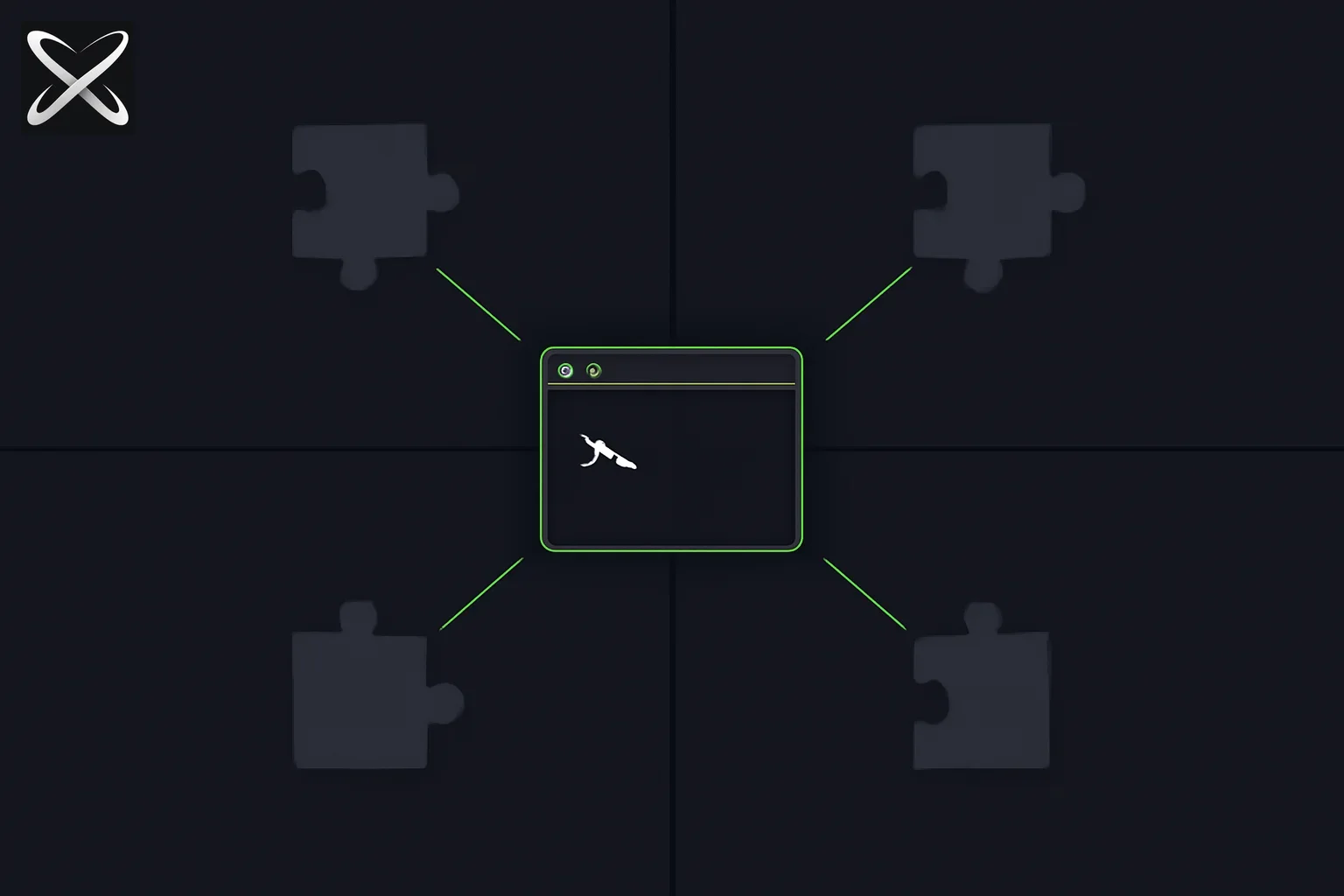 Pi agent harness diagram: a small terminal core with optional plug-in extensions branching outward
| Pi | Claude Code / Cursor | oh-my-pi fork | |
|---|---|---|---|
| Philosophy | Minimal core; you extend | Batteries included | Pi + LSP, DAP, hashline edits, subagents |
| MCP | Core + Codemode (Sep 29, 2026); was extension-only | Built-in / native | Varies |
| Sub-agents | tmux, extension, or package | Built-in | Built-in task tool |
| Session model | Tree (branching history) | Linear + checkpoints | Pi-derived |
| Providers | 15+ (API + OAuth) | Anthropic-first | 40+ |
| Embed | SDK, RPC, JSON modes | IDE / CLI product | Terminal CLI + SDK |
| Best for | Custom harness, context engineering | Daily coding UX | Production terminal edits |
Pi in harness terms
Our agent harness guide defines six components every serious agent system implements:
- Task definition — what success looks like
- Context / memory manager — what the model sees each turn
- Tool execution layer — files, shell, APIs
- Loop controller — when to call the model again
- Verification layer — when the task is actually done
- Failure handler — exits, escalation, partial results
Pi implements 1–4 and 6 out of the box with unusual clarity. Verification (5) is intentionally yours — write a test loop, an extension that runs CI, or a skill that defines done. That matches harness engineering as Boris Cherny describes it: the harness shapes reliability; the model does not self-certify.
Where Pi stands out is context / memory (2). Most productized agents hide context assembly behind a black box. Pi's minimal system prompt and extension hooks are built for actual context engineering — the same discipline our harness guide argues separates benchmark wins from model swaps (Terminal-Bench harness story).
Install and first run
From pi.dev/docs:
# npm (recommended flags per official docs)
npm install -g --ignore-scripts @earendil-works/pi-coding-agent

# macOS / Linux installer
curl -fsSL https://pi.dev/install.sh | sh
Then in a project directory:
pi
Authenticate with /login for subscription OAuth providers, or export keys such as ANTHROPIC_API_KEY before launch. Pi documents 15+ providers — Anthropic, OpenAI, Google, Azure, Bedrock, Mistral, Groq, Cerebras, xAI, Hugging Face, Kimi For Coding, MiniMax, OpenRouter, Ollama, and more. Switch mid-session with /model or Ctrl+L; cycle favorites with Ctrl+P. Custom entries go in models.json or provider extensions. For GLM-5.2 specifically — Z.AI Coding Plan provider, model ids, and reasoning effort — see How to Run GLM 5.2 with Pi and Other Harnesses.
Four modes: interactive to embedded
Pi is not only a TUI. Four modes map to different harness deployment patterns:
| Mode | Command / API | Use case |
|---|---|---|
| Interactive | pi | Full terminal UI — daily coding |
| Print / JSON | pi -p "query", --mode json | Scripts, CI hooks, event streams |
| RPC | JSONL over stdin/stdout | Non-Node integrations (docs/rpc.md) |
| SDK | @earendil-works/pi-coding-agent in Node | Embed in apps — OpenClaw is pi.dev's cited real-world example |
The SDK path matters for platform builders. Peter Steinberger's OpenClaw ecosystem — covered in our OpenClaw safety and subscription analysis — sits on top of harness code, not raw API calls. Pi gives you the same separation our harness guide recommends: product on harness, harness on model.
For loop engineering, print/JSON and RPC modes are how you wrap Pi inside cron jobs, verification gates, and /loop-style schedules without fighting a GUI.
Context engineering: AGENTS.md, SYSTEM.md, compaction, skills
Pi's context stack is the feature set most aligned with explainx.ai skills and loops philosophy — progressive disclosure instead of prompt bloat.
AGENTS.md and SYSTEM.md
AGENTS.md— project instructions loaded at startup from~/.pi/agent/, parent directories, and the current working directory. Same pattern as Claude Code's project memory and the community AGENTS.md standard discussed in memory.md persistence.SYSTEM.md— replace or append to Pi's default system prompt per project. This is harness-level prompt control without forking the binary.
Compaction
When context fills, Pi auto-summarizes older messages. Extensions can replace the default: topic-based compaction, code-aware summaries, or a cheaper summarization model — exactly the context manager responsibilities in our harness component breakdown.
Skills and prompt templates
- Skills — capability packages (instructions + tools), loaded on demand so the prompt cache stays hot. Browse analogous patterns on explainx.ai/skills.
- Prompt templates — Markdown files expanded with
/name. Same mental model as slash commands on explainx.ai.
Dynamic context via extensions
TypeScript extensions can inject messages before each turn, filter history, wire RAG, or implement long-term memory — the extension point where Pi stops being "minimal" and becomes your harness.
Tree-structured sessions: harness state as a DAG
Most agents store linear chat logs. Pi stores trees.
/tree— navigate to any prior point and continue from there; all branches live in one session file- Filter by message type; bookmark entries
/export— HTML export/share— upload to a GitHub gist with a renderable URL (example session on pi.dev)
For harness designers, this is first-class loop state. Failed tool path? Branch, retry with a different skill, merge learnings — without losing the original trajectory. That pairs naturally with agent loops on explainx.ai where verification failures trigger retries rather than new chats.
Steer vs follow-up: human-in-the-loop without stopping the run
Pi supports messages while the agent works:
- Enter — steering message: delivered after the current tool finishes; interrupts remaining tools in the batch
- Alt+Enter — follow-up: queued until the agent completes the current run
This is harness-level human gate design — lighter than approving every tool call (which Pi intentionally omits), heavier than waiting for a full stop. Teams building loop engineering workflows can treat steering as mid-loop spec correction without tearing down context.
Primitives, not features: what Pi did not build
Pi's "What we didn't build" section is the clearest statement of its philosophy — and the best contrast with sealed products:
| Omitted feature | Pi's answer | Harness-guide mapping |
|---|---|---|
| MCP (was omitted) | Core + Codemode as of Sep 29, 2026; skills + CLI still the default path | Tool layer is still pluggable |
| No sub-agents | tmux, extension, or pi install package | Multi-agent is opt-in |
| No permission popups | Containerize, or custom confirm extension | Failure / safety handler is yours |
| No plan mode | Plans as files, extension, or package | Task definition stays explicit |
| No built-in todos | TODO.md or extension | Memory schema is yours |
| No background bash | tmux — full observability | Tool execution stays visible |
Pi's blog post argument: aggressive extensibility beats baked-in workflow. That is the same tradeoff our harness guide draws between custom harness (maximum flexibility) and agent platform (minutes to first run) — Pi sits in the customizable platform quadrant, closer to framework than to Claude Code's sealed UX.
Extensions are TypeScript modules with access to tools, slash commands, keyboard shortcuts, events, and the full TUI. Pi ships 50+ examples. Community packages install like:
pi install npm:@foo/pi-tools
pi install git:github.com/badlogic/pi-doom
Yes — pi-doom is real. If an agent harness can run DOOM, your verification loop can run npm test.
Pi can modify Pi: /reload and shareable packages
Pi is self-hosting as a development surface. Need a command, provider, workflow, or UI tweak? Ask Pi to build it, edit extensions in place, hit /reload, continue. Bundle extensions, skills, prompts, and themes as Pi packages; publish to npm or git.
That pattern rhymes with self-harness research — with the same caution Matt Pocock raised about unsupervised self-modification of agent instructions: fine for tools and themes; review anything that rewrites default system behavior before you share it team-wide.
Pi vs forks and neighbors
oh-my-pi (omp)
oh-my-pi is the best-known Pi fork — hashline edits, LSP, DAP debugging, 40+ providers, built-in subagent orchestration. Choose upstream Pi when you want the minimal harness and will assemble pieces yourself; choose omp when you want Pi's loop with production editing and debugging baked in.
Claude Code and Cursor
Claude Code and Cursor optimize time-to-first-success inside an IDE. Pi optimizes ownership of the harness. Use Claude Code for daily flow; prototype custom verification loops in Pi when stock products do not expose the hook you need.
OpenClaw
OpenClaw embeds Pi via the SDK — messaging, scheduling, and skills at product layer; Pi at harness layer. Read our OpenClaw coverage for subscription and safety context before routing production OAuth through third-party harnesses.
When Pi is the right harness choice
Choose Pi when:
- You need context engineering control (AGENTS.md, SYSTEM.md, custom compaction)
- You want one harness across 15+ providers including local Ollama
- You are embedding an agent in your product (SDK / RPC)
- You will implement your own MCP, sub-agents, or plan mode — or install a package that matches your security model
- You care about branching session history for audit and retry
Choose something else when:
- You want zero setup sub-agents and IDE-native UX → Claude Code / Cursor
- You want LSP + DAP + hashline edits without building extensions → oh-my-pi
- You want copy-ready agent loops without writing harness code → explainx.ai loop library + Claude Code
/loop
Mapping Pi to your first custom harness
If our agent harness guide sequence is: define success → write verification → simplest loop → hard exit → context → failures → instrument — Pi gives you steps 3–6 as infrastructure on day one. You still supply step 1–2 (task + verification).
A practical Pi onboarding path:
piin a repo withAGENTS.mddefining done (tests pass, lint clean)- Install a skill or prompt template for your stack from explainx.ai/skills
- Run
pi -pin CI with a kickoff from explainx.ai/loops/ci-until-green - Add an extension only when print mode lacks a hook you need
/sharesession trees when debugging harness behavior with teammates
Security and sandboxing
Pi documents project trust, sandbox boundaries, and containerization (Gondolin, Docker, OpenShell) because the core harness does not ship permission popups. That is intentional: confirmation flows belong in your extension, aligned with your threat model — the same design choice our agent harness guide describes for custom failure handlers.
Running Pi in a container gives you deterministic tool boundaries while keeping the steer / follow-up UX in the TUI. For teams comparing Pi to Claude Code's built-in sandbox, the tradeoff is setup cost vs default safety rails.
Summary
Pi at pi.dev is Mario Zechner's answer to harness fatigue: a minimal terminal coding agent you extend instead of adapt to. It implements the agent harness layer — loop, tools, context, sessions. MCP is now first-party (Sep 29 reversal); sub-agents, permissions, and plan mode stay primitives you or the community supply. Tree sessions, four runtime modes (interactive, print/JSON, RPC, SDK), 15+ providers, skills, and pi install packages make it a serious base for context engineering and embedded agents (OpenClaw being the flagship SDK example).
Start with our harness explainer to learn what belongs in the scaffolding; use Pi when you are ready to own that scaffolding instead of renting it from a sealed product.
Related Reading
- Update — October 2, 2026: Pi 1.0 and Pi Durable
- Update — October 1, 2026: Pi adds MCP and Codemode
- How AI Agents Actually Edit Code Using Python — the diff-vs-AST editing question underneath any harness's file-edit tool, Pi's included
- The second writer: how self-evolving coding agents actually learn — Hermes, Prime Agent, Live-SWE-agent, and the Darwin Gödel Machine's three different kinds of "self-evolving" write, and where Pi's extension hooks fit
- macOS Harness — browser-use's six-primitives Mac control tool (Aug 2026) — the same small-core, write-your-own-glue-code philosophy applied to desktop control instead of coding
- Prime Agent: Prime Intellect's self-improving RLM coding agent, built on Pi
- Block Buzz — Nostr humans+agents workspace
- OpenCode: Open Source AI Coding Agent
- What Is an Agent Harness? The Scaffolding Layer That Makes AI Agents Reliable
- Agent Harness Engineering: When the Model Stays Fixed
- oh-my-pi: Batteries-Included Pi Fork
- What Is Loop Engineering?
- Top 10 AI Agent Loops for Coding Workflows
- Browse explainx.ai Agent Loops
- Pi documentation · pi-mono on GitHub
Pi features, package names, and provider list are accurate as of June 19, 2026 per pi.dev documentation.