



Update — August 30, 2026: The same single-file HTML medium, pointed at generative art instead of specs — Kevin Ngo's viral Fable 5 self-portrait website hit 1.3M views and reportedly cost 10% of his weekly Fable usage.
Update — July 7, 2026: Thariq's AI Engineer talk expanded the HTML thesis inside the full Field Guide to Fable — unhobbling, unknowns, grief, and being unreasonable.
Thariq Shihipar, member of technical staff on the Claude Code team at Anthropic, published the definitive write-up in May 2026: Using Claude Code: The unreasonable effectiveness of HTML. The essay started as a viral thread (@trq212) and now sits alongside Anthropic's loops guide as core Claude Code workflow documentation.
The claim is practical, not ideological: Markdown is the default agent output format, but as agents tackle larger specs and you stop hand-editing every line, HTML becomes the better medium for information you — and your teammates — will actually read.
In July 2026, the same idea resurfaced in a different corner of X: Peter Steinberger (@steipete, creator of OpenClaw) told builders who think Codex "sucks at design" to try "use imagegen to re-imagine this design and implement that" — while others in the thread pointed back to Thariq's HTML-variants workflow as the missing step before implementation.
This post is explainx.ai's question-first companion to the official guide: what changes in your workflow, when Markdown still wins, how the July 2026 thread reframes design + Codex, and copy-paste prompts for each use case. Screenshots below are from Anthropic's article.
TL;DR — what people ask after seeing the headline
| Question | Short answer |
|---|---|
| Do I need a special skill or plugin? | No — prompt "make an HTML file" or "make an HTML artifact". Build a skill later if patterns repeat. |
| Is HTML slower / more tokens? | Yes, often 2–4× vs Markdown. Thariq argues you read and share HTML more — net better outcomes. Opus 4.7's 1M context absorbs the overhead. |
| When is Markdown still right? | Git-friendly docs, READMEs, ADRs — anywhere clean diffs matter more than layout. |
| Can I share HTML with non-devs? | Yes — upload and link; any browser renders it. Markdown usually needs GitHub or a renderer. |
| What's the #1 habit? | Custom HTML editors must end with export — "copy as JSON", "copy as prompt", "copy diff". |
| Claude Code vs Claude.ai? | Code ingests repo + git + MCP + browser — HTML reports can synthesize real project context. |
| Does Codex suck at design? | Usually a workflow problem — not one-shot "build the whole app." See §July 2026 thread: HTML variants → pick → implement; or Codex + imagegen re-imagine. |
| Related explainx.ai coverage? | Claude Code Artifacts · DESIGN.md · Map is not the territory (Fable 5) |
Why Markdown stops scaling around 100 lines
Markdown won for good reasons: portable, editable, models write it fluently. Claude even produces respectable ASCII diagrams inside fenced blocks.
Thariq's shift is about how the output is consumed:
- He rarely hand-edits — specs and reference files are read and re-fed to Claude, not tweaked line-by-line in Vim.
- Long Markdown doesn't get read — past ~100 lines, he skips it; colleagues skip it faster.
- Rich structure gets hacked — without HTML, models approximate color with unicode blocks and diagrams with ASCII — workable, not ideal.
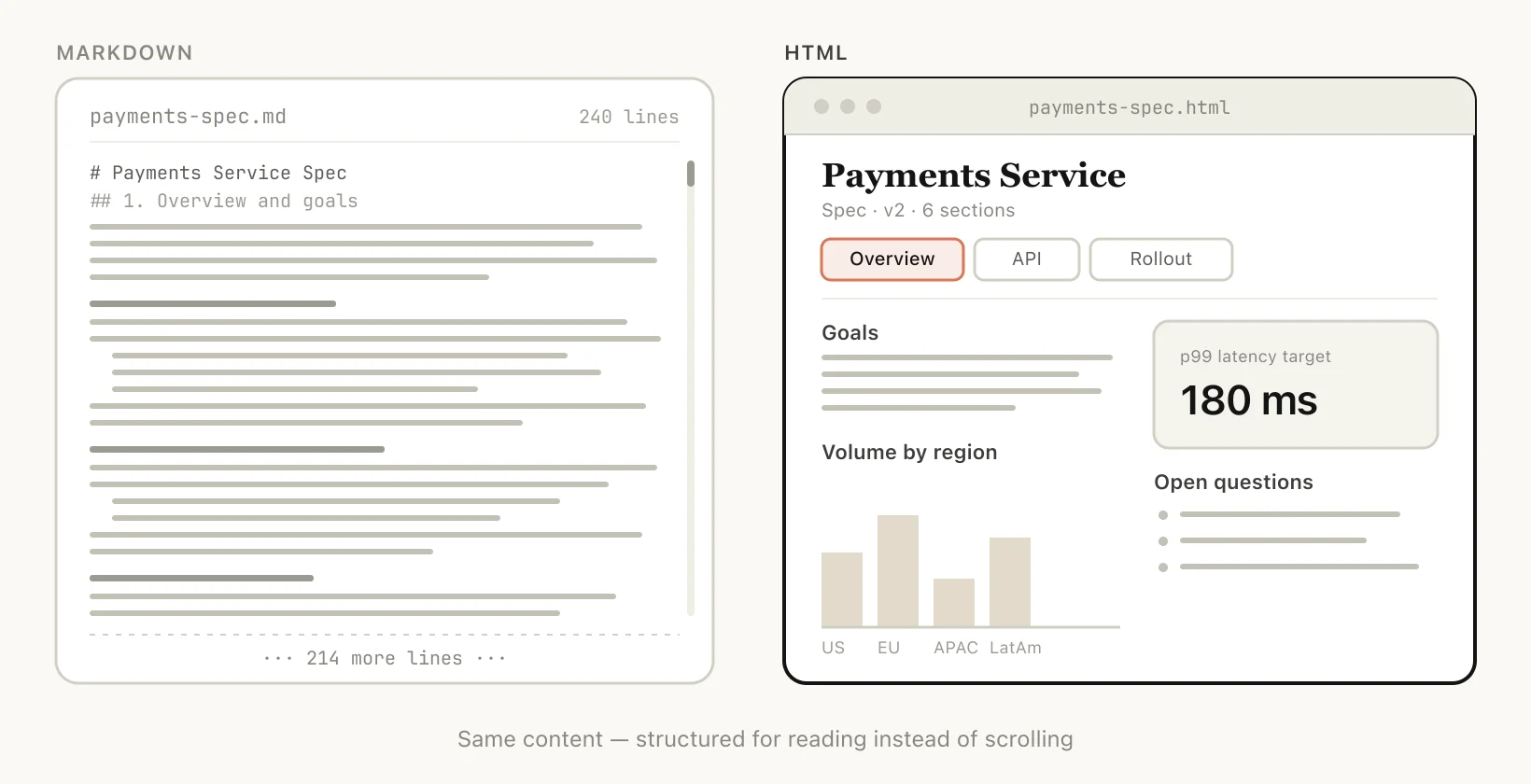 Claude Code Markdown workaround using unicode blocks to approximate colors in agent output
When you are not getting manual-edit benefits from Markdown, you are mostly left with its ceiling.
Five reasons HTML wins for Claude Code output
1. Information density
HTML carries structure Markdown can only gesture at:
| Capability | Markdown | HTML |
|---|---|---|
| Document structure | ✅ | ✅ |
| Styled tables | Limited | ✅ |
| Color / layout (CSS) | ❌ | ✅ |
| SVG diagrams | ASCII hacks | ✅ |
| Live interactions | ❌ | ✅ (HTML + JS) |
| Spatial layouts / canvas | ❌ | ✅ |
| Mobile-responsive reading | ❌ | ✅ |
Thariq's line from the official post: "there is almost no set of information that Claude can read that you cannot efficiently represent with HTML."
2. Visual clarity
HTML specs can use tabs, section navigation, illustrations, and responsive layout — closer to a micro-app than a flat file.
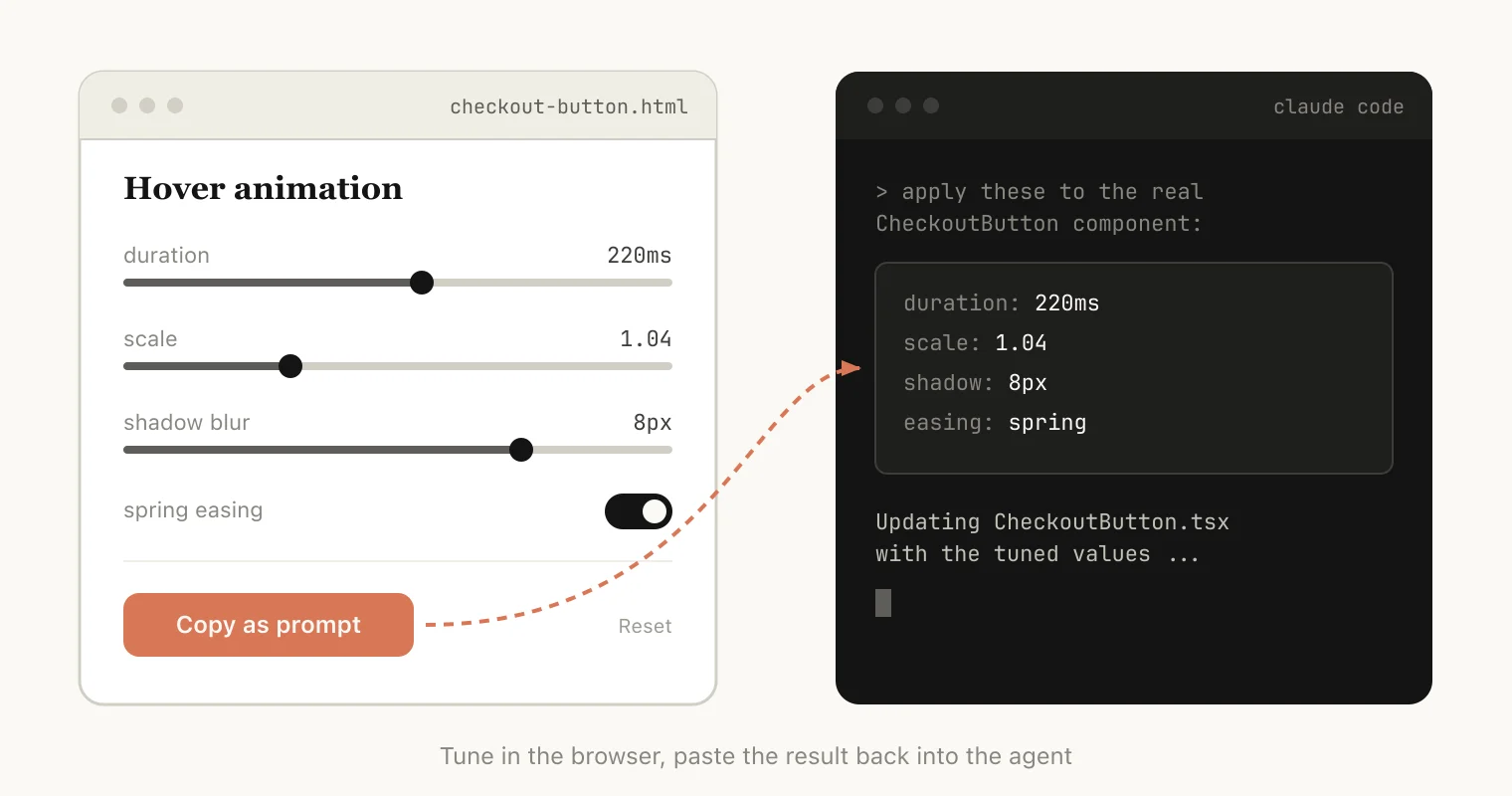 Claude Code HTML artifact with tabbed navigation and readable spec layout versus long Markdown
3. Ease of sharing
Markdown in email or Slack is an attachment problem. HTML on any static host (or Claude Code Artifacts inside your org) is one link — higher odds someone opens your PR explainer or weekly report.
4. Two-way interaction
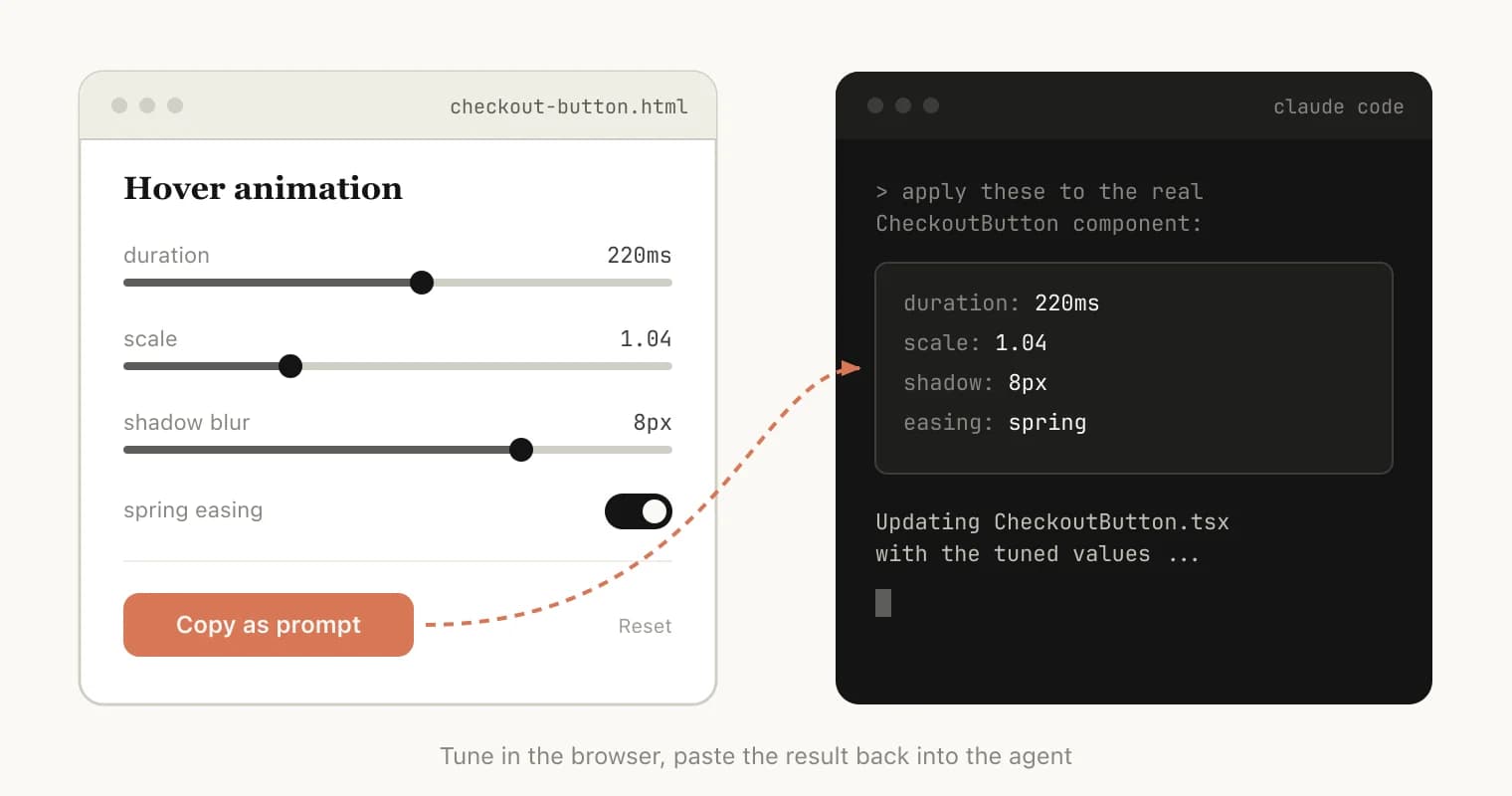
Sliders, knobs, and live previews let you tune parameters, then export what worked back into Claude Code.
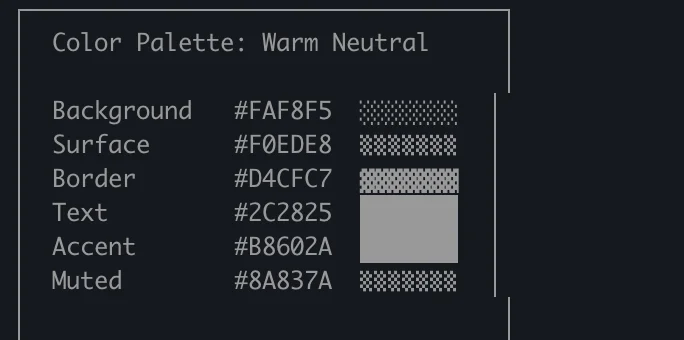 Claude Code HTML prototype with sliders and copy button to export animation parameters
5. Data ingestion (the Claude Code-specific edge)
Claude.ai artifacts lack your repo. Claude Code can read the filesystem, git history, MCP connectors (Slack, Linear), and browser context.
For the official blog post, Thariq asked Claude Code to scan his HTML output folder, categorize file types, and generate the diagram gallery — the screenshots in Anthropic's article are outputs of that session, not stock art.
Use cases with copy-paste prompts
Anthropic groups work into five buckets. Interactive examples also live at thariqs.github.io/html-effectiveness.
 Claude Code HTML use cases grid comparing specs planning code review design and custom editors
Specs, planning, and exploration
Instead of one Markdown plan, Thariq builds a web of HTML files: brainstorm options → expand mockups → implementation plan → new session with all files attached → verification agent reads the same context.
Prompts:
I'm not sure what direction to take the onboarding screen. Generate 6 distinctly
different approaches—vary layout, tone, and density—and lay them out as a single
HTML file in a grid so I can compare them side by side. Label each with the
tradeoff it's making.
Create a thorough implementation plan in a HTML file, be sure to make some mockups,
show data flow and add important code snippets I might want to review. Make it easy
to read and digest.
Use for: exploring implementations, comparing UI directions, loop-style multi-step planning.
Code review and understanding
HTML can render diffs, severity-colored annotations, and module flowcharts — often clearer than raw GitHub for reviewers who do not live in the repo.
Prompt:
Help me review this PR by creating an HTML artifact that describes it. I'm not very
familiar with the streaming/backpressure logic, so focus on that. Render the actual
diff with inline margin annotations, color-code findings by severity and whatever
else might be needed to convey the concept well.
Use for: authoring PRs, reviewing unfamiliar subsystems, onboarding reviewers.
Design and prototypes
Claude Design is HTML-native. Even when shipping React or Swift, HTML prototypes with sliders beat text-only animation descriptions.
Prompt:
I want to prototype a new checkout button, when clicked it does a play animation and
then turns purple quickly. Create a HTML file with several sliders and options for
me to try different options on this animation, give me a copy button to copy the
parameters that worked well.
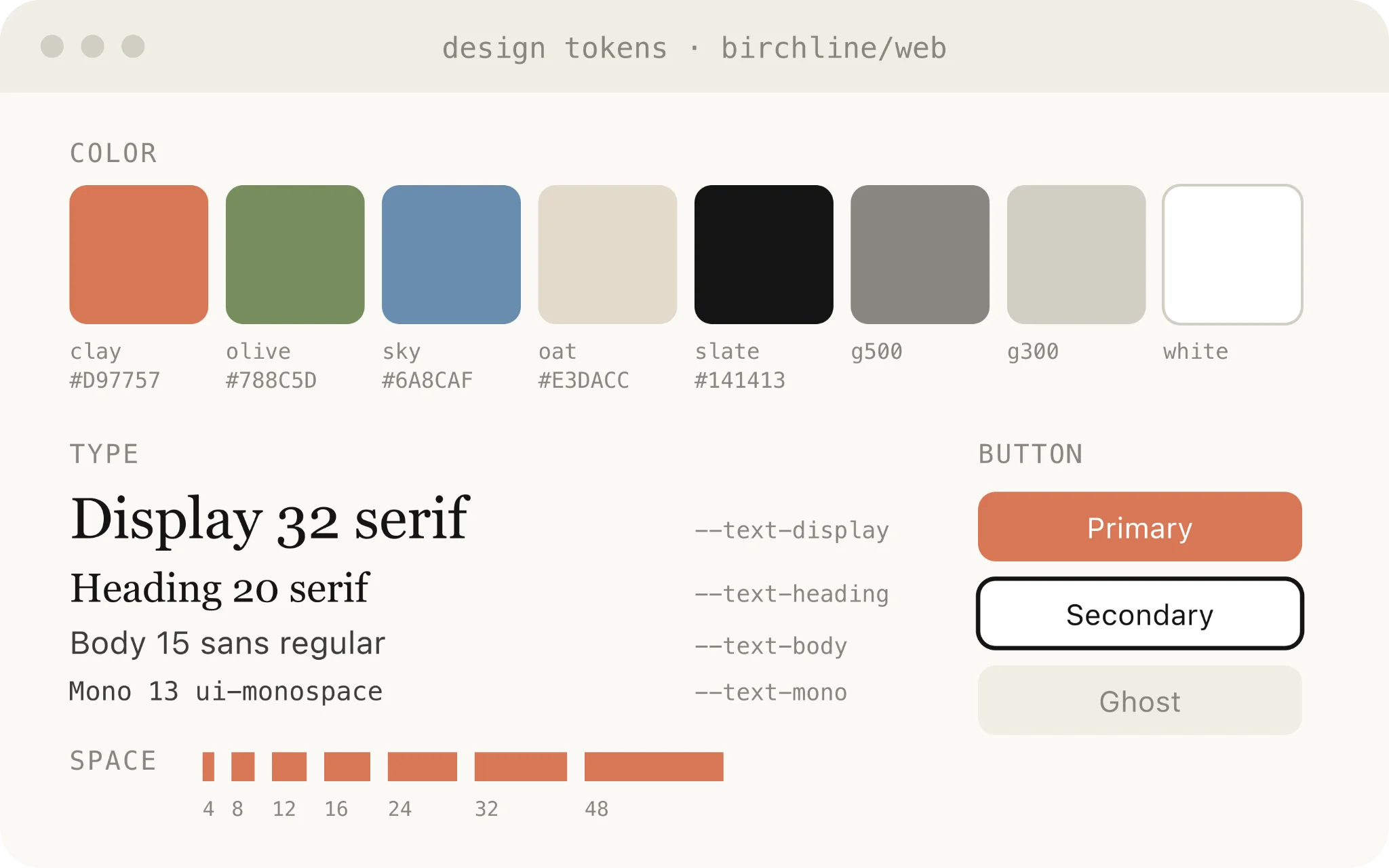
Pair with DESIGN.md templates when you need on-brand tokens before generating HTML mockups.
This is the step several builders in the July 2026 X thread described explicitly: generate variants in Claude Code, pick one, hand the winner to Codex for production implementation — rather than asking either agent to nail UI in a single pass.
Reports, research, and learning
Synthesize Slack + codebase + git + web into one readable HTML explainer — long doc, interactive page, or deck with SVG diagrams.
Prompt:
I don't understand how our rate limiter actually works. Read the relevant code and
produce a single HTML explainer page: a diagram of the token-bucket flow, the 3–4
key code snippets annotated, and a "gotchas" section at the bottom. Optimize it for
someone reading it once.
Use for: incident reports, weekly status, feature summaries, internal explainers.
Custom editing interfaces
When text prompts are too vague, ask for a throwaway single-file editor — always with export.
Prompts:
I need to reprioritize these 30 Linear tickets. Make me an HTML file with each ticket
as a draggable card across Now / Next / Later / Cut columns. Pre-sort them by your
best guess. Add a "copy as Markdown" button that exports the final ordering with a
one-line rationale per bucket.
Here's our feature flag config. Build a form-based editor for it, group flags by area,
show dependencies between them, warn me if I enable a flag whose prerequisite is off.
Add a "copy diff" button that gives me just the changed keys.
I'm tuning this system prompt. Make a side-by-side editor: editable prompt on the left
with the variable slots highlighted, three sample inputs on the right that re-render
the filled template live. Add a character/token counter and a copy button.
Use for: triage boards, config editing, prompt tuning, dataset curation, annotating transcripts — anything painful to specify in chat alone.
What people push back on (and fair answers)
"Isn't HTML less efficient?"
Yes on tokens; not necessarily on outcomes. Thariq's bet: expressiveness + actually reading the artifact beats token-minimal Markdown nobody opens. With Opus 4.7's 1M context, generation cost is usually a rounding error.
"When do you still use Markdown?"
Thariq says he has mostly stopped Markdown for plans — self-described HTML maximalist. For explainx.ai readers: keep Markdown for version-controlled repo docs where git diff readability matters.
"Did HTML replace planning?"
Not with one file — with several HTML files per effort: implementation plan, UI exploration, design inventory, each kept as verification context. Mirrors steering with CLAUDE.md + skills: context is a bundle, not a single PLAN.md.
"What about git noise?"
Real downside. HTML diffs are ugly in PRs. Mitigations: keep HTML in .artifacts/ or docs/generated/, gitignore if ephemeral, or commit only exported Markdown/JSON from the HTML editor's copy button.
What builders said in July 2026 (X thread)
On July 4, 2026, Peter Steinberger's post — "If you think codex sucks at design, try 'use imagegen to re-imagine this design and implement that'" — hit 600K+ views and reopened a debate that Thariq's HTML essay had already partially answered: design is a format and iteration problem, not a single-model verdict.
Steinberger's imagegen nudge (Codex)
Steinberger (@steipete) was arguing from inside OpenAI's tooling ecosystem: when a screen exists but looks wrong, re-imagine it visually (imagegen) and then implement the result — instead of endlessly wordsmithing layout in chat. He could not post a screenshot ("for once I cannot cause it's an internal tool"), so the tip is prompt-level, not a public demo.
That pairs naturally with Thariq's HTML workflow on the Claude side:
| Stage | Tool | Output |
|---|---|---|
| Explore | Claude Code | 4–6 HTML layout variants in one file (grid + tradeoff labels) |
| Re-imagine (optional) | Codex + imagegen | Visual refresh of a chosen direction before code |
| Implement | Codex or Claude Code | React/Swift/etc. from the picked HTML or image reference |
| Refine | Either | Iteration on existing UI — where several builders said agents shine |
The Claude Code → Codex handoff
One reply quoted Thariq's official HTML post directly:
"I like to use Claude Code to generate HTML design variants so that I can choose one and give it to Codex to work with."
That is Thariq's specs / exploration use case applied cross-vendor: Claude Code is the comparison canvas; Codex is the implementation engine. You are not asking Codex to invent taste from a blank prompt — you are giving it a visual decision you already made.
Combined prompt pattern:
# Session 1 — Claude Code
Generate 6 onboarding layouts in one HTML file (grid, labeled tradeoffs).
I will pick one for implementation.

# Session 2 — Codex (after you pick)
Implement the chosen layout from onboarding-variants.html section 3 in our
React stack. Match spacing and hierarchy; do not redesign from scratch.
Optional Codex add-on from Steinberger:
Use imagegen to re-imagine this design and implement that.
Use when you have a starting screen (even a rough one) and want a visual jump before code — not when you have zero reference.
"Codex sucks at design" — prompt quality vs model ceiling
Another reply pushed back on the premise entirely: Codex does not fail at design; one-shot prompts fail — "make me an app in one go" or "no mistakes" treats the agent like a pet, then blames the model when the output is generic.
That aligns with Thariq's multi-file HTML planning: decompose (variants → plan → implement → verify), do not collapse exploration and shipping into one message.
Greenfield vs refactor (honest limitation)
A separate reply captured a nuance worth keeping: agents are often stronger at refactoring an existing design than inventing a distinctive first iteration from nothing. If v1 looks bland, the fix is usually more exploration artifacts (HTML grids, imagegen passes, DESIGN.md tokens) — not switching models once.
OpenClaw as a live experiment
Steinberger's own OpenClaw app became the punchline in the thread — critics joked about its UI; he replied the redesign plan was working and "there's like 10 people cookin' rn." Whether or not you agree on taste, the meta-point matches this article: agent-built products improve when design is a parallel loop (HTML variants, community iteration, implementation agents) instead of a single codegen pass.
explainx.ai read on the thread
None of this contradicts Thariq's HTML thesis — it extends it across tools:
- HTML (or imagegen) is the human-in-the-loop layer — you choose before implementation runs away.
- Codex vs Claude Code is not either/or — variant in Claude Code, ship in Codex (or vice versa) is a valid 2026 workflow.
- "Bad at design" usually means "bad at one-shot design" — same lesson as loops over single prompts.
Staying in the loop — the argument underneath the format
Thariq's closing point in the official post is about agency, not aesthetics:
As Claude takes on more, I'd noticed I was reading plans less closely, and I wanted a way to stay engaged with its choices rather than just hand them off. HTML turned out to be exactly that.
Richer, navigable, interactive output keeps you evaluating agent choices instead of rubber-stamping 200-line Markdown you never opened. That connects directly to his later map-is-not-territory essay: the spec is not the work — but a spec you cannot parse is a map you cannot trust.
Getting started (minimal)
Anthropic's guidance: do not over-engineer day one.
- Pick one use case above that matches today's task.
- Prompt:
"make an HTML file"/"make an HTML artifact". - Open in browser (Claude Code can open the file).
- If you built a custom editor, click export and paste back into the session.
- Later: codify patterns in a skill or reference a DESIGN.md for visual consistency.
Install Claude Code:
curl -fsSL https://claude.ai/install.sh | bash
Related on explainx.ai
- Programmer mental health after AI — flow state vs agent context switching
- OpenClaw AI agent architecture
- Claude Code vs Codex rate limits and harness comparison
- Claude Code Artifacts: shareable HTML sessions
- The map is not the territory — Thariq's Fable 5 field guide
- Steering Claude Code: CLAUDE.md, skills, hooks, subagents
- Anthropic engineer on loops vs one-shot prompts
- DESIGN.md templates for agent-native UI
- Claude Code commands: complete reference
- Context engineering and clean prompts
- HTML Canvas complete guide
Official sources: Anthropic blog — unreasonable effectiveness of HTML · HTML examples gallery · Claude Code install docs
Based on Thariq Shihipar's May 20, 2026 article on claude.com and community reactions on X (July 4, 2026). Personal opinions attributed to original authors. Token costs, Artifacts behavior, Codex imagegen availability, and model context windows change with releases — verify in your own sessions.
Update — October 2, 2026: Karpathy ranks HTML output as rung three of four for understanding LLM work — his ladder, with prompts.