



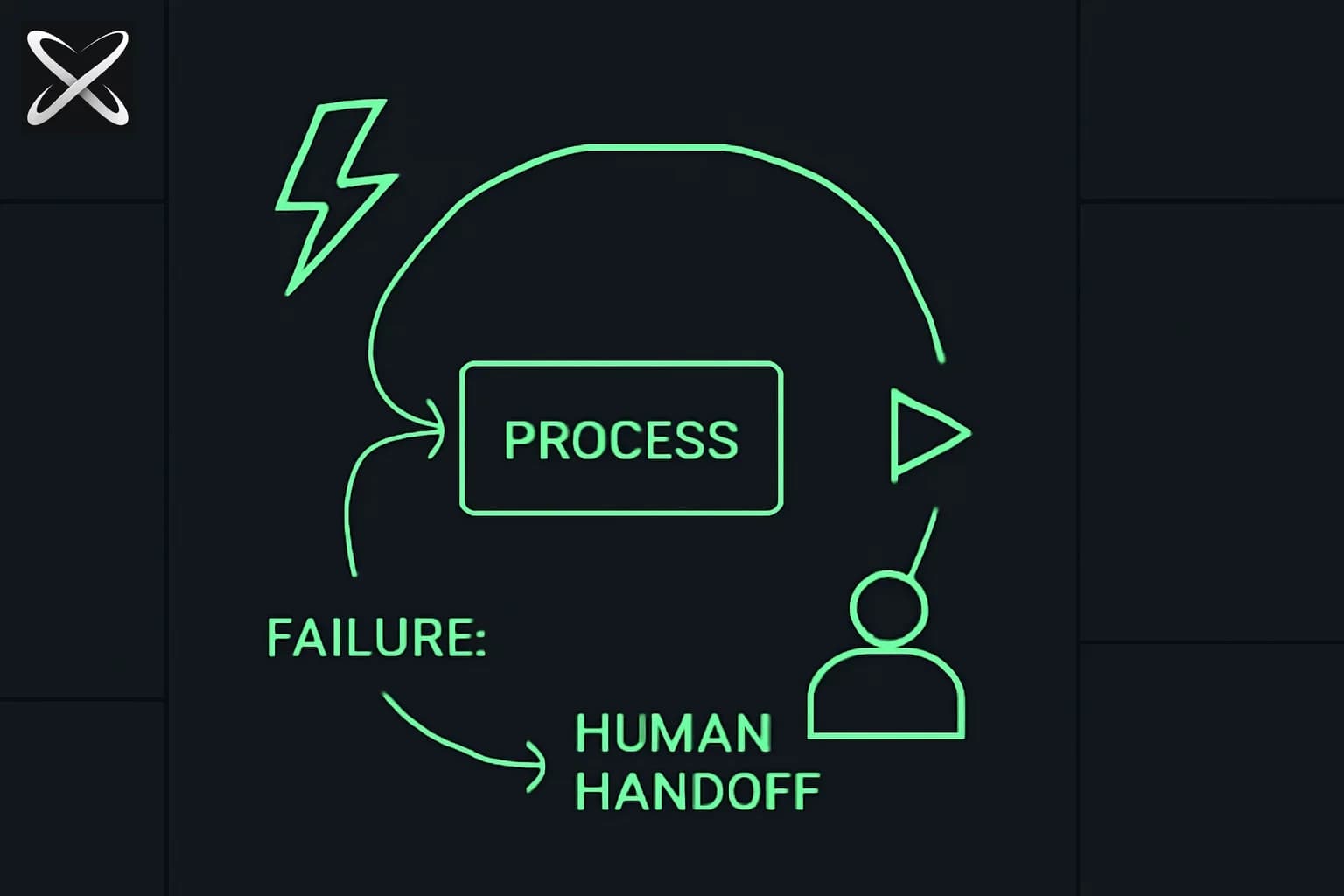
GitHub published a blog post on August 17, 2026, written by Developer Advocate Ayan Gupta, that names a problem most people who've run a coding agent for more than twenty minutes have felt but rarely articulated: chat is great for expressing intent and terrible for holding the state of a long, multi-step agent workflow. As soon as an agent starts planning, executing, hitting decision points, and waiting on validation, all of that structure gets buried in a scrolling transcript that neither the developer nor the agent can cheaply re-read.
GitHub's answer is canvases — a durable, shared, persistent surface inside the Copilot app where a developer and an agent work against the same inspectable object instead of replaying context from scratch every turn. It's a feature announcement, but the more useful part for builders is the design pattern underneath it, and the honest cost numbers GitHub attached to it.
TL;DR
| Question | Answer |
|---|---|
| What's new? | GitHub Copilot "canvases" — a persistent state surface, distinct from chat, for multi-step agent workflows |
| Who announced it? | Ayan Gupta, Developer Advocate at GitHub, August 17, 2026 |
| Core problem it solves | Chat buries plans, decisions, and approval gates as history scrolls; a canvas keeps them as durable, current state |
| Example builds | Java Modernization Studio (code migration) and Site Studio (website content) |
| What did they cost? | ~2,000 AI credits (Site Studio), ~3,000 AI credits (Java Modernization Studio) |
| Where can I get them? | Both published in GitHub's awesome-copilot repository |
| How do I build my own? | GitHub's /create-canvas command, or apply the same four-step pattern in any harness |
| Is this Copilot-only? | The feature is; the underlying blueprint (states, decisions, persistence, approval) is not |
The real problem: chat has no memory of its own structure
Anyone who has run Claude Code, Cursor, or any agent harness on a task that spans dozens of tool calls has hit this wall. The chat window is optimized for a single thing: expressing intent in natural language and getting a response. It is not optimized for holding workflow state — which phase you're in, which decisions were already made and why, what's blocked on a human, and what still needs validation.
Gupta's framing in the August 17, 2026 post is precise about this distinction: chat is good at capturing what you want, but once an agent begins real multi-step execution, the plan, the decision points, the validation gates, and the approval moments all get buried under whatever the agent said three tool calls ago. Ask "what stage are we in?" mid-task and the honest answer requires scrolling back through the entire session — for both the human and, functionally, the agent itself, which has to re-derive context on every new turn rather than reading it off a stable object.
This is the same failure mode explainx.ai has covered from the memory side: MEMORY.md exists because agents forget between sessions without a durable file to read from. Canvases attack the same root cause — context loss — but for state within a single active workflow, not just across sessions. Where MEMORY.md answers "what does the agent need to remember," a canvas answers "what does the workflow currently look like, and who needs to act next."
Two example canvases, two different workflow shapes
Gupta built two canvases to demonstrate that the pattern generalizes across very different kinds of work.
Java Modernization Studio targets code migration — a workflow with a lot of state that's easy to lose in chat: assessment findings, a migration plan, individual migration tasks, validation gates, and a ship-readiness check. The canvas tags assessment findings by severity (P0 through P3) so a team can see at a glance what's blocking and what's cosmetic, and it includes a "Run on autopilot" option for letting the agent proceed through lower-risk steps without a prompt at each one.
Site Studio is a content workflow, not a migration workflow — building and managing personal website content. Instead of severity-tagged findings, it keeps section-by-section content status durable and persists draft values as the agent writes them, so nothing is lost if the session ends mid-draft. Its human checkpoint is explicit: a "Mark ready for review" action that hands a section back to the human before it ships.
The point of showing both isn't the tools themselves — it's that a migration-heavy workflow and a content-heavy workflow both needed the same underlying shape of surface, just with different fields on it.
The four-step blueprint (works outside Copilot too)
Gupta distills a repeatable pattern from both builds, and it's the most transferable part of the post:
- Define the workflow's states clearly. Name the phases up front — assessment, planning, execution, validation, ship — rather than letting them emerge implicitly from chat turns.
- Surface the decisions that matter. Not every micro-step needs a visible decision point; the ones that change direction or carry risk do.
- Persist progress and drafts immediately. State is written as work happens, not reconstructed after the fact from a transcript.
- Keep explicit human-approval checkpoints. The agent executes; a person still signs off at the moments that matter, rather than the agent silently proceeding past them.
None of these four steps require GitHub's specific UI. A markdown checklist file an agent updates in place, a kanban board a loop-engineered agent writes to between runs, or a custom internal dashboard can all implement the same pattern. The blueprint is the reusable artifact here — Copilot's canvas is one implementation of it.
The part worth citing directly: it costs real money
Gupta doesn't gloss over the cost of building a canvas. He states plainly that Site Studio cost about 2,000 AI credits to build, and Java Modernization Studio cost about 3,000 AI credits. He calls this an investment — not a one-time cost that pays for itself in a single session, but spend that pays back over time for workflows you run repeatedly, by cutting down on repeated prompting, context loss, and rework each time you'd otherwise start from a blank chat.
That's a useful number for anyone evaluating whether to build this kind of tooling for their own team. A canvas is not free scaffolding you bolt onto a one-off task — it makes sense when the underlying workflow (a recurring migration, a recurring content pipeline, a recurring release process) is going to run enough times that the amortized cost per run drops below what repeated chat-based prompting would have cost in tokens, time, and rework.
Where this fits with GitHub's broader Copilot push
Canvases land alongside GitHub's other recent moves to make Copilot more programmable and more capable of running multi-step work with less hand-holding. The Copilot SDK, released across six languages, exposes the same agent runtime that powers Copilot CLI for developers building their own agentic applications — canvases are effectively a first-party UI pattern built on top of that same idea of durable, structured agent state. And GitHub's HydraFusion research preview, announced days earlier on September 4-5, 2026, tackles a related but distinct problem: which model handles which step, rather than how the state of the workflow itself is represented and persisted.
Both point at the same underlying shift: as agents get faster at producing changes than humans can review them, the bottleneck moves from "can the agent do the work" to "can a human trust, inspect, and approve what the agent did, at the right moments." Canvases are GitHub's answer to that second question specifically.
Both canvases are published in GitHub's awesome-copilot repository — GitHub's open community collection of Copilot examples and extensions — so teams can inspect, adapt, or fork them rather than build from zero. GitHub also ships a /create-canvas command for building a new canvas and contributing it back to that same repository, which is the fastest path if the four-step blueprint above maps cleanly onto a workflow your team already runs by hand or in chat today.
Honest limitations
- This is a feature inside the Copilot app, not a general-purpose protocol — the durable-state pattern is portable, but the specific canvas UI is Copilot-specific as described in the August 17, 2026 post.
- The cost figures (2,000-3,000 AI credits) are GitHub's own reported numbers for these two specific builds, not a general pricing table — a more complex canvas with more states or integrations would presumably cost more.
- No independent verification of build cost or time-savings claims exists yet outside GitHub's own post; treat "pays back over time" as GitHub's framing, not a measured benchmark.
- This piece references GitHub's official blog post directly — see github.blog for GitHub's own developer content; this post does not link a specific URL since none was confirmed at time of writing.
Related reading
- What are agent skills? A complete guide
- What is MEMORY.md? The long-term brain for AI agents
- GitHub Copilot SDK: multi-platform agent development
- GitHub Copilot HydraFusion: model orchestration over model selection
- What is an agent harness? A complete guide
- Loop engineering with coding agents: a Claude Code guide
- Claude Code vs Cursor vs GitHub Copilot
Details in this post reflect GitHub's official blog post as published on August 17, 2026, authored by Developer Advocate Ayan Gupta. Feature availability, credit costs, and the awesome-copilot repository contents may change after publication — verify current specifics against GitHub's own documentation before making build decisions.