



Cursor CLI brings the Cursor editor's agentic coding experience to the terminal—same modes, rules, MCP integrations, and model catalog, keyboard-first in your shell. Beyond natural-language prompts, it exposes 25+ slash commands for switching between Plan and Ask modes, configuring sandbox and auto-run behavior, managing rules and custom commands, and controlling sessions without leaving the CLI.
This article is a complete slash-command reference from the official Slash commands documentation and the Using Agent in CLI guide. It is not a replacement for upstream docs. Use this as a map of the surface area and a workflow guide; verify behavior against cursor.com/docs before you ship team runbooks.
Sister guides: Claude Code · Codex · Gemini CLI · OpenCode
TL;DR
| Question | Answer |
|---|---|
| How do I see all commands? | Type / in the Cursor CLI composer; run /help or /help <cmd> |
| Three modes? | Agent (default), Plan (/plan), Ask (/ask); also Shift+Tab |
| First session in a repo? | /rules → /commands → /mcp list → /sandbox |
| Long conversation? | /compress to summarize; /usage for stats |
| Custom workflows? | /commands to create/edit; rules via /rules |
| Project guidance? | .cursor/rules + AGENTS.md + CLAUDE.md at repo root |
| Sister guides? | Claude Code · Codex · Gemini CLI · OpenCode |
Three agent modes (the foundation)
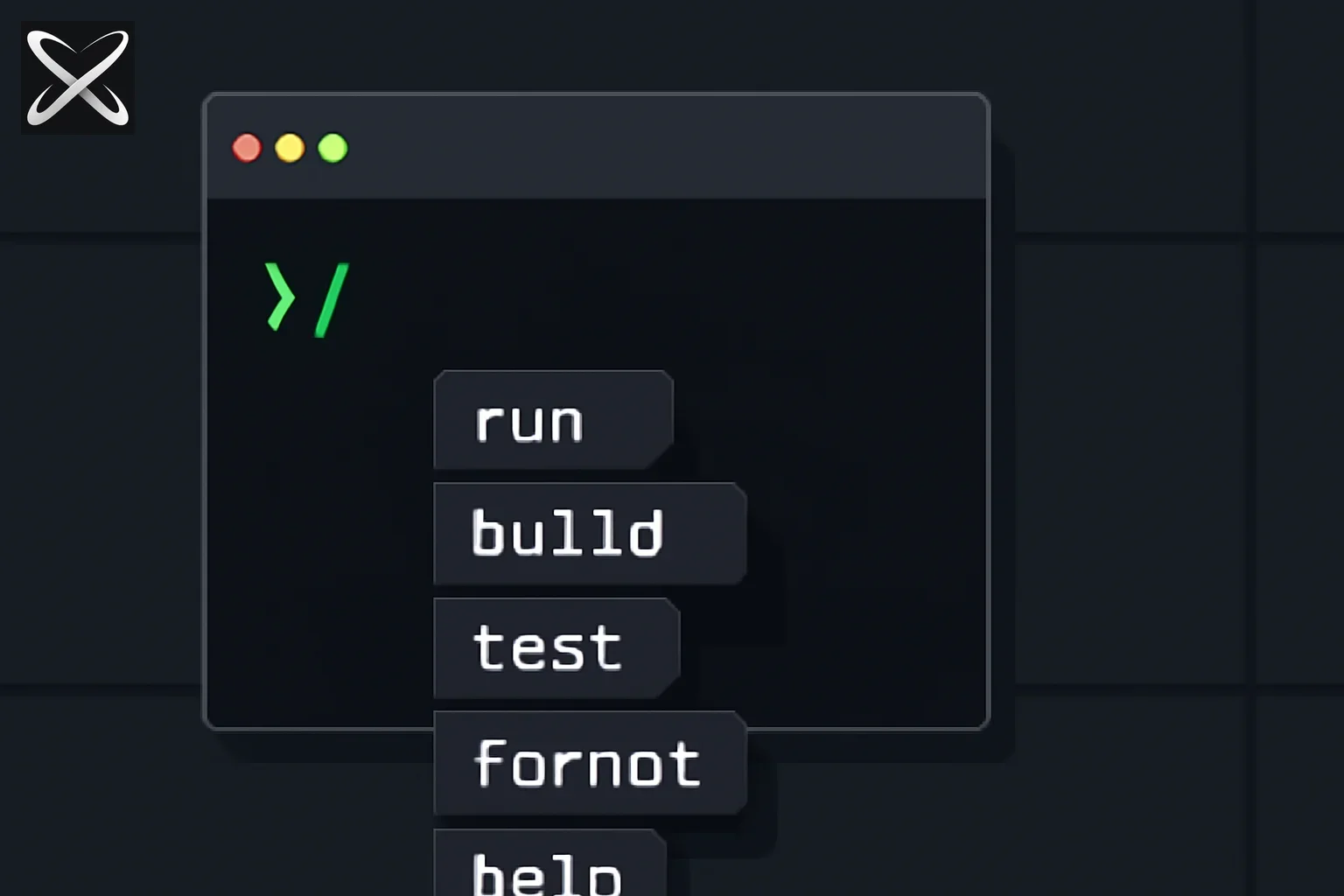 Cursor CLI slash commands diagram: a typed slash in a terminal fanning out into labeled command tiles
Cursor CLI's slash commands orbit three modes—the same model as the Cursor editor:
| Mode | Access | Switch via |
|---|---|---|
| Agent | Full tool access for coding tasks | Default; no flag needed |
| Plan | Research + clarifying questions + reviewable plan before code | /plan, Shift+Tab, --plan, --mode=plan |
| Ask | Read-only exploration; no file edits | /ask, --mode=ask |
Plan mode works best for complex features, multi-file changes, unclear requirements, and architectural decisions. Ask mode is for understanding code without risk of edits. Agent mode is the default for implementation work.
See Plan Mode documentation for the full workflow: agent asks questions → researches codebase → generates plan → you review/edit → build when ready.
How slash commands fit a typical workflow
flowchart LR
  A[Setup /rules /mcp /sandbox] --> B[Plan /plan]
  B --> C[Build Agent mode]
  C --> D[Explore /ask]
  D --> E[Ship /compress /usage]
  E --> F[Sessions /new-chat /resume]
First session in a repo
| Step | Command | What it does |
|---|---|---|
| 1 | /rules | Create or edit .cursor/rules for project guidance |
| 2 | /commands | Create or edit custom slash commands |
| 3 | /mcp list | Browse, enable, and configure MCP servers |
| 4 | /sandbox | Configure sandbox mode and network access |
| 5 | /auto-run status | Confirm tool auto-run policy |
The CLI automatically loads AGENTS.md and CLAUDE.md at the project root alongside .cursor/rules—same as the editor agent.
During a task
| Command | Purpose |
|---|---|
/plan | Switch to Plan mode before large changes |
/ask | Read-only codebase exploration |
/model [model] | Set or list available models |
/max-mode [on|off] | Toggle max mode on supported models |
/auto-run [on|off|status] | Toggle whether tools run without confirmation |
/compress | Summarize conversation to free context |
/usage | View Cursor streaks and usage statistics |
Before debugging or support
| Command | Purpose |
|---|---|
/copy-request-id | Copy last request ID to clipboard |
/copy-conversation-id | Copy conversation ID to clipboard |
/about | Show environment and CLI setup details |
/feedback <message> | Share feedback with the Cursor team |
Between sessions
| Command | Purpose |
|---|---|
/new-chat | Start fresh chat session |
/resume <chat> | Resume previous chat by folder name |
/logout | Sign out from Cursor |
/quit | Exit CLI |
Mode and model commands
| Command | Purpose |
|---|---|
/plan | Switch to Plan mode—design approach before coding |
/ask | Switch to Ask mode—read-only exploration |
/model [model] | Set active model or list available models |
/max-mode [on|off] | Toggle max mode on models that support it |
/auto-run [on|off|status] | Toggle auto-run default; status shows current state |
Auto-run controls whether the agent executes tools (shell, file edits) without asking first. Tighten with /auto-run off when working on sensitive code; check state with /auto-run status.
Max mode enables extended reasoning on models that support it—similar in spirit to Claude Code's /effort or Codex's deeper reasoning tiers, but Cursor-specific.
CLI flags (non-slash alternatives):
cursor agent --mode=plan "Refactor the auth module"
cursor agent --mode=ask "How does caching work?"
cursor agent --plan "Design a migration strategy"
Security, sandbox, and permissions
| Command | Purpose |
|---|---|
/sandbox | Configure sandbox mode and network access settings |
/auto-run [on|off|status] | Control tool execution approval policy |
Use /sandbox to restrict what the agent can reach on your machine and network—especially important when running Cursor CLI on shared or production-adjacent environments.
For broader agent security patterns, see Is Claude Cowork safe? and Claude Code's /permissions in our Claude Code commands reference.
Rules, custom commands, and MCP
| Command | Purpose |
|---|---|
/rules | Create new rules or edit existing rules |
/commands | Create new custom commands or edit existing ones |
/mcp list | Browse, enable, and configure MCP servers |
/mcp enable <name> | Enable a specific MCP server |
/mcp disable <name> | Disable a specific MCP server |
Rules live in .cursor/rules as .mdc files—the same rules system as the Cursor editor. They provide persistent, path-scoped guidance to the agent.
Custom commands via /commands let you define reusable prompts—Cursor's equivalent to Gemini CLI .toml commands or OpenCode .md commands.
MCP integration matches the editor: enable servers with /mcp enable, disable with /mcp disable, browse config with /mcp list. See What is MCP? for protocol fundamentals.
Session, context, and terminal commands
| Command | Purpose |
|---|---|
/new-chat | Start a new chat session (empty context) |
/resume <chat> | Resume a previous chat by folder name |
/compress | Summarize conversation to free context space |
/usage | View Cursor streaks and usage stats |
/vim | Toggle Vim keybindings for input |
/setup-terminal | Auto-configure terminal keybindings (Shift+Enter, etc.) |
/help [command] | Show help; pass command name for detail |
/about | Environment and CLI setup details |
/quit | Exit the CLI |
/logout | Sign out from Cursor |
/compress vs /new-chat: /compress keeps you in the same session with a summarized history—use mid-task when context fills up. /new-chat wipes context entirely—use when switching to an unrelated task.
Resume by folder: /resume <chat> finds previous sessions by folder name, aligning with Cursor's project-scoped chat history.
Debugging and support commands
| Command | Purpose |
|---|---|
/copy-request-id | Copy last request ID (for support tickets) |
/copy-conversation-id | Copy conversation ID to clipboard |
/feedback <message> | Send feedback to the Cursor team |
/about | Dump environment and CLI configuration |
When filing bugs or asking in Cursor forums, /copy-request-id gives support a precise trace of the failing request.
Complete slash command reference table
Every command from the official Slash commands page as of June 11, 2026. (The upstream docs list /max-mode twice; it is one command.)
| Command | Purpose |
|---|---|
/plan | Switch to Plan mode—design approach before coding |
/ask | Switch to Ask mode—read-only exploration |
/model [model] | Set or list models |
/auto-run [on|off|status] | Toggle auto-run or show status |
/sandbox | Configure sandbox mode and network access |
/max-mode [on|off] | Toggle max mode on supported models |
/new-chat | Start a new chat session |
/vim | Toggle Vim keys for input |
/help [command] | Show help; optional command name |
/feedback <message> | Share feedback with the team |
/resume <chat> | Resume previous chat by folder name |
/usage | View Cursor streaks and usage stats |
/about | Show environment and CLI setup details |
/copy-request-id | Copy last request ID to clipboard |
/copy-conversation-id | Copy conversation ID to clipboard |
/logout | Sign out from Cursor |
/quit | Exit the CLI |
/setup-terminal | Auto-configure terminal keybindings |
/mcp list | Browse, enable, and configure MCP servers |
/mcp enable <name> | Enable an MCP server |
/mcp disable <name> | Disable an MCP server |
/rules | Create or edit agent rules |
/commands | Create or edit custom slash commands |
/compress | Summarize conversation to free context |
Total: 24 unique built-in slash commands (25 entries in upstream table with duplicate /max-mode).
Five-way comparison: Cursor CLI vs Claude Code vs Codex vs Gemini CLI vs OpenCode
| Task | Cursor CLI | Claude Code | Codex | Gemini CLI | OpenCode |
|---|---|---|---|---|---|
| Plan before coding | /plan | /plan | /plan | /plan | custom + agent: plan |
| Read-only explore | /ask | — | — | — | — |
| Project rules | /rules + .cursor/rules | CLAUDE.md | AGENTS.md | GEMINI.md | AGENTS.md |
| Custom commands | /commands | Skills | Skills/plugins | .toml files | .md files |
| Free context | /compress | /compact | /compact | /compress | /compact |
| Switch model | /model | /model + /effort | /model | /model set | /models |
| Auto-run / permissions | /auto-run | /permissions | /permissions | /permissions | via config |
| Sandbox | /sandbox | /sandbox | Windows path | /sandbox | via config |
| MCP | /mcp list|enable|disable | /mcp | /mcp | /mcp | via config |
| Autonomous target | Agent mode | /goal | /goal | — | custom + subtask |
| New session | /new-chat | /clear | /new, /clear | /new, /clear | /new |
| Resume session | /resume <chat> | /resume | /resume | /resume | /sessions |
| Undo file changes | — | /rewind | — | /restore, /rewind | /undo, /redo |
| Usage stats | /usage | /usage | /status | /stats | /stats |
| File attachment | @ in editor; CLI context | /ide | /mention, /ide | @path | @path |
| Shell passthrough | Agent tools | — | — | !command | !command |
Full references: Cursor CLI · Claude Code · Codex · Gemini CLI · OpenCode
Cursor's differentiator: Plan + Ask + Agent mode triad with editor-parity .cursor/rules—a smaller built-in table than Claude Code, but tight integration with the Cursor ecosystem.
Commands worth memorizing first
/plan                          # design before coding
/ask                           # read-only exploration
/model                         # pick model
/auto-run status               # confirm tool policy
/compress                      # free context mid-session
/rules                         # edit project rules
/mcp list                      # check MCP servers
/new-chat                      # fresh session
/resume my-project             # continue prior chat
/copy-request-id               # for support tickets
Typical workflow
# 1. Plan a large change
/plan
Refactor auth to use JWT with refresh tokens

# 2. Review plan, then switch to Agent (default) to implement
# 3. Mid-session context getting full?
/compress

# 4. Explore without edits
/ask
How does the current session middleware work?
Recover a session without losing the task boundary
Before compressing or resuming, write a short task checkpoint: the goal, files already changed, checks completed, and the unresolved next step. A summary can preserve useful context, but verify that the resumed agent understands the actual checkout and outstanding work. Conversation history does not replace inspection of current files.
For a support report, retain the relevant request identifier alongside the CLI version and reproducible behavior. Remove secrets and unrelated personal context from the report. A useful report explains what you asked, what happened, and what you expected, rather than pasting a long session with no failure boundary.
If a command from this reference is missing, compare your installed command menu with the official slash-command page. Product surfaces evolve. Update your team runbook around the version you actually use instead of adding an unsupported command to an otherwise reproducible workflow.
Practice this with a narrow task: inspect one module in Ask mode, make a plan, implement a small change, and record the check result before ending the session. The commands become easier to remember when each serves a specific transition in real work.
Related explainx.ai guides
- Claude Code commands reference — Anthropic CLI
- Codex slash commands reference — OpenAI CLI
- Gemini CLI slash commands reference — Google CLI
- OpenCode slash commands reference — open-source TUI
- What is CLAUDE.md? — also read by Cursor CLI
- What is MCP? —
/mcpsetup - What are agent skills? — skills across hosts
- Top 10 tips for working with Claude efficiently — model and context discipline
Primary sources: Slash commands — Cursor Docs · Using Agent in CLI · Plan Mode · CLI Overview
Summary
Cursor CLI slash commands center on three modes (/plan, /ask, Agent), editor-parity configuration (/rules, /commands, /mcp), and session hygiene (/compress, /new-chat, /resume). The built-in surface is smaller than Claude Code's 90+ commands, but the Plan → review → build workflow is first-class—not bolted on.
Type / to discover commands in your build. Treat cursor.com/docs/cli/reference/slash-commands as source of truth; bookmark this guide alongside the Claude Code, Codex, Gemini CLI, and OpenCode references for cross-platform work.
Command names and behavior reflect Cursor documentation as of June 11, 2026. Re-check cursor.com/docs and the Cursor changelog before documenting internal runbooks.