



On October 1, 2026, the ClaudeDevs account announced that Claude Code can now be modded: "Change how it behaves. Customize the UI. Swap in your own features." You write a mod in a few lines of TypeScript, or have Claude build it for you, and mods ship inside plugins that you install with /plugin in the CLI or desktop app. Boris Cherny called mods "absolutely insane" and said the point is that each person works differently, so everyone should not have an identical Claude experience.
A new extension layer is only useful if there is something to install. So we built a starting library: awesome-claude-code-mods, 50 independent, MIT-licensed mods with source, native tests, install instructions, an access description and a preview for each. The repository was inspired by our Claude Code mods guide, and this post is the tour: what is in it, how to install, what to try first, and what to be careful about.
TL;DR — what people are asking
| Question | Answer |
|---|---|
| What is it? | 50 original Claude Code mods, MIT-licensed, in one marketplace |
| Requires? | Claude Code 2.1.287 or later; tested on 2.1.288 |
| Where do they work? | CLI and the Desktop Code tab; not in the VS Code chat panel or claude -p panes |
| Install? | claude plugin marketplace add whyashthakker/awesome-claude-code-mods, then install any mod by name |
| Try without installing? | claude --plugin-dir ./mods/<name> from a clone |
| Verified? | 50 of 50 pass strict validation; 250 native tests pass |
| Network or models? | None used by the mods, per the repository |
| Affiliated with Anthropic? | No, it is a community project |
| Gaps? | Previews are not native app captures; native layout acceptance is open |
What changed in Claude Code
Mods turn Claude Code into something closer to a platform. A mod is a plugin of function hooks: it attaches to events such as tool calls and prompt submission, and it can draw panes and bands, add slash commands, show toasts and status entries, and change or refuse tool calls. Anthropic ships one of its own as a built-in: the You should Know plugin, which scans Claude's output for important information you might miss. ClaudeDevs gave the command to enable it as /plugin enable cc-plugin-you-should-know@builtin. Community builders moved quickly too; Jarrod Watts posted a mod that connects you to a multiplayer Doom server while Claude is busy, where every other player is someone waiting for their own Claude to finish.
If you want to understand the machinery before installing anything, read the official TypeScript plugin guide, the community extension overview, and our hands-on tutorial that builds a mod from scratch.
What is in the collection
The 50 mods fall into six categories. Each is a separate plugin you can install on its own.
| Category | Mods | What they are for |
|---|---|---|
| Session (8) | Context Meter, Quota Watch, Cache Inspector, Tool Timing, Error Inbox, Edit Heatmap, Turn Timeline, Agent Board | Seeing what your session is doing: context fill, plan windows, cache reads, tool latency, failures, edited paths, turns and subagents |
| Git (8) | Branch Board, Staged Review, Commit Browser, Stash Browser, Worktree Map, Conflict Radar, Blame View, Ignore Check | Read-only inspection of branches, diffs, commits, stashes, worktrees, conflicts, blame and ignore rules |
| Repository (10) | File Tree, Package Scripts, Dependency Table, TODO Finder, Markdown Map, JSON Browser, CSV Table, Log Viewer, Env Example, File Compare | Viewing project files without flooding the transcript |
| Workspace (8) | Scratchpad, Task Board, Decision Log, Snippet Shelf, Link Shelf, Prompt Shelf, Release Checklist, Handoff Notes | Notes, tasks and reusable text that persist beside the conversation |
| Utilities (10) | Regex Lab, JSON Format, URL Lab, Base64 Lab, Time Lab, Hash Lab, Color Lab, UUID Lab, Text Counter, ASCII Flipbook | Small local tools for common conversions |
| Workflow (6) | Focus Clock, Stopwatch, Test Ledger, Command History, Scope Watch, Read-only Mode | Timers, command logs and advisory guards |
The repository also includes a searchable gallery page you can open locally and a catalog file listing every mod with its category, use case and access description. The previews below are from that gallery.
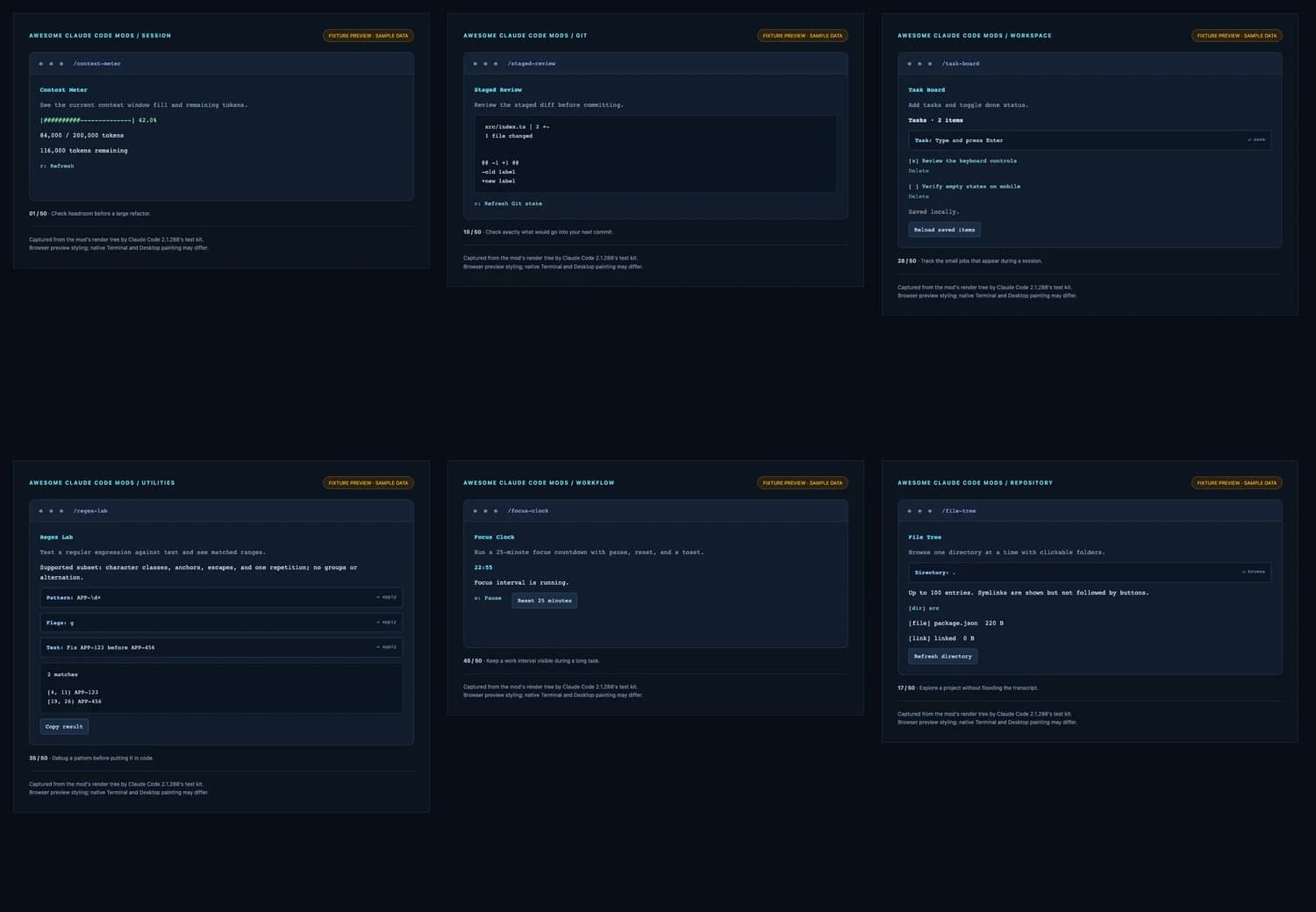
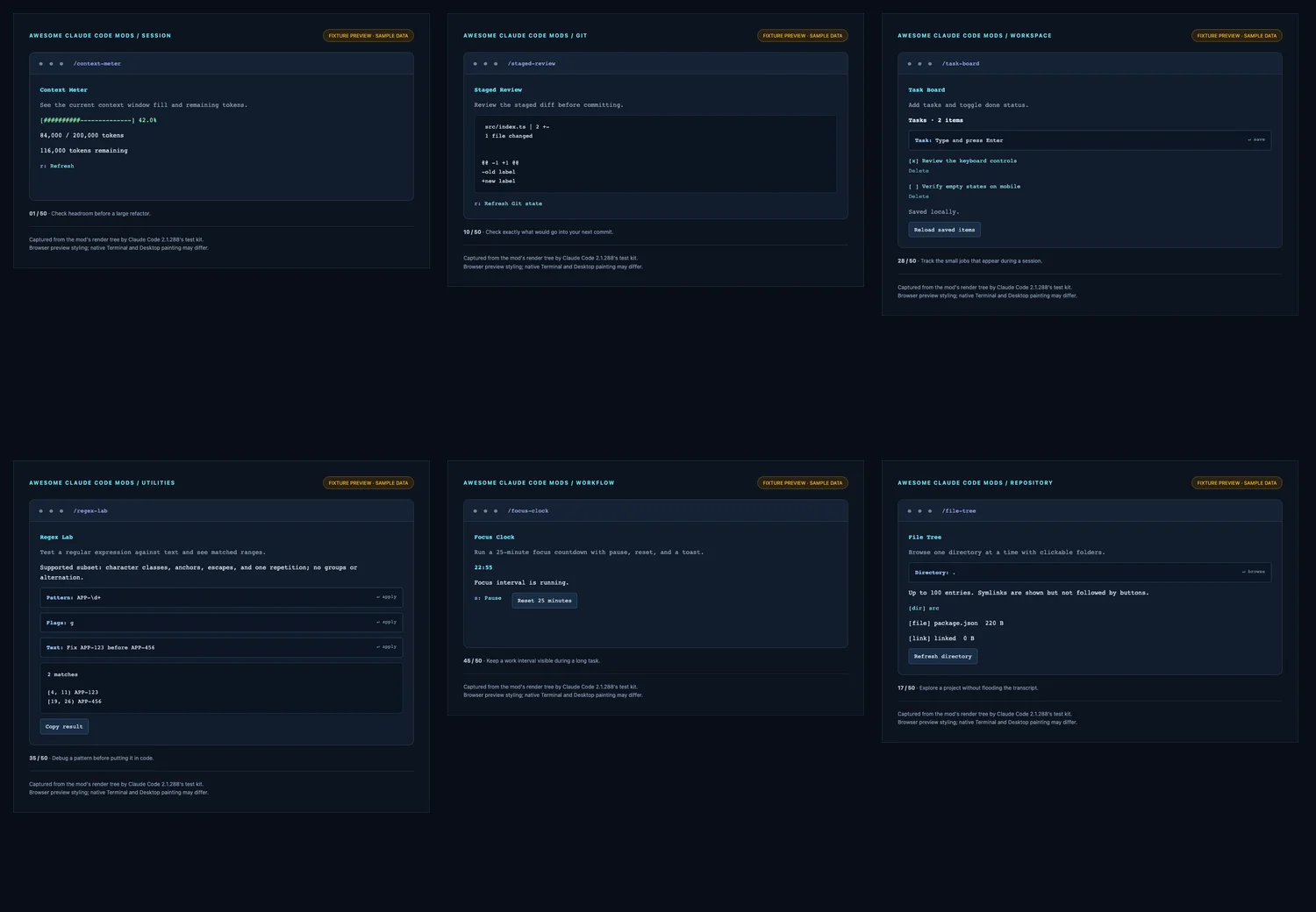 Six preview panels from the awesome-claude-code-mods gallery: Context Meter, Staged Review, Task Board, Regex Lab, Focus Clock and File Tree, each labeled as a fixture preview with sample data
Install in under a minute
Add the marketplace once, then install what you want:
claude plugin marketplace add whyashthakker/awesome-claude-code-mods
claude plugin install task-board@awesome-claude-code-mods
If a session is already open, run /reload-plugins, then the mod's command, here /task-board. Type a task, press Enter to save, and use the task button to mark it done. Tab moves between controls, Esc closes a pane, and Ctrl+X then Tab returns keyboard focus to a pane.
To try a mod straight from source without installing it:
git clone https://github.com/whyashthakker/awesome-claude-code-mods.git
cd awesome-claude-code-mods
claude --plugin-dir ./mods/context-meter
Then run /context-meter. Replace the folder name with any mod in the mods directory. You can install several independently, and each command takes its mod's name. There is no build step and there are no runtime dependencies. Git tools need Git on your PATH, and package viewers expect a package.json in your project or a path you choose.
Two practical notes. Installed plugin versions are cached, so develop against --plugin-dir instead of reinstalling. And you can disable or uninstall any mod under /plugin, then Installed.
Where the mods work
Mods are enabled by default on 2.1.287 and later, with no early-access flag. The collection works in the CLI and the Desktop Code tab. The VS Code chat panel and claude -p run hooks but do not show mod panes, so a pane-based mod is invisible there. If you mostly work in the VS Code panel, expect only the hook-level behavior.
Using the 50 mods in the desktop app
The terminal command above is the dependable route, and the desktop app reads the same settings files. Here is how to get the collection into the Code tab, using steps documented in our desktop-app mods guide.
- Update the desktop app first. Panes only appear on builds that can place them, so an old app shows nothing.
- Use a local or SSH session. Cloud sessions have no plugin browser, and plugins are not available in WSL sessions.
- Add the collection as a marketplace from a terminal, then open the browser from + > Plugins > Add plugin and pick a mod and a scope (user, project or local). The dependable commands are
claude plugin marketplace add whyashthakker/awesome-claude-code-modsandclaude plugin install <mod>@<marketplace-name>. Check the repository README for the exact marketplace name. - Developing or testing a mod? The desktop browser has no local-folder field. Set
CLAUDE_CODE_PLUGIN_DIRSin theenvblock of~/.claude/settings.json, which is documented but which we could not verify end to end in the app. Otherwise, test withclaude --plugin-dirin a terminal and use the desktop app only to run the mod.
Good first picks on desktop are the pane-based mods, such as Context Meter and Quota Watch, because the Code tab draws panes and bands. Hook-only mods work too, but you see no interface. To build your own desktop mod with SVG elements, follow the usage ring tutorial.
Five mods worth trying first
You do not need all 50. These five are useful on day one and show the range.
Context Meter
Shows context window fill and remaining tokens, with a refresh key. It reads session usage only and touches no files, processes, network or storage. Run it before a large refactor to see how much headroom you have. For a sense of why this matters, see our guide to Opus 5.5 task cost, caching and effort.
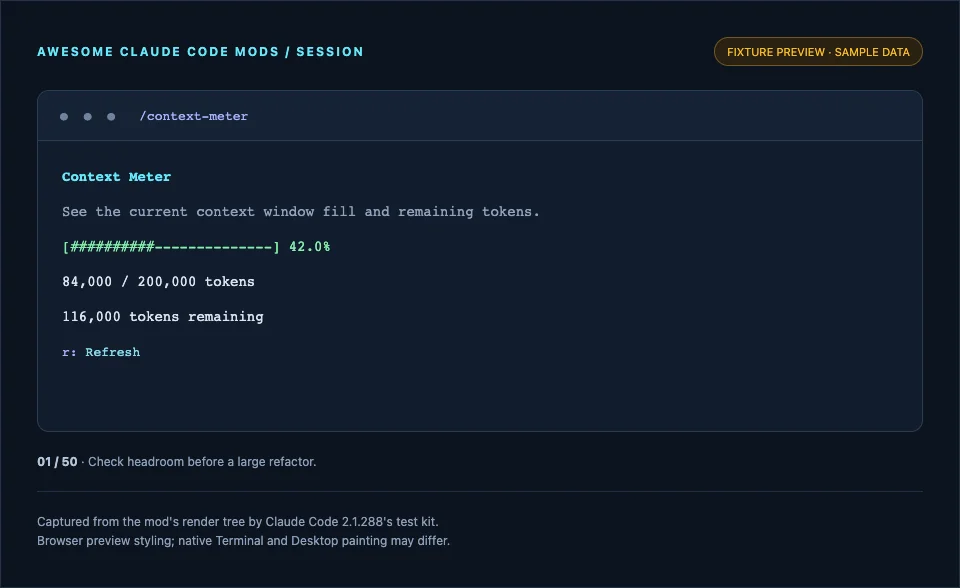 Context Meter preview showing a 42 percent fill bar, 84,000 of 200,000 tokens used and 116,000 remaining, labeled as a fixture preview
Task Board
Add tasks and toggle done, with items stored in the plugin's local store and partitioned by working directory. It is the simplest stateful example in the set and a good one to read if you are learning.
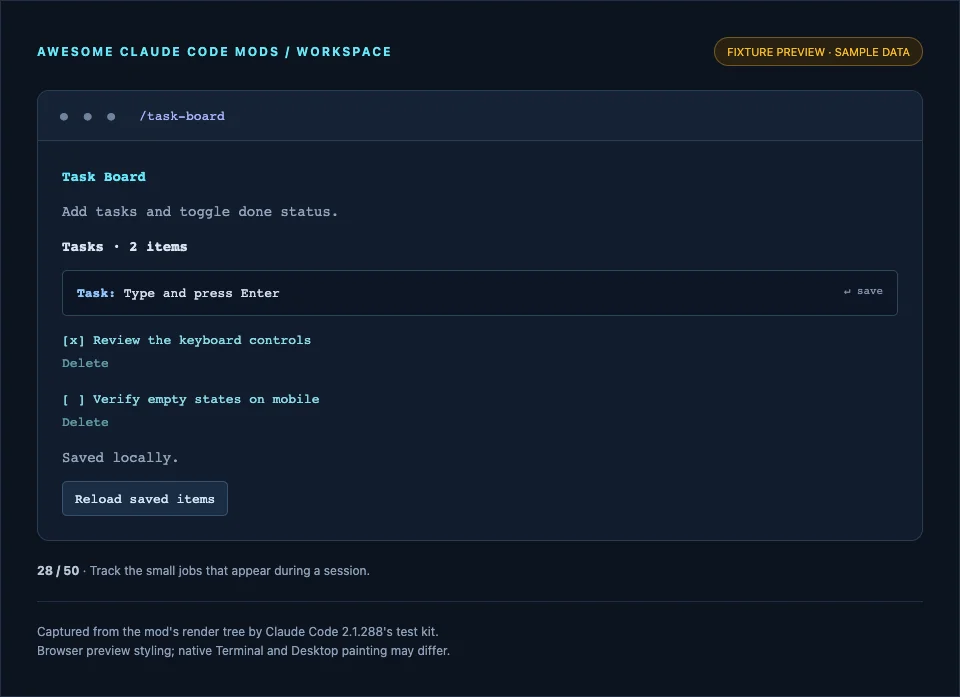 Task Board preview showing two tasks, one checked, a task input field and a Reload saved items button, labeled as a fixture preview
Staged Review
Review the staged diff before committing. It runs read-only Git commands and displays what would go into your next commit, which is a good habit when an agent has been editing for a while.
Edit Heatmap
Counts successful Edit and Write calls by path. If a long session feels like it touched everything, this tells you what it really touched. It is a cousin of the counter band in our tutorial.
Error Inbox
Keeps the last 30 failed or refused tool calls in one pane, so you can revisit failures without scrolling the transcript. Useful when you are debugging why an agent keeps retrying something.
What the mods can and cannot access
This is the question to ask of any mod. The repository answers it consistently:
- Panes open when you run a command. Refresh and input controls act on your request.
- Git inspectors run read-only commands. File viewers read bounded, user-chosen paths and do not edit your repository.
- Workspace tools save user-entered items in each plugin's local store, partitioned by working directory. Clipboard and composer-draft actions require a button press.
- Session diagnostics observe activity from the moment they load. They do not reconstruct earlier turns, and their history resets on reload.
- No mod makes network requests, calls a model, auto-submits a prompt, messages a session, or approves permission prompts.
The caveat is in the repository's own security note, and it applies to every mod everywhere: mods run with your user permissions, and claude plugin validate lists events and engine calls but does not establish that a mod is safe. Read the source. Tool error text, command arguments, filenames and notes can be sensitive, so inspect anything you share.
Two guards with explicit limits
Two workflow mods are easy to over-trust, so the limits are worth stating plainly.
- Read-only Mode refuses built-in mutating tools and Bash when you enable it. It is a reminder guard, not a sandbox. MCP tools, other mods and alternate tools may still write.
- Scope Watch observes Edit and Write paths and toasts when an edit leaves a path prefix you chose. It checks a string prefix, watches only those two tools, and does not block calls.
For real access control, use Claude Code's actual controls. Our explainer on permission modes and the guide to restricting desktop access with a sandbox cover them, and the hooks guide explains the older settings-based mechanism.
How we checked the claims
The repository claims that the collection passes 50 strict plugin validations and 250 native tests on Claude Code 2.1.288. We did not take that on trust. We ran the same commands against a fresh clone:
claude plugin validate mods/<name> --strict
claude plugin test mods/<name>
All 50 mods passed strict validation, and the tests across the 50 folders totalled 250 passing with none failing. The repository also ships scripts for its own checks, a gallery browser check for search, filtering and a mobile layout, and a continuous integration workflow.
Two of them running natively
The gallery previews are not native captures, so we also ran two mods in a real Claude Code 2.1.288 session and captured the screen. These are real panes, drawn by Claude Code itself.
Context Meter, after one trivial turn. It opens as a side pane, showing 6.0 percent of a 1,000,000-token window used, 58,590 tokens in total and 941,410 remaining. The baseline is not zero because the system prompt, tool definitions and installed skills already take up context in this setup, which is exactly the kind of thing the mod makes visible. Before any turn, the pane says context usage is not reported yet and shows only the window size.
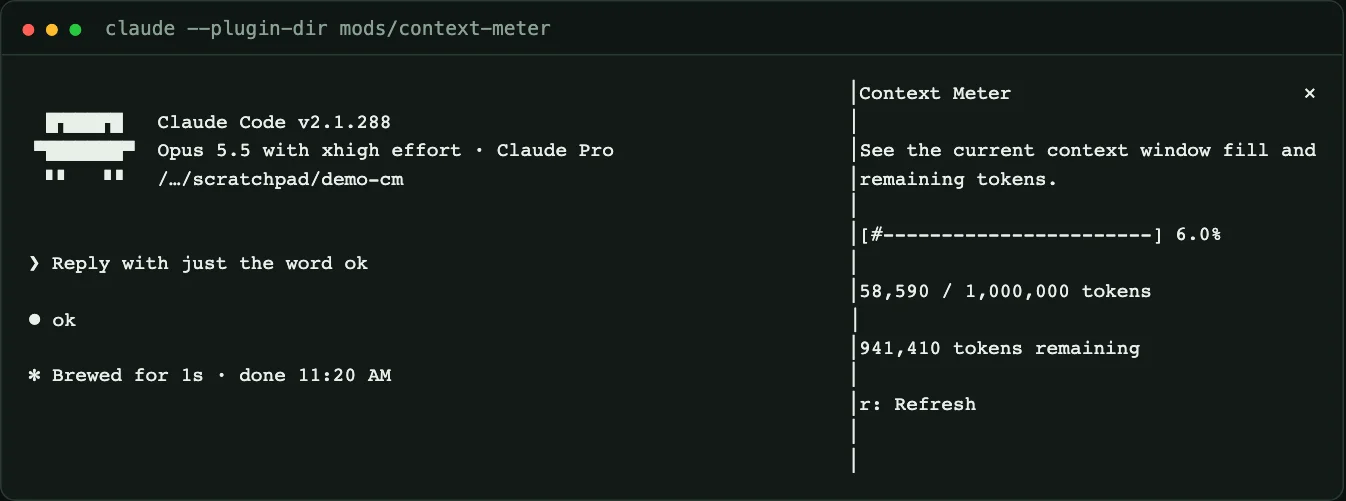 Real Claude Code session with the Context Meter pane open on the right, showing 6.0 percent used, 58,590 of 1,000,000 tokens and 941,410 remaining, beside a one-turn transcript
Branch Board, in a throwaway repository with two extra branches and one untracked file. It lists the current branch with its dirty state and every local branch with its latest commit.
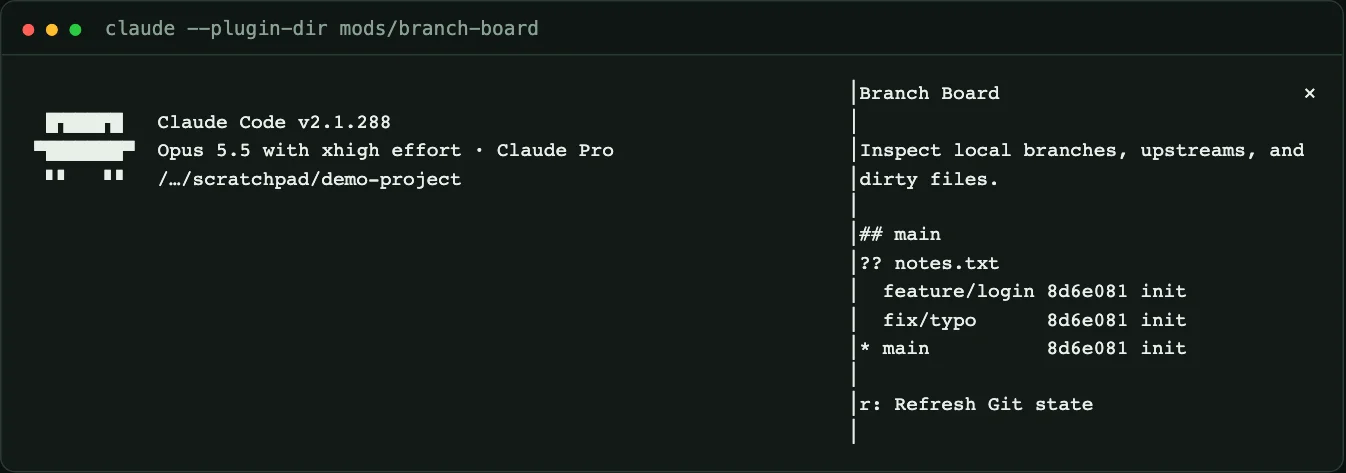 Real Claude Code session with the Branch Board pane open, listing the main branch with an untracked file and the branches feature/login, fix/typo and main at the same commit
We tried the same for Task Board, but its input needs keyboard focus inside the pane, and we could not drive that reliably from an automated terminal session, so its native behavior is unverified by us beyond the tests.
What the previews are, and are not
Honesty about the screenshots matters, and the repository is direct about it. Each image is a screenshot of a local browser preview built from the actual render tree that Claude Code's native test kit produced for that mod, using in-memory fixture data. The browser applies the styling. They are not captures of the Claude Code Terminal or Desktop app, and every image says "Fixture preview, sample data" and "native Terminal and Desktop painting may differ."
That matters because a valid element tree does not prove the app paints it the way the preview shows. The repository states that interactive native pixel and layout acceptance for all 50 mods remains open. If you install a mod, run it yourself and check it on your target app. Native captures of two mods appear above, and our build tutorial has more.
How this compares with other mod lists
The ecosystem is a few days old, so lists will overlap. The repository says as much: its research notes link to existing mods, the 50 implementations here are original, and some use cases coincide with others. Our earlier roundup of what people have built so far and the broader top Claude plugins are the places to compare, and the distinction between mods, skills and MCP servers is worth keeping straight; see what are agent skills and what is MCP.
Contribute or fork
The repository has contribution guidance, a security policy and a standard layout: each mod is a folder under mods with a manifest, a hooks file, a module, tests and a README. When you change a mod, bump its version and its marketplace entry together. If you want to build your own rather than adopt ours, the tutorial walks through the same structure from an empty folder, and the loop engineering guide shows where custom tooling fits in an agent workflow.
What people are asking
Do I need all 50?
No. Install two or three that fit your day, such as Context Meter, Staged Review and Task Board, and see whether you use them. Mods you do not use are clutter.
Will these slow Claude Code down?
The mods are small, and session diagnostics only observe activity. We have not benchmarked overhead for all 50, so keep an eye on a session if you install many at once, and disable any you do not need.
Why does a mod show nothing in my editor?
You may be in a surface that does not draw panes. The VS Code chat panel and claude -p run hooks but do not show mod panes. Use the CLI or the Desktop Code tab.
Can I trust a mod from a marketplace?
Treat a mod like any code that runs as you. Read the source, check the access description, and run validate and test. The same applies to ours.
Is this official?
No. It is a community project and is not affiliated with Anthropic.
Honest limitations
- Previews are fixture renders of native test-kit trees, not native app captures, and native layout acceptance for all 50 mods is not complete.
- Pane mods are not visible in the VS Code chat panel or in print mode.
- The collection was verified on Claude Code 2.1.288; the mods API can change.
- Guards such as Read-only Mode and Scope Watch are advisory, not security boundaries.
- We ran validation and tests for all 50 mods and exercised two of them, Context Meter and Branch Board, in a live session. The other 48 are verified by tests and strict validation, not by hand.
Bottom line
Mods are a new way to shape Claude Code, and a platform needs a library. awesome-claude-code-mods gives you 50 small, MIT-licensed, tested mods you can install with two commands, plus the source to learn from. Start with a few, read what each one can access, and treat the previews as previews.
Related on explainx.ai
- Claude Code mods: official TypeScript plugin guide
- How to build a Claude Code mod: a step-by-step tutorial
- Claude Code mods: Anthropic opens a community extension layer
- Claude Code hooks: automate actions on tool calls
- Claude Code permission modes explained
- Top 25 Claude plugins
- Opus 5.5 task cost in Claude Code
- Loop engineering with coding agents
Repository: whyashthakker/awesome-claude-code-mods (MIT license)
Counts and compatibility reflect the repository and Claude Code 2.1.288 as of October 3, 2026. This is a community project, not affiliated with Anthropic.
Update — October 3, 2026: Installing from the desktop app: Claude Code mods in the desktop app: install, build and test one.