



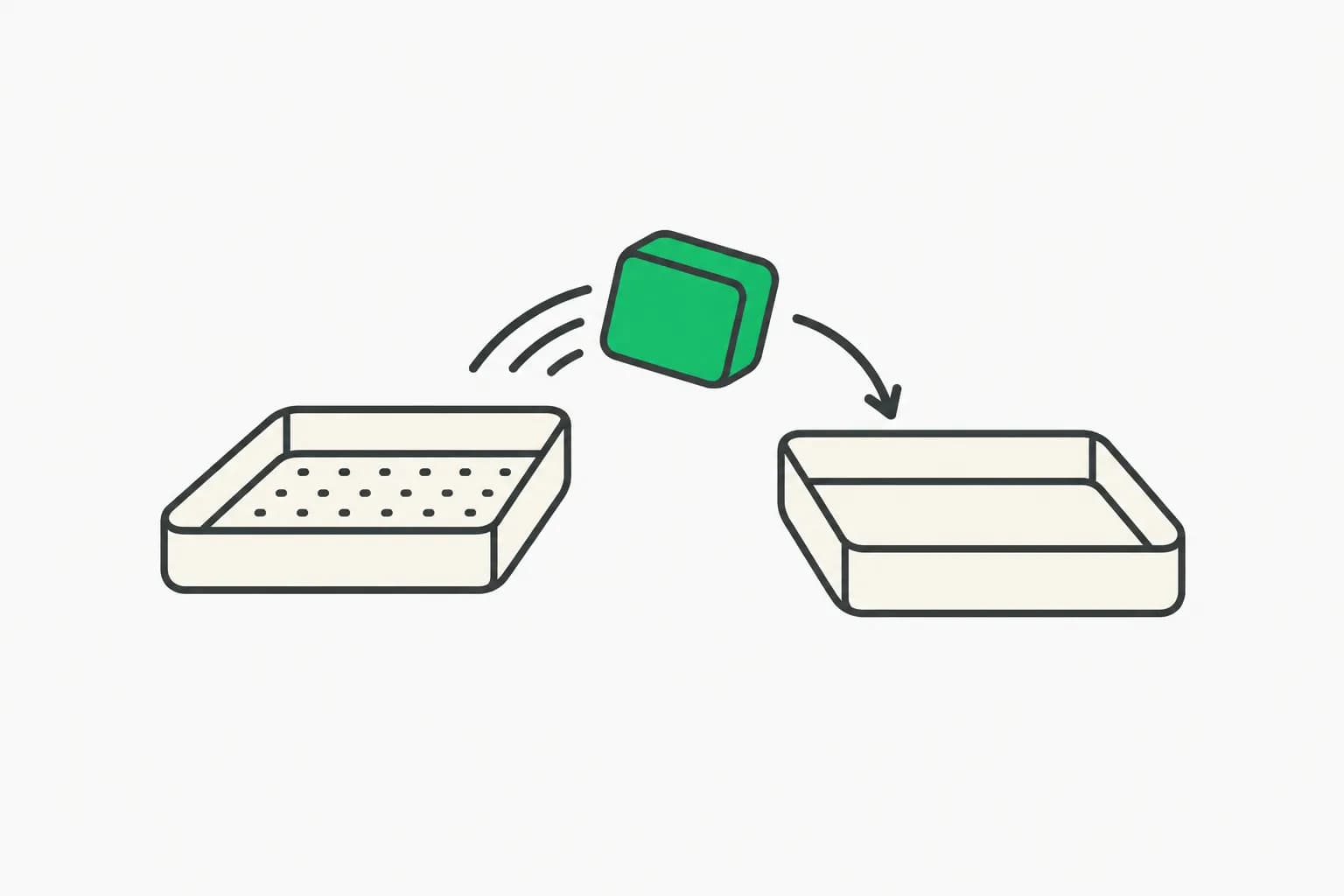
On November 13, 2026, NVIDIA published "Build a Robot Pick-and-Place Simulation with SimReady Assets" on Hugging Face. It is a hands-on guide: download a UR17G arm, a Robotiq 2F-140 gripper and a beverage can from SimReady Central, assemble them in Isaac Sim 6.2, and let an AI agent write and run the controls that move the can from a pickup marker to a target.
The guide is useful for robotics developers, and it is also a clean example of agent-assisted simulation work, including honest limits. This post summarizes the steps, the prompts NVIDIA used, and what the demo does not prove.
TL;DR
| Item | Detail |
|---|---|
| Task | Grasp a beverage can, lift it, move it to a target, release it. |
| Assets | UR17G arm, Robotiq 2F-140 gripper, beverage can, from SimReady Central. |
| Software | Isaac Sim 6.2 with bundled agent skills. |
| Agent | GPT-6 Sol in NVIDIA's example. Others may work. |
| Validation | Robot-Body 4.0.0 (arm) and Robot-Gripper 3.0.0 (gripper) profiles, with passing PhysX driven-joint checks. |
| Big caveat | Scripted, simulation-only, no vision. Not evidence of real-hardware robustness. |
What SimReady Central is
SimReady Central is an open asset library on Hugging Face. We covered its launch in NVIDIA SimReady Central: 2,000+ free simulation-ready OpenUSD assets. The point is reuse: instead of building a robot model from CAD and guessing physics settings, you take an asset that already has them and a validation report.
For robotics, NVIDIA defines SimReady as an OpenUSD asset prepared with the properties a use case needs: collisions, mass, joints and joint drives. The SimReady Foundation specification links three levels:
- Profile: a group of features for a use case, such as a robot body.
- Features: capabilities needed, such as joints that can be controlled.
- Requirements: checks on the settings for each feature, such as a joint's drive settings.
The three asset packages include the models and their simulation settings. You supply the scene and task code: the arm-gripper assembly, a work surface, starting positions, and controls for the arm and the gripper.
What to check before you run anything
NVIDIA warns that a robot can look correct standing still in Isaac Sim and still behave wrongly once physics runs. Three checks come first, and you can do them by hand or ask the agent to:
- Joint settings. Review joint limits and drive settings on the arm and gripper.
- Movement. Try a small arm move and open and close the gripper.
- Contact. Confirm the can rests on the surface and does not fall through.
During the task, watch whether the can stays in the gripper while the arm moves. NVIDIA adds that asset structures vary, so use the settings in your loaded scene as the starting point.
Setup
NVIDIA lists the requirements:
- Isaac Sim 6.2, the version used, plus a check of its system requirements.
- An agent that can use the Isaac Sim skills, set up by following the Agent Skills documentation.
- The Hugging Face CLI, only if you pick the command-line download option.
- Optionally, the USD Search endpoint to find OEM-curated content.
NVIDIA used GPT-6 Sol as the model and says another agent and model may work if it can load the required skills and execute Python against Isaac Sim. It also notes that generated code and results can vary, and says to inspect the code and check behavior before adapting the task. For background on that model family, see how to pick a GPT-6 model.
Step 1: download the assets
Open SimReady Central, find the UR17G, the Robotiq 2F-140 and the beverage can, and choose Download on each. You can save to a folder or use the supplied Hugging Face command. Keep each asset folder intact so Isaac Sim finds its supporting files. Give your agent the local USD paths, for example one ending in Robotiq_2F_140/simready_usd/Robotiq_2F_140.usda.
The validation reports matter here. The arm uses the Robot-Body 4.0.0 profile and the gripper the Robot-Gripper 3.0.0 profile. Both record passing PhysX driven-joint checks. NVIDIA calls this "a shared baseline for reusing these assets" and then points out that the pick-and-place run tests how arm, gripper, can and controller work together.
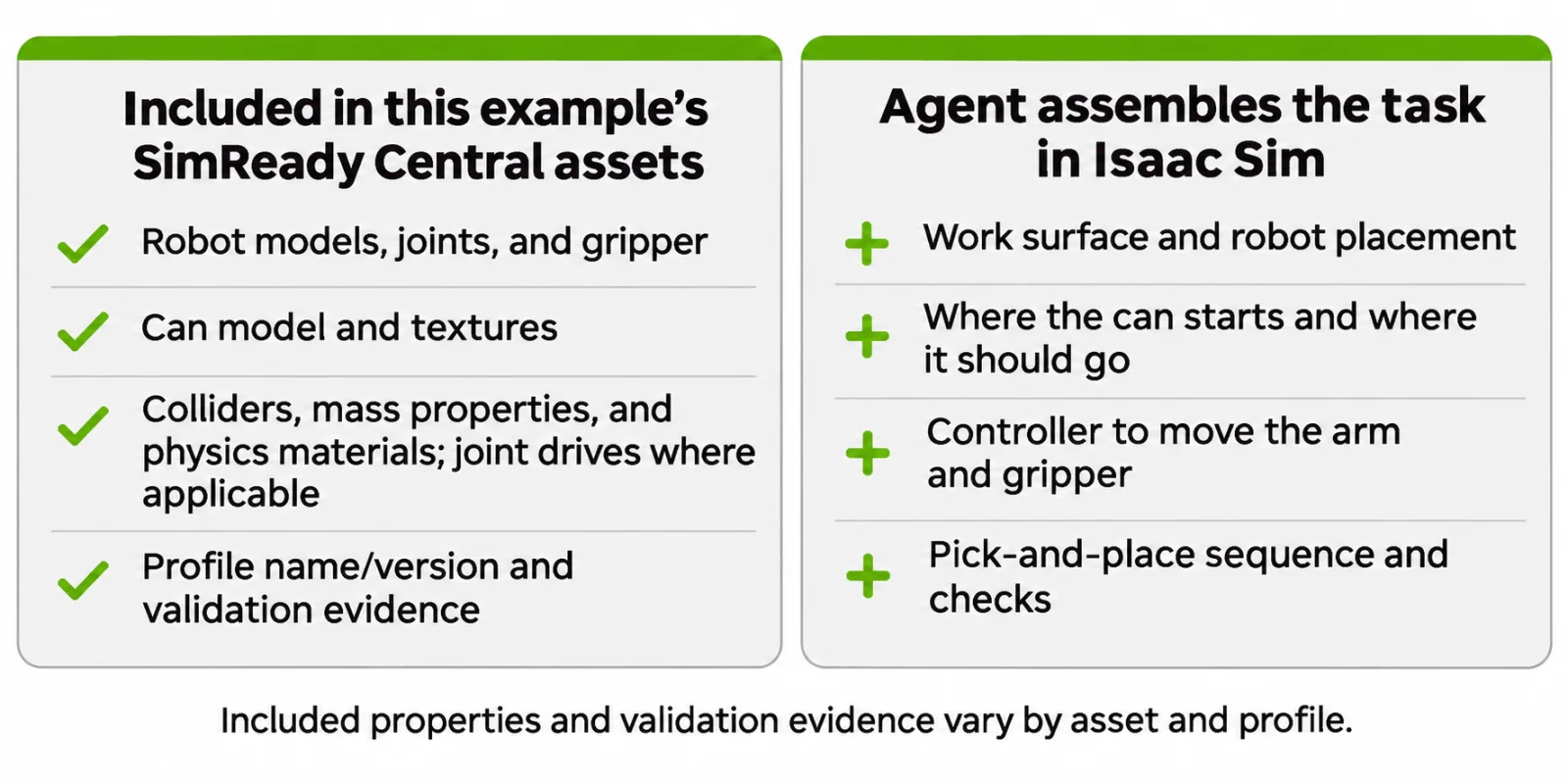
Image: NVIDIA
Step 2: assemble the robot and compose the scene
Start Isaac Sim with the remote Python server enabled so the agent can talk to it:
./isaac-sim.sh --enable isaacsim.code_editor.python_server
NVIDIA says to launch the agent from the Isaac Sim directory so it can reach the skills. Confirm all three assets load without missing-file errors, then have the agent inspect joint limits and drive settings. The arm and gripper must be joined into one articulation. NVIDIA's sample prompt asks the agent to assemble the arm and gripper using the Robot Assembly tutorial in the Isaac Sim 6.2 docs and validate the assembly. The agent used the isaac-sim-remote and usd-articulation skills for this. You can follow the Robot Assembler tutorial by hand instead.
Step 3: test the controls and run pick-and-place
The second sample prompt asks the agent to run pick-and-place with the assembled robot and the soda can, use a contact-based grasp, and validate the accuracy and placement error. The skills named were isaac-sim-remote, manipulaiton-ik (spelled that way in NVIDIA's post) and physics-simulation.
The task runs the sequence approach, grasp, lift, hold, transfer, release. NVIDIA's video shows the can moving from a yellow pickup marker to a green target, at 4x speed. If your run differs, note where it fails, ask the agent to inspect the scene, and reset the can and robot to the same starting state before retrying so runs compare fairly.
What the demo does not show
This is the most useful part of the guide. NVIDIA lists its simulation assumptions:
- Fixed setup. The can starts at a known position, the robot is anchored, and the workspace is clear and flat. No vision was used, and collision checks were limited.
- Simplified can. Deformation and liquid motion are not modeled, so crushing is not tested.
- Scripted grasp and motion. A horizontal grasp uses a 2 N·m drive-effort cap chosen through simulation tests. It is not calibrated to fingertip forces and not recommended by the manufacturer. Contact and friction hold the can as the arm follows fixed waypoints without replanning.
NVIDIA states that the results apply to this scripted setup and "do not establish robustness to uncertain object positions, different payloads, or real hardware." Read the demo as a workflow tutorial, not a capability claim.
Why this matters now
Two threads meet in this guide. One is simulation assets with checked physics, so developers stop rebuilding the same robot. The other is agents that drive the simulator through skills, which cuts the boilerplate of scene setup. Both lower the cost of a first experiment.
The timing fits the wider debate on how robots get their intelligence. Fortune reported today that OpenAI disbanded its stand-alone robotics team and cited an Nvidia study in which a general model controlled a simulated robot. A tutorial like this shows the practical side: a general model plus a simulator plus validated assets. We also covered how NVIDIA agents trained a robot in Isaac Lab and an open robot-use agent working zero-shot with DeepSeek.
Questions developers will ask
Do I need GPT-6 Sol? No. NVIDIA used it for this example, and says another agent and model may work if it can load the Isaac Sim skills and execute Python against the simulator. Expect different code and different results from different models.
Can I skip the agent? Yes. NVIDIA links the Robot Assembler tutorial for manual assembly and the Adding a Manipulator Robot tutorial for understanding and adapting the controller yourself. The agent saves setup time. It does not replace understanding the controller.
Where do I get other robots? Browse SimReady Central and read each asset's profile and validation report. For your own hardware, NVIDIA points to its guide on creating SimReady assets from CAD and to the Central submission guide for sharing them.
Is the validation a safety guarantee? No. Profile validation confirms settings such as joint drives meet a shared baseline. It says nothing about whether a controller is safe on a real robot near people. Treat it as a way to avoid broken physics, not as certification.
Why include a simulation that is this simple? A simple, fixed task is a good first test of the pipeline: assets load, joints respond, contacts hold. Once that works, you can add vision, replanning and object variation, which NVIDIA lists as outside this demo.
Tips if you try it
- Pin versions. Use Isaac Sim 6.2 and the asset versions linked in the guide, and record them with your results.
- Read the generated code. NVIDIA says to inspect it. Look for hard-coded waypoints and force limits.
- Change one thing at a time. Move the can by a few centimeters and see whether the fixed waypoints still work. They probably will not, which shows the limit.
- Log placement error. The prompt asks the agent to validate it. Keep the number, and run at least ten resets.
- Share results. NVIDIA asks readers to post their scene, assets and Isaac Sim version in the Hugging Face comments.
Related reading
- NVIDIA SimReady Central: 2,000+ OpenUSD assets on Hugging Face
- NVIDIA agents train a robot in Isaac Lab
- OpenAI disbands its robotics team
- Open robot-use agents with DeepSeek
- RoboValue benchmark for robot value models
- How to pick a GPT-6 model
- Sources: NVIDIA on Hugging Face, Isaac Sim 6.2 robot assembly docs
Details are accurate as of November 13, 2026. Steps and figures are from NVIDIA's guide.