




Microsoft AI launched MAI Image 2.7, a cheaper MAI Image 2.7 Flash, and a new workspace called Canvas on November 17, 2026. In its announcement, Microsoft says MAI Image 2.7 ranks first on the Artificial Analysis image editing leaderboard as of November 16, and prices the two models at about $35 and about $10 per 1,000 images.
The headline claim is real but narrow. The lead is 4 Elo points, and Microsoft itself says comparisons vary by workload and methodology. This post covers what the models do, what Canvas adds, the pricing, the leaderboard numbers with their limits, and how to test the models yourself.
Quick reference
| Question | Answer (per Microsoft AI unless stated) |
|---|---|
| What launched? | MAI Image 2.7, MAI Image 2.7 Flash, and Canvas (in MAI Labs) |
| Date | November 17, 2026, at Ignite |
| Price | About $35 per 1,000 images (2.7); about $10 per 1,000 (Flash) |
| Leaderboard | #1 on AA-Image-Editing v2.1: 1,215 Elo, 5,478 votes, 4 Elo ahead of GPT Image 2.6 Sunburst (max) |
| Availability | Microsoft Foundry public preview; MAI Labs; fal, Genspark, OpenRouter, Vercel |
| Notable features | Fine-grained edits, consistency across edits, transparent backgrounds |
| Not covered on the page | Text rendering, output resolution, safety and provenance measures |
What is new in MAI Image 2.7?
MAI Image 2.7 is the higher-quality model. Flash is the faster, lower-cost option for production workloads. Microsoft says both sit on the quality-cost Pareto frontier for generation and editing, meaning you cannot get better quality for the same price from a competing model on its chosen measures.
Two feature claims matter for practical work.
Fine-grained editing. You can change an object's color, material or position without disrupting the rest of the image. Version 2.7 keeps visual consistency across successive edits. Consistency across a chain of edits is where many editing models drift, so this is the claim to test first.
Transparent backgrounds. Both models can output transparent backgrounds for product images, logos, icons and illustrations. That removes a cutout step for many design workflows.
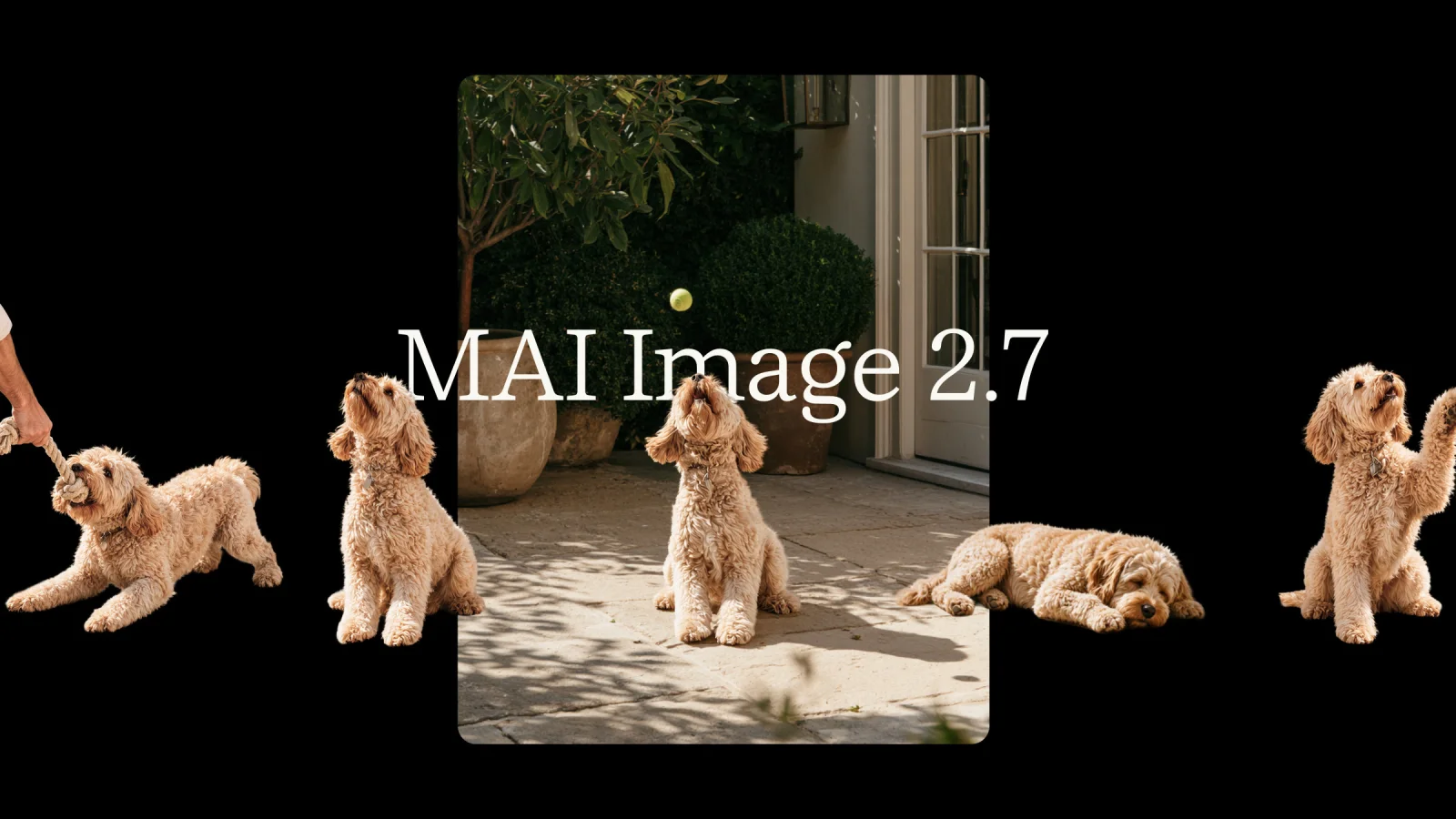 MAI Image 2.7 key art from Microsoft AI, showing one dog photo edited into several poses on a black background
Image: Microsoft AI
The page does not discuss text rendering, output resolution or safety and provenance features, so we cannot say how 2.7 handles them. Check the model card and the Foundry catalog entry before you rely on them.
What Canvas does
Canvas is a new interactive workspace in MAI Labs, powered by MAI Image 2.7 Flash. Per Microsoft, you can:
- start from a prompt or a sketch;
- turn rough ideas into polished diagrams;
- select parts of an image to replace, move or restyle.
It is the first-party way to try the models without writing code. Because it runs on Flash, you get the faster, cheaper model there, not the top-quality one. Microsoft does not describe MAI Labs further on the announcement page.
Pricing: what $35 and $10 per 1,000 mean
Microsoft's approximate prices work out as follows.
| Model | Price per 1,000 images | Price per image |
|---|---|---|
| MAI Image 2.7 | About $35 | About 3.5 cents |
| MAI Image 2.7 Flash | About $10 | About 1 cent |
Microsoft says GPT Image 2.6 Sunburst (max) costs about five times as much as MAI Image 2.7. Treat that as Microsoft's comparison. For OpenAI's own numbers and how its models changed, see our coverage of ChatGPT Images 2.5 and the Flare and Sunburst models and the later Images 2.6 release.
Partners may price in other ways. The models are offered through fal, Genspark, OpenRouter and Vercel, and listings there can be token-based or per-image. Compare on cost per finished image for your prompts, not on the headline unit.
The leaderboard claim, checked
Microsoft reports two ranking facts.
- Artificial Analysis, as of November 16, 2026: MAI Image 2.7 ranks #1 on AA-Image-Editing v2.1 with 1,215 Elo across 5,478 votes, 4 Elo ahead of GPT Image 2.6 Sunburst (max).
- Arena: Microsoft says MAI is a top-two lab in both image generation and single image editing, and outperforms GPT-Image-2.6-Flare across leaderboards.
What to take from that:
- A 4 Elo gap is within noise for this vote count. Treat the top two as tied until the sample grows.
- Leaderboards measure votes on prompts. They do not measure your use case.
- Microsoft says as much. Its page notes that results reflect specific configurations and that comparisons vary by workload and methodology.
Our earlier claimed-versus-verified look at the MAI Image 2.7 preview tracked the same model when it sat at second place against an earlier OpenAI model. The new post-launch number is first, by a small margin.
Who is using it
Microsoft names early partners and users: Adobe, Figma Weave, Minute (Sports Illustrated), Wirestock and Manus. Adobe said MAI Image 2.7 gives Firefly creators "another option to tailor their images," which means a model choice inside Adobe's own tools, not a replacement for its own model. Wirestock said the model is "excellent at understanding scenes."
Microsoft also says MAI Image is now the default model family in Bing Image Creator, with usage growing about 15% compounded weekly since June (a footnote gives 14.7%). That is Microsoft's own usage figure and has no outside check.
How it fits Microsoft's MAI line
2.7 continues a quick cadence from Microsoft AI.
- MAI Image 2.5 Pro and MAI Voice 2 Flash in July.
- MAI Image 2.6 Flash in September.
- The 2.7 preview in late October, and now the public-preview launch.
- At Ignite, Microsoft also released MAI Code 2 and six other models.
For how Foundry names and packages these models, see our Foundry naming explainer.
Which model for which job
Microsoft frames the split clearly: 2.7 for hero assets and final refinements, Flash for throughput. A practical reading of that for a small team:
| Job | Suggested start | Why |
|---|---|---|
| Batch product images with transparent backgrounds | Flash | About $10 per 1,000 images, and transparency is supported on both models |
| A campaign hero image | 2.7 | Higher quality, at about $35 per 1,000 |
| Sketch to polished diagram | Canvas (Flash) | Built for prompt or sketch starts and part-by-part edits |
| A chain of small edits on one image | Test both | Consistency across edits is the claimed 2.7 strength; Flash is untested on it here |
| Text-heavy graphics | Test first | The announcement does not cover text rendering |
This table is our reading of Microsoft's positioning, not a benchmark. The image editing field moved fast this month, so also compare with Ideogram 4.6's native 4K and precise editing, which we covered as a claimed-versus-verified post, before you commit to one vendor.
Why the price matters more than the rank
A 4 Elo lead is a headline. A fivefold price gap, if it holds for your workload, is a budget line. Image features in products often generate many candidates per user action, so unit cost decides whether a feature is viable.
A simple example shows the effect. If a feature generates 4 candidates for each of 100,000 user actions a month, that is 400,000 images. At about $10 per 1,000 images, the bill is about $4,000. At about $35 per 1,000, it is about $14,000. These are Microsoft's approximate prices applied to made-up volumes, so use your own numbers, and remember that partner pricing and any editing steps add to the total.
The same arithmetic shows why Flash exists. Most images in a pipeline are drafts, and only a few need the top model. A common pattern is to draft with the cheap model and re-render the chosen image with the better one. Whether that works for 2.7 depends on how consistent the two models are with each other, which is another reason to run your own test.
How to test it in one afternoon
A fair test takes a short list of prompts and a fixed budget.
- Pick 20 prompts from your real work. Include product shots with transparent backgrounds, a diagram, and three multi-step edits.
- Run the same prompts on Flash, 2.7 and your current model. Use the same size and seed settings where you can.
- Score blind. Have two colleagues pick the better image without knowing the model.
- Chain edits. Make three successive changes to one image. Check whether the unedited parts hold steady, since consistency is the headline feature.
- Compute cost per accepted image. Divide the spend by the number of images you actually keep.
- Check the model card. Look for provenance, content policy and usage terms before you ship.
Flash is the likely default for volume work. Use 2.7 for hero images and final refinements, which is how Microsoft frames the split.
What is still unknown
- General availability. Both models are in public preview. Microsoft does not give a date for general availability.
- Text rendering and resolution. Not covered on the page.
- Safety and provenance. Not covered on the page.
- Canvas access. Canvas is available through MAI Labs. The page does not say who gets in or whether it is free.
- Independent tests. The leaderboard numbers come through Microsoft's report. Wait for fresh independent comparisons.
What people are asking
Is MAI Image 2.7 free?
Microsoft lists per-image prices for API use. The page does not say whether MAI Labs trial access is free.
Is it better than GPT Image 2.6?
On one editing leaderboard Microsoft reports a 4 Elo lead. On your own prompts it may differ.
Can I use it in Adobe tools?
Adobe said it gives Firefly creators another model option. Check Adobe's own release notes for availability.
Related reading
- MAI Image 2.7 preview: No. 2 on editing, claimed vs verified
- MAI Image 2.6 Flash launch
- MAI Image 2.5 Pro and MAI Voice 2 Flash
- Microsoft Ignite: MAI Code 2 and seven models
- ChatGPT Images 2.5: Flare and Sunburst
- Adobe EditAgent: image editing agent
Details are accurate as of November 20, 2026. Prices, rankings and availability may change during the public preview.