



How-to: Want to apply this yourself? Read our step-by-step guide to using ASD-STE100 with AI.
Andrej Karpathy opened a short thread on October 2, 2026 with a claim that fits where agents are heading: "We'll be spending a lot more time trying to understand the outputs of language models." His answer is not a better benchmark or a better reasoning trace. It is a better output format, chosen for how fast a human can understand it.
The thread ranks four formats from plain text up to custom video. Each rung gets the phrase "but even better" attached to the next one. Below, we unpack each rung, give you the prompt to try, and mark where the advice needs a caveat. The thread drew about 469K views within hours of posting.
TL;DR: the four rungs
| Rung | What to ask for | Why it helps | Cost / catch |
|---|---|---|---|
| 1. Writing | "Explain this in ASD-STE100" (or "80% of the way there") | Short sentences, one meaning per word, active voice | Strict spec can sound stilted; soften it |
| 2. Diagrams | "Draw a diagram of this" | The structure is visible, not buried in paragraphs | Accuracy of labels still needs a check |
| 3. Web pages | "Output this in HTML" | Tabs, sliders, animation, shareable file | One more file to open; harder to diff than Markdown |
| 4. Explainer videos | "Create a 3b1b style video explainer on X" | Narrated, paced, visual, tailored to your topic | Needs an API key or local TTS; slowest to produce |
| Question | Short answer |
|---|---|
| Do I need to pay for anything? | Rungs 1 to 3 need only your existing LLM. Rung 4 needs a TTS source: ElevenLabs (paid key) or a free local alternative. |
| Is this about prettier answers? | No. Karpathy frames it as oversight: as models do more work autonomously, humans move up to checking and understanding it. |
| Which rung should I start with? | Rung 3. HTML gives the biggest readability jump for the least setup. |
| Does it work in Claude Code? | Yes. Any coding agent that can write files can produce HTML, and with a render step, video. |
Why Karpathy cares: oversight is the new bottleneck
His summary is the real message of the thread. Two points:
- "As LLMs get better, they will do more and more of the legwork autonomously, and a lot more of our work will rise up the abstractions into oversight and understanding."
- Because "intelligence and code are increasingly abundant," you can ask for "large, custom, discardable software artifacts (e.g. web apps, video explainers) that would have never made sense to create before."
The second point is the one most people skip. A custom animated explainer used to cost a team days, so nobody made one for a single question. If an agent produces one in minutes and you throw it away after watching it, the economics flip. The artifact exists to transfer understanding into your head, not to be maintained.
This is the same idea explainx.ai covered in Thin Prompts, Thick Artifacts, Thin Skills, where the Claude Code team's framing is that the artifact carries the weight, not the prompt.
Rung 1: ASD-STE100 for writing
ASD-STE100, or Simplified Technical English, is a controlled language specification built for aircraft maintenance documentation. It started in 1979 with AECMA and became ASD-STE100 in 2005. The current spec caps a procedural sentence at 20 words and a descriptive sentence at 25. It also limits paragraphs to six sentences and noun clusters to three words. The dictionary holds about 900 approved words, each with one meaning and one part of speech.
The image attached to Karpathy's thread (an LLM-style one-sheet of the spec) shows the key rules at a glance. The examples that matter for AI prose:
- Use the active voice in procedures.
- Do not leave out words like "the," "a," and "this."
- Use one word for one meaning, every time.
- Write one topic in each paragraph.
- Prefer "use" over "utilize," "start" over "commence," "fill" over "replenish."
Karpathy's caveat is honest: the spec is stringent, so he sometimes asks for "80% of the way to ASD-STE100." That is a good default. A full-strength STE answer about a software concept can read like a maintenance card.
Prompt to try:
Explain how KV caching works in ASD-STE100 style, but only
80% of the way: short active sentences, one idea per paragraph,
no hedging words, approved simple verbs. Keep technical terms
as technical names and define each one once.
We covered the measured version of this idea in ASD-STE100: The Aerospace Standard Fixing AI Slop Writing, where an open-source skill reported 72.9% fewer style violations across six Claude models. That result comes from the repo's own linter, so read it as a signal, not a verdict.
The caveat: style can change the thinking
There is a real counterargument. In Humanising LLM Outputs Is Dumb, the claim is that a style instruction in the same prompt as the task shapes the work itself, not only the final wording. Compression applied mid-task is lossy.
The practical fix is to separate the jobs. Let the agent work in its normal dense mode. Then run a second pass that rewrites the result in STE for you. That pass is a render step at the boundary where a human reads, which is exactly Karpathy's use case.
Rung 2: diagrams instead of paragraphs
His second rung is blunt: "Instead of writing, ask your LLM to create a diagram. These can be a lot easier to process, parse, and understand."
A diagram is better than prose when the answer has structure: components and flows, states and transitions, a timeline, a hierarchy. It is worse when the answer is a nuanced argument. A box-and-arrow picture of "it depends" tells you nothing.
Prompts to try:
Draw this architecture as an SVG diagram. Show the data flow
with numbered arrows. Label every box with the real component name.
Make a Mermaid sequence diagram of the auth flow in this repo,
then list the three places the diagram is least certain.
The second prompt matters. A diagram looks authoritative even when a label is wrong, so ask the model to flag its own weak spots. For a purpose-built option, the Diagram Design skill draws 27 editorial diagram types in a consistent style from a Claude Code or Codex session.
Rung 3: ask for HTML
"Ask for output 'in HTML' to get a beautiful, interactive webpage. LLMs are getting really good at frontend and can create beautiful experiences, animations, etc."
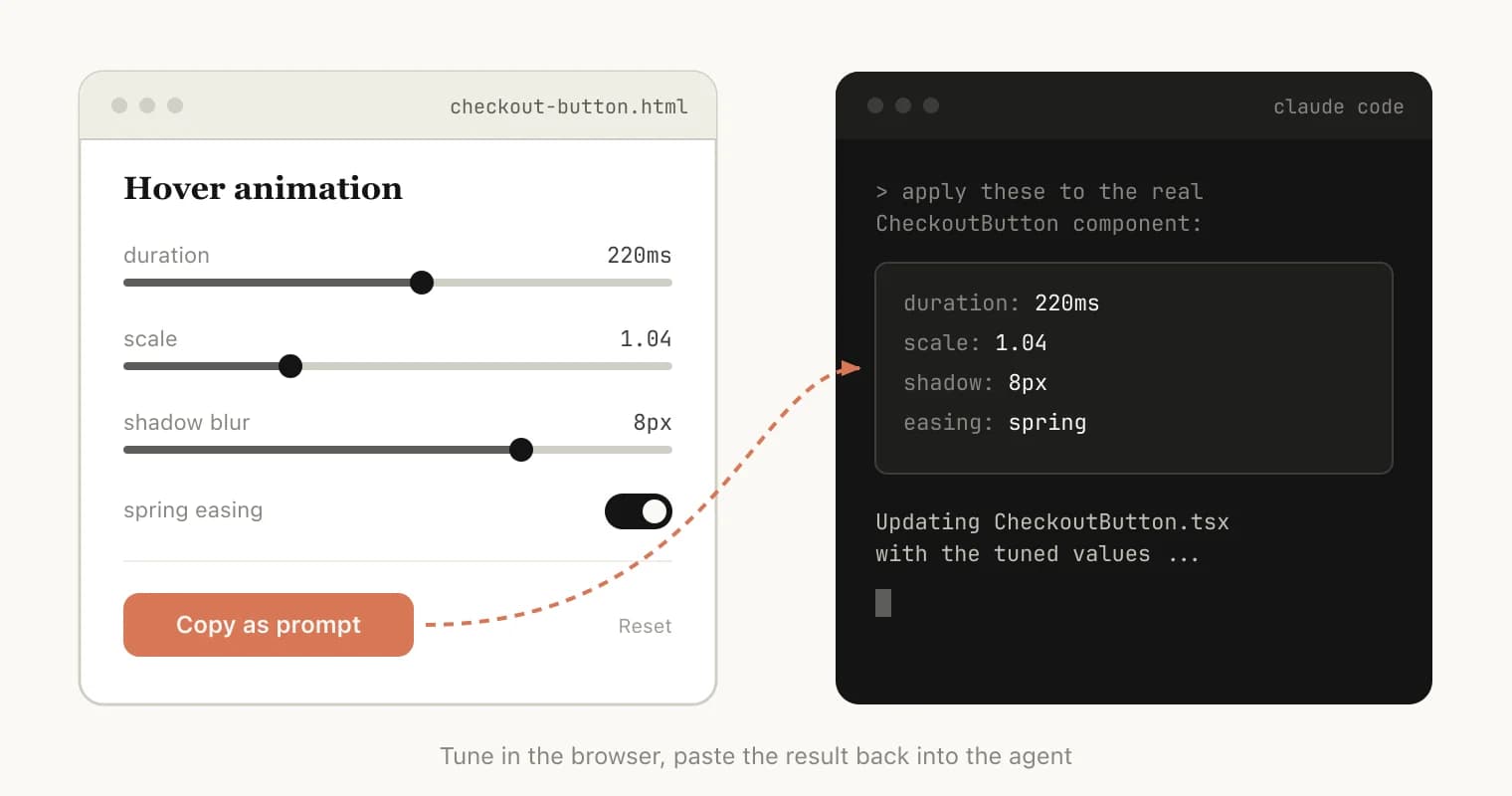
This is the rung with the best return for effort. One prompt change turns a wall of Markdown into tabs, a table of contents, collapsible sections, sliders that change a number, and a color-coded status board. A single .html file opens in any browser and can be shared as a file.
Anthropic's Thariq Shihipar made the same argument for Claude Code workflows. We broke it down in The Unreasonable Effectiveness of HTML in Claude Code, including when Markdown still wins: content that lives in git, gets diffed in pull requests, or is read by other agents.
Elvis (@omarsar0) replied under Karpathy's thread with a related data point: an earlier test of a model on "visualizing popular AI papers" that produced an interactive version of the Transformer paper. We have not independently verified the model named in that post, so treat it as a community example, not a benchmark.
Prompts to try:
Read this 40-page paper and create a single self-contained
HTML file that explains it. Add: a one-paragraph summary at the top,
a section per major claim, one interactive figure I can drag,
and a "what would change my mind" box at the end. No external
dependencies.
Turn this PR diff into an HTML review page: group changes by
intent, color risky hunks, and add a checklist of things I must
test by hand.
Google's own agent IDE moved the same way. See Antigravity's Interactive Generative UI Artifacts for how that compares with Claude Artifacts.
Rung 4: bespoke explainer videos
Karpathy says this is the format he is "most bullish on": "fully custom / bespoke explainer videos generated on any arbitrary topic." His example prompt:
Create a 3b1b style video explainer on X.
Use my ElevenLabs API key for audio narration.
He adds that you need an API key for the narration, or you can ask the model to find "decent free alternatives that use your local compute." And he says it "is actually starting to work!"
Three pieces have to exist for this to work, and each already has coverage here:
| Piece | What does the job | explainx.ai coverage |
|---|---|---|
| Animation as code | HTML/canvas or Manim-style scenes the agent writes and renders | How Opus 5.5 viral videos are made |
| HTML to MP4 | Deterministic render of web animation to video | HyperFrames for AI agents |
| Narration | Paid TTS or a local model | Voicebox, an open-source ElevenLabs alternative |
The key shift is "code, not diffusion." The video is not sampled from a video model. The agent writes a program that draws each frame, so equations, graphs, and labels come out exact and are editable by changing a line.
For a worked example of the lesson-style version of this idea, see how Academa.ai pairs LLM chat with Manim-style visuals in a calculus course.
What to check before you trust a generated explainer
A confident narrated video is the most persuasive format on the ladder, which makes errors the most dangerous there. Before you trust one:
- Spot-check the math or claims against a primary source. Pick the three most surprising statements.
- Ask for the script separately. Read the narration as text. Mistakes are easier to see there.
- Keep it discardable. If you plan to publish it, it stops being a discardable artifact and needs the review a published piece needs.
What people are asking
Isn't this just a prettier chat window?
No. The point is understanding speed. A good format lets you check an agent's work in two minutes instead of twenty. If the model is doing a day's work autonomously, the format of its report decides whether you can supervise it at all.
Which format should I pick for a given task?
| If the answer is mostly... | Use |
|---|---|
| A procedure or explanation you will re-read | STE-style text |
| Structure, flows, or relationships | Diagram |
| Exploration, comparison, or many parameters | HTML page |
| A concept you need to learn from zero | Explainer video |
Do these tricks work with any model?
The prompts are model-agnostic, but quality differs. HTML and diagram generation is strong on current frontier coding models. Video depends more on the agent harness than the model, since it needs file access, a render step, and a TTS source.
What is the risk?
Persuasion without accuracy. Better formats make a wrong answer easier to believe. Treat the format as a reading aid and keep a verification step, exactly as you would for plain text.
A 15-minute experiment
Take one thing you do not fully understand, such as a repo you inherited or a paper you saved. Run all four rungs on it and time yourself.
- Ask for the STE-style summary and read it.
- Ask for a diagram of the structure.
- Ask for an HTML explorer with one interactive element.
- If you have a TTS source, ask for a two-minute narrated video.
Note which one made you say "oh, now I get it" first. For most readers it will be rung 3 or 4. That tells you which format to default to when you review agent work.
If you want to build these workflows hands-on, explainx.ai's live workshops walk through agent-built artifacts and review loops with an instructor in the room.
Summary
Karpathy's thread is short but it states a thesis: as models do more of the work, human understanding is the scarce resource, and the output format is a lever on it. Start with controlled-language text, move to diagrams, then HTML, and reach for custom video when a concept needs real teaching. Keep the generated artifact discardable, verify the claims that matter, and render at the boundary instead of constraining the agent mid-task.
Related reading
- Thin Prompts, Thick Artifacts, Thin Skills
- The Unreasonable Effectiveness of HTML in Claude Code
- ASD-STE100: The Aerospace Standard Fixing AI Slop Writing
- Humanising LLM Outputs Is Dumb
- Diagram Design skill for Claude Code
- HyperFrames: HTML to MP4 for AI agents
- How Opus 5.5 viral videos are made
- Andrej Karpathy joins Anthropic's pre-training team
Details reflect Karpathy's October 2, 2026 post and the ASD-STE100 spec as publicly described; the views and numbers quoted are accurate as of that date.