



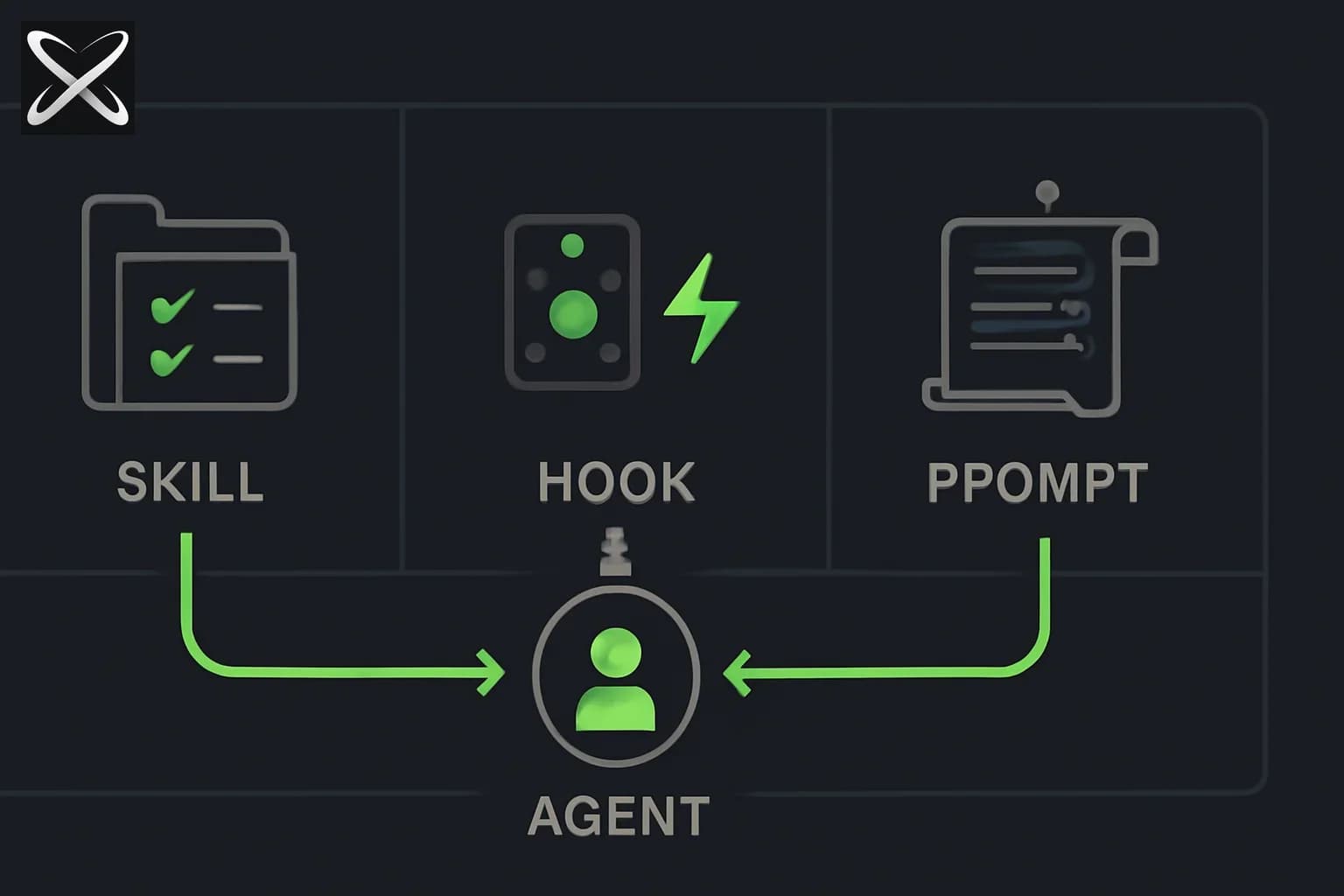
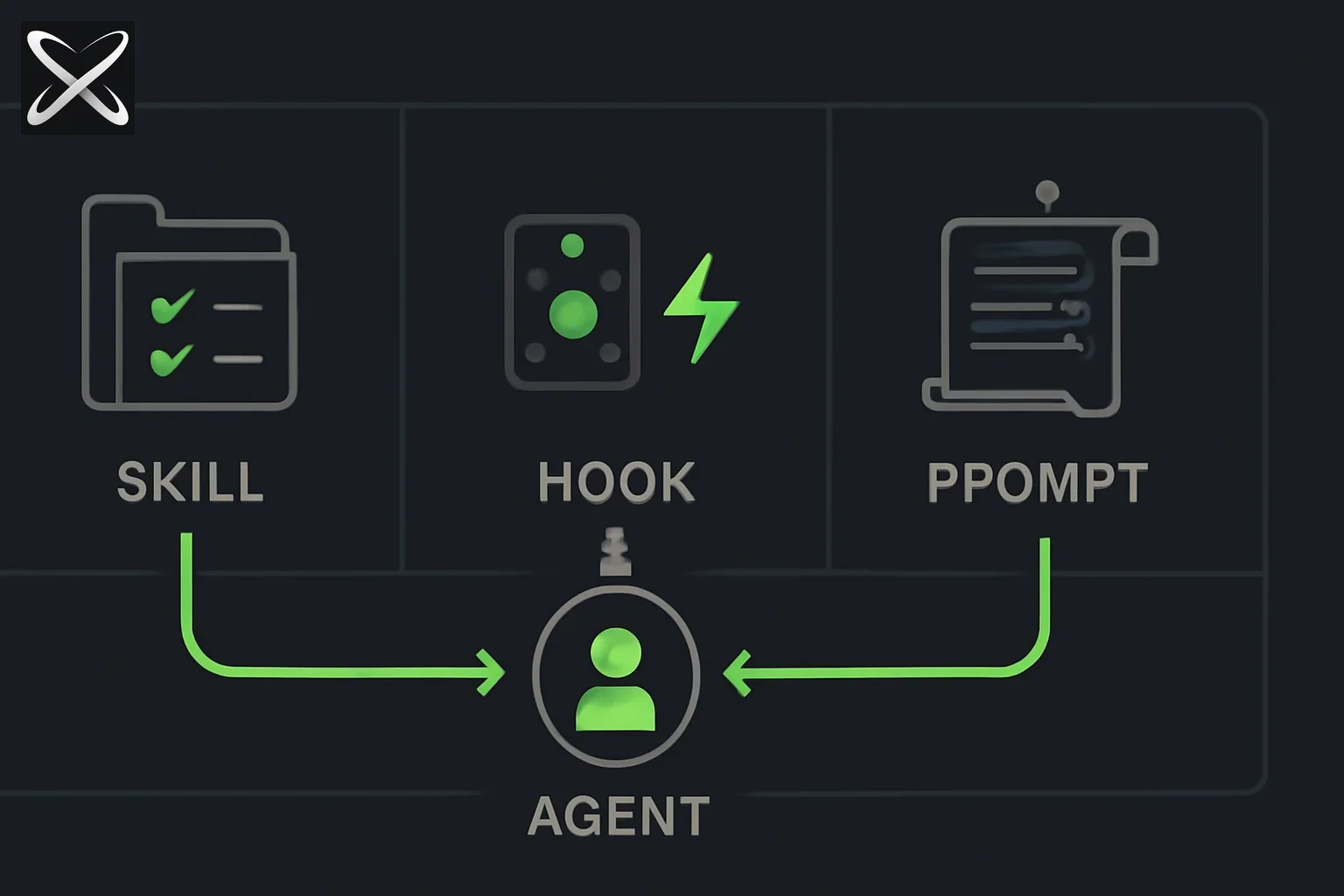
Claude Code gives you three distinct ways to shape how the agent behaves. Most developers discover them in order — first the system prompt, then skills, then hooks — and end up using each for jobs the others do better. This guide fixes that by explaining the conceptual territory each primitive owns, when each is the right tool, and what happens when you combine all three.
Quick reference: the three primitives
| Primitive | File/Location | When it's active | Primary job |
|---|---|---|---|
| System prompt / CLAUDE.md | .claude/CLAUDE.md | Every single request | Project context, standing rules, conventions |
| Skills (SKILL.md) | .claude/skills/*/SKILL.md | When task matches trigger | Step-by-step procedures for specific task types |
| Hooks | .claude/settings.json | On tool call events | Automated shell commands, validation, notifications |
The three primitives do not overlap — they cover different dimensions of agent customization. Getting this right means your agent setup is efficient, predictable, and maintainable.
System prompts and CLAUDE.md
What they control
CLAUDE.md is Claude Code's project-level context file. When Claude Code starts a session, it reads the CLAUDE.md from the project root and includes it in the system prompt. This content is always present, always paying its token cost, and applies to everything Claude does in that session.
Think of it as the briefing document you would give a contractor on their first day: the tech stack, the team conventions, the things that are always true about this project.
# MyProject — Agent Context

## Tech stack
- Next.js 15 (App Router), TypeScript 5, Tailwind CSS
- Database: PostgreSQL via Prisma ORM
- Auth: Clerk
- Deployment: Vercel

## Coding conventions
- Use named exports, never default exports
- All async functions must handle errors explicitly — no swallowed catches
- Prefer `const` over `let`; never use `var`
- CSS: utility classes only, no inline styles

## Team rules
- Never modify migration files once they are committed to main
- All external API calls must go through lib/api-client.ts
- Feature flags use LaunchDarkly — see docs/feature-flags.md

## What is in this repo
- /apps/web — Next.js frontend
- /apps/api — Express backend
- /packages/shared — shared types and utilities
When CLAUDE.md is the right choice
Use CLAUDE.md for anything that is true for every task in this project:
- Tech stack and library versions
- Coding style conventions (naming, formatting, error handling)
- Repository structure overview
- Team rules ("never do X")
- Links to important internal documentation
What CLAUDE.md cannot do
CLAUDE.md cannot trigger contextually. It cannot respond to events. It cannot run shell commands. It cannot load different instructions based on what task you are doing. Everything in CLAUDE.md applies all the time, which is why it should contain only context and rules that are relevant all the time.
The most common mistake: putting procedure in CLAUDE.md. "When writing a migration: 1. Run prisma migrate dev, 2. Add rollback logic, 3. Update the docs." That belongs in a skill, not in CLAUDE.md — it bloats every request with instructions that are only relevant when you are actually writing a migration.
Agent skills (SKILL.md)
What they control
Skills encode how to do specific kinds of tasks. They are loaded on demand through a mechanism called progressive disclosure: Claude Code scans the skill descriptions to find a match for the current task, then loads the full SKILL.md body only for skills that match.
This matters because a project might have 20 installed skills. Without progressive disclosure, all 20 would consume context tokens on every request. With progressive disclosure, you pay only for the description metadata of idle skills, and the full body only when the skill is actually relevant.
---
name: add-database-migration
description: >-
  Use this skill when the user asks to add, create, or write a database
  migration, or to change the database schema, or to add/remove/modify
  a table or column.
version: 1.1.0
---

## Purpose
Add a Prisma migration following the team's safety conventions.

## Steps
1. Identify the schema change needed from the user's description.
2. Edit prisma/schema.prisma to reflect the change.
3. Run: npx prisma migrate dev --name <descriptive-name>
4. Verify the generated migration file looks correct.
5. Add a rollback comment at the top of the migration file.
6. Update docs/database-schema.md to reflect the change.
7. Show the full diff for the user to review before committing.
When skills are the right choice
Use a skill for any multi-step procedure that:
- Applies to a specific task type (not all tasks)
- Would be annoying to re-explain every time
- Benefits from consistent execution
- A new team member should be able to follow
Good examples: writing database migrations, drafting PR descriptions, adding feature flags, running release checklists, creating API endpoints following your project's patterns, setting up new components with the right file structure.
What skills cannot do
Skills cannot run shell commands autonomously. They can instruct Claude to run commands via the Bash tool, but the execution depends on Claude deciding to do so, tool permissions being granted, and the user approving if approval mode is on.
Skills cannot react to file changes or tool call events. They are instructions Claude follows, not event handlers. If you need something to run automatically when Claude edits a file, that is a hook.
Skills cannot change agent behavior at the infrastructure level — they cannot modify which tools are available, change timeout settings, or alter how the agent itself works.
Hooks
What they control
Hooks are shell commands that Claude Code executes automatically when specific events occur. They live in settings.json and run outside the Claude context — they are not part of the conversation, they do not get paid in tokens, and they execute regardless of whether the user asks for them.
{
  "hooks": {
    "PostToolUse": [
      {
        "matcher": "Edit",
        "hooks": [
          {
            "type": "command",
            "command": "npx tsc --noEmit 2>&1 | head -20"
          }
        ]
      }
    ]
  }
}
This hook runs TypeScript compilation after every file edit, and the output is shown to Claude so it can react to type errors immediately.
Hook types
PreToolUse: Runs before Claude calls a tool. Useful for validation, logging, or preventing certain operations.
{
  "hooks": {
    "PreToolUse": [
      {
        "matcher": "Bash",
        "hooks": [
          {
            "type": "command",
            "command": "echo 'About to run bash command' >> ~/.claude/audit.log"
          }
        ]
      }
    ]
  }
}
PostToolUse: Runs after a tool call completes. Useful for validation, automated testing, or updating derived files.
{
  "hooks": {
    "PostToolUse": [
      {
        "matcher": "Edit",
        "hooks": [
          {
            "type": "command",
            "command": "cd $(git rev-parse --show-toplevel) && npx eslint --max-warnings 0 $(git diff --name-only HEAD) 2>&1 | tail -20"
          }
        ]
      }
    ]
  }
}
Notification: Runs when Claude sends a notification event (typically when a long-running task completes or when Claude needs to surface something).
When hooks are the right choice
Use hooks for things that should happen automatically on every occurrence of an event, regardless of what Claude is doing:
- Running the linter after every file edit
- Running type checking after TypeScript file edits
- Validating migration files after they are created
- Logging all bash commands to an audit file
- Sending a notification when a long task completes
- Blocking certain commands in production environments
The key distinction: hooks enforce policy at the infrastructure level; skills give Claude knowledge at the reasoning level. If you want Claude to know to run the linter, use a hook. If you want Claude to know how to reason about lint errors, use a skill or CLAUDE.md context.
What hooks cannot do
Hooks cannot give Claude reasoning context. A hook can run npx eslint and surface the output, but it cannot explain to Claude what your team's ESLint conventions mean or how to fix specific categories of errors. For that, you need a skill or CLAUDE.md.
Hooks run shell commands, not arbitrary code with access to Claude's context. They see JSON event data about the triggering tool call, but they do not have access to the conversation history or Claude's current reasoning.
Decision flowchart
Use this flowchart when you are deciding where to put a new piece of agent configuration:
Is this a standing rule or context that applies to EVERY task in this project?
  → YES: Put it in CLAUDE.md
  → NO: Continue

Is this a multi-step procedure for a specific kind of task?
  → YES: Make it a SKILL.md skill
  → NO: Continue

Should this happen automatically on every tool call event, without
Claude deciding whether to do it?
  → YES: Configure it as a hook
  → NO: You might not need any of these — consider if this is a
         one-off prompt instead
The gray areas
"I want Claude to always check for security issues when editing files."
This sounds like a hook (runs on every edit automatically) but it also needs Claude to reason about what it finds. The right answer is both: a PostToolUse hook that runs a static analysis tool, plus a skill or CLAUDE.md note about how to interpret and fix the kinds of issues it flags.
"I want Claude to follow our API design conventions."
If the conventions are brief (a few rules: use camelCase, always return {data, error}, use HTTP status codes correctly), put them in CLAUDE.md. If following them requires a multi-step procedure (check existing patterns, scaffold the endpoint, update the OpenAPI spec, write tests), make it a skill.
"I want Claude to use TypeScript strict mode."
One line in CLAUDE.md: "All TypeScript files use strict mode." Also a tsconfig.json — enforcement at the tool level is better than policy at the context level.
Combining all three
Here is a real example: a database migration workflow that uses all three primitives.
CLAUDE.md (always-on context):
## Database
- ORM: Prisma 5
- Database: PostgreSQL 16
- Never write raw SQL — always use Prisma schema + migrations
- Never modify a migration file after it has been merged to main
SKILL.md (procedure loaded when the task matches):
---
name: add-database-migration
description: >-
  Use this skill when the user asks to add a database migration, change
  the schema, add or remove a column, or modify a table.
version: 1.0.0
---

## Steps
1. Read the current prisma/schema.prisma to understand existing structure.
2. Identify the minimal schema change required.
3. Edit prisma/schema.prisma.
4. Run: npx prisma migrate dev --name <descriptive-name-in-snake_case>
5. Read the generated migration file to verify it is correct.
6. Add a comment at the top: -- Rollback: [describe what to do to undo this]
7. Update docs/database-schema.md.
8. Show the complete diff for user review.
Hook (automatic validation):
{
  "hooks": {
    "PostToolUse": [
      {
        "matcher": "Edit",
        "hooks": [
          {
            "type": "command",
            "command": "if echo '$CLAUDE_TOOL_INPUT' | jq -r '.path' | grep -q 'prisma/schema.prisma'; then npx prisma validate 2>&1; fi"
          }
        ]
      }
    ]
  }
}
When the user says "add a column for user preferences," the flow is:
- CLAUDE.md gives Claude context: Prisma, PostgreSQL, no raw SQL.
- The skill triggers and gives Claude the step-by-step procedure.
- After Claude edits
schema.prisma, the hook automatically runsprisma validateand surfaces any schema errors Claude can fix.
All three layers working together, each doing what it does best.
Anti-patterns to avoid
Putting procedure in CLAUDE.md
# Bad — this belongs in a skill
## When writing migrations:
1. Edit the Prisma schema
2. Run npx prisma migrate dev
3. Add a rollback comment
4. Update the docs
This burns tokens on every request. Most requests are not about migrations. Move it to a skill.
Putting standing context in a skill
---
name: edit-any-file
description: Use this skill whenever editing any file.
---
## Context
- This project uses Next.js 15
- TypeScript strict mode
- Named exports only
A skill that triggers on "edit any file" is just a bad CLAUDE.md. Move the context to CLAUDE.md and delete this skill.
Using hooks when a skill instruction would suffice
{
  "hooks": {
    "PostToolUse": [
      {
        "matcher": "Edit",
        "hooks": [
          {
            "type": "command",
            "command": "echo 'Remember to write tests for this change'"
          }
        ]
      }
    ]
  }
}
An echo hook that reminds Claude to write tests is not really a hook — it is a rule. Put it in CLAUDE.md: "Always write tests for behavior changes." Claude will reason about it appropriately rather than just seeing a hollow reminder after every edit.
Duplicating content across all three
If your CLAUDE.md says "use Prisma," your migration skill also has a "context" section saying "use Prisma," and your hook script has a Prisma check — you have three sources of truth. When your ORM changes, you update two of the three and introduce a subtle inconsistency. Keep each fact in one place.
Team adoption patterns
Onboarding with CLAUDE.md and skills together
The most effective onboarding experience is to commit both CLAUDE.md and the .claude/skills/ directory to the repository. New team members clone the repo and immediately have the agent configured with team conventions and the full skill library. No setup step, no onboarding document to read before coding.
Version-locking skills for team consistency
When skills are installed from a registry, use a skills.lock.json to pin exact versions:
{
  "skills": {
    "explainx/add-database-migration": "1.2.3",
    "explainx/write-pr-description": "2.0.1"
  }
}
This prevents one team member from getting a different skill version than another after a registry update. Treat it like package-lock.json.
Hook configurations: personal vs shared
Some hooks should be shared (lint validation, type checking — these enforce team standards). Others should be personal (audit logging, notification preferences).
Shared hooks go in .claude/settings.json (committed to the repo). Personal hooks go in ~/.claude/settings.json (your home directory, not committed). Both sets are applied in the same session.
Performance implications
Token usage
CLAUDE.md tokens are paid on every request. Keep it under 2,000 tokens. If your CLAUDE.md has grown to 5,000 tokens because you added procedure sections, refactor those sections into skills.
Skills use progressive disclosure. The description field is roughly 20–50 tokens per skill for the discovery scan. The full body (200–600 tokens for a typical skill) is loaded only on a match. With 20 installed skills, idle overhead is around 1,000 tokens — far better than 20 × 400 tokens if everything were in CLAUDE.md.
Hooks run shell commands outside the Claude context and do not consume tokens. Their output is injected as tool result text, which does consume tokens, so keep hook output concise (pipe through head -20 or similar).
Latency
Hooks add latency to tool calls because they run synchronously before returning the tool result. A hook that runs a full test suite after every file edit will make editing feel slow. Reserve hooks for fast checks (linting, type checking) and run slow checks (full test suite) asynchronously or as a separate step.
How these primitives are evolving
The CLAUDE.md and SKILL.md specifications are converging toward a more formalized standard. Expect to see:
- Skill composition: explicit syntax for one skill calling another
- Conditional hooks: hooks that trigger only when specific conditions in the skill context are met
- Cross-agent portability: shared format for skills across Claude Code, Cursor, and Gemini CLI
- Registry-aware lock files:
skills.lock.jsonbecoming a first-class part of the CLI toolchain
For now, the mental model is stable: CLAUDE.md for context, skills for procedures, hooks for automation.
Update — September 3, 2026: A good case study in why output-format rules belong in a skill rather than CLAUDE.md — the /show-me skill.
Update — September 4, 2026: The hooks primitive itself may be getting a rewrite — see Function Hooks and ant apply, Anthropic's unshipped preview of TypeScript middleware-style hooks and its shipped Terraform-style CLI for declaring Managed Agent resources as files.
Read next
- Arcads' Marketing OS — one Claude skill structured as six subagent roles with explicit handoffs
- Thin prompts, thick artifacts, thin skills — Thariq's framework — Claude Code engineer on SKILL.md size and artifact-first specs
- The map is not the territory: finding your unknowns with Fable 5 — why capability raises the stakes on skill upkeep
- How to Build Your First Agent Skill (Step-by-Step)
- What are agent skills? A complete guide
- Top 10 AI Agent Skills Directories & Registries
- What is CLAUDE.md? Persistent Memory for Claude Code
- Agent Markdown Files — Complete Guide