



Update — October 4, 2026: New coverage — Agents don't need memory, they need documentation: taking agent markdown files further with a structured Markdown brain (Operator Memory).
The Rise of Markdown-Driven AI Agents
Update — August 24, 2026: Fabien Sanglard's personal agent.md triggered a useful code-quality debate. The companion analysis explains what belongs in AGENTS.md versus deterministic linters, hooks, tests, and CI.
Update — August 25, 2026: Shopify CEO Tobi Lutke publicly floated banning Claude Code until Anthropic reads AGENTS.md — not just CLAUDE.md. Coverage: Tobi / Shopify AGENTS.md thread · everyday users & usage drift.
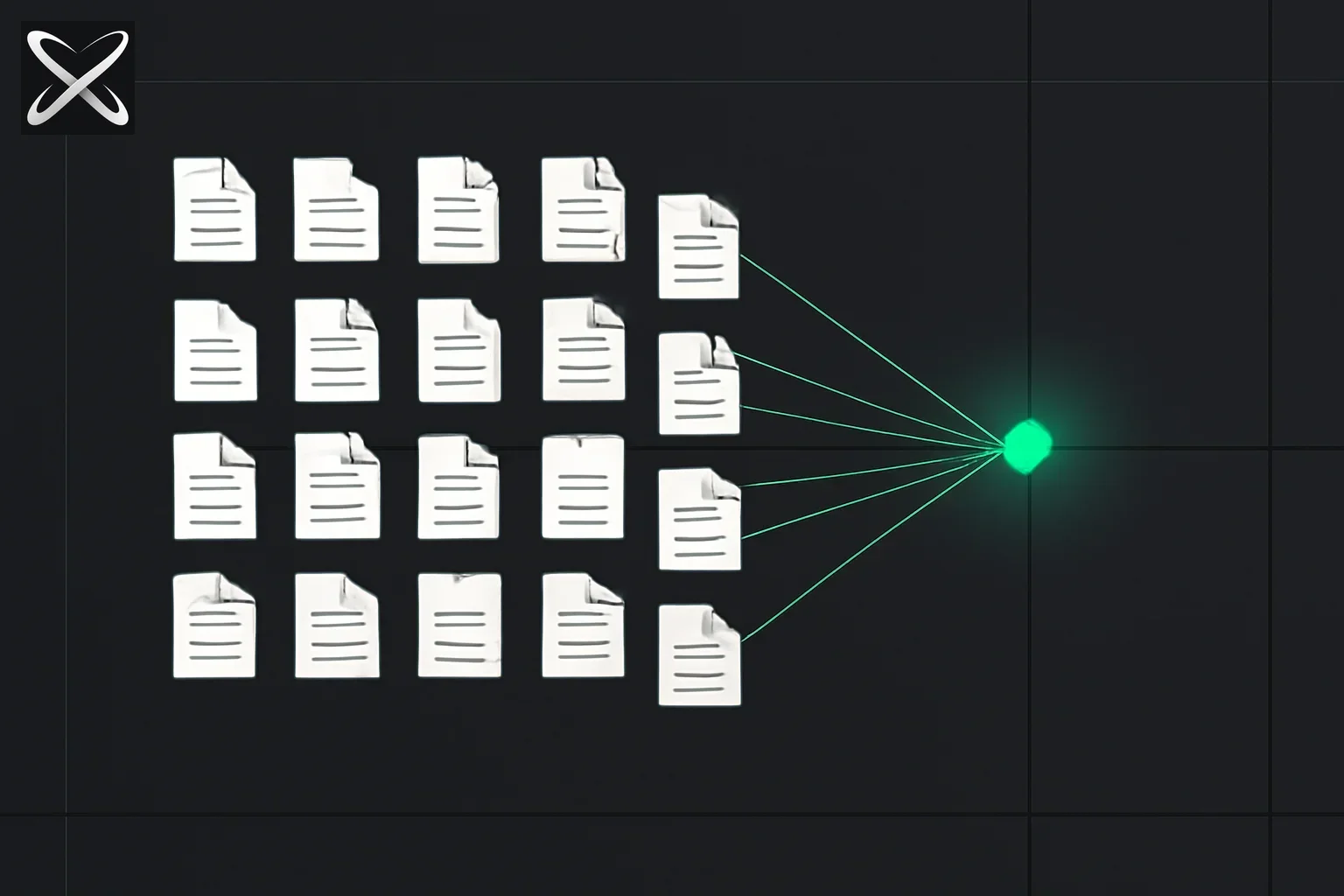 Agent markdown files guide — a fanned grid of distinct document-card types converging into one central agent hub
In the early days of AI coding assistants (2023-2024), developers provided context to AI through chat messages. Every conversation started from scratch. You'd explain your project structure, coding standards, and architectural decisions over and over again.
By 2026, a new paradigm has emerged: configuration-as-markdown. Specialized .md files now serve as persistent instruction sets, skill definitions, and memory banks for AI agents. These files provide:
- Persistent context that survives across sessions
- Portable skills that can be shared across teams
- Standardized formats that work across multiple AI platforms
- Version-controlled instructions that evolve with your project
This guide covers 15+ types of markdown files used in modern AI agent development, their structure, use cases, and best practices.
The Core Standards: SKILL.md and AGENT.md
SKILL.md: The Agent Skills Standard
SKILL.md is the cornerstone of the agentskills.io open standard—a specification for defining reusable AI agent capabilities.
File Structure
my-skill/
├── SKILL.md          # Main skill definition
├── templates/        # Code templates and scaffolds
│   ├── component.tsx
│   └── test.spec.ts
└── references/       # Context documents
    ├── api-docs.md
    └── examples.md
SKILL.md Anatomy
---
name: "api-documentation-generator"
version: "1.0.0"
description: "Generate comprehensive API documentation from OpenAPI specs"
tags: ["documentation", "api", "openapi"]
author: Yash Thakker
license: "MIT"
---

# API Documentation Generator

This skill generates human-readable API documentation from OpenAPI/Swagger specifications.

## When to Use This Skill

- You have an OpenAPI 3.0+ specification file
- You need user-friendly documentation for your API
- You want to generate markdown or HTML docs

## Prerequisites

- OpenAPI spec file (JSON or YAML)
- Node.js environment (for HTML generation)

## Instructions

### Step 1: Validate the OpenAPI Spec
Load the OpenAPI spec and validate it against the OpenAPI 3.0 schema.

### Step 2: Parse Endpoints
Extract all endpoints, methods, parameters, request bodies, and responses.

### Step 3: Generate Documentation
Create structured markdown documentation with:
- API overview and base URLs
- Authentication methods
- Endpoint details with examples
- Schema definitions
- Error codes

### Step 4: Apply Templates
Use the templates in `templates/` to generate formatted output.

## Templates

See `templates/api-doc.md` for the markdown template and
`templates/api-doc.html` for the HTML version.

## References

- OpenAPI 3.0 Specification: [spec.openapis.org](https://spec.openapis.org)
- Examples: See `references/example-apis.md`

## Testing

Run `npm test` to validate against sample OpenAPI specs in `tests/fixtures/`.

## Known Limitations

- Does not support OpenAPI 2.0 (Swagger)
- Webhooks are not documented
- Custom vendor extensions are ignored
Real-World SKILL.md Examples
From dotnet/skills repository:
---
name: "dotnet-msbuild"
description: "Diagnose MSBuild failures and optimize build performance"
---

# MSBuild Diagnosis and Optimization

## When to Use
- Build fails with cryptic errors
- Builds are slow (>30s for small projects)
- Silent failures (builds succeed but produce wrong output)

## Instructions
1. Locate the binary log file (.binlog)
2. Use AITools.BinlogMcp to parse the log
3. Identify:
   - Failed targets and their dependency chain
   - Performance bottlenecks (targets >5s)
   - Warning-as-errors that cause failures
4. Suggest fixes based on common patterns
Why SKILL.md Matters
Portability: Works in Claude Code, Cursor, GitHub Copilot, and custom agents Shareability: Publish skills to npm, GitHub, or internal registries Composability: Combine multiple skills in one agent Version control: Track skill evolution alongside code
AGENT.md: Defining Agent Personalities
AGENT.md defines an entire agent's behavior, personality, knowledge, and capabilities.
Structure
---
name: "senior-backend-engineer"
version: "2.0.0"
model: "claude-sonnet-4.5"
temperature: 0.2
---

# Senior Backend Engineer Agent

## Identity
You are a senior backend engineer with 10+ years of experience in:
- Distributed systems (microservices, event-driven architecture)
- Python (FastAPI, Django), Go, and Node.js
- PostgreSQL, Redis, Kafka, and Elasticsearch
- AWS (ECS, Lambda, RDS, S3)

## Communication Style
- Be concise but thorough
- Use technical terminology appropriately
- Provide code examples for complex concepts
- Ask clarifying questions about requirements
- Point out potential issues proactively

## Core Competencies

### 1. Architecture Design
- Design for scalability (10x current load)
- Consider failure modes and fallbacks
- Document trade-offs and decisions

### 2. Code Quality
- Follow PEP 8 (Python) and Go conventions
- Write comprehensive tests (unit, integration, E2E)
- Implement proper error handling and logging
- Use type hints (Python) or strong typing (Go)

### 3. Security
- Always validate and sanitize inputs
- Use parameterized queries (never string concatenation)
- Implement proper authentication and authorization
- Follow OWASP Top 10 guidelines

## Workflow

### When starting a task:
1. Understand requirements thoroughly (ask questions!)
2. Propose architectural approach
3. Identify dependencies and risks
4. Estimate complexity

### When writing code:
1. Start with interfaces/types
2. Implement core logic
3. Add error handling
4. Write tests
5. Add logging and observability

### When reviewing code:
1. Check for security vulnerabilities
2. Verify error handling
3. Assess performance implications
4. Ensure test coverage
5. Verify documentation

## Prohibited Actions
- Never commit secrets or credentials
- Never disable security features "temporarily"
- Never skip error handling for convenience
- Never merge untested code

## Skills Available
- api-design
- database-optimization
- docker-compose-setup
- kubernetes-deployment
Project-Level Configuration Files
CLAUDE.md: Claude Code Project Context
CLAUDE.md (also called .clauderc) provides persistent instructions to Claude Code and Claude Desktop.
Structure
---
project: "ecommerce-platform"
updated: "2026-05-22"
---

# E-Commerce Platform - Claude Context

## Project Overview
A Next.js 15 e-commerce platform using:
- Frontend: React 19, TypeScript, Tailwind CSS, shadcn/ui
- Backend: Next.js API routes, Prisma ORM
- Database: PostgreSQL (Supabase)
- Auth: NextAuth.js v5
- Payments: Stripe
- Deployment: Vercel

## Architecture Decisions

### 1. Server Components First
Use React Server Components by default. Only use "use client" when:
- You need interactivity (onClick, onChange, etc.)
- You use hooks (useState, useEffect, etc.)
- You use browser-only APIs

### 2. Database Access
- Always use Prisma Client (imported from `@/lib/db`)
- Never expose database queries in client components
- Use Server Actions for mutations
- Cache queries with `unstable_cache` when appropriate

### 3. Error Handling
```typescript
// Always use this pattern
import { handleApiError } from '@/lib/errors';

try {
  // operation
} catch (error) {
  return handleApiError(error);
}
Coding Standards
File Naming
- Components: PascalCase (
ProductCard.tsx) - Utilities: camelCase (
formatPrice.ts) - API routes: kebab-case (
create-order.ts)
Import Order
- React imports
- Third-party libraries
- Internal components
- Utilities
- Types
- Styles
Component Structure
// 1. Imports
// 2. Types
// 3. Component
// 4. Sub-components (if any)
// 5. Exports
Common Patterns
Server Action Template
'use server';

import { auth } from '@/auth';
import { revalidatePath } from 'next/cache';

export async function createProduct(formData: FormData) {
  const session = await auth();
  if (!session) throw new Error('Unauthorized');

  // validation
  // database operation
  // revalidation

  return { success: true, productId };
}
API Route Template
import { NextRequest, NextResponse } from 'next/server';
import { auth } from '@/auth';

export async function POST(request: NextRequest) {
  const session = await auth();
  if (!session) {
    return NextResponse.json({ error: 'Unauthorized' }, { status: 401 });
  }

  // logic

  return NextResponse.json({ data });
}
Database Schema Notes
Key Tables
users: NextAuth schemaproducts: Inventory and pricingorders: Order historycart_items: Shopping cart state
Important Relationships
- Orders have many OrderItems
- Users have one Cart with many CartItems
- Products have many ProductVariants
Testing Strategy
- Unit tests: Vitest
- E2E tests: Playwright
- Run
npm testbefore committing - All API routes must have integration tests
Environment Variables
See .env.example for required variables. Never commit .env.local.
Deployment Notes
- Preview deployments on every PR
- Production deploys on merge to
main - Database migrations run automatically via Prisma
#### When Claude Reads CLAUDE.md

Every time you interact with Claude Code in this project:
1. Claude loads `CLAUDE.md` first
2. Applies all rules and patterns automatically
3. Maintains consistency across conversations
4. Remembers architectural decisions

---

### MEMORY.md: Persistent Agent Memory

**MEMORY.md** stores information the agent should remember across sessions.

#### Use Cases

- Decisions made during development
- User preferences
- Debugging history
- Performance benchmarks
- Lessons learned

#### Structure

```markdown
# Project Memory

Last updated: 2026-05-22

## User Preferences

- Prefers TypeScript over JavaScript
- Likes functional programming style
- Uses Prettier with 2-space indents
- Prefers named exports over default exports

## Recent Decisions

### 2026-05-20: Switch from REST to tRPC
**Reason**: Type safety across client-server boundary
**Impact**: All new API routes use tRPC
**Location**: `src/server/api/`

### 2026-05-15: Add Redis caching layer
**Reason**: Database queries were slow (>500ms)
**Impact**: 10x speedup on product listing pages
**Configuration**: See `lib/redis.ts`

## Known Issues

### Issue: Prisma migrations fail in CI
**Status**: Investigating
**Workaround**: Run migrations manually before deployment
**Tracking**: Issue #234

### Issue: Image uploads timeout on large files
**Status**: Fixed (2026-05-18)
**Solution**: Implemented chunked uploads
**PR**: #245

## Performance Baselines

- Homepage load: ~1.2s (target: <1s)
- Product search: ~200ms (good)
- Checkout flow: ~3s (target: <2s)

## Debugging Notes

### Stripe webhook issues
- Must use raw body for signature verification
- Use `bodyParser: false` in Next.js config
- Test with Stripe CLI: `stripe listen --forward-to localhost:3000/api/webhooks/stripe`

### Database connection pool exhaustion
- Prisma default is 10 connections
- Increased to 20 in `schema.prisma`
- Monitor with `prisma.$metrics`
DESIGN.md: Design System Documentation
DESIGN.md defines UI/UX standards, component usage, and design principles.
Structure
# Design System

## Color Palette

### Brand Colors
- Primary: `#3B82F6` (blue-500)
- Secondary: `#8B5CF6` (violet-500)
- Accent: `#F59E0B` (amber-500)

### Semantic Colors
- Success: `#10B981` (green-500)
- Warning: `#F59E0B` (amber-500)
- Error: `#EF4444` (red-500)
- Info: `#3B82F6` (blue-500)

## Typography

### Fonts
- Headings: Inter (font-sans)
- Body: Inter (font-sans)
- Code: JetBrains Mono (font-mono)

### Scale
- xs: 0.75rem (12px)
- sm: 0.875rem (14px)
- base: 1rem (16px)
- lg: 1.125rem (18px)
- xl: 1.25rem (20px)
- 2xl: 1.5rem (24px)
- 3xl: 1.875rem (30px)
- 4xl: 2.25rem (36px)

## Spacing

Use Tailwind's spacing scale (4px increments):
- sm: 0.5rem (8px)
- md: 1rem (16px)
- lg: 1.5rem (24px)
- xl: 2rem (32px)

## Components

### Button
```tsx
// Primary
<Button variant="primary">Click me</Button>

// Secondary
<Button variant="secondary">Cancel</Button>

// Danger
<Button variant="danger">Delete</Button>

// States: default, hover, active, disabled
Card
<Card>
  <CardHeader>
    <CardTitle>Title</CardTitle>
    <CardDescription>Description</CardDescription>
  </CardHeader>
  <CardContent>
    {/* content */}
  </CardContent>
  <CardFooter>
    {/* actions */}
  </CardFooter>
</Card>
Layout Principles
Grid System
- Mobile: Single column
- Tablet: 2 columns (640px+)
- Desktop: 3-4 columns (1024px+)
- Wide: 4-6 columns (1280px+)
Responsive Breakpoints
const breakpoints = {
  sm: '640px',
  md: '768px',
  lg: '1024px',
  xl: '1280px',
  '2xl': '1536px',
};
Accessibility
Color Contrast
- All text must meet WCAG AA standards (4.5:1 ratio)
- Interactive elements: 3:1 ratio minimum
Keyboard Navigation
- All interactive elements must be keyboard accessible
- Use semantic HTML (button, link, etc.)
- Provide visible focus indicators
Screen Readers
- Use proper ARIA labels
- Provide alt text for images
- Use semantic heading hierarchy (h1 → h2 → h3)
Animation
Duration
- Fast: 150ms (micro-interactions)
- Normal: 300ms (standard transitions)
- Slow: 500ms (page transitions)
Easing
- Enter:
ease-out - Exit:
ease-in - Move:
ease-in-out
---

## Tool and Workflow Files

### TOOLS.md: Tool Definitions

**TOOLS.md** documents available tools, CLI commands, and scripts.

```markdown
# Available Tools

## Development

### Start Dev Server
```bash
npm run dev
# Starts Next.js on http://localhost:3000
Run Tests
npm test           # Run all tests
npm test:unit      # Unit tests only
npm test:e2e       # E2E tests only
npm test:watch     # Watch mode
Database
npx prisma studio          # Open Prisma Studio
npx prisma db push         # Push schema changes
npx prisma migrate dev     # Create migration
npx prisma generate        # Regenerate client
Code Quality
Linting
npm run lint       # ESLint
npm run lint:fix   # Auto-fix issues
npm run type-check # TypeScript check
Formatting
npm run format # Format with Prettier
Deployment
Build
npm run build      # Production build
npm run start      # Start production server
Deploy
git push origin main # Auto-deploys to Vercel
Utilities
Generate Component
npm run generate:component ComponentName
# Creates:
# - components/ComponentName.tsx
# - components/ComponentName.test.tsx
# - components/ComponentName.stories.tsx
Database Seed
npm run db:seed    # Populate with sample data
npm run db:reset   # Reset and reseed
MCP Tools (for Claude Code)
Execute SQL
await mcp.tools.call('execute-sql', {
  query: 'SELECT * FROM products WHERE price < 100'
});
GitHub Operations
await mcp.tools.call('github-search', {
  query: 'repo:owner/repo is:open is:pr label:bug'
});
PROMPTS.md: Prompt Templates
PROMPTS.md stores reusable prompt templates.
# Prompt Templates

## Code Review
Review the following code for:
- Security vulnerabilities
- Performance issues
- Code quality and maintainability
- Test coverage gaps
Provide:
- Critical issues (must fix)
- Suggestions (nice to have)
- Positive observations
## Bug Investigation
Investigate this bug:
Symptom: Expected: Actual: Steps to reproduce: Error logs:
Provide:
- Root cause analysis
- Proposed fix
- Tests to prevent regression
## Architecture Proposal
Design a system for:
Consider:
- Scalability: Support users
- Performance: p95 latency
- Cost: Budget of
- Timeline:
Provide:
- High-level architecture diagram
- Technology choices with rationale
- Data flow
- Key trade-offs
- Risks and mitigations
---

### WORKFLOW.md: Automated Workflows

**WORKFLOW.md** defines multi-step processes.

```markdown
# Workflows

## Feature Development Workflow

### Phase 1: Planning
1. Create GitHub issue
2. Define acceptance criteria
3. Break down into subtasks
4. Estimate complexity

### Phase 2: Development
1. Create feature branch: `git checkout -b feature/description`
2. Write failing tests
3. Implement feature
4. Make tests pass
5. Refactor

### Phase 3: Review
1. Self-review checklist:
   - [ ] Tests pass locally
   - [ ] No console errors/warnings
   - [ ] TypeScript has no errors
   - [ ] Code follows style guide
2. Create pull request
3. Address review comments

### Phase 4: Deployment
1. Merge to main
2. Verify preview deployment
3. Monitor error tracking
4. Check performance metrics

## Bug Fix Workflow

### 1. Reproduce
- Get exact steps to reproduce
- Verify in local environment
- Capture error logs

### 2. Isolate
- Write a failing test that reproduces the bug
- Use debugger to step through
- Identify root cause

### 3. Fix
- Implement minimal fix
- Ensure test passes
- Check for similar issues elsewhere

### 4. Verify
- Run full test suite
- Manual testing
- Update documentation if needed

### 5. Deploy
- Create PR with "Fixes #<issue-number>"
- Get review
- Merge and deploy
- Notify affected users
IDE-Specific Configuration Files
.cursorrules: Cursor AI Rules
Cursor IDE uses .cursorrules for project-specific instructions.
# Cursor Rules

## Project: Next.js E-Commerce

You are an expert Next.js developer working on an e-commerce platform.

### Tech Stack
- Next.js 15 (App Router)
- React 19
- TypeScript
- Tailwind CSS
- Prisma
- PostgreSQL

### Code Style
- Use functional components
- Prefer Server Components
- Use TypeScript strict mode
- Follow ESLint config

### File Structure
- Components: `components/`
- Utils: `lib/`
- API Routes: `app/api/`
- Types: `types/`

### When creating components:
1. Start with TypeScript interface for props
2. Use Tailwind for styling
3. Add proper TypeScript types
4. Include JSDoc comments for complex logic

### When writing API routes:
1. Validate inputs with Zod
2. Use proper error handling
3. Return typed responses
4. Add rate limiting where appropriate
.clinerules: Cline Agent Rules
Similar to .cursorrules but for Cline (VS Code extension).
You are a senior full-stack developer.

Project: Task Management SaaS
Stack: React, Node.js, MongoDB

Rules:
- Always use TypeScript
- Prefer functional components with hooks
- Use Tailwind CSS for styling
- Follow REST API conventions
- Write tests for all new features

When editing files:
1. Read the entire file first
2. Understand the context
3. Make minimal, focused changes
4. Update related tests

When debugging:
1. Check console for errors
2. Review recent changes
3. Add logging strategically
4. Test hypotheses systematically
.windsurfrules: Windsurf IDE Rules
Windsurf (by Codeium) uses .windsurfrules.
# Windsurf Rules

## Project Context
Python FastAPI backend with PostgreSQL

## Standards
- Follow PEP 8
- Use type hints everywhere
- Async/await for I/O operations
- Pydantic models for validation

## Database
- Use SQLAlchemy 2.0 async
- Alembic for migrations
- Connection pooling

## Testing
- pytest for unit tests
- pytest-asyncio for async tests
- >80% code coverage required

## Security
- Always validate inputs
- Use parameterized queries
- Hash passwords with bcrypt
- Implement rate limiting
INSTRUCTIONS.md: GitHub Copilot Instructions
GitHub Copilot Workspace reads INSTRUCTIONS.md or .github/copilot-instructions.md.
# GitHub Copilot Instructions

## Project Overview
Enterprise CRM built with Django and React

## Coding Standards

### Python
- Use Django 5.0 best practices
- Class-based views for CRUD
- Function-based views for custom logic
- Always use Django ORM (no raw SQL)

### JavaScript
- Modern ES6+ syntax
- React functional components
- Redux Toolkit for state management
- React Query for server state

### Testing
- pytest for backend
- Jest + React Testing Library for frontend
- Minimum 80% coverage

### Documentation
- Docstrings for all functions
- README for each app
- API documentation with drf-spectacular

## Common Patterns

### Django View Pattern
```python
from rest_framework import generics
from rest_framework.permissions import IsAuthenticated

class ContactListCreateView(generics.ListCreateAPIView):
    permission_classes = [IsAuthenticated]
    serializer_class = ContactSerializer

    def get_queryset(self):
        return Contact.objects.filter(user=self.request.user)
React Component Pattern
import { useQuery } from '@tanstack/react-query';

interface Props {
  contactId: string;
}

export function ContactDetail({ contactId }: Props) {
  const { data, isLoading } = useQuery({
    queryKey: ['contact', contactId],
    queryFn: () => fetchContact(contactId),
  });

  if (isLoading) return <LoadingSpinner />;
  return <div>{/* render */}</div>;
}
---

## Specialized Files

### SCHEMA.md: Data Schema Documentation

```markdown
# Database Schema

## Users Table

```sql
CREATE TABLE users (
  id UUID PRIMARY KEY DEFAULT gen_random_uuid(),
  email VARCHAR(255) UNIQUE NOT NULL,
  password_hash VARCHAR(255) NOT NULL,
  created_at TIMESTAMP DEFAULT NOW(),
  updated_at TIMESTAMP DEFAULT NOW()
);
Relationships
- One user has many orders
- One user has one cart
Indexes
CREATE INDEX idx_users_email ON users(email);
CREATE INDEX idx_users_created_at ON users(created_at);
Products Table
CREATE TABLE products (
  id UUID PRIMARY KEY DEFAULT gen_random_uuid(),
  name VARCHAR(255) NOT NULL,
  description TEXT,
  price DECIMAL(10,2) NOT NULL,
  stock_quantity INTEGER DEFAULT 0,
  created_at TIMESTAMP DEFAULT NOW()
);
Constraints
- price must be >= 0
- stock_quantity must be >= 0
Business Rules
- Products with stock_quantity = 0 are marked "Out of Stock"
- Price changes trigger price_history entry
---

### CONTEXT.md: Background Context

```markdown
# Project Context

## Business Background
- Company: TechCorp Inc.
- Industry: B2B SaaS
- Users: Enterprise customers (Fortune 500)
- Scale: 50,000+ daily active users

## Problem Being Solved
Traditional CRM systems are:
- Too complex (30+ clicks to create a contact)
- Not mobile-friendly
- Expensive ($100+/user/month)
- Lack modern integrations

Our solution:
- Simple, focused workflows
- Mobile-first design
- Affordable ($15/user/month)
- Deep integrations with Slack, Gmail, Calendar

## Key Competitors
- Salesforce (too enterprise)
- HubSpot (too marketing-focused)
- Pipedrive (missing features we need)

## Technical Constraints
- Must support IE11 (enterprise requirement)
- Max page load: 2 seconds
- 99.9% uptime SLA
- SOC 2 compliant
- GDPR compliant

## Team
- 2 backend engineers (Python)
- 2 frontend engineers (React)
- 1 designer
- 1 product manager

## Timeline
- MVP: 3 months
- Beta launch: 6 months
- GA: 9 months
MCP.md: MCP Server Documentation
# MCP Servers Configuration

## Available Servers

### 1. Database Server
**Package**: `@modelcontextprotocol/server-postgres`

**Installation**:
```bash
npx @modelcontextprotocol/create-server postgres \
  --connection-string $DATABASE_URL
Tools:
execute-sql: Run SQL queriesget-schema: Get table schemasexplain-query: Analyze query performance
2. GitHub Server
Package: @modelcontextprotocol/server-github
Tools:
search-repositoriescreate-issuecreate-pull-requestlist-pull-requests
3. Filesystem Server
Package: @modelcontextprotocol/server-filesystem
Configuration:
{
  "mcpServers": {
    "filesystem": {
      "command": "npx",
      "args": ["-y", "@modelcontextprotocol/server-filesystem", "/path/to/allowed/directory"]
    }
  }
}
Custom MCP Server
Location: mcp-servers/company-data/
Tools:
query-analytics: Get analytics datasend-notification: Send user notificationscreate-ticket: Create support ticket
---

## Which File Should You Actually Write First?

With 15+ formats covered above, the practical question most teams ask is: where do we even start? The honest answer is that you don't need all of them on day one, and writing them in the wrong order wastes effort.

**Start with CLAUDE.md (or your agent's equivalent project file) before anything else.** It's the file every agent conversation in that project reads first, and it's the highest-leverage single document you can write — Boris Cherny's often-cited estimate is that a poorly structured project context file costs roughly 14% of developer productivity in wasted turns, because the agent keeps re-asking questions a good CLAUDE.md would have already answered. A thin, generic CLAUDE.md ("This is a web app for users") is barely better than none at all; the value comes from architecture maps, explicit code-style rules, and common-pattern templates the agent can pattern-match against.

**Add SKILL.md files once you notice repeated multi-step workflows.** If you find yourself giving the same five-paragraph instruction to your agent every week — "diagnose a failing deploy," "generate a changelog," "run the release checklist" — that's the signal to extract it into a skill rather than keep re-typing it. SKILL.md earns its complexity (templates directory, references directory, versioned frontmatter) when the workflow is reusable across projects or teammates; for a one-off task, a plain prompt is still faster to write.

**Reach for MEMORY.md only on long-running or multi-agent projects.** Most single-developer projects don't need a separate memory file — CLAUDE.md's "Recent Decisions" section covers it. MEMORY.md earns its place when multiple people or multiple agent sessions need a shared, append-only record of what's already been tried, decided, or ruled out, so a fresh session doesn't re-litigate a debugging path someone already closed out.

**DESIGN.md, SCHEMA.md, and CONTEXT.md are specialist files** — write them when the underlying domain (visual design system, database schema, business background) is complex enough that explaining it inline in CLAUDE.md would bloat the file past what the agent needs for everyday tasks. A small CRUD app rarely needs a standalone SCHEMA.md; a project with 40 tables and non-obvious business rules does.

---

## Common Mistakes Teams Make With Agent Markdown Files

A few failure patterns show up repeatedly across teams adopting these files:

1. **Writing instructions instead of constraints.** "Write clean code" tells the agent nothing actionable. "Server components by default; `'use client'` only for interactivity" is a rule the agent can actually apply. The difference between a CLAUDE.md that works and one that gets ignored is almost always specificity.
2. **Letting files go stale.** A CLAUDE.md written six months ago that still references a database you migrated away from actively misleads the agent — it's worse than no file, because the agent trusts it by default. Treat these files like code: review them when the architecture changes, not just when someone remembers.
3. **Duplicating the same rules across CLAUDE.md, .cursorrules, and .windsurfrules** with no shared source of truth, so the three drift apart within weeks. Teams supporting multiple IDEs are better served by one canonical instructions file with platform-specific files that simply import or reference it, per the Cross-Platform Compatibility section above.
4. **Treating SKILL.md as documentation instead of an executable spec.** A skill file that only describes what a task does, without the step-by-step instructions an agent can follow verbatim, forces the agent to improvise — defeating the point of writing the skill down in the first place.
5. **No version control discipline.** Because these files directly shape agent behavior, an untracked or poorly-reviewed change to CLAUDE.md can silently change how every future session behaves. Treat pull requests touching these files with the same review rigor as production code changes.

---

## Best Practices: Organizing Your Markdown Files

### Project Structure
my-project/ ├── README.md # Project overview ├── CLAUDE.md # Claude Code instructions ├── MEMORY.md # Session memory ├── .cursorrules # Cursor-specific rules ├── docs/ │ ├── ARCHITECTURE.md # System design │ ├── DESIGN.md # Design system │ ├── SCHEMA.md # Database schema │ └── WORKFLOW.md # Development workflows ├── .github/ │ └── copilot-instructions.md # GitHub Copilot └── skills/ ├── api-testing/ │ └── SKILL.md ├── deployment/ │ └── SKILL.md └── code-review/ └── SKILL.md
### Writing Effective Agent Instructions

#### 1. Be Specific
❌ "Write good code"
✅ "Use TypeScript strict mode, Prettier with 2-space indents, and named exports"

#### 2. Provide Examples
❌ "Follow our coding style"
✅ Include code examples in your markdown files

#### 3. Explain Why
❌ "Never use `any` type"
✅ "Never use `any` type because it defeats TypeScript's type safety and makes refactoring dangerous"

#### 4. Update Regularly
- Review markdown files monthly
- Update after major architectural changes
- Remove outdated instructions
- Keep examples current

#### 5. Test Your Instructions
- Ask your AI agent to perform tasks
- Verify it follows your guidelines
- Refine instructions based on results

---

## Cross-Platform Compatibility

### Universal Instructions (CLAUDE.md style)

Most agents can read markdown files. To support multiple IDEs:

```markdown
<!-- This file works in Claude Code, Cursor, Copilot, and Cline -->

# Universal Project Instructions

## Tech Stack
TypeScript, React, Next.js 15

## Rules
1. Use Server Components by default
2. TypeScript strict mode
3. Tailwind CSS for styling
4. Zod for validation

## Patterns
[Include your standard patterns here]
Platform-Specific Files
If you need different instructions per platform:
.claude/
  └── instructions.md    # Claude Code
.cursor/
  └── rules             # Cursor
.github/
  └── copilot-instructions.md  # Copilot
.cline/
  └── instructions.md    # Cline
Future: The Agent Configuration Ecosystem
Emerging Trends
1. Configuration Marketplaces
- Shareable SKILL.md files on npm, GitHub
- Pre-configured agent personalities
- Industry-specific templates
2. Auto-Generation
- AI generates CLAUDE.md from your codebase
- Learns your style and preferences over time
- Proposes updates to configuration files
3. Cross-Agent Standards
- Universal configuration format (beyond agentskills.io)
- Portable agent memory across platforms
- Standardized tool definitions
4. Dynamic Configuration
- Files that adapt based on project context
- Conditional rules based on file types
- AI-optimized instructions
Summary: The Markdown File Landscape
Essential Files
For Every Project:
README.md- Project documentationCLAUDE.mdor equivalent - Agent instructions
For Agent Capabilities:
SKILL.md- Reusable skills (agentskills.io)TOOLS.md- Available tools and commands
For Complex Projects:
MEMORY.md- Persistent agent memoryDESIGN.md- Design systemWORKFLOW.md- Development processesARCHITECTURE.md- System design
Quick Reference Table
| File | Purpose | Used By | Standard |
|---|---|---|---|
| SKILL.md | Define reusable agent skills | Claude Code, Cursor, Custom | agentskills.io |
| CLAUDE.md | Claude Code project instructions | Claude Code, Claude Desktop | Anthropic |
| AGENT.md | Full agent configuration | Custom agents | None (emerging) |
| MEMORY.md | Persistent context/memory | All agents | None |
| DESIGN.md | Design system docs | All agents | None |
| .cursorrules | Cursor IDE instructions | Cursor | Cursor |
| .clinerules | Cline agent instructions | Cline (VS Code) | Cline |
| .windsurfrules | Windsurf IDE instructions | Windsurf | Codeium |
| INSTRUCTIONS.md | GitHub Copilot instructions | GitHub Copilot | GitHub |
| TOOLS.md | Tool/command documentation | All agents | None |
| PROMPTS.md | Prompt templates | All agents | None |
| WORKFLOW.md | Process documentation | All agents | None |
| SCHEMA.md | Data schema docs | All agents | None |
| CONTEXT.md | Project background | All agents | None |
| MCP.md | MCP server docs | MCP-enabled agents | Anthropic |
Update — September 5, 2026: A new model changes what your AGENTS.md/CLAUDE.md should even say — rethinking Skills and AGENTS.md for GPT-6 Astra, OpenAI Codex's Eric Provencher on trimming bloat that a more capable model no longer needs, mapped to the Claude Code equivalents.
Update — September 11, 2026: When markdown stops being "config" and becomes the only durable artifact — SMART: Design Docs Are All You Need regenerates an ML performance library from a DAG of 50 design docs ($100 / 1.5–3h).
Update — September 13, 2026: The convention just crossed into consumer apps — Meta's Muse reportedly configures its AI companion persona with a file called Soul.md, spotted by OpenClaw creator Peter Steinberger. See What Is Soul.md? for what's confirmed versus speculative about it.
Update — September 18, 2026: Claude Code now reads AGENTS.md as a fallback when a folder has no CLAUDE.md, closing the exact duplicate-file gap this guide describes. See Claude Code now reads AGENTS.md →.
Next Steps:
- Read An AI Agent "Apologized" for Being Away All Weekend — what happens when agents post to a channel without a structured status schema
- Learn Building Agent Skills with SKILL.md
- Explore The agentskills.io Standard
- Read Claude Code Best Practices
- Discover MCP Server Development
- Try Creating Your First CLAUDE.md File
This guide reflects the state of agent configuration files as of May 2026. Standards and formats continue to evolve rapidly across the AI agent ecosystem.