



The June 2026 discourse on loop engineering produced a lot of heat about what loops are and who popularized them. What it produced almost none of was a clear answer to the question every developer actually typed into the thread:
"how do we do that though?" — @InderosD, under Peter Steinberger's 6.5M-view tweet
This guide is that answer. No lineage, no discourse summary — just the steps to go from a blank terminal to a working agent loop, with the right guardrails, in under an hour.
If you want the conceptual foundation first, start at What Is Loop Engineering?. If you want pre-built loops to copy from, go to explainx.ai/loops. If you want a custom loop designed in sixty seconds, use the free agent loop generator.
This guide is for the person who wants to understand how it actually works.
Video course: Introduction to Loop Engineering — self-improvement and product-evaluation loop builds plus a live
/loopdemo in Cursor (~1 hour). Course hub →
What you are building
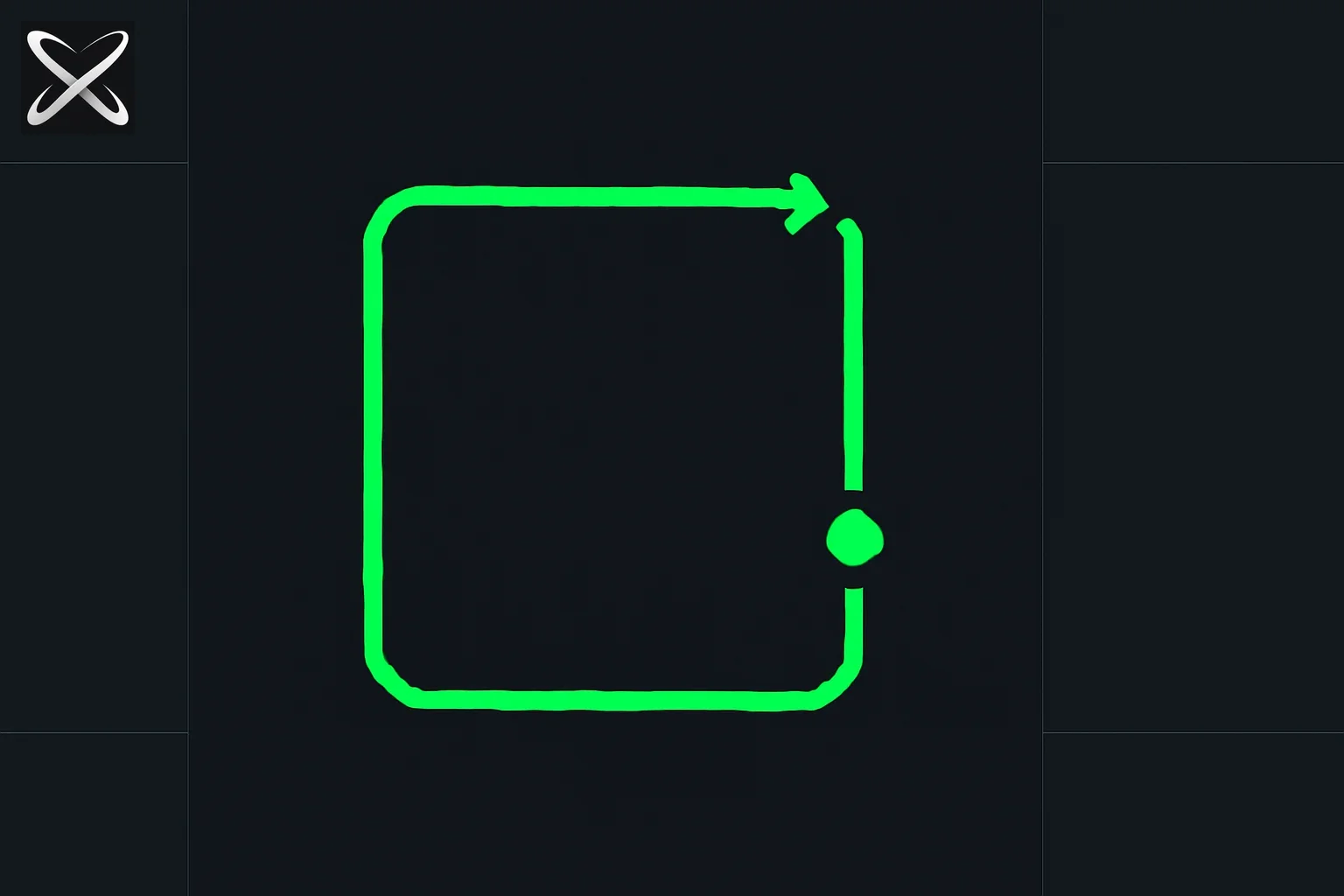 First AI agent loop diagram showing a dot traveling around a four-cornered closed loop path
A loop is a small program that:
- Triggers on a schedule or event
- Prompts an agent with the current task
- Reads what the agent produced
- Checks whether the goal is met
- Repeats — or stops
You author the loop. The agent is a subroutine inside it.
The thing that makes a loop trustworthy is not clever prompting. It is step 4 — the check that can say no.
Before you start: five things you need
Before writing a single line, get these five things clear. They are not busywork — every loop failure I have seen traces back to one of them being missing.
1. An automated check you already trust
Loops need something to push back. That means a command that exits with code 0 when the work is done and code 1 when it is not:
npm test          # tests pass
ruff check .      # lint clean
gh pr checks      # CI green
coverage run ...  # coverage above target
If you do not have an automated check, your loop has no way to know when to stop. Build the check first.
2. A one-sentence exit condition
Write it before you write anything else:
"The loop stops when all TypeScript errors are zero and
npm testexits with code 0."
Vague exits ("make it better", "looks good") produce loops that run forever on agreement. Specific exits produce loops that stop.
3. A scope boundary
Loops with unlimited scope drift. Pick one:
- One file or directory
- One PR or branch
- One failing test
- One class of lint errors
Broader scope = more iterations = higher cost = harder to debug.
4. An iteration cap
Before you start, pick a number. Twenty is reasonable for most tasks. Write it down.
5. A working directory you can throw away
For your first loop, use a branch — not main. Run the loop on a copy of the work. Review the diff before merging.
Design phase: mapping your task to loop components
Every agent loop has the same five components. Fill these in before you write a prompt:
| Component | Question to answer | Example |
|---|---|---|
| Trigger | What starts this loop? | npm test fails on CI |
| Goal | What does done look like? | All 47 tests pass, zero lint errors |
| Actions | What can the agent do? | Read files, edit files, run npm test |
| Verification | How does the agent check the goal? | Run npm test && npm run lint |
| Memory | What should persist across iterations? | Which tests were fixed, what was tried |
Write these five things on a piece of paper or in a Markdown file before you open a terminal. The five minutes it takes will save you from debugging a runaway loop at 2 AM.
Level 0: Your first loop in Claude Code (15 minutes)
Claude Code ships a /loop command. It is the fastest on-ramp.
The one-command version
/loop 10m fix any TypeScript errors in src/
That is a complete loop:
- Trigger: every 10 minutes
- Action: fix TypeScript errors in
src/ - Implicit goal: zero TypeScript errors
Press Escape to stop it. That is it.
Making it explicit
A one-liner is fine for experiments. For anything you run overnight, add an explicit stop condition:
/loop 15m
Check TypeScript errors with: npx tsc --noEmit
Fix any errors found, one file at a time.
Stop when npx tsc --noEmit exits with code 0.
Max iterations: 20.
Three changes from the one-liner:
- The verification command is explicit (
npx tsc --noEmit) - The stop condition is explicit (
exits with code 0) - There is a hard cap (
Max iterations: 20)
Dynamic intervals
When you omit the interval, Claude picks the delay based on what it observed. While a build is running it waits two minutes. When everything is green it waits longer.
/loop babysit all my PRs. Fix CI failures. When review comments arrive, use a worktree agent to address them. Stop when all PRs are green and approved.
This is Boris Cherny's canonical starter loop. It is more than "just" a loop — it dispatches sub-agents for each PR. Do not start here. Start with one PR, one fix, confirm the pattern works, then expand.
Stopping the loop
Press Escape while Claude is waiting between iterations. The current iteration completes; the next does not start.
Level 1: The ralph loop (bash + PROMPT.md)
The /loop command requires an open Claude Code session. For overnight runs, CI integration, or remote servers, you want a ralph loop — a bash script that runs without your terminal staying open.
Geoffrey Huntley published this pattern in July 2025. It is still the most reliable primitive for single-agent autonomous work.
The minimal ralph loop
Create two files:
PROMPT.md
You are an autonomous coding agent working on a TypeScript project.

## Your task each iteration:
1. Run `npx tsc --noEmit` and capture the output.
2. If zero errors: write "DONE" to STATUS.md and exit.
3. If errors: fix one error in one file. Do not touch unrelated code.
4. After fixing, run `npm test` to confirm nothing regressed.
5. If tests fail after your fix: revert the change and write "BLOCKED: <error>" to STATUS.md and exit.
6. Commit with message: "fix: <description of fix>"
7. Exit.

## Rules:
- One fix per iteration.
- Never modify PROMPT.md, CLAUDE.md, or STATUS.md (except to write DONE or BLOCKED).
- If you see the same error three iterations in a row, write "BLOCKED: repeated error" to STATUS.md and exit.
loop.sh
#!/bin/bash
MAX_ITER=20
ITER=0

# Clear old status
rm -f STATUS.md

while [ $ITER -lt $MAX_ITER ]; do
  echo "--- Iteration $((ITER + 1)) of $MAX_ITER ---"

  # Run the agent
  cat PROMPT.md | claude --dangerously-skip-permissions -p

  # Check exit signal
  if grep -q "^DONE" STATUS.md 2>/dev/null; then
    echo "Loop complete: DONE signal received."
    exit 0
  fi

  if grep -q "^BLOCKED" STATUS.md 2>/dev/null; then
    echo "Loop halted: $(cat STATUS.md)"
    exit 1
  fi

  ITER=$((ITER + 1))
  sleep 5
done

echo "Loop halted: max iterations ($MAX_ITER) reached."
exit 1
Make the script executable and run it:
chmod +x loop.sh
./loop.sh
What makes this pattern work
Three things give ralph its reliability:
Context resets every iteration. The agent reads PROMPT.md fresh each time — no growing conversation that slowly drifts from the original task. Progress lives on disk (git commits, STATUS.md), not in a conversation thread.
One unit of work per iteration. The agent does one fix, validates, and exits. A new process starts for the next fix. This makes failures cheap: one bad iteration costs one API call, not the whole run.
Explicit exit signals. The agent writes DONE or BLOCKED to a file. The bash loop reads that file. No ambiguous "looks good!" — a file write is machine-readable.
Level 2: Anchor files that give every iteration context
A ralph loop without anchor files is like a new employee without onboarding. The agent starts fresh each iteration with no knowledge of your project, your rules, or what has already been tried.
Anchor files fix this. They are loaded automatically at the start of every Claude Code session.
CLAUDE.md — operating rules
This is the most important anchor file. Put it at the root of your project.
# Project: my-api

## Stack
- Runtime: Node.js 22 + TypeScript 5.4
- Test: Vitest (`npm test`)
- Lint: ESLint + Prettier (`npm run lint`)
- Build: `npm run build`

## Loop rules
- Always run `npm test` after any change before committing.
- Never commit if tests fail.
- Commit messages must start with: fix:, feat:, chore:, or docs:
- Do not modify: CLAUDE.md, VISION.md, PROMPT.md, STATUS.md

## Commands
| Command | What it does |
|---------|-------------|
| `npm test` | Run all tests |
| `npm run lint` | Check lint (exit 0 = clean) |
| `npm run build` | Type check + compile |
| `npx tsc --noEmit` | Type check only |
Claude Code loads this file automatically. Every loop iteration starts knowing your stack, your rules, and your commands — without you repeating them in PROMPT.md.
VISION.md — north star
VISION.md answers the question every loop eventually faces: what are we trying to build?
# VISION.md

## What this is
A REST API for managing user authentication tokens.
Postgres + Prisma on the backend.
No client libraries — raw fetch on the frontend.

## What done looks like
- All endpoints return consistent JSON error shapes
- Coverage above 85%
- Zero TypeScript errors
- All migration files are reversible

## What we are not building
- Admin UI
- Rate limiting (planned for Q3)
- WebSocket support
Without VISION.md, a loop might helpfully add WebSocket support, rewrite your error handling, or refactor Prisma schemas because it seemed like a good idea. VISION.md gives the agent a north star to return to when it wanders.
AGENTS.md — multi-agent coordination
When you run multiple loops in parallel (see Level 3), each sub-agent needs to know its boundaries.
# AGENTS.md

## Agent: TypeScript-Fixer
- Scope: src/ directory only
- Action: Fix TypeScript errors only
- Must not touch: tests/, migrations/, CLAUDE.md

## Agent: Test-Builder
- Scope: tests/ directory
- Action: Add tests for uncovered functions in src/
- Must not modify src/ — raise a flag in STATUS.md if src/ needs to change

## Coordination
- Both agents commit to the same branch
- TypeScript-Fixer runs first; Test-Builder runs second
- If a merge conflict occurs, halt and write CONFLICT to STATUS.md
Level 3: Worktrees for parallel loops
Running two loops in the same working directory is like two people editing the same Google Doc with no awareness of each other. They corrupt each other's work.
Git worktrees solve this: each loop gets its own clean checkout of the repo, works in isolation, and merges when done.
Setting up worktrees
# Create two isolated checkpoints from the same branch
git worktree add ../loop-typescript ../main
git worktree add ../loop-tests ../main

# Run loop A in the first worktree
cd ../loop-typescript
./loop.sh &

# Run loop B in the second worktree
cd ../loop-tests
./loop.sh &

# Wait for both
wait

# Merge both back to main
cd /path/to/original-repo
git merge ../loop-typescript/main
git merge ../loop-tests/main
When to use worktrees
Use worktrees when:
- Two loops are working on non-overlapping files
- One loop builds while another tests
- You want a "maker" agent and a "checker" agent running simultaneously
Do not use worktrees when:
- Both loops need to touch the same files
- Your verification depends on the combined output of both loops
- You have not confirmed one loop works in isolation first
Level 4: The orchestration loop (multi-agent)
Levels 0–3 cover single-agent loops. Level 4 is what Peter Steinberger and Boris Cherny actually mean when they say "loops" in mid-2026 — a supervisor loop that manages multiple agent loops.
Here is the pattern in skeleton form:
#!/bin/bash
# orchestrator.sh — supervisor loop

MAX_OUTER=5

for outer in $(seq 1 $MAX_OUTER); do
  echo "=== Orchestration tick $outer ==="

  # Spawn sub-agent A in a worktree
  git worktree add /tmp/loop-a origin/main
  (cd /tmp/loop-a && cat PROMPT-typescript.md | claude -p) &
  PID_A=$!

  # Spawn sub-agent B in a worktree
  git worktree add /tmp/loop-b origin/main
  (cd /tmp/loop-b && cat PROMPT-tests.md | claude -p) &
  PID_B=$!

  # Wait for both sub-agents
  wait $PID_A $PID_B

  # Read results
  STATUS_A=$(cat /tmp/loop-a/STATUS.md 2>/dev/null || echo "NO_STATUS")
  STATUS_B=$(cat /tmp/loop-b/STATUS.md 2>/dev/null || echo "NO_STATUS")

  # Verification
  if [[ "$STATUS_A" == "DONE"* ]] && [[ "$STATUS_B" == "DONE"* ]]; then
    echo "All sub-agents complete."

    # Merge worktrees
    git merge /tmp/loop-a/main
    git merge /tmp/loop-b/main

    # Run final verification
    npm test && npm run lint && echo "ORCHESTRATION COMPLETE" && exit 0
  fi

  # Cleanup worktrees for next tick
  git worktree remove /tmp/loop-a
  git worktree remove /tmp/loop-b

  sleep 10
done

echo "Orchestration halted: max ticks reached."
exit 1
The orchestration loop does not write code. It reads status files, decides which sub-agents to re-spawn, merges their output, and runs the final verification. The sub-agents are the workers; the orchestrator is the system that reads their output and decides what to do next.
This is what Boris Cherny described at WorkOS Acquired Unplugged on June 2, 2026:
"My job is to write loops."
He is not writing code. He is writing the thing that decides which agents write code and whether their output is acceptable.
The feedback gate: the part everyone skips
The single most important sentence in the June 2026 discourse came from @mosyaseen:
"Designing the loop is half of it. The other half is putting something in the loop that can say no."
An open loop — one where the agent writes code and declares victory without a check — is a machine for generating confident mistakes. Every loop you build needs at least one gate that can say no independently of the agent.
The gate hierarchy (cheapest to most expensive)
| Gate | Cost | Quality |
|---|---|---|
exit code 0 from lint | Free | Catches style violations |
exit code 0 from test suite | Free | Catches regressions |
exit code 0 from type checker | Free | Catches type errors |
| CI pipeline status | Free | Catches integration issues |
| Coverage report above threshold | Free | Catches untested paths |
| Supervisor model review | API cost | Catches semantic errors |
Start with free gates. Tests, lint, and type checks are deterministic, cheap, and fast. Add model-based verification only when you need semantic judgment that no deterministic check can provide.
No-progress detection
The second gate every loop needs is no-progress detection. Add this to your loop script:
PREV_HASH=""
STUCK_COUNT=0
MAX_STUCK=3

while [ $ITER -lt $MAX_ITER ]; do
  cat PROMPT.md | claude --dangerously-skip-permissions -p

  # Hash the current state (committed files, status)
  CURR_HASH=$(git log --oneline -1 | sha256sum)

  if [ "$CURR_HASH" = "$PREV_HASH" ]; then
    STUCK_COUNT=$((STUCK_COUNT + 1))
    echo "No progress detected ($STUCK_COUNT/$MAX_STUCK)"

    if [ $STUCK_COUNT -ge $MAX_STUCK ]; then
      echo "Loop halted: stuck for $MAX_STUCK consecutive iterations."
      exit 1
    fi
  else
    STUCK_COUNT=0
    PREV_HASH="$CURR_HASH"
  fi

  ITER=$((ITER + 1))
done
If the loop produces the same git state three iterations in a row, it stops. This catches the most common failure mode: the agent is stuck on an error it cannot solve and is cycling through the same (wrong) fixes.
Guardrails: the three you must never skip
Every production loop guide in 2026 converges on three hard stops. These are not optional.
1. Maximum iteration cap
MAX_ITER=20 # Set this before you start
Without a ceiling, a stuck loop runs until your API budget runs out. Twenty is a reasonable default. Lower it for cheap tasks (lint: 10), raise it for complex ones (architecture refactor: 30, with human checkpoints).
2. Token or dollar budget
# In Claude Code
/loop 20m fix CI failures — budget: $5
# In a harness, use Anthropic's usage API or set a proxy budget
# Max budget: $10 — kill the process if exceeded
Uber capped engineers at $1,500 per person per tool per month after burning its AI budget in four months. Individual loop budgets are the granular version of that cap.
3. Human acceptance gate before merge
The loop can fix CI, pass lint, and pass tests. It cannot tell you whether the approach is correct. Before any loop output touches main:
git diff main..loop-branch— scan what changed- Run the full test suite manually once
- Open the PR yourself — do not let the loop auto-merge to main
The loop saves you from typing. Human review saves you from the loop being confidently wrong.
Full checklist: before you run any loop
Copy this into a markdown file and check each box before starting:
## Loop pre-flight

### Design
- [ ] I have a one-sentence exit condition
- [ ] I have an automated check (test, lint, type check) that enforces it
- [ ] I have bounded the scope (one directory / one branch / one PR)

### Files
- [ ] CLAUDE.md exists with stack, commands, and loop rules
- [ ] PROMPT.md describes exactly one unit of work per iteration
- [ ] STATUS.md is cleared from the previous run

### Guardrails
- [ ] MAX_ITER is set (20 or lower for first run)
- [ ] No-progress detection is in the loop script
- [ ] I am running on a branch, not main

### After the loop
- [ ] I will review the diff before merging
- [ ] I will run the test suite once manually
- [ ] I will check that no unrelated files were modified
Design a custom loop in 60 seconds
If you know what workflow you want to automate but are not sure how to map it to Trigger → Goal → Actions → Verification → Memory, use the explainx.ai agent loop generator.
Describe your workflow and exit goal in plain English. The generator returns:
- A structured loop design (all five components)
- A kickoff prompt ready to paste into Claude Code
- A Mermaid.js flow diagram of the agent's state machine
- Recommended guardrails for your specific workflow
- A ready-to-run
/goalcommand
The generator uses the same five-component framework this guide covers. It does not replace understanding the components — it accelerates applying them to a workflow you already know.
Ready-made loops to start from
Building from scratch teaches you the pattern. Starting from a proven loop saves you the debugging iteration. explainx.ai/loops has around 100 loops with copy-ready prompts, workflow steps, difficulty ratings, and guardrails.
Best first loops for beginners
| Loop | Why start here | explainx.ai link |
|---|---|---|
| Lint Until Clean | Cheap verification (lint exit code), deterministic stop condition, low risk | lint-until-clean |
| CI Until Green | Deterministic verification (CI pass/fail), bounded scope, high daily leverage | ci-until-green |
| Address Review Feedback | Natural trigger (PR comments), clear stop (no blocking comments), visible output | address-review-feedback |
The 30-day adoption sequence
Week 1: Run Lint Until Clean on one directory. Confirm the agent stops at zero violations. Tune PROMPT.md if it over-fixes things you want to keep.
Week 2: Run CI Until Green on a branch with a known failure. Add no-progress detection if the loop repeats the same fix more than twice.
Week 3: Run the PR babysitter pattern (/loop 15m babysit all my PRs). Watch it for two hours before leaving it overnight.
Week 4: Add a second loop in a worktree. Confirm both loops stop cleanly and merge correctly.
Teams that skip straight to orchestration loops in week one hit review overload and budget surprises almost every time.
Common failure modes and fixes
| Failure | Cause | Fix |
|---|---|---|
| Loop runs forever | No iteration cap | Add MAX_ITER=20 to loop.sh |
| Same error repeats | No no-progress detection | Add hash comparison between iterations |
| Agent modifies wrong files | No scope boundary in PROMPT.md | Add explicit "do not touch" list to PROMPT.md |
| Loop declares victory too early | Vague exit condition | Rewrite exit condition as a specific command with exit code |
| Agent ignores CLAUDE.md rules | CLAUDE.md not in right directory | CLAUDE.md must be at repo root, not in a subdirectory |
| Loop costs 10× expected | Scope too broad, no budget | Narrow scope; add budget: $X to /loop or token limit to harness |
| Two parallel loops conflict | No worktrees | Use git worktree add to isolate each loop |
What Boris Cherny's loop actually looks like
For reference: here is what Boris Cherny's canonical PR babysitter loop looks like in full, with the pieces this guide has named:
Trigger:    every 15 minutes (or on PR comment webhook)
Goal:       all open PRs authored by Boris are CI-green and review-addressed
Actions:    gh pr list, gh pr checks, fix failing test, commit, push,
            gh pr comment, spawn worktree sub-agent for review comments
Verify:     gh pr checks --all exits with all passing
Memory:     CLAUDE.md (project rules), git history (what changed)
Stop:       all PRs green + approved, OR 10 ticks with no progress
Report:     gh pr comment "loop update: X fixed, Y blocked"
The command he types is twelve words:
/loop babysit all my PRs. Auto-fix build issues, and when comments come in, use a worktree agent to fix them.
The twelve words work because CLAUDE.md does the heavy lifting — it carries the project context, rules, and commands so the prompt does not have to.
That is the actual insight: the work is in the anchor files and the verification gate, not in the prompt length.
Summary
Building a loop is five steps:
- Design — Trigger, Goal, Actions, Verification, Memory on paper first
- Anchor — CLAUDE.md for rules, VISION.md for direction, STATUS.md for signals
- Start simple —
/loopcommand or single ralph loop, one task, one check - Add guardrails — MAX_ITER, no-progress detection, dollar budget
- Review before merge — the loop fixes; you decide
The on-ramp is one command:
/loop 10m fix any TypeScript errors in src/ — stop when npx tsc --noEmit exits with 0
The next step is a CLAUDE.md that carries your project context so PROMPT.md stays focused on the task.
The step after that is a worktree for a second loop.
None of it requires a framework, an orchestration platform, or a frontier model. It requires knowing what done looks like — and building the check that enforces it.
Related reading
- Jay Alammar's AI agent guide with 300 figures (Sep 2026) — a diagram-first conceptual companion to this hands-on guide
- Product-specific loop commands (Aug 20, 2026): Claude Code · Cursor · GitHub Copilot · Codex CLI
- From ReAct to production harness — when max_steps is no longer enough (Aug 2026)
- Browse all explainx.ai agent loops
- Free agent loop generator — design your loop in 60 seconds
- What Is Loop Engineering? — the conceptual foundation
- Loop Engineering: Coding Agent Loops That Run While You Sleep — the discourse and practitioner context
- Top 10 AI Agent Loops for Coding Workflows — copy-ready loops for daily use
- Loop Engineering Goes Mainstream — where the movement stands in June 2026
- Top 5 Loop Engineering Courses in 2026 — where to learn this next, ranked
- Fable 5 Loop Design: Self-Correction and Memory — advanced self-correcting loops
Published June 20, 2026. Loop patterns and tool behavior accurate as of Claude Code latest. Verify --dangerously-skip-permissions use against your organization's security policies before running ralph loops in CI.