



Google shipped Gemini Live on Apple CarPlay on November 11, 2026, giving iPhone drivers the same style of free-flowing, interruptible voice sessions that Android users already get in Gemini Live—now on the dashboard instead of only on the handset.
For builders, the launch matters because Gemini is becoming a commute surface: calendar prep, inbox catch-up, and brainstorming prompts that assume Gmail and Calendar are linked. That pushes more product design toward voice-first agent workflows where the phone is only half the experience.
TL;DR
| Question | Answer |
|---|---|
| What launched? | Gemini Live inside the Gemini app on Apple CarPlay |
| When? | November 11, 2026, global rollout for iOS Gemini users |
| How to start | Update Gemini, enable mic, use Live once on phone, then tap Gemini on CarPlay |
| Key features | Daily brief, email summaries, calendar questions, local tips, role-play rehearsal |
| Sync | Chats sync to the Gemini iPhone app after you park |
| Limits | Under-18, EEA, and Nigeria restrictions on Daily Brief and some personalization |
What Google announced
In Google's post, Karan Daryanani, senior product manager, frames the commute as under-used time. The company cites an average of about one hour behind the wheel and argues voice assistants were good for playlists and directions but not for longer thinking work.
The CarPlay experience mirrors Gemini Live on phone:
- Tap the Gemini icon on the CarPlay screen or side rail.
- Resume a recent chat or start a new one.
- Speak at your own pace, interrupt, change topic, or pause when driving demands focus.
Google repeats that conversations sync to the Gemini app on iPhone, so summaries and notes should appear in chat history when you disconnect.
Hands-free use cases Google highlights
Google groups prompts into four commute patterns. These are marketing examples, not benchmarks, but they show which APIs and connectors the product team expects users to rely on.
Morning calendar and meeting prep
Example lines from Google:
- "What does my day look like?"
- "Help me prep for my 10am with the design team."
That assumes Google Calendar visibility inside Gemini—the same dependency Personal Intelligence workflows use on Android Auto, which we covered in Gemini Personal Intelligence on Android Auto.
Inbox catch-up via Gmail
Google lists:
- "Give me my daily brief for today."
- "Catch me up on my unread emails and summarize Sarah's Q4 budget thread."
Those prompts need Gmail connection and, for Daily Brief, the feature toggled on in advance. Google notes Daily Brief must be enabled first.
Local discovery on the road
- "What's a quick lunch spot in downtown Austin that's easy to get in and out of?"
That is standard Maps-grounded questioning through voice, similar to non-personalized navigation assistants but routed through Gemini's conversational layer.
Rehearsal and learning out loud
- "Let's roleplay my Q4 pitch — act as a skeptical VP and challenge my strategy."
- "Break down how solid-state EV batteries work in simple terms."
For developers shipping voice agents, these are templates for multi-turn roleplay and explain-like-I'm-five modes without a screen—useful patterns when you design tools for wearable or vehicle clients.
 Voice assistant waveform illustration for Gemini Live Apple CarPlay hands-free sessions
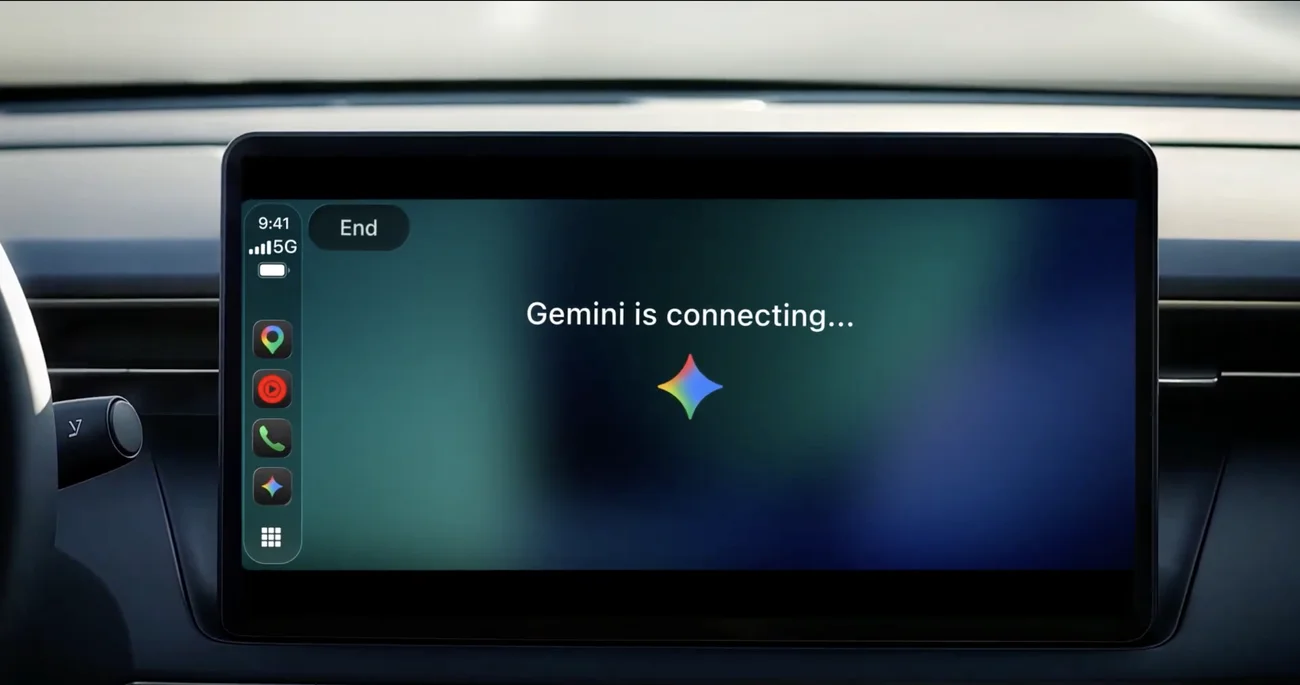 Google Gemini Live on Apple CarPlay dashboard for hands-free AI during a commute
Image: Google
Setup checklist for drivers and testers
Google's get started list is short but strict:
- Install the latest Gemini app on iPhone.
- Grant microphone permission.
- Run Gemini Live at least once on the phone before expecting CarPlay to work.
- Connect to CarPlay, open Gemini on the display, pick a chat or start fresh.
If the icon is missing, the usual causes are an old app build, mic denial, or never opening Live on handset first—none of which Google documents as server-side gates.
QA teams should also verify Workspace account type. Google's Android Auto Personal Intelligence post excluded Workspace business, enterprise, and education accounts from personalization. The November 11 CarPlay post does not repeat that list, so enterprise testers should assume consumer Google accounts are the happy path until Google publishes car-specific Workspace rules.
Regional and age limits you should plan around
Footnotes on Google's page match other Gemini Live rollouts:
- Daily Brief requires prior opt-in.
- Daily Brief and certain personalization are not available to users under 18 or in the EEA and Nigeria.
If you ship consumer apps that deep-link into Gemini, treat EEA as a separate SKU for car voice features—the same fragmentation Google documented for Gemini Keep activity and training controls.
How CarPlay fits Google's in-car stack
Google describes a sequence:
- Android Auto and cars with Google built-in already had Gemini paths.
- November 11, 2026 adds Apple CarPlay for iOS.
That matters strategically. Rivian and other OEMs that skipped CarPlay still integrate labs directly, as we noted in Rivian's third-party Claude and Muse in-car plans. For the mass market, CarPlay is the default dashboard on most new vehicles, so Gemini needed a seat there to compete with Siri-routed texting and with Apple's own on-device inference push.
On Android, Google layered Personal Intelligence onto Android Auto in October 2026, documented in our opt-in guide. The CarPlay post emphasizes Gemini Live and Workspace examples but does not use the Personal Intelligence product name. Builders should read that as either feature parity still landing or branding reserved for Android first—not as proof CarPlay lacks Gmail access.
November's broader Gemini Intelligence drop for Pixel and Motorola, in our Rambler and widget roundup, shows Google shipping device-specific intelligence slices weekly. CarPlay is another slice, not a separate model.
Privacy and distraction considerations
Google positions Gemini on CarPlay as minimizing distraction through voice and hands-free design. That is a claim about UX, not a regulatory guarantee. Drivers still manage cognitive load when parsing long email summaries at highway speed.
From a builder perspective, three design lessons stand out:
- Sync across surfaces lowers friction but increases retention of sensitive text in chat history—treat parked follow-up as part of your threat model if you integrate with Gemini through Connected apps and MCP-style tool platforms.
- Interruptibility is a product requirement for safe voice agents; Google's copy stresses pause and topic changes—mirror that in your own agent clients.
- Disabling phone assistants can break CarPlay flows that depend on Siri, a tension we documented in disabling AI features on phones—Gemini on CarPlay adds a second assistant layer iOS users must reconcile.
Comparison with other in-car AI moves in 2026
| Surface | Owner | What shipped recently |
|---|---|---|
| Apple CarPlay | Google Gemini | Gemini Live global, Nov 11, 2026 |
| Android Auto | Google Gemini | Personal Intelligence opt-in, Oct 20, 2026 |
| Google-built cars | Same Gemini stack, staggered months | |
| Rivian | Third-party labs | Claude/Muse integration in progress |
| Tesla | xAI | In-vehicle Grok experiments (separate thread) |
For model capability—not just distribution—CarPlay uses whatever Gemini Live model tier Google serves to mobile Live today, not the Gemini 4 Carbon API path developers call via llm-gemini 0.36. Commute users therefore ride consumer Gemini, while builders coding against Carbon or Argon should not assume feature parity in the car UI.
What to test this week
If you maintain a mobile or voice product:
- Smoke-test CarPlay with a consumer Gmail account outside the EEA.
- Log whether Daily Brief matches phone behavior when triggered from the dashboard.
- Confirm chat sync after disconnect—especially for long brainstorm threads you might export into docs.
- Compare latency and barge-in against Android Auto Live on the same account if you have both head units.
If you build Gemini extensions or Workspace add-ons, revisit whether your tools assume text UI only; CarPlay users may never see a screen canvas.
Siri, CarPlay, and the second-assistant problem
Apple still routes parts of CarPlay through Siri for system integrations such as texting in some configurations, a constraint we summarized when readers asked whether turning off AI breaks dashboards in our guide to disabling AI features. Adding Gemini does not remove Siri from iOS; it adds a second conversational layer reachable from an app icon on the CarPlay rail.
Practically, that means product teams should document which assistant owns which intent. Navigation to a saved place might still flow through Apple Maps shortcuts while Gemini handles open-ended rehearsal. Support teams should expect tickets where users confuse Siri dictation with Gemini Live transcripts in the same vehicle.
For Gemini Live Apple CarPlay testers, a simple matrix helps:
| Task | Likely path on iOS CarPlay |
|---|---|
| Play music from a subscribed app | Often the media app or Siri |
| Summarize an unread Gmail thread | Gemini, if Gmail is linked |
| Send an iMessage | Frequently Siri, not Gemini |
| Calendar prep with spoken follow-ups | Gemini Live conversation |
Google's announcement does not claim to replace Siri for OS-level messaging; it claims Gemini app parity for the Workspace-heavy examples above.
What this means for builders
CarPlay turns Gemini from a phone assistant into a recurring daily slot—calendar, mail, and rehearsal flows that previously lived in desktop ChatGPT or Claude apps. That increases the payoff for reliable tool use (Calendar, Gmail) and for short, spoken answers instead of markdown walls.
It also reinforces Google's multi-surface strategy against ChatGPT voice price cuts and Anthropic's office-suite agents: win the commute, and weekday habits follow.