



New hires ask the same 15 questions in their first week — every week. When does health insurance kick in? How much parental leave do I get? Where's the direct deposit form? Multiply that by hiring volume and it's a steady drain on an HR team's time for questions that already have a documented, correct answer sitting in a policy PDF nobody reads until they need it.
That's the actual case for an HR onboarding agent in Microsoft Copilot Studio: a narrow, grounded assistant that answers policy and benefits questions from your organization's own documents, walks a new hire through a checklist, and knows exactly when to stop and hand off to a person. This guide is for an HR or People Ops lead evaluating whether to build one — what it can and can't answer, how grounding and routing actually work, and the privacy considerations specific to HR data before you publish anything to Teams.
This is the second post in explainx.ai's Copilot Studio series. Start with what Copilot Studio is and how to build your first agent if you haven't used the builder before, and see the companion IT helpdesk agent guide for the same pattern applied to password resets and access requests. If you're still deciding whether your org needs Copilot Studio at all versus plain Microsoft 365 Copilot chat, the beginner's guide to Microsoft 365 Copilot covers that distinction first.
TL;DR: what this agent handles vs. escalates to a human
| Question type | Handles it | Escalates to HR |
|---|---|---|
| "When does my health insurance start?" | ✅ Answered from policy doc | |
| "How many weeks of parental leave do I get?" | ✅ Answered from policy doc | |
| "Where do I upload my I-9 / W-4?" | ✅ Points to form + deadline | |
| "What's my PTO accrual rate this year?" | ✅ If exposed via governed Dataverse/HRIS connector | |
| "What's my current PTO balance?" | ⚠️ Only with row-level-secured HRIS data | Otherwise escalate |
| "I think my manager is retaliating against me" | ✅ Always escalates | |
| "Can I get an accommodation for a medical condition?" | ✅ Always escalates | |
| "Why was my raise smaller than my coworker's?" | ✅ Always escalates — compensation dispute | |
| "I haven't received my final paycheck" | ✅ Always escalates — case-specific + urgent | |
| "Is this covered under our parental leave policy if I'm adopting?" | ✅ If policy text covers it explicitly | ⚠️ Escalate if ambiguous |
| Onboarding checklist step ("what do I do on day 3?") | ✅ Walks through configured flow |
The pattern: generic, policy-level, same-for-everyone questions get answered; individual, sensitive, or judgment-call questions get routed to a person. That line should be explicit in your agent design, not implicit.
 Copilot Studio HR onboarding agent guiding a new hire through a checklist with escalation to a human
The real use case: what HR teams are actually building
Search interest and Microsoft's own scenario library point to the same three jobs:
- Benefits and policy Q&A — insurance enrollment, retirement matching, PTO accrual, parental and medical leave, remote work eligibility, expense policy.
- Onboarding checklist guidance — a multistep, day-by-day or task-by-task walkthrough (complete I-9, set up direct deposit, enroll in benefits by day 30, complete compliance training).
- Routing to HR staff — anything the agent shouldn't or can't answer gets handed off cleanly, with context, instead of a dead end or a hallucinated guess.
Microsoft's Copilot blog frames this as an Onboarding Agent that "answers common onboarding questions, points employees to the right policies and resources, and guides task completion step by step" — reducing HR support volume and shortening time-to-productivity. A related prebuilt option, the Employee Self-Service Agent, extends this to taking action on HR and IT tasks through connectors into systems like Workday, SAP, and ServiceNow, not just answering questions.
The distinction that matters for scoping: an onboarding agent answers and guides; a self-service agent also takes action. Start with the former. Adding write-actions against HRIS or payroll systems is a much bigger governance conversation than adding a read-only Q&A layer.
Building it from the HR agent template
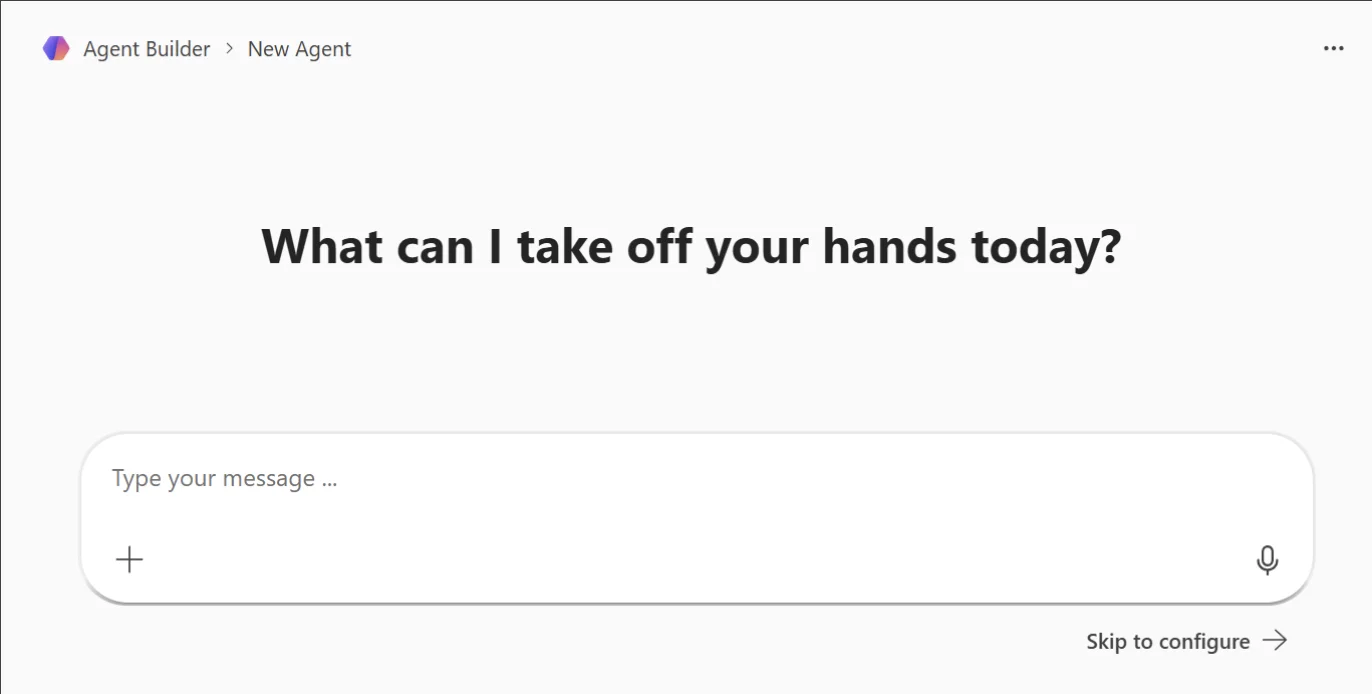 Microsoft Agent Builder new agent screen asking What can I take off your hands today, with a describe-your-agent prompt box
Screenshot: the real Agent Builder starting screen used for team onboarding agents, from Microsoft's official "Agent Builder in Microsoft 365 Copilot" documentation.
Copilot Studio ships prebuilt agent templates you can start from rather than building a topic tree from scratch.
- Go to copilotstudio.microsoft.com and select Create → browse templates for an HR or onboarding-scoped starting point.
- The template gives you a baseline set of topics (greeting, common FAQ triggers, escalation fallback) and a description field — edit the agent's instructions to describe your organization specifically, not a generic company.
- Add generative orchestration if you want the agent to compose answers across multiple knowledge sources dynamically, rather than hand-authoring every possible question as its own topic. This is usually the right default for Q&A-heavy HR agents — hand-authored topics don't scale to the long tail of phrasing new hires actually use.
- Keep the escalation topic from the template (or add one) as a hard fallback: any question the agent can't ground in a document routes to a live-agent handoff or opens a ticket, rather than letting generative orchestration improvise.
Grounding it on your org's HR policy documents
Grounding is what separates a trustworthy onboarding agent from a generic chatbot guessing at your leave policy. Copilot Studio's knowledge sources documentation lays out the layered approach that fits HR content well:
| Knowledge source | Use for | Notes |
|---|---|---|
| SharePoint site/library | Policy PDFs, employee handbook, benefits summaries, onboarding checklists as documents | Scope to a specific document library, not the whole site collection — Microsoft's own guidance is that this improves retrieval precision |
| Dataverse tables | Structured data: PTO balances, benefit elections, org-specific eligibility rules | Requires synonyms/glossary definitions on tables and columns so the agent maps natural language to the right fields |
| HRIS connectors (Workday, SAP SuccessFactors, ServiceNow HR) | Live employee-specific data, if you choose to expose it | Row-level security must mirror what the requesting employee could already see in the source system — never broaden access through the agent |
| Curated public web sources | Government leave law summaries, benefits provider portals | Use sparingly; only when the answer genuinely lives outside your tenant |
Set this up under the agent's Knowledge tab: add SharePoint, select the specific library holding your current policy documents, and repeat for Dataverse if you're exposing structured PTO or benefits-election data. For agents grounded in SharePoint, Copilot Studio's tenant graph grounding with semantic search is what gives citation-backed answers instead of paraphrased guesses — the agent should cite which document it pulled an answer from, and you should spot-check that citation against the source before trusting the agent in production.
One policy library, kept current, beats five stale ones. The most common failure mode isn't a grounding misconfiguration — it's an HR team that grounds the agent on last year's PDF and forgets to update it when the parental leave policy changes. Treat the knowledge source refresh as an operational task with an owner, not a one-time setup step.
Multi-step onboarding workflows with conditional routing
An onboarding checklist isn't one Q&A exchange — it's a sequence with branches. Copilot Studio topics support this natively:
- Trigger phrases start a topic ("what do I need to do this week", "onboarding checklist", "day 1 tasks").
- Conditions branch the flow based on employee attributes — role, location, start date, whether they've completed a prior step. A US-based hire needs I-9 verification; an international hire on a different visa pathway needs a different document set.
- Actions call out to connectors — check a Dataverse table for "has this task been marked complete," post a Teams adaptive card with a checklist, or write a completion flag back once the employee confirms.
- Escalation branches sit alongside the happy path, not bolted on afterward — if a condition doesn't match any documented case (unusual visa status, an exception request), the flow routes to a human rather than guessing.
Design the routing logic before you build topics: draw out which questions are same-for-everyone (benefits enrollment deadline), which are conditional-but-still-documented (leave duration varies by tenure, but the formula is written down), and which are genuinely individual (this specific employee's case). Only the first two categories belong in the automated flow.
Privacy and PII handling — specific to HR data
HR data is a different risk category than IT tickets or product FAQs: it includes health information, disciplinary records, immigration status, and compensation — much of it legally protected. Copilot Studio has real controls here, but they don't replace design discipline.
- Sensitivity labels are on by default for supported knowledge sources (SharePoint, OneDrive, SQL, Dataverse). The agent surfaces the highest-priority label present in the content it used to answer, so a response built on a "Highly Confidential — HR" labeled document shows that label to the user.
- MIP encryption blocks summarization for users who lack rights to the underlying label — the agent can't paraphrase around access control even if the content is technically part of its knowledge source.
- DLP policies can restrict processing entirely. Microsoft Purview data loss prevention lets you scope which labeled content an agent is even allowed to touch, separate from what an individual user could see.
- Sensitive information types (SSNs, passport numbers, credit card numbers) trigger automatic guardrails — a prompt containing one blocks external web search as a grounding source for that turn, keeping that data from leaving the tenant boundary via a web call.
- Row-level security is your responsibility, not the platform's default. If you connect Dataverse or an HRIS system with employee-specific fields, the agent's access should be scoped so an employee querying it only ever sees their own record — this needs to be configured explicitly in the connector, Purview does not infer it for you.
The design rule that matters most: never let the agent be the first system to expose data an employee couldn't already see through self-service HR portals. If your HRIS already gives employees self-service access to their own PTO balance, surfacing that same balance through the agent is fine. If it doesn't, don't make the agent the workaround.
Consult legal and compliance before connecting any data source containing protected characteristics (health, disability, immigration status, religion) — this is the same caution explainx.ai's AI for HR professionals guide gives for AI in hiring and performance decisions, and it applies with equal force to onboarding data.
Testing and publishing to Teams
- Test in the built-in test chat panel while you build — Copilot Studio's Test pane lets you run through conversation flows in real time and catch broken topic triggers or missing knowledge-source citations before anyone outside HR sees the agent.
- Run adversarial prompts deliberately — ask it a compensation-dispute question, a medical-accommodation question, an ambiguous parental-leave edge case. Confirm every one of those escalates instead of getting an improvised answer. This matters more than testing the happy path.
- Publish the agent from Copilot Studio at least once — this is required before you can connect any channel.
- Connect the Teams channel. You'll need custom apps enabled in Teams Admin Center; once enabled, publish the agent to Teams so new hires can message it directly or find it pinned in an onboarding channel.
- Iterate on content without republishing approval friction — after the first publish, content updates (new policy documents, edited topics) don't require re-approval; only new capabilities, connectors, or permission scope changes do.
Related reading
- What is Microsoft Copilot Studio? Build your first agent
- Copilot Studio IT helpdesk agent guide
- What is Microsoft 365 Copilot? A beginner's guide
- How to run loops in Copilot Studio
- AI for HR professionals: a practical 2026 guide
- Top AI prompts for HR & recruiting
- Copilot Studio dictionary entry
Official Microsoft documentation: Transform HR with AI-powered agents, Add SharePoint as a knowledge source, Add Dataverse tables as a knowledge source, Use Microsoft Purview to manage data security & compliance for Copilot Studio, Connect and configure an agent for Teams.
Copilot Studio features, template names, and Purview integration details are accurate as of this post's publication date; Microsoft ships changes to this product frequently, so verify current behavior against Microsoft Learn before you build.