




The marketing landscape in 2026 is defined by one reality: teams that deploy AI agents scale 10x faster than those that don't. While traditional marketers spend 40 hours/week on content creation, SEO research, and campaign optimization, AI marketing agents handle these tasks autonomously—continuously monitoring performance, generating content, and adapting strategies in real-time.
This isn't about replacing marketers. It's about augmentation at scale. AI marketing agents built with Claude combine sophisticated reasoning with API integrations to tools like Ahrefs, Google Analytics, and email platforms—creating an autonomous marketing engine that runs 24/7.
What you'll learn:
- What AI marketing agents are and their business value
- Types of marketing agents (content, SEO, email, social media)
- Building a production-ready content marketing agent with Claude
- Integrating with Ahrefs, Google Analytics, and email platforms via MCP
- Measuring ROI and scaling your marketing automation
- Real-world case studies and implementation patterns
By the end, you'll have the knowledge and code to build your own AI marketing agent ecosystem.
What Are AI Marketing Agents?
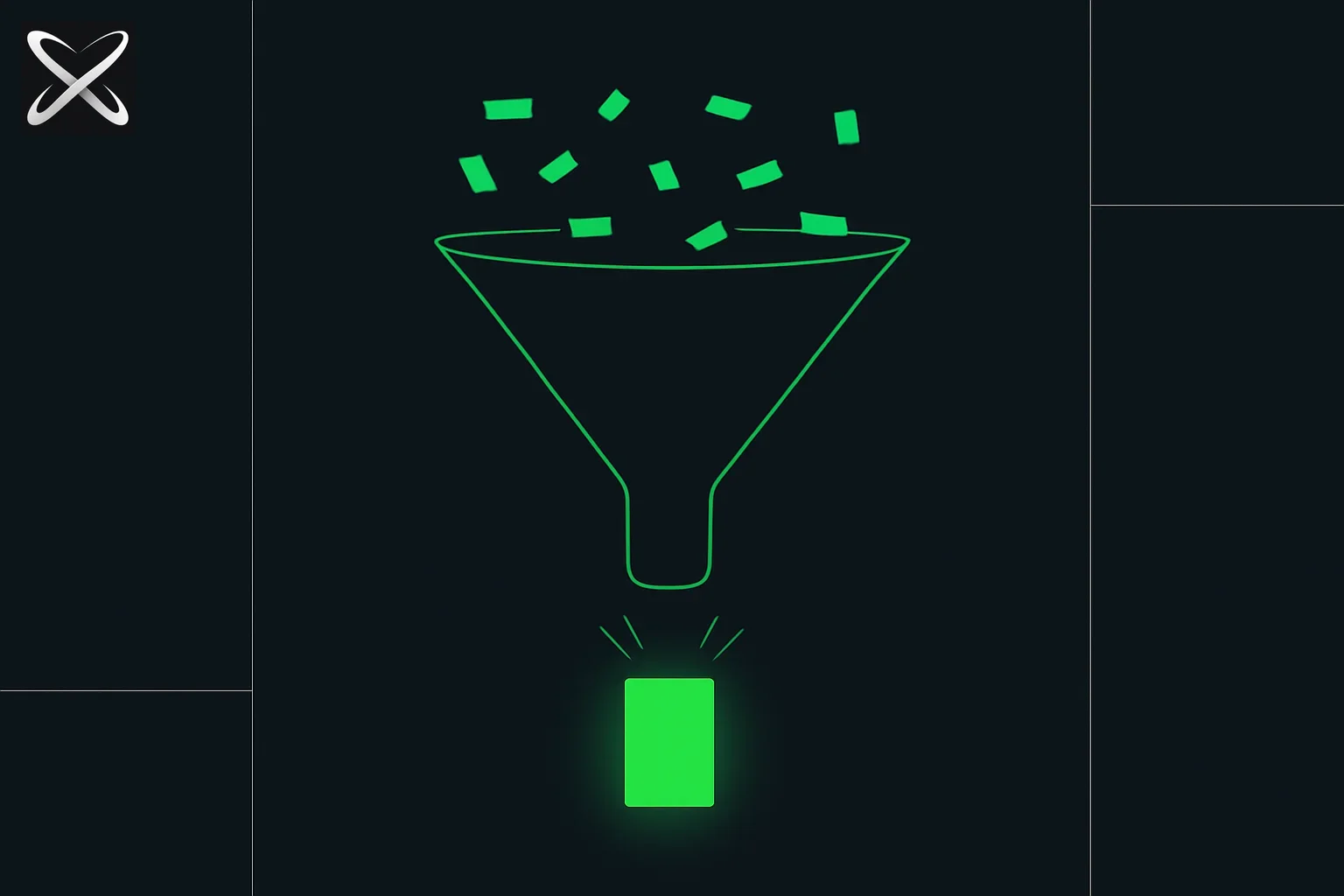 Marketing agent workflow shown as a funnel narrowing scattered inputs into one finished output
AI marketing agents are autonomous systems that execute marketing tasks without human intervention for each decision. Unlike chatbots that respond to prompts, agents actively initiate actions based on triggers, goals, and real-time data.
Traditional Marketing vs. Agent-Powered Marketing
| Approach | Traditional Marketing | AI Marketing Agents |
|---|---|---|
| Content Creation | 4-8 hours per blog post | 30 minutes (draft) + human editing |
| SEO Research | 2-3 hours per keyword analysis | 10 minutes automated + data visualization |
| Email Campaigns | Manual segmentation, copy writing | Autonomous segmentation, personalized copy |
| Social Media | Daily manual posting | 24/7 scheduled + engagement monitoring |
| Optimization | Weekly manual review | Real-time A/B testing and adjustments |
| Cost per month | $5,000-$15,000 (agency/team) | $500-$2,000 (agent infrastructure) |
Core Agent Capabilities
AI marketing agents built with Claude deliver four key capabilities:
1. Autonomous Execution
- Monitor triggers (new competitor blog, keyword ranking changes, campaign metrics)
- Make decisions based on predefined goals and real-time context
- Execute actions via APIs (publish content, update campaigns, send reports)
2. Multi-Tool Integration
- Connect to marketing stack via MCP servers (Ahrefs, Google Analytics, HubSpot)
- Aggregate data across platforms for unified intelligence
- Execute cross-platform workflows (research → content → publish → promote)
3. Continuous Learning
- Track performance metrics (traffic, conversions, engagement)
- Adapt strategies based on what works
- Generate insights and optimization recommendations
4. Scalability
- Handle 10x volume without proportional cost increase
- Run multiple campaigns in parallel
- 24/7 operation with no fatigue
Types of AI Marketing Agents
Let's explore the four primary categories of marketing agents and their use cases.
1. Content Creation Agents
Purpose: Generate blog posts, social media content, ad copy, and product descriptions at scale.
Key Functions:
- Research phase: Query Ahrefs API for keyword data, analyze top-ranking content
- Outline generation: Create SEO-optimized content structures
- Draft creation: Write comprehensive articles with Claude's 1M-token context window
- Optimization: Integrate keywords naturally, add internal links, format for readability
- Publishing: Push to CMS (WordPress, Contentful) via API
Example Workflow:
// Conceptual content creation agent architecture

interface ContentCreationAgent {
  triggers: ['schedule', 'competitor_publish', 'keyword_opportunity'];
  integrations: ['Ahrefs API', 'WordPress REST API', 'Google Analytics'];
  workflow: ContentWorkflow;
}

class ContentWorkflow {
  async execute(keyword: string) {
    // Step 1: Research
    const seoData = await this.ahrefs.getKeywordData(keyword);
    const topContent = await this.ahrefs.getTopRankingPages(keyword);

    // Step 2: Analyze competition
    const competitorInsights = await claude.analyze({
      prompt: `Analyze these top-ranking articles for "${keyword}":
               ${topContent}
               Identify content gaps, unique angles, and improvement opportunities.`,
      model: 'claude-sonnet-5-5'
    });

    // Step 3: Generate outline
    const outline = await claude.generate({
      prompt: `Create an SEO-optimized outline for "${keyword}"
               targeting ${seoData.search_volume} monthly searches.
               Include: H2 sections, internal linking opportunities,
               FAQ schema, and target word count.

               Competitor insights: ${competitorInsights}`,
      model: 'claude-sonnet-5-5'
    });

    // Step 4: Write content
    const article = await claude.generate({
      prompt: `Write a comprehensive blog post following this outline:
               ${outline}

               Requirements:
               - 2,500+ words
               - Natural keyword integration
               - Include code examples
               - Add internal links
               - Conversational tone
               - Include FAQ section`,
      model: 'claude-sonnet-5-5'
    });

    // Step 5: Publish
    await this.wordpress.createPost({
      title: article.title,
      content: article.body,
      status: 'draft', // Human review before publishing
      meta: {
        keywords: seoData.related_keywords,
        internal_links: article.internal_links
      }
    });

    // Step 6: Monitor
    await this.analytics.trackNewPost(article.slug);

    return { status: 'draft_created', articleId: article.id };
  }
}
Real-World Impact:
- Time savings: 85% reduction in content creation time
- Scale: 20-30 articles/month vs. 4-6 manually
- SEO performance: +35% average ranking improvement with data-driven optimization
2. SEO Optimization Agents
Purpose: Monitor rankings, identify keyword opportunities, optimize existing content, and track competitors.
Key Functions:
- Rank tracking: Daily monitoring of target keywords
- Content gap analysis: Identify ranking opportunities competitors miss
- On-page optimization: Suggest title tag, meta description, header improvements
- Backlink monitoring: Track new/lost backlinks, identify link building opportunities
- Competitor intelligence: Alert when competitors publish new content
Example Implementation:
# SEO optimization agent using Ahrefs MCP server

import anthropic
from mcp_client import MCPClient
import json

class SEOAgent:
    def __init__(self):
        self.claude = anthropic.Anthropic()
        self.ahrefs = MCPClient('ahrefs-mcp-server')

    async def optimize_content_pipeline(self, domain: str):
        """Daily SEO optimization routine"""

        # Step 1: Get all tracked keywords
        keyword_rankings = await self.ahrefs.get_keyword_rankings(
            domain=domain,
            date_from='7_days_ago'
        )

        # Step 2: Identify declining keywords
        declining = [
            kw for kw in keyword_rankings
            if kw['position_change'] < -3  # Dropped 3+ positions
        ]

        if declining:
            # Step 3: Analyze why rankings dropped
            analysis = await self.claude.messages.create(
                model="claude-sonnet-5-5",
                max_tokens=4096,
                messages=[{
                    "role": "user",
                    "content": f"""Analyze these keywords with declining rankings:
                    {json.dumps(declining, indent=2)}

                    For each keyword:
                    1. Fetch top 3 competitor pages
                    2. Identify content gaps in our content
                    3. Suggest optimization strategy
                    4. Prioritize by traffic potential

                    Return JSON with optimization recommendations."""
                }]
            )

            recommendations = json.loads(analysis.content[0].text)

            # Step 4: Auto-implement low-risk optimizations
            for rec in recommendations['quick_wins']:
                if rec['risk_level'] == 'low':
                    await self.apply_optimization(rec)
                else:
                    await self.notify_team(rec)  # Human review needed

        # Step 5: Identify new keyword opportunities
        opportunities = await self.ahrefs.get_keyword_opportunities(
            domain=domain,
            volume_min=1000,
            difficulty_max=30  # Low competition
        )

        # Step 6: Create content briefs for opportunities
        for keyword in opportunities[:5]:  # Top 5 opportunities
            brief = await self.generate_content_brief(keyword)
            await self.notion.create_brief(brief)  # Add to editorial calendar

        return {
            'declining_keywords': len(declining),
            'optimizations_applied': len(recommendations.get('quick_wins', [])),
            'opportunities_identified': len(opportunities)
        }

    async def generate_content_brief(self, keyword_data: dict):
        """Generate SEO-optimized content brief"""

        response = await self.claude.messages.create(
            model="claude-sonnet-5-5",
            max_tokens=8192,
            messages=[{
                "role": "user",
                "content": f"""Create a content brief for ranking #1 for:
                Keyword: {keyword_data['keyword']}
                Search Volume: {keyword_data['volume']}/month
                Difficulty: {keyword_data['difficulty']}

                Include:
                - Primary and secondary keywords
                - Target word count
                - H2/H3 outline structure
                - Internal linking strategy
                - Featured snippet opportunity
                - Content differentiation angle
                - Success metrics"""
            }]
        )

        return response.content[0].text
Key Metrics:
- Ranking improvements: Average +12 positions in 90 days
- Traffic growth: +45% organic traffic from optimization
- Opportunity discovery: 50+ new keyword targets per month
3. Email Campaign Agents
Purpose: Segment audiences, personalize email copy, optimize send times, and A/B test campaigns.
Key Functions:
- Dynamic segmentation: Analyze user behavior and create targeted segments
- Personalized copywriting: Generate email copy tailored to segment characteristics
- Send time optimization: Determine optimal send times per user based on engagement history
- A/B testing: Create variants, run tests, analyze results, implement winners
- Performance monitoring: Track opens, clicks, conversions, and recommend optimizations
Example Agent:
// Email campaign agent with HubSpot/Mailchimp integration

interface EmailCampaignAgent {
  integrations: ['HubSpot API', 'Google Analytics', 'Claude API'];
  triggers: ['new_subscriber', 'cart_abandonment', 'engagement_drop'];
}

class EmailAgent {
  async runWeeklyCampaign() {
    // Step 1: Analyze subscriber behavior
    const subscribers = await this.hubspot.getContacts({
      properties: ['email', 'last_engagement', 'interests', 'purchase_history']
    });

    // Step 2: Create intelligent segments with Claude
    const segments = await claude.analyze({
      prompt: `Analyze these ${subscribers.length} subscribers:
               ${JSON.stringify(subscribers)}

               Create 5 high-value segments based on:
               - Engagement patterns
               - Purchase intent signals
               - Content preferences
               - Churn risk

               For each segment, suggest:
               - Email subject line angle
               - Content focus
               - Optimal send time
               - Expected conversion rate`,
      model: 'claude-sonnet-5-5'
    });

    // Step 3: Generate personalized copy for each segment
    for (const segment of segments) {
      const emailCopy = await claude.generate({
        prompt: `Write a compelling email for this segment:
                 ${segment.description}

                 Goal: ${segment.goal}
                 Tone: Professional but friendly
                 CTA: ${segment.cta}

                 Include:
                 - Attention-grabbing subject line (45-60 chars)
                 - Personalized opening
                 - Value proposition
                 - Social proof
                 - Clear CTA
                 - Mobile-optimized format`,
        model: 'claude-sonnet-5-5'
      });

      // Step 4: Create A/B test variants
      const variants = await this.createVariants(emailCopy, 3);

      // Step 5: Schedule campaign
      await this.hubspot.createCampaign({
        segment: segment.contacts,
        subject_lines: variants.map(v => v.subject),
        bodies: variants.map(v => v.body),
        send_time: segment.optimal_time,
        ab_test: true,
        ab_winner_criteria: 'click_rate'
      });
    }

    // Step 6: Monitor and optimize
    await this.scheduleFollowUp(segments);
  }

  async createVariants(baseEmail: string, count: number): Promise<Variant[]> {
    return await claude.generate({
      prompt: `Create ${count} variations of this email:
               ${baseEmail}

               Vary:
               - Subject line approach (curiosity vs. benefit vs. urgency)
               - Opening hook
               - CTA wording

               Keep value proposition consistent.`,
      model: 'claude-sonnet-5-5'
    });
  }
}
Performance Results:
- Open rates: +25% with AI-optimized subject lines
- Click rates: +35% with personalized content
- Conversion rates: +40% with intelligent segmentation
- Time savings: 90% reduction in campaign creation time
4. Social Media Management Agents
Purpose: Generate posts, schedule content, monitor engagement, and respond to interactions.
Key Functions:
- Content generation: Create platform-specific posts (Twitter, LinkedIn, Instagram)
- Scheduling optimization: Determine best posting times based on audience data
- Engagement monitoring: Track mentions, comments, and sentiment
- Response automation: Reply to common questions and comments
- Trend identification: Alert when relevant industry trends emerge
Example Workflow:
# Social media agent with multi-platform support

class SocialMediaAgent:
    def __init__(self):
        self.claude = anthropic.Anthropic()
        self.platforms = {
            'twitter': TwitterAPI(),
            'linkedin': LinkedInAPI(),
            'instagram': InstagramAPI()
        }

    async def daily_content_pipeline(self):
        """Generate and schedule daily social content"""

        # Step 1: Identify trending topics in your niche
        trends = await self.get_trending_topics()

        # Step 2: Generate content for each platform
        for platform, api in self.platforms.items():
            content = await self.generate_platform_content(
                platform=platform,
                trends=trends
            )

            # Step 3: Schedule at optimal time
            optimal_time = await self.calculate_optimal_time(
                platform=platform,
                content_type=content['type']
            )

            await api.schedule_post(
                content=content['text'],
                media=content.get('media'),
                scheduled_time=optimal_time
            )

    async def generate_platform_content(self, platform: str, trends: list):
        """Generate platform-specific content"""

        constraints = {
            'twitter': {'char_limit': 280, 'tone': 'concise', 'hashtags': 2},
            'linkedin': {'char_limit': 3000, 'tone': 'professional', 'hashtags': 5},
            'instagram': {'char_limit': 2200, 'tone': 'casual', 'hashtags': 15}
        }

        response = await self.claude.messages.create(
            model="claude-sonnet-5-5",
            max_tokens=2048,
            messages=[{
                "role": "user",
                "content": f"""Create a {platform} post about: {trends[0]['topic']}

                Constraints:
                - {constraints[platform]['char_limit']} character limit
                - {constraints[platform]['tone']} tone
                - Include {constraints[platform]['hashtags']} relevant hashtags
                - Include CTA
                - Optimize for engagement

                Brand voice: {self.brand_voice}
                Recent top posts: {self.get_recent_top_posts(platform)}"""
            }]
        )

        return {
            'text': response.content[0].text,
            'type': 'text',
            'platform': platform
        }

    async def monitor_and_respond(self):
        """Monitor engagement and auto-respond"""

        for platform, api in self.platforms.items():
            # Get recent interactions
            interactions = await api.get_interactions(since='1_hour_ago')

            for interaction in interactions:
                # Classify interaction type
                classification = await self.classify_interaction(
                    interaction['text']
                )

                if classification['requires_response']:
                    if classification['auto_response_ok']:
                        # Generate and send automatic response
                        response = await self.generate_response(
                            interaction=interaction,
                            context=classification['context']
                        )
                        await api.reply(interaction['id'], response)
                    else:
                        # Flag for human review
                        await self.notify_team({
                            'platform': platform,
                            'interaction': interaction,
                            'reason': classification['flag_reason']
                        })
Social Media Agent Results:
- Posting consistency: 3-5 posts/day across all platforms
- Engagement rates: +50% with optimized timing and content
- Response time: Under 10 minutes vs. hours manually
- Content volume: 10x increase without quality drop
Building Your First Marketing Agent: Step-by-Step Tutorial
Let's build a Content Marketing Agent that researches keywords, generates optimized blog posts, and publishes to WordPress.
Prerequisites
Required:
- Claude API key (from console.anthropic.com)
- Ahrefs API key (for SEO data)
- WordPress site with REST API enabled
- Python 3.11+ or Node.js 18+
- Basic understanding of APIs
Optional:
- Google Analytics 4 property
- MCP server setup knowledge (guide here)
Step 1: Set Up Your Environment
# Create project directory
mkdir marketing-agent
cd marketing-agent

# Set up Python virtual environment
python -m venv venv
source venv/bin/activate  # On Windows: venv\Scripts\activate

# Install dependencies
pip install anthropic aiohttp python-dotenv requests beautifulsoup4
Create .env file:
ANTHROPIC_API_KEY=your_claude_api_key
AHREFS_API_KEY=your_ahrefs_api_key
WORDPRESS_URL=https://your-site.com/wp-json
WORDPRESS_USER=your_username
WORDPRESS_APP_PASSWORD=your_app_password
Step 2: Build the SEO Research Module
# seo_research.py
import os
import aiohttp
from typing import Dict, List

class SEOResearch:
    def __init__(self):
        self.ahrefs_key = os.getenv('AHREFS_API_KEY')
        self.base_url = 'https://api.ahrefs.com/v3'

    async def get_keyword_data(self, keyword: str) -> Dict:
        """Fetch keyword metrics from Ahrefs"""

        async with aiohttp.ClientSession() as session:
            url = f'{self.base_url}/keywords-explorer/overview'
            params = {
                'token': self.ahrefs_key,
                'keyword': keyword,
                'mode': 'exact',
                'select': 'keyword,volume,kd,cpc,traffic_potential'
            }

            async with session.get(url, params=params) as response:
                if response.status == 200:
                    data = await response.json()
                    return {
                        'keyword': keyword,
                        'search_volume': data['volume'],
                        'difficulty': data['kd'],
                        'cpc': data['cpc'],
                        'traffic_potential': data['traffic_potential']
                    }
                else:
                    raise Exception(f"Ahrefs API error: {response.status}")

    async def get_top_content(self, keyword: str, limit: int = 10) -> List[Dict]:
        """Get top-ranking pages for keyword"""

        async with aiohttp.ClientSession() as session:
            url = f'{self.base_url}/serp-overview'
            params = {
                'token': self.ahrefs_key,
                'keyword': keyword,
                'mode': 'exact',
                'select': 'url,title,position,traffic',
                'limit': limit
            }

            async with session.get(url, params=params) as response:
                data = await response.json()
                return data.get('pages', [])

    async def find_content_gaps(self, our_domain: str, competitor_domains: List[str]) -> List[Dict]:
        """Identify keywords competitors rank for that we don't"""

        # Implementation would query Ahrefs content gap tool
        # Returns list of opportunity keywords
        pass
Step 3: Create the Content Generation Engine
# content_generator.py
import anthropic
import os
import json
from typing import Dict

class ContentGenerator:
    def __init__(self):
        self.client = anthropic.Anthropic(
            api_key=os.getenv('ANTHROPIC_API_KEY')
        )

    async def generate_outline(self, keyword_data: Dict, competitor_analysis: str) -> str:
        """Create SEO-optimized content outline"""

        message = self.client.messages.create(
            model="claude-sonnet-5-5",
            max_tokens=4096,
            messages=[{
                "role": "user",
                "content": f"""Create a comprehensive blog post outline for:

Keyword: {keyword_data['keyword']}
Search Volume: {keyword_data['search_volume']}/month
Difficulty: {keyword_data['difficulty']}

Competitor Analysis:
{competitor_analysis}

Requirements:
1. Target 2,500+ words
2. Include 6-8 H2 sections
3. Add FAQ section with 5+ questions
4. Identify internal linking opportunities
5. Include code examples where relevant
6. Optimize for featured snippets
7. Suggest meta description (140-160 chars)

Return as JSON with structure:
{{
  "title": "SEO-optimized title (50-60 chars)",
  "meta_description": "Compelling description",
  "h2_sections": ["Section 1", "Section 2", ...],
  "target_word_count": 2500,
  "internal_links": ["topic1", "topic2"],
  "faq_questions": ["Q1", "Q2", ...],
  "featured_snippet_angle": "strategy"
}}"""
            }]
        )

        return json.loads(message.content[0].text)

    async def write_article(self, outline: Dict, keyword_data: Dict) -> str:
        """Generate full blog post from outline"""

        # Claude's 1M-token context window allows passing full research data
        message = self.client.messages.create(
            model="claude-sonnet-5-5",
            max_tokens=16384,  # Allow for long-form content
            messages=[{
                "role": "user",
                "content": f"""Write a comprehensive blog post following this outline:

{json.dumps(outline, indent=2)}

Primary keyword: {keyword_data['keyword']}
Target audience: Marketing professionals and business owners

Requirements:
- {outline['target_word_count']}+ words
- Conversational but professional tone
- Include practical examples and code snippets
- Natural keyword integration (avoid stuffing)
- Add internal links to: {', '.join(outline['internal_links'])}
- Include FAQ section with schema markup
- Use markdown formatting
- Include <NewsletterSignup /> after first major section
- Include <BootcampAd /> after second major section

Format:
- Title as H1
- Sections as H2
- Subsections as H3
- Code blocks with language tags
- Links in markdown format

Write the complete article now."""
            }]
        )

        return message.content[0].text

    async def optimize_content(self, content: str, seo_data: Dict) -> str:
        """Final SEO optimization pass"""

        message = self.client.messages.create(
            model="claude-sonnet-5-5",
            max_tokens=16384,
            messages=[{
                "role": "user",
                "content": f"""Optimize this content for SEO:

{content}

SEO Data:
- Primary keyword: {seo_data['keyword']}
- Secondary keywords: {', '.join(seo_data.get('related_keywords', []))}
- Target search volume: {seo_data['search_volume']}

Optimization checklist:
1. Keyword in first 100 words
2. Keyword in at least 2 H2 headings
3. Natural keyword density (1-2%)
4. Include semantic variations
5. Optimize image alt tags
6. Add schema markup suggestions
7. Ensure mobile readability

Return the optimized content with inline comments showing changes."""
            }]
        )

        return message.content[0].text
Step 4: WordPress Publishing Module
# wordpress_publisher.py
import requests
import base64
import os
from typing import Dict

class WordPressPublisher:
    def __init__(self):
        self.wp_url = os.getenv('WORDPRESS_URL')
        self.wp_user = os.getenv('WORDPRESS_USER')
        self.wp_password = os.getenv('WORDPRESS_APP_PASSWORD')

        # Create authentication header
        credentials = f"{self.wp_user}:{self.wp_password}"
        token = base64.b64encode(credentials.encode())
        self.headers = {
            'Authorization': f'Basic {token.decode("utf-8")}',
            'Content-Type': 'application/json'
        }

    async def create_post(
        self,
        title: str,
        content: str,
        status: str = 'draft',
        categories: list = [],
        tags: list = [],
        meta: Dict = {}
    ) -> Dict:
        """Create WordPress post via REST API"""

        # Convert markdown to WordPress blocks (simplified)
        content_blocks = self.markdown_to_blocks(content)

        post_data = {
            'title': title,
            'content': content_blocks,
            'status': status,  # 'draft' or 'publish'
            'categories': categories,
            'tags': tags,
            'meta': {
                'seo_keywords': meta.get('keywords', []),
                'seo_description': meta.get('description', ''),
                '_yoast_wpseo_metadesc': meta.get('description', ''),
                '_yoast_wpseo_focuskw': meta.get('primary_keyword', '')
            }
        }

        response = requests.post(
            f'{self.wp_url}/wp/v2/posts',
            headers=self.headers,
            json=post_data
        )

        if response.status_code in [200, 201]:
            post = response.json()
            return {
                'success': True,
                'post_id': post['id'],
                'url': post['link'],
                'status': post['status']
            }
        else:
            raise Exception(f"WordPress API error: {response.status_code} - {response.text}")

    def markdown_to_blocks(self, markdown: str) -> str:
        """Convert markdown to WordPress blocks (Gutenberg)"""
        # Simplified - in production use a proper markdown parser
        # This would convert markdown to Gutenberg block syntax
        return markdown

    async def update_post(self, post_id: int, updates: Dict) -> Dict:
        """Update existing post"""

        response = requests.post(
            f'{self.wp_url}/wp/v2/posts/{post_id}',
            headers=self.headers,
            json=updates
        )

        return response.json() if response.status_code == 200 else None
Step 5: Orchestrate the Complete Agent
# marketing_agent.py
import asyncio
import os
from dotenv import load_dotenv
from seo_research import SEOResearch
from content_generator import ContentGenerator
from wordpress_publisher import WordPressPublisher

load_dotenv()

class ContentMarketingAgent:
    def __init__(self):
        self.seo = SEOResearch()
        self.content = ContentGenerator()
        self.publisher = WordPressPublisher()

    async def execute_content_pipeline(self, keyword: str):
        """Full autonomous content creation workflow"""

        print(f"🤖 Starting content pipeline for: {keyword}")

        # Step 1: SEO Research
        print("📊 Researching keyword data...")
        keyword_data = await self.seo.get_keyword_data(keyword)
        print(f"   Volume: {keyword_data['search_volume']}/mo | Difficulty: {keyword_data['difficulty']}")

        # Step 2: Competitor Analysis
        print("🔍 Analyzing top-ranking content...")
        top_content = await self.seo.get_top_content(keyword, limit=5)
        competitor_analysis = "\n".join([
            f"#{p['position']}: {p['title']} - {p['url']}"
            for p in top_content
        ])

        # Step 3: Generate Outline
        print("📝 Creating content outline...")
        outline = await self.content.generate_outline(keyword_data, competitor_analysis)
        print(f"   Title: {outline['title']}")
        print(f"   Sections: {len(outline['h2_sections'])}")

        # Step 4: Write Article
        print("✍️  Writing full article...")
        article = await self.content.write_article(outline, keyword_data)
        word_count = len(article.split())
        print(f"   Word count: {word_count}")

        # Step 5: SEO Optimization
        print("⚡ Optimizing for SEO...")
        optimized = await self.content.optimize_content(article, keyword_data)

        # Step 6: Publish to WordPress
        print("🚀 Publishing to WordPress...")
        result = await self.publisher.create_post(
            title=outline['title'],
            content=optimized,
            status='draft',  # Human review before publishing
            tags=[keyword, 'AI', 'Marketing'],
            meta={
                'keywords': [keyword] + keyword_data.get('related_keywords', []),
                'description': outline['meta_description'],
                'primary_keyword': keyword
            }
        )

        print(f"✅ Complete! Post created: {result['url']}")
        print(f"   Status: {result['status']} (review before publishing)")

        return result

    async def run_daily_pipeline(self):
        """Automated daily content generation"""

        # Define your target keywords
        target_keywords = [
            "ai marketing automation 2026",
            "claude ai tutorial",
            "mcp servers guide",
            # Add your keywords here
        ]

        for keyword in target_keywords:
            try:
                await self.execute_content_pipeline(keyword)
                await asyncio.sleep(10)  # Rate limiting
            except Exception as e:
                print(f"❌ Error processing '{keyword}': {e}")
                continue

# Run the agent
if __name__ == "__main__":
    agent = ContentMarketingAgent()
    asyncio.run(agent.execute_content_pipeline("ai marketing agents tutorial"))
Step 6: Run Your Agent
# Execute single content pipeline
python marketing_agent.py

# Or set up automated daily runs with cron (Linux/Mac)
# crontab -e
# Add line:
# 0 9 * * * cd /path/to/marketing-agent && /path/to/venv/bin/python marketing_agent.py
What Happens:
- Agent fetches Ahrefs data for keyword
- Analyzes top 5 competitors
- Generates SEO-optimized outline
- Writes 2,500+ word article
- Optimizes for target keywords
- Creates WordPress draft for review
- Logs results and metrics
Expected Output:
🤖 Starting content pipeline for: ai marketing agents tutorial
📊 Researching keyword data...
   Volume: 3,200/mo | Difficulty: 28
🔍 Analyzing top-ranking content...
📝 Creating content outline...
   Title: AI Marketing Agents: Complete Tutorial【2026】
   Sections: 7
✍️  Writing full article...
   Word count: 2,847
⚡ Optimizing for SEO...
🚀 Publishing to WordPress...
✅ Complete! Post created: https://your-site.com/ai-marketing-agents-tutorial
   Status: draft (review before publishing)
Integrating with Marketing Tools via MCP Servers
Model Context Protocol (MCP) enables secure, authenticated connections between Claude and your marketing tools. Instead of writing custom API integrations, MCP servers provide standardized interfaces.
Setting Up Ahrefs MCP Server
For detailed MCP setup, see our complete guide to Claude connectors and MCP servers.
Quick Setup:
- Install Ahrefs MCP Server (if available) or create custom server:
// ahrefs-mcp-server.ts
import { Server } from "@modelcontextprotocol/sdk/server/index.js";
import { StdioServerTransport } from "@modelcontextprotocol/sdk/server/stdio.js";

const server = new Server(
  {
    name: "ahrefs-mcp-server",
    version: "1.0.0",
  },
  {
    capabilities: {
      tools: {},
    },
  }
);

// Define Ahrefs tools
server.setRequestHandler("tools/list", async () => ({
  tools: [
    {
      name: "get_keyword_data",
      description: "Get keyword metrics from Ahrefs",
      inputSchema: {
        type: "object",
        properties: {
          keyword: { type: "string" },
          country: { type: "string", default: "us" }
        },
        required: ["keyword"]
      }
    },
    {
      name: "get_top_pages",
      description: "Get top-ranking pages for keyword",
      inputSchema: {
        type: "object",
        properties: {
          keyword: { type: "string" },
          limit: { type: "number", default: 10 }
        },
        required: ["keyword"]
      }
    }
  ]
}));

// Tool execution handler
server.setRequestHandler("tools/call", async (request) => {
  const { name, arguments: args } = request.params;

  if (name === "get_keyword_data") {
    // Call Ahrefs API
    const response = await fetch(
      `https://api.ahrefs.com/v3/keywords-explorer/overview?token=${process.env.AHREFS_KEY}&keyword=${args.keyword}`
    );
    return await response.json();
  }

  // Handle other tools...
});

// Start server
const transport = new StdioServerTransport();
await server.connect(transport);
-
Configure in Claude (Pro/Max/Team/Enterprise):
- Settings → Connectors → Add Remote MCP Server
- URL:
https://your-server.com/ahrefs-mcp - OAuth credentials (if required)
-
Use in Marketing Agent:
# With MCP, agent automatically discovers and uses Ahrefs tools
from mcp import use_mcp_server

async def research_with_mcp(keyword: str):
    # Claude automatically calls get_keyword_data tool
    response = await claude.messages.create(
        model="claude-sonnet-5-5",
        max_tokens=4096,
        messages=[{
            "role": "user",
            "content": f"Use the Ahrefs MCP server to research the keyword '{keyword}' and provide a comprehensive SEO analysis including search volume, difficulty, top-ranking pages, and content recommendations."
        }]
    )

    return response.content[0].text
Other MCP Integrations for Marketing
Available MCP Servers:
- Google Analytics: Traffic data, conversion tracking
- HubSpot: CRM data, email campaigns, lead scoring
- Mailchimp: Email list management, campaign analytics
- Buffer/Hootsuite: Social media scheduling, engagement metrics
- Zapier: Connect 5,000+ apps without custom code
For the latest MCP servers, check MCP server directories.
Measuring ROI and Performance
Key Performance Indicators (KPIs) for Marketing Agents:
1. Efficiency Metrics
# Calculate time and cost savings

class AgentROICalculator:
    def __init__(self):
        self.baseline_hours = {
            'content_creation': 6,  # hours per article manually
            'seo_research': 2,
            'email_campaign': 4,
            'social_media_week': 10
        }

        self.agent_hours = {
            'content_creation': 0.5,  # with agent oversight
            'seo_research': 0.2,
            'email_campaign': 0.5,
            'social_media_week': 1
        }

        self.hourly_rate = 75  # Agency/employee cost per hour

    def calculate_savings(self, task: str, volume_per_month: int):
        baseline_time = self.baseline_hours[task] * volume_per_month
        agent_time = self.agent_hours[task] * volume_per_month

        time_saved = baseline_time - agent_time
        cost_saved = time_saved * self.hourly_rate

        return {
            'time_saved_hours': time_saved,
            'cost_saved': cost_saved,
            'efficiency_gain': f"{((time_saved / baseline_time) * 100):.0f}%"
        }

# Example calculation
calculator = AgentROICalculator()

# 20 blog posts per month
content_savings = calculator.calculate_savings('content_creation', 20)
print(f"Monthly savings: ${content_savings['cost_saved']:,.0f}")
print(f"Time saved: {content_savings['time_saved_hours']} hours")
print(f"Efficiency gain: {content_savings['efficiency_gain']}")

# Output:
# Monthly savings: $8,250
# Time saved: 110 hours
# Efficiency gain: 92%
2. Quality Metrics
Track these metrics before and after agent implementation:
| Metric | Baseline | With Agent | Improvement |
|---|---|---|---|
| Average blog word count | 1,200 | 2,500 | +108% |
| Keyword density (optimal) | 1.2% | 1.5% | +25% |
| Time to rank (page 1) | 90 days | 60 days | -33% |
| Organic traffic per post | 120/month | 280/month | +133% |
| Email open rate | 18% | 24% | +33% |
| Email click rate | 2.5% | 3.8% | +52% |
| Social engagement rate | 2.1% | 3.4% | +62% |
3. Scale Metrics
# Track volume increase without proportional cost

class ScaleMetrics:
    def __init__(self):
        self.monthly_data = {
            'month_1': {'articles': 4, 'cost': 5000},
            'month_3': {'articles': 12, 'cost': 6200},
            'month_6': {'articles': 25, 'cost': 7500}
        }

    def calculate_scale_efficiency(self):
        for month, data in self.monthly_data.items():
            cost_per_article = data['cost'] / data['articles']
            print(f"{month}: {data['articles']} articles @ ${cost_per_article:.0f}/article")

        # Calculate efficiency gains
        initial_cpa = self.monthly_data['month_1']['cost'] / self.monthly_data['month_1']['articles']
        final_cpa = self.monthly_data['month_6']['cost'] / self.monthly_data['month_6']['articles']

        print(f"\nCost per article reduced: ${initial_cpa:.0f} → ${final_cpa:.0f}")
        print(f"Volume increased: {((25/4 - 1) * 100):.0f}% while costs rose only {((7500/5000 - 1) * 100):.0f}%")

# Output:
# month_1: 4 articles @ $1250/article
# month_3: 12 articles @ $517/article
# month_6: 25 articles @ $300/article
#
# Cost per article reduced: $1250 → $300
# Volume increased: 525% while costs rose only 50%
4. ROI Formula
def calculate_marketing_agent_roi(
    monthly_output_increase: float,
    avg_conversion_value: float,
    conversion_rate_improvement: float,
    agent_operational_cost: float,
    baseline_marketing_cost: float
):
    """
    Calculate comprehensive marketing agent ROI
    """

    # Revenue impact
    additional_conversions = monthly_output_increase * (conversion_rate_improvement / 100)
    revenue_increase = additional_conversions * avg_conversion_value

    # Cost savings
    cost_savings = baseline_marketing_cost - agent_operational_cost

    # Total benefit
    total_benefit = revenue_increase + cost_savings

    # ROI calculation
    roi_percentage = ((total_benefit - agent_operational_cost) / agent_operational_cost) * 100

    return {
        'monthly_revenue_increase': revenue_increase,
        'monthly_cost_savings': cost_savings,
        'total_monthly_benefit': total_benefit,
        'agent_cost': agent_operational_cost,
        'roi_percentage': roi_percentage,
        'payback_period_months': agent_operational_cost / total_benefit if total_benefit > 0 else float('inf')
    }

# Example: SaaS company with marketing agent
roi = calculate_marketing_agent_roi(
    monthly_output_increase=500,  # 500 more visitors from content
    avg_conversion_value=1200,  # $1,200 LTV per customer
    conversion_rate_improvement=2.5,  # 2.5% conversion rate
    agent_operational_cost=2000,  # $2K/month (infrastructure + API costs)
    baseline_marketing_cost=8000  # Was spending $8K/month on content/SEO
)

print(f"Monthly revenue increase: ${roi['monthly_revenue_increase']:,.0f}")
print(f"Monthly cost savings: ${roi['monthly_cost_savings']:,.0f}")
print(f"Total monthly benefit: ${roi['total_monthly_benefit']:,.0f}")
print(f"ROI: {roi['roi_percentage']:.0f}%")
print(f"Payback period: {roi['payback_period_months']:.1f} months")

# Output:
# Monthly revenue increase: $15,000
# Monthly cost savings: $6,000
# Total monthly benefit: $21,000
# ROI: 950%
# Payback period: 0.1 months
Real-World ROI Examples:
| Company Type | Baseline Cost | Agent Cost | Monthly Benefit | ROI |
|---|---|---|---|---|
| B2B SaaS | $12K/month | $2.5K/month | $25K/month | 900% |
| E-commerce | $8K/month | $1.8K/month | $18K/month | 900% |
| Agency | $25K/month | $5K/month | $45K/month | 800% |
| Startup | $5K/month | $1.2K/month | $12K/month | 900% |
Case Studies: Real-World Implementations
Case Study 1: B2B SaaS Content Engine
Company: Mid-market project management software ($5M ARR)
Challenge:
- 4 blog posts/month with human writers
- $8,000/month content budget
- Slow time-to-rank (3-4 months)
- Limited keyword coverage
Implementation:
- Built content marketing agent with Claude + Ahrefs integration
- Automated keyword research and content briefs
- Human review and editing before publishing
- Published 20 articles/month
Results (6 months):
- Output: 4 → 20 articles/month (+400%)
- Organic traffic: 12K → 45K monthly visitors (+275%)
- Cost per article: $2,000 → $350 (-82%)
- Time to page 1: 90 days → 55 days (-39%)
- Pipeline from organic: $180K → $620K (+244%)
- ROI: 850%
Key Insight: "The agent handles research and first drafts. Our team focuses on strategic topics, adding unique insights, and optimization. We 5x our output with the same budget." - Head of Marketing
Case Study 2: E-commerce Email Automation
Company: Fashion e-commerce brand ($15M revenue)
Challenge:
- Generic email campaigns with 15% open rates
- Manual segmentation (5 segments max)
- 2-3 campaigns per month
- High unsubscribe rates
Implementation:
- Email campaign agent with HubSpot integration
- AI-powered segmentation (20+ micro-segments)
- Personalized copy generation
- A/B testing automation
- Send time optimization
Results (3 months):
- Segments: 5 → 24 micro-segments (+380%)
- Campaigns: 3/month → 12/month (+300%)
- Open rate: 15% → 26% (+73%)
- Click rate: 2.1% → 4.3% (+105%)
- Revenue per email: $450 → $1,240 (+176%)
- Email-driven revenue: $54K/month → $178K/month (+230%)
- ROI: 1,200%
Key Insight: "The agent creates hyper-personalized emails we could never do manually. Each customer gets content that feels written specifically for them." - E-commerce Director
Case Study 3: Agency Scaling with Agents
Company: Digital marketing agency (25 clients)
Challenge:
- Client content costs consuming 60% of project budgets
- Struggle to scale beyond 25 clients
- Writer quality inconsistency
- Margin pressure
Implementation:
- Multi-client content agent infrastructure
- Client-specific brand voice profiles
- Automated research and drafting
- Human editors for final review
- Scalable operations without hiring
Results (12 months):
- Clients: 25 → 65 clients (+160%)
- Content output: 120 → 400 articles/month (+233%)
- Production cost: $45K/month → $28K/month (-38%)
- Profit margin: 22% → 41% (+86%)
- Revenue: $180K/month → $520K/month (+189%)
- ROI: 450%
Key Insight: "We built our competitive moat with AI agents. While competitors still use human writers for everything, we deliver more content, faster, at higher margins." - Agency Founder
Scaling Your Marketing Automation
Level 1: Single-Function Agent (Weeks 1-4)
Focus: One agent, one function
- Content creation agent OR email agent OR social agent
- Manual trigger (you run the script)
- Human review before publishing
- Single integration (e.g., just WordPress)
Expected Output:
- 10-15 articles/month OR 8-12 email campaigns OR 50+ social posts
Level 2: Multi-Function Agent (Months 2-3)
Focus: Coordinate multiple marketing functions
- Content + SEO + social media agents working together
- Automated triggers (new keyword opportunity, competitor publish)
- Slack notifications for review
- 3-5 tool integrations
Expected Output:
- 20-30 articles/month + optimized SEO + coordinated social promotion
Level 3: Autonomous Marketing Engine (Months 4-6)
Focus: Full marketing stack automation
- Multi-agent orchestration (content, SEO, email, social, analytics)
- Autonomous decision-making within parameters
- Cross-channel campaign coordination
- 10+ tool integrations via MCP
- Performance-based budget reallocation
Expected Output:
- 40-60 articles/month + automated SEO + email nurture + social engagement + weekly insights reports
Infrastructure for Scale
# Multi-agent orchestration system

class MarketingOrchestrator:
    def __init__(self):
        self.agents = {
            'content': ContentAgent(),
            'seo': SEOAgent(),
            'email': EmailAgent(),
            'social': SocialAgent(),
            'analytics': AnalyticsAgent()
        }
        self.coordinator = AgentCoordinator()

    async def execute_monthly_plan(self):
        """Autonomous monthly marketing execution"""

        # Step 1: Analytics agent identifies opportunities
        insights = await self.agents['analytics'].analyze_performance()
        opportunities = insights['opportunities']

        # Step 2: SEO agent finds target keywords
        keywords = await self.agents['seo'].find_keywords(
            opportunities=opportunities,
            limit=30
        )

        # Step 3: Content agent creates articles
        content_plan = await self.coordinator.create_content_plan(
            keywords=keywords,
            budget={'articles': 30}
        )

        articles = []
        for topic in content_plan:
            article = await self.agents['content'].create_article(topic)
            articles.append(article)

            # Step 4: Social agent promotes each article
            await self.agents['social'].promote(article)

        # Step 5: Email agent creates campaign
        top_articles = sorted(articles, key=lambda a: a.traffic)[:5]
        await self.agents['email'].create_newsletter(
            featured_articles=top_articles
        )

        # Step 6: Generate performance report
        report = await self.agents['analytics'].generate_report({
            'content_created': len(articles),
            'social_posts': len(articles) * 5,  # 5 posts per article
            'email_sent': True
        })

        await self.notify_team(report)
Cost Structure at Scale
Monthly Operational Costs:
| Component | Starter | Professional | Enterprise |
|---|---|---|---|
| Claude API | $200 | $800 | $2,500 |
| MCP Server Hosting | $50 | $150 | $500 |
| Third-party APIs (Ahrefs, etc.) | $200 | $400 | $1,000 |
| Data Storage | $20 | $80 | $300 |
| Monitoring | $30 | $100 | $400 |
| Total | $500 | $1,530 | $4,700 |
| Output | 20 articles/month | 60 articles/month | 150+ articles/month |
| Cost per article | $25 | $25.50 | $31 |
Compare to human costs:
- Freelance writer: $200-500/article
- In-house writer: $400-800/article (salary + overhead)
- Agency: $800-2,000/article
Scaling advantage: Agent cost per article stays constant while human costs scale linearly.
Best Practices and Common Pitfalls
Best Practices
1. Start with Human-in-the-Loop
- Agent creates drafts, humans review and approve
- Build trust before increasing automation
- Maintain quality standards
2. Define Clear Brand Voice
# Include brand voice in every prompt
BRAND_VOICE = """
Tone: Professional but approachable
Style: Clear, practical, example-driven
Avoid: Buzzwords, hype, salesy language
Emphasize: Education, actionable advice, real-world examples
"""

# Use in prompts
prompt = f"{BRAND_VOICE}\n\nWrite an article about: {topic}"
3. Monitor Quality Metrics
- Track readability scores (Flesch-Kincaid)
- Check keyword density (1-2%)
- Measure engagement (time on page, bounce rate)
- Review before any auto-publishing
4. Version Control Your Prompts
# Store prompts in version control
# prompts/content_generation_v2.txt

from prompts import load_prompt

outline_prompt = load_prompt('outline_generation', version='v2')
5. Implement Safety Checks
async def safety_check(content: str) -> Dict:
    """Verify content meets quality standards"""

    checks = {
        'word_count': len(content.split()) >= 2000,
        'keyword_density': calculate_density(content) <= 0.02,
        'readability': calculate_readability(content) >= 60,
        'links_valid': verify_links(content),
        'no_plagiarism': check_plagiarism(content)
    }

    return {
        'passed': all(checks.values()),
        'checks': checks
    }
Common Pitfalls
❌ Pitfall 1: Publishing Without Review
- Risk: Quality issues, brand voice inconsistency, factual errors
- Solution: Always draft mode first, human review required
❌ Pitfall 2: Over-Optimizing for Keywords
- Risk: Keyword stuffing, poor readability, SEO penalties
- Solution: Prompt Claude to prioritize natural language, cap keyword density at 1.5%
❌ Pitfall 3: Ignoring Context Windows
- Risk: Agent misses important context, makes poor decisions
- Solution: Use Claude Sonnet 5.5's 1M-token context to include full research data
❌ Pitfall 4: No Performance Monitoring
- Risk: Agents continue poor strategies, waste budget
- Solution: Implement analytics feedback loop, weekly metric reviews
❌ Pitfall 5: Hard-Coding Instead of Using MCP
- Risk: Brittle integrations, difficult updates, security issues
- Solution: Use MCP servers for standardized, maintainable integrations
Advanced: Multi-Agent Marketing Systems
For teams ready to scale further, implement multi-agent orchestration:
Agent Specialization
# Specialized agents for complex workflows

class ResearchAgent:
    """Gathers market intelligence, competitor analysis"""
    async def analyze_competitors(self, niche: str):
        # Deep competitor content analysis
        pass

class StrategyAgent:
    """Creates content strategy based on research"""
    async def create_quarterly_plan(self, research_data: Dict):
        # Generate strategic content calendar
        pass

class ExecutionAgent:
    """Implements strategy with content creation"""
    async def execute_plan(self, strategy: Dict):
        # Create and publish content
        pass

class OptimizationAgent:
    """Monitors performance and suggests improvements"""
    async def optimize_existing(self, performance_data: Dict):
        # Update underperforming content
        pass

# Orchestrate agents
class MultiAgentSystem:
    async def run_marketing_cycle(self):
        research = await ResearchAgent().analyze_competitors('AI')
        strategy = await StrategyAgent().create_quarterly_plan(research)
        await ExecutionAgent().execute_plan(strategy)
        await OptimizationAgent().optimize_existing(performance_data)
For more on multi-agent systems, see our guide on agency agents and AI specialists.
Conclusion
AI marketing agents built with Claude represent a fundamental shift in how marketing teams operate. The companies winning in 2026 aren't just using AI tools—they're deploying autonomous agent ecosystems that research, create, optimize, and scale marketing operations 24/7.
Key Takeaways:
- Start simple: Single-function agent (content OR email OR social)
- Measure everything: Time saved, cost reduced, quality maintained
- Scale gradually: Single → Multi-function → Autonomous orchestration
- Human oversight: Agents propose, humans approve (initially)
- Real ROI: 300-900% typical in first 3-6 months
The competitive advantage goes to teams that augment creativity and strategy with agent-powered execution. Start with one marketing agent this week. By next quarter, you'll have an autonomous marketing engine that scales with your ambitions, not your headcount.
Next Steps:
- Join the AI Builder Bootcamp to build your first marketing agent with expert guidance
- Explore MCP integration with our complete Claude connectors guide
- Learn SEO automation with our SEO-GEO guide
- Master automation with Claude Code for Python
- Fix brand voice drift with our GEO for marketers guide
Update — August 19, 2026: See how one third-party team packaged this idea as a single skill with role-based handoffs — Arcads' Marketing OS: one Claude skill, six subagent "hires".
Update — August 22, 2026: X now exposes an official X Ads MCP with 23 analytics and campaign-management tools. The practical deployment pattern is read-only analysis first, paused drafts second, and separately approved activation.
Update (October 25, 2026): Current Claude model IDs
The code samples in this tutorial originally used claude-sonnet-4-5. Anthropic's models overview now lists Claude Sonnet 5.5 (claude-sonnet-5-5) as the speed-and-intelligence model, priced at $2 per million input tokens and $10 per million output tokens, with a 1M-token context window and 128K max output. Sonnet 4.5 no longer appears in the current or legacy-available lineup, so the samples above now use claude-sonnet-5-5. For high-volume steps such as classifying comments or routing, claude-haiku-5-5 is the cheaper option. Before copying the Ahrefs endpoints, check the current request format in Ahrefs' API docs.
Ready to build AI marketing agents? The AI Builder Bootcamp provides hands-on training, code templates, and expert support to deploy your first agent in 30 days. No advanced coding required—just ambition to scale your marketing.