Node.js Code Sandbox offers a secure, isolated Docker environment to run Node.js code, npm dependencies, and shell comma
 by ssdeanx
Add new capabilities to Claude beyond text generation
Example: Access external data sources, execute code, interact with tools and services
Transform Claude from chatbot to action-taking agent
Provide Claude with access to relevant context and data
Example: Load project documentation, access knowledge bases, query databases
Get more accurate, context-aware responses
Automate multi-step workflows combining AI and external tools
Example: Research → Summarize → Create document → Send notification
Complete complex tasks end-to-end without manual steps
Time estimate: 15-60 minutes depending on server complexity
Prerequisites
Open AI Docs
Search and read OpenAI developer docs from your editor using MCP. OpenAI hosts a public Model Context Protocol (MCP) ser
Linear
MCP server for Linear — enables Claude to interact with Linear data and workflows.
Brevo
Connect AI assistants to Brevo with the Model Context Protocol server for seamless API integration and automated workflo
Screenshot Capture
Capture screenshots across macOS, Windows, and Linux using advanced screen capture and recording software for analysis,
Shadcn io
MCP server connects Claude and AI coding tools to shadcn/ui components. Accurate TypeScript props and React component da
Node.js Code Sandbox is a well-scoped MCP server in the explainx.ai directory — install snippets and categories matched our Claude Code setup.
Node.js Code Sandbox is a well-scoped MCP server in the explainx.ai directory — install snippets and categories matched our Claude Code setup.
Node.js Code Sandbox reduced integration guesswork — categories and install configs on the listing matched the upstream repo.
Node.js Code Sandbox has been reliable for tool-calling workflows; the MCP profile page is a good permalink for internal docs.
We wired Node.js Code Sandbox into a staging workspace; the listing’s GitHub and npm pointers saved time versus hunting across READMEs.
I recommend Node.js Code Sandbox for teams standardizing on MCP; the explainx.ai page compares cleanly with sibling servers.
Useful MCP listing: Node.js Code Sandbox is the kind of server we cite when onboarding engineers to host + tool permissions.
Useful MCP listing: Node.js Code Sandbox is the kind of server we cite when onboarding engineers to host + tool permissions.
We wired Node.js Code Sandbox into a staging workspace; the listing’s GitHub and npm pointers saved time versus hunting across READMEs.
Node.js Code Sandbox reduced integration guesswork — categories and install configs on the listing matched the upstream repo.
showing 1-10 of 54
Share your MCP server with the developer community
Select a client to integrate this server.
Claude Desktop configuration
{
  "mcpServers": {
    "node-code-sandbox-mcp": {
      "command": "npx",
      "args": [
        "-y",
        "node-code-sandbox-mcp"
      ],
      "env": {
        "FILES_DIR": "/Users/alfonsograziano/Desktop/node-sandbox",
        "SANDBOX_MEMORY_LIMIT": "512m",
        "SANDBOX_CPU_LIMIT": "0.75"
      }
    }
  }
}Executes JavaScript code in isolated Docker containers with automatic npm dependency installation and file operations. Provides a secure sandbox environment for running Node.js scripts without affecting your local system.
Node.js Code Sandbox is a community-built MCP server published by ssdeanx that provides AI assistants with tools and capabilities via the Model Context Protocol. Node.js Code Sandbox offers a secure, isolated Docker environment to run Node.js code, npm dependencies, and shell comma It is categorized under developer tools.
You can install Node.js Code Sandbox in your AI client of choice. Use the install panel on this page to get one-click setup for Cursor, Claude Desktop, VS Code, and other MCP-compatible clients. This server runs locally on your machine via the stdio transport.
Node.js server implementing the Model Context Protocol (MCP) for running arbitrary JavaScript in ephemeral Docker containers with on‑the‑fly npm dependency installation.
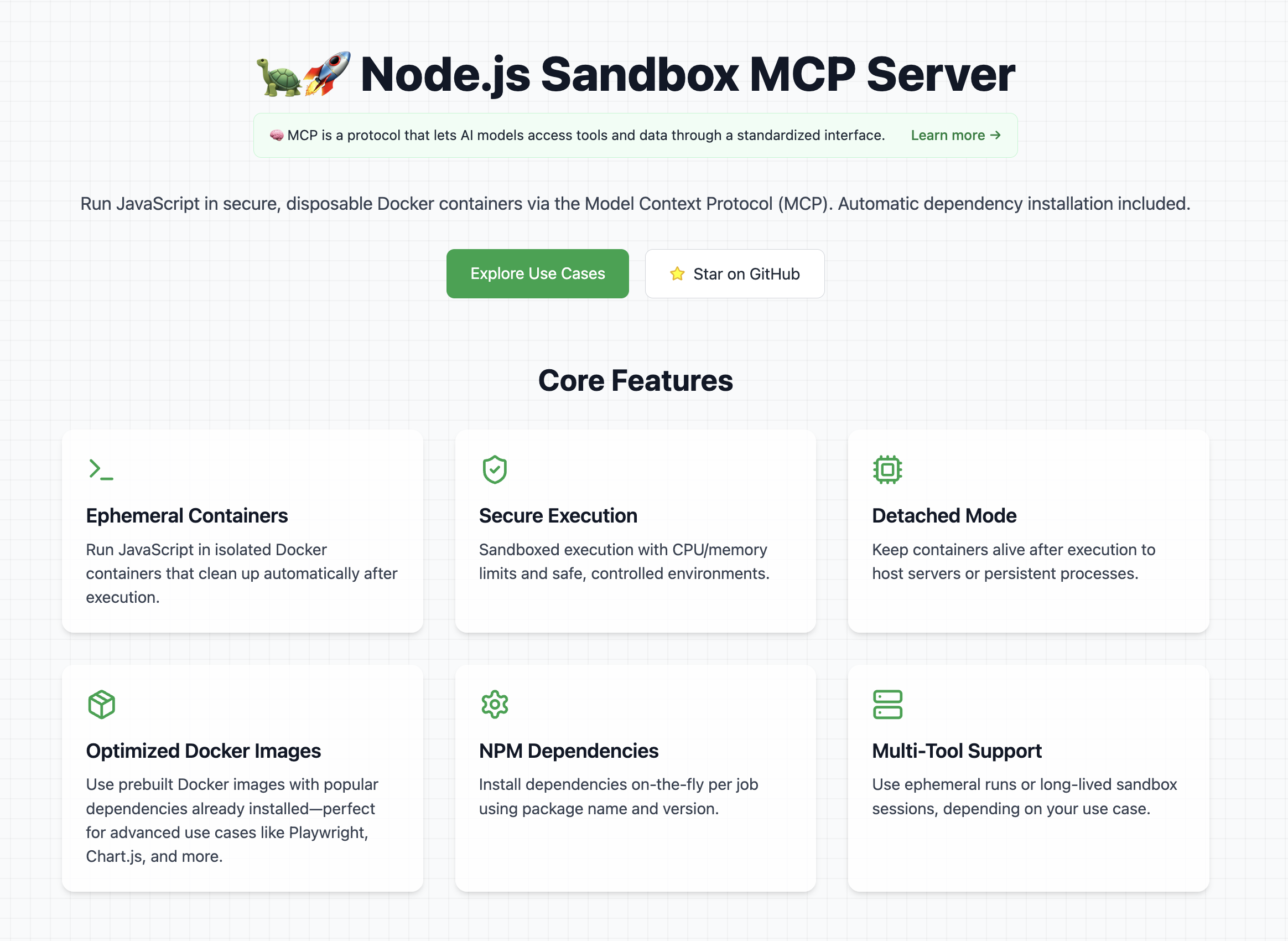
👉 Look at the official website
Note: Containers run with controlled CPU/memory limits.
If you want ideas for cool and powerful ways to use this library, check out the use cases section on the website It contains a curated list of prompts, examples, and creative experiments you can try with the Node.js Sandbox MCP Server.
To use this MCP server, Docker must be installed and running on your machine.
Tip: Pre-pull any Docker images you'll need to avoid delays during first execution.
Example recommended images:
In order to get started with this MCP server, first of all you need to connect it to a client (for example Claude Desktop).
Once it's running, you can test that it's fully working with a couple of test prompts:
Validate that the tool can run:
Create and run a JS script with a console.log("Hello World")
This should run a console.log and in the tool response you should be able to see Hello World.
Validate that you can install dependencies and save files
Create and run a JS script that generates a QR code for the URL `https://nodejs.org/en`, and save it as `qrcode.png` **Tip:** Use the `qrcode` package.
This should create a file in your mounted directory (for example the Desktop) called "qrcode.png"
Add this to your claude_desktop_config.json:
You can follow the Official Guide to install this MCP server
{
  "mcpServers": {
    "js-sandbox": {
      "command": "docker",
      "args": [
        "run",
        "-i",
        "--rm",
        "-v",
        "/var/run/docker.sock:/var/run/docker.sock",
        "-v",
        "$HOME/Desktop/sandbox-output:/root",
        "-e",
        "FILES_DIR=$HOME/Desktop/sandbox-output",
        "-e",
        "SANDBOX_MEMORY_LIMIT=512m", // optional
        "-e",
        "SANDBOX_CPU_LIMIT=0.75", // optional
        "alfonsograziano/node-code-sandbox-mcp"
      ]
    }
  }
}
or with NPX:
{
  "mcpServers": {
    "node-code-sandbox-mcp": {
      "type": "stdio",
      "command": "npx",
      "args": ["-y", "node-code-sandbox-mcp"],
      "env": {
        "FILES_DIR": "/Users/alfonsograziano/Desktop/node-sandbox",
        "SANDBOX_MEMORY_LIMIT": "512m", // optional
        "SANDBOX_CPU_LIMIT": "0.75" // optional
      }
    }
  }
}
Note: Ensure your working directory points to the built server, and Docker is installed/running.
Run the server in a container (mount Docker socket if needed), and pass through your desired host output directory as an env var:
# Build locally if necessary
# docker build -t alfonsograziano/node-code-sandbox-mcp .

docker run --rm -it \
  -v /var/run/docker.sock:/var/run/docker.sock \
  -v "$HOME/Desktop/sandbox-output":"/root" \
  -e FILES_DIR="$HOME/Desktop/sandbox-output" \
  -e SANDBOX_MEMORY_LIMIT="512m" \
  -e SANDBOX_CPU_LIMIT="0.5" \
  alfonsograziano/node-code-sandbox-mcp stdio
This bind-mounts your host folder into the container at the same absolute path and makes FILES_DIR available inside the MCP server.
Quick install buttons (VS Code & Insiders):
Install js-sandbox-mcp (NPX) Install js-sandbox-mcp (Docker)
Manual configuration: Add to your VS Code settings.json or .vscode/mcp.json:
"mcp": {
    "servers": {
        "js-sandbox": {
            "command": "docker",
            "args": [
                "run",
                "-i",
                "--rm",
                "-v", "/var/run/docker.sock:/var/run/docker.sock",
                "-v", "$HOME/Desktop/sandbox-output:/root",
                "-e", "FILES_DIR=$HOME/Desktop/sandbox-output",
                "-e", "SANDBOX_MEMORY_LIMIT=512m",
                "-e", "SANDBOX_CPU_LIMIT=1",
                "alfonsograziano/node-code-sandbox-mcp"
              ]
        }
    }
}
Run a one-off JS script in a brand-new disposable container.
Inputs:
image (string, optional): Docker image to use (default: node:lts-slim).code (string, required): JavaScript source to execute.dependencies (array of { name, version }, optional): NPM packages and versions to install (default: []).Behavior:
index.js and a minimal package.json.image content..txt, .json) are returned as resource content.Tip: To get files back, simply save them during your script execution.
Example Call:
{
  "name": "run_js_ephemeral",
  "arguments": {
    "image": "node:lts-slim",
    "code": "console.log('One-shot run!');",
    "dependencies": [{ "name": "lodash", "version": "^4.17.21" }],
  },
}
Example to save a file:
import fs from 'fs/promises';

await fs.writeFile('hello.txt', 'Hello world!');
console.log('Saved hello.txt');
This will return the console output and the hello.txt file.
Start a fresh sandbox container.
image (string, optional, default: node:lts-slim): Docker image for the sandboxport (number, optional): If set, maps this container port to the hostRun shell commands inside the running sandbox.
container_id (string): ID from sandbox_initializecommands (string[]): Array of shell commands to executeInstall npm dependencies and execute JavaScript code.
Input:
container_id (string): ID from sandbox_initializecode (string): JS source to run (ES modules supported)dependencies (array of { name, version }, optional, default: []): npm package names → semver versionslistenOnPort (number, optional): If set, leaves the process running and exposes this port to the host (Detached Mode)Behavior:
index.js and a minimal package.jsonnpm install --omit=dev --ignore-scripts --no-audit --loglevel=errornode index.js and captures stdout, or leaves process running in background if listenOnPort is setOutput: Script stdout or background execution notice
Terminate and remove the sandbox container.
container_id (string): ID from sandbox_initializesandbox_initialize ➔ run_js ➔ sandbox_stop) are ideal when you want to:
run_js_ephemeral is perfect for:
Choose the workflow that best fits your use-case!
Compile and bundle:
npm install
npm run build
MIT License
Permission is hereby granted, free of charge, to any person obtaining a copy of this software and associated documentation files (the "Software"), to deal in the Software without restriction, including without limitation the rights to use, copy, modify, merge, publish, distribute, sublicense, and/or sell copies of the Software, and to permit persons to whom the Software is furnished to do so, subject to the following conditions:
The above copyright notice and this permission notice shall be included in all copies or substantial portions of the Software.
THE SOFTWARE IS PROVIDED "AS IS", WITHOUT WARRANTY OF ANY KIND, EXPRESS OR IMPLIED, INCLUDING BUT NOT LIMITED TO THE WARRANTIES OF MERCHANTABILITY, FITNESS FOR A PARTICULAR PURPOSE AND NONINFRINGEMENT. IN NO EVENT SHALL THE AUTHORS OR COPYRIGHT HOLDERS BE LIABLE FOR ANY CLAIM, DAMAGES OR OTHER LIABILITY, WHETHER IN AN ACTION OF CONTRACT, TORT OR OTHERWISE, ARISING FROM, OUT OF OR IN CONNECTION WITH THE SOFTWARE OR THE USE OR OTHER DEALINGS IN THE SOFTWARE.
Steps
Troubleshooting
✓ Do
✗ Don't
💡 Pro Tips
Architecture
Model Context Protocol standardizes how AI hosts (Claude, Cursor) communicate with external tools and data sources through server implementations.
Protocols
Compatibility
✓ Use when
Use when you need Claude to access external data, execute actions, or integrate with tools. Best for extending AI capabilities beyond conversation.
✗ Avoid when
Avoid when native integrations exist (use official APIs directly), for real-time critical systems, or when security/compliance requires zero external dependencies.
Eventbrite
Streamline event discovery and planning with Eventbrite's venue and event management software—perfect for wedding planni



