Transform your notes with Markdown Mindmap—convert Markdown into interactive mind maps for organized, visual knowledge r
 by yuchenssr·
Add new capabilities to Claude beyond text generation
Example: Access external data sources, execute code, interact with tools and services
Transform Claude from chatbot to action-taking agent
Provide Claude with access to relevant context and data
Example: Load project documentation, access knowledge bases, query databases
Get more accurate, context-aware responses
Automate multi-step workflows combining AI and external tools
Example: Research → Summarize → Create document → Send notification
Complete complex tasks end-to-end without manual steps
Time estimate: 15-60 minutes depending on server complexity
Prerequisites
Apple Shortcuts Server
Apple Shortcuts Server — seamless Shortcuts automation and Shortcuts integration for MCP servers. Trigger workflows, run
Spec Workflow MCP
Structured spec-driven development workflow for AI-assisted software development. Creates detailed specifications before
Google Workspace MCP
Control Gmail, Google Calendar, Docs, Sheets, Slides, Chat, Forms, Tasks, Search, and Drive with AI. Comprehensive Googl
Gmail
MCP server for Gmail — enables Claude to interact with Gmail data and workflows.
Google Calendar
MCP server for Google Calendar — enables Claude to interact with Google Calendar data and workflows.
Markdown Mindmap reduced integration guesswork — categories and install configs on the listing matched the upstream repo.
According to our notes, Markdown Mindmap benefits from clear Model Context Protocol framing — fewer ambiguous “AI plugin” claims.
We wired Markdown Mindmap into a staging workspace; the listing’s GitHub and npm pointers saved time versus hunting across READMEs.
Strong directory entry: Markdown Mindmap surfaces stars and publisher context so we could sanity-check maintenance before adopting.
Markdown Mindmap is among the better-indexed MCP projects we tried; the explainx.ai summary tracks the official description.
Markdown Mindmap has been reliable for tool-calling workflows; the MCP profile page is a good permalink for internal docs.
Strong directory entry: Markdown Mindmap surfaces stars and publisher context so we could sanity-check maintenance before adopting.
Markdown Mindmap reduced integration guesswork — categories and install configs on the listing matched the upstream repo.
Useful MCP listing: Markdown Mindmap is the kind of server we cite when onboarding engineers to host + tool permissions.
Markdown Mindmap is a well-scoped MCP server in the explainx.ai directory — install snippets and categories matched our Claude Code setup.
showing 1-10 of 74
Share your MCP server with the developer community
Select a client to integrate this server.
Claude Desktop configuration
{
  "mcpServers": {
    "mindmap": {
      "command": "uvx",
      "args": [
        "mindmap-mcp-server",
        "--return-type",
        "html"
      ]
    }
  }
}Converts Markdown text into interactive HTML mind maps for visual organization of structured content.
Markdown Mindmap is a community-built MCP server published by yuchenssr that provides AI assistants with tools and capabilities via the Model Context Protocol. Transform your notes with Markdown Mindmap—convert Markdown into interactive mind maps for organized, visual knowledge r It is categorized under productivity. This server exposes 1 tool that AI clients can invoke during conversations and coding sessions.
You can install Markdown Mindmap in your AI client of choice. Use the install panel on this page to get one-click setup for Cursor, Claude Desktop, VS Code, and other MCP-compatible clients. This server runs locally on your machine via the stdio transport.
A Model Context Protocol (MCP) server for converting Markdown content to interactive mindmaps.
pip install mindmap-mcp-server
Or using uvx:
uvx mindmap-mcp-server
Or using docker safer and easier.
Three installation methods have been successfully tested on macOS and Linux.
For Windows users experiencing issues with npx for this MCP, consider using the Docker method. Alternatively, if you use Visual Studio Code, the "Markmap" extension offers a potentially simpler solution than navigating command-line tools.
If you're experiencing unresolved issues, you can use my recent system prompt as a Mindmap Assistant instead of using this MCP server.
<details> <summary>Using my system prompt instead of using this MCP server</summary>You are a specialized assistant that generates HTML code for interactive markdown-based mind maps (markmaps). When a user sends you content, respond with a complete HTML document that displays their content as a markmap visualization.
If artifact tool is turned on, you can use the artifact.
Follow these requirements:
1. Use the markmap-autoloader library (version 0.18 or latest stable version)
2. Format the HTML exactly according to the template below
3. Replace the demo content in the template with the user's content, preserving their hierarchical structure
4. Maintain the markmap configuration options (maxWidth: 300, colorFreezeLevel: 2)
5. If the user doesn't provide markdown formatting (# for headings), format their content appropriately with main topics using # and subtopics using ##
Template to follow:
<!DOCTYPE html>
<html lang="en">
<head>
<meta charset="UTF-8" />
<meta http-equiv="X-UA-Compatible" content="IE=edge" />
<meta name="viewport" content="width=device-width, initial-scale=1.0" />
<title>Markmap</title>
<style>
svg.markmap {
width: 100%;
height: 100vh;
}
</style>
<script src="https://cdn.jsdelivr.net/npm/markmap-autoloader@0.18"></script>
</head>
<body>
<div class="markmap">
<script type="text/template">
---
markmap:
maxWidth: 300
colorFreezeLevel: 2
---
# markmap
## Links
- <https://markmap.js.org/>
- [GitHub](https://github.com/markmap/markmap)
## Related
- [coc-markmap](https://github.com/markmap/coc-markmap)
- [gatsby-remark-markmap](https://github.com/markmap/gatsby-remark-markmap)
## Features
- links
- **inline** ~~text~~ *styles*
- multiline
text
- `inline code`
- Katex - $x = {-b \pm \sqrt{b^2-4ac} \over 2a}$
- This is a very very very very very very very very very very very very very very very long line.
</script>
</div>
</body>
</html>
Visualization options: (If formulas or symbols don’t display correctly, download the HTML file and open it in a browser.)
View the mindmap in artifacts (if available):
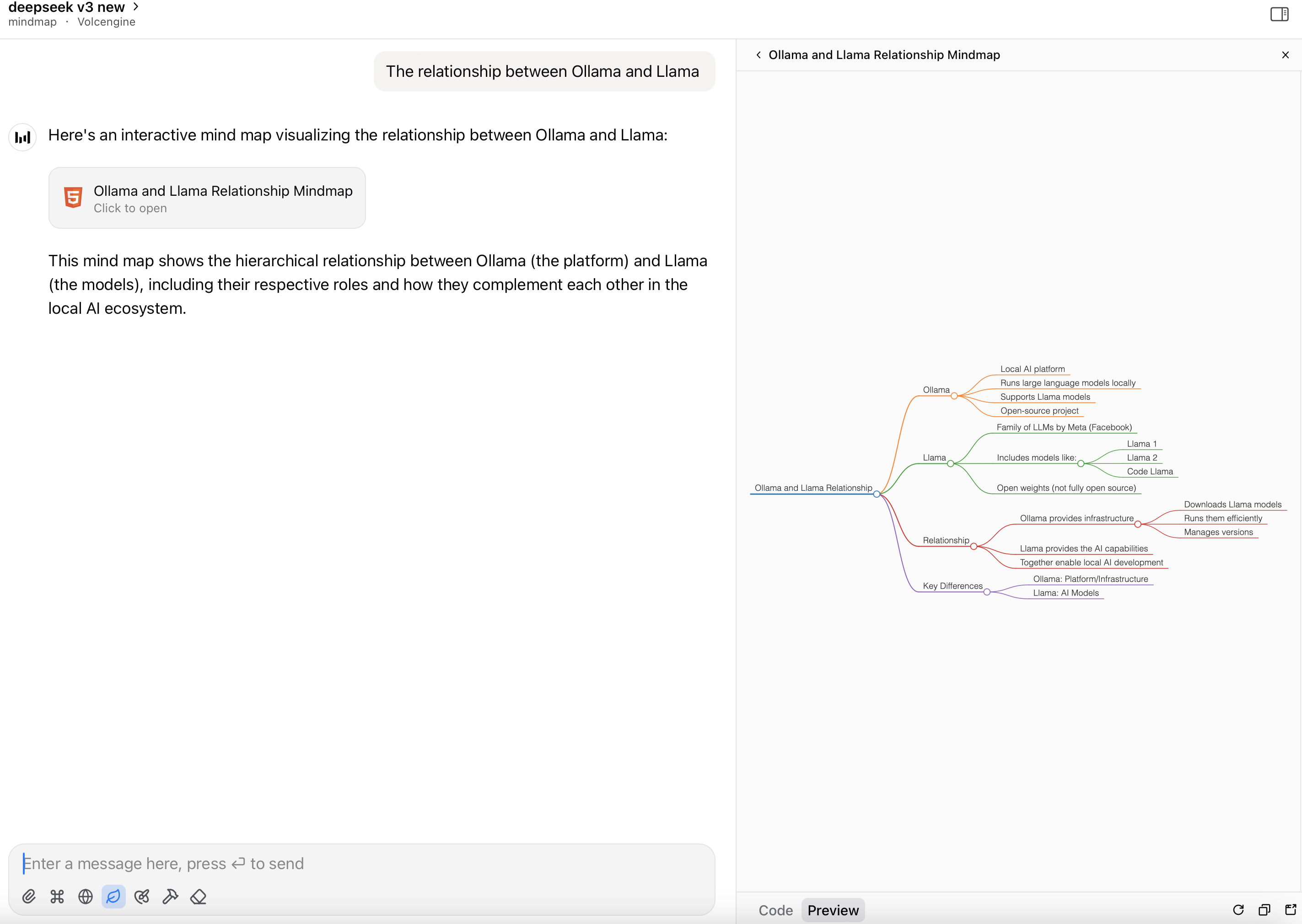
Render the HTML file as a mindmap:
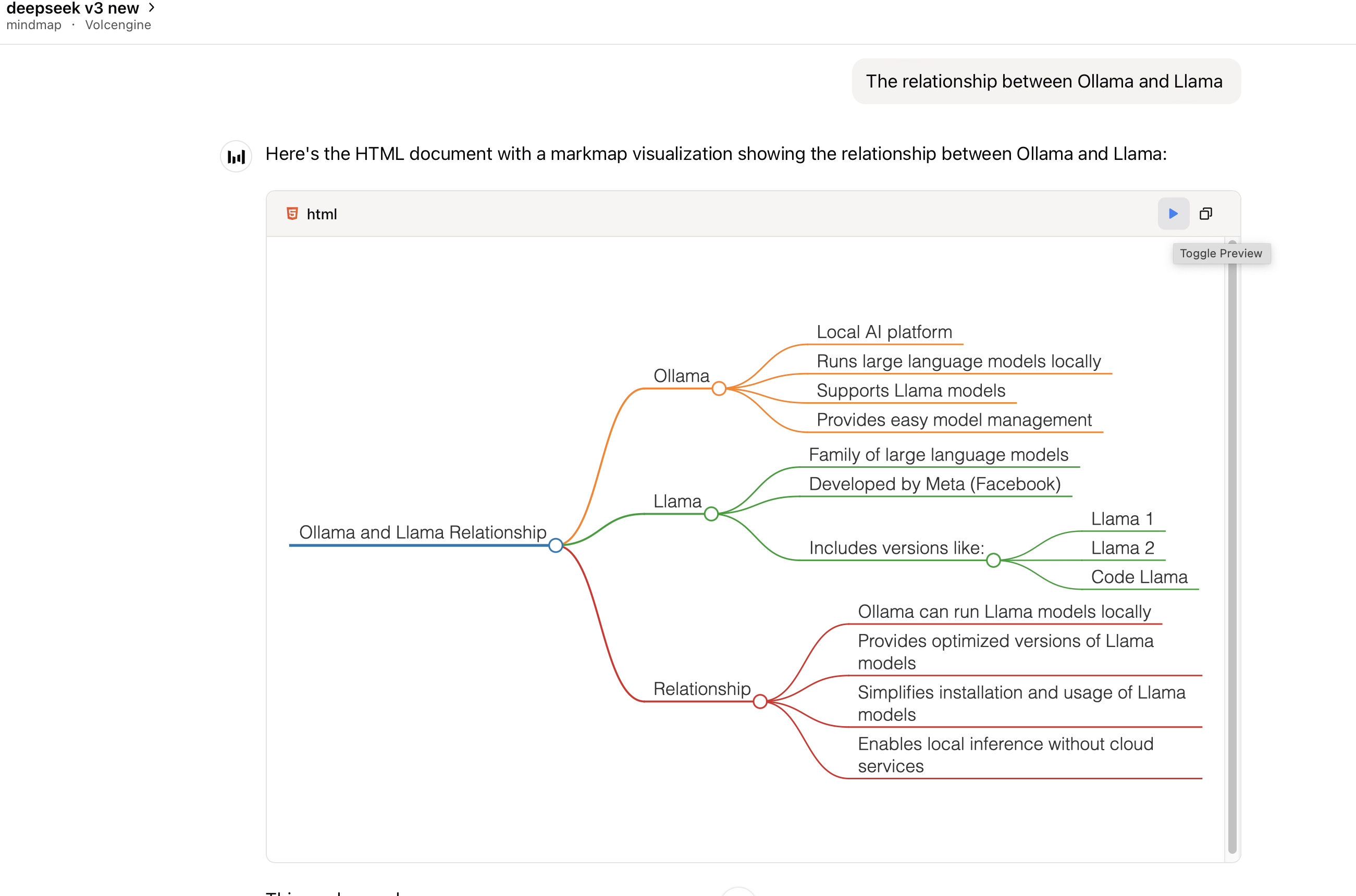
This package requires Node.js to be installed when using command python or uvx to run the server.
Add this server to your claude_desktop_config.json:
{
  "mcpServers": {
    "mindmap": {
      "command": "uvx",
      "args": ["mindmap-mcp-server", "--return-type", "html"]
    }
  }
}
or
recommended:
{
  "mcpServers": {
    "mindmap": {
      "command": "uvx",
      "args": ["mindmap-mcp-server", "--return-type", "filePath"]
    }
  }
}
we use --return-type to specify the return type of the mindmap content, you can choose html or filePath according to your needs.
html will return the entire HTML content of the mindmap, which you can preview in your AI client's artifact;
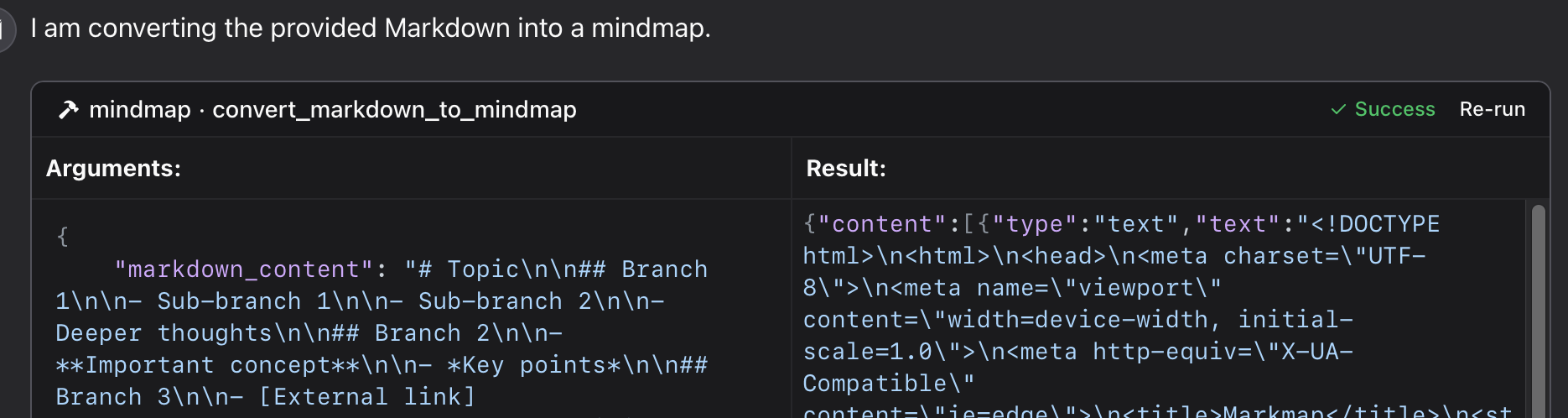
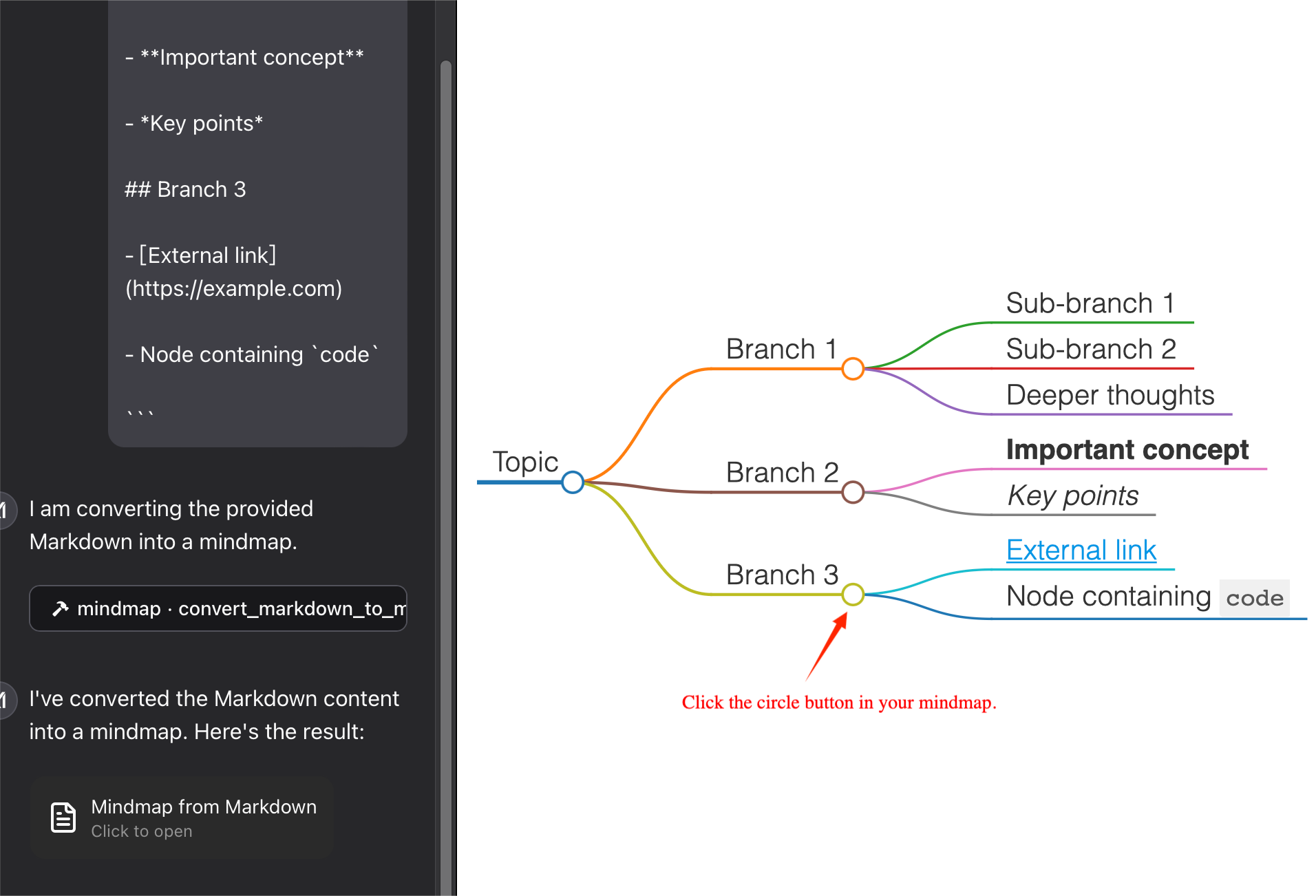
filePath will save the mindmap to a file and return the file path,which you can open in your browser. It can save your tokens !
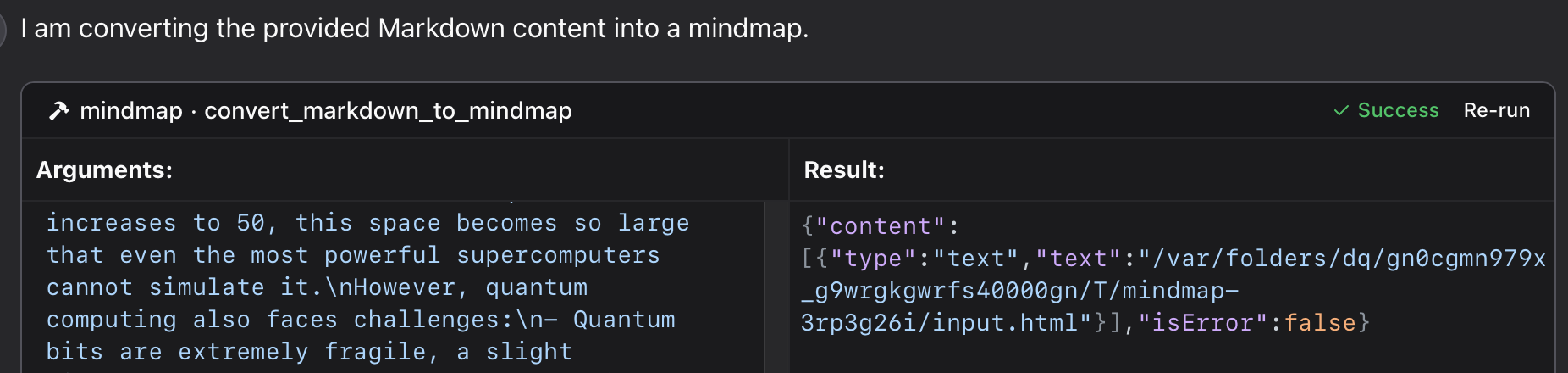
Using a specific Python file in this repository:
{
  "mcpServers": {
    "mindmap": {
      "command": "python",
      "args": ["/path/to/your/mindmap_mcp_server/server.py", "--return-type", "html"]
    }
  }
}
or
{
  "mcpServers": {
    "mindmap": {
      "command": "python",
      "args": ["/path/to/your/mindmap_mcp_server/server.py", "--return-type", "filePath"]
    }
  }
}
we use --return-type to specify the return type of the mindmap content, you can choose html or filePath according to your needs. see using `uvx` for more details.
First, you pull the image:
docker pull ychen94/mindmap-converter-mcp
Second, set the server:
{
  "mcpServers": {
    "mindmap-converter": {
      "command": "docker",
      "args": ["run", "--rm", "-i", "-v", "/path/to/output/folder:/output", "ychen94/mindmap-converter-mcp:latest"]
    }
  }
}
⚠️ Replace /path/to/output/folder with an actual path on your system where you want to save mind maps, such as /Users/username/Downloads on macOS or C:\Users\username\Downloads on Windows.
Tools Provided in the docker container The server provides the following MCP tools:
-v and /path/to/output/folder:/output in the command docker.File Not Found
If your mind map file isn't accessible:
1 Check that you've correctly mounted a volume to the Docker container
2 Ensure the path format is correct for your operating system
3 Make sure Docker has permission to access the directory
Docker Command Not Found
1 Verify Docker is installed and in your PATH
2 Try using the absolute path to Docker
Server Not Appearing in Claude
1 Restart Claude for Desktop after configuration changes
2 Check Claude logs for connection errors
3 Verify Docker is running
Advanced Usage
Using with Other MCP Clients
This server works with any MCP-compatible client, not just Claude for Desktop. The server implements the Model Context Protocol (MCP) version 1.0 specification.
This server provides a tool for converting Markdown content to mindmaps using the markmap-cli library:
In Claude, you can ask:
"give a mindmap for the following markdown code, using a mindmap tool:
# Project Planning
## Research
### Market Analysis
### Competitor Review
## Design
### Wireframes
### Mockups
## Development
### Frontend
### Backend
## Testing
### Unit Tests
### User Testing
"
if you want to save the mindmap to a file, and then open it in your browser using the iTerm MCP server:
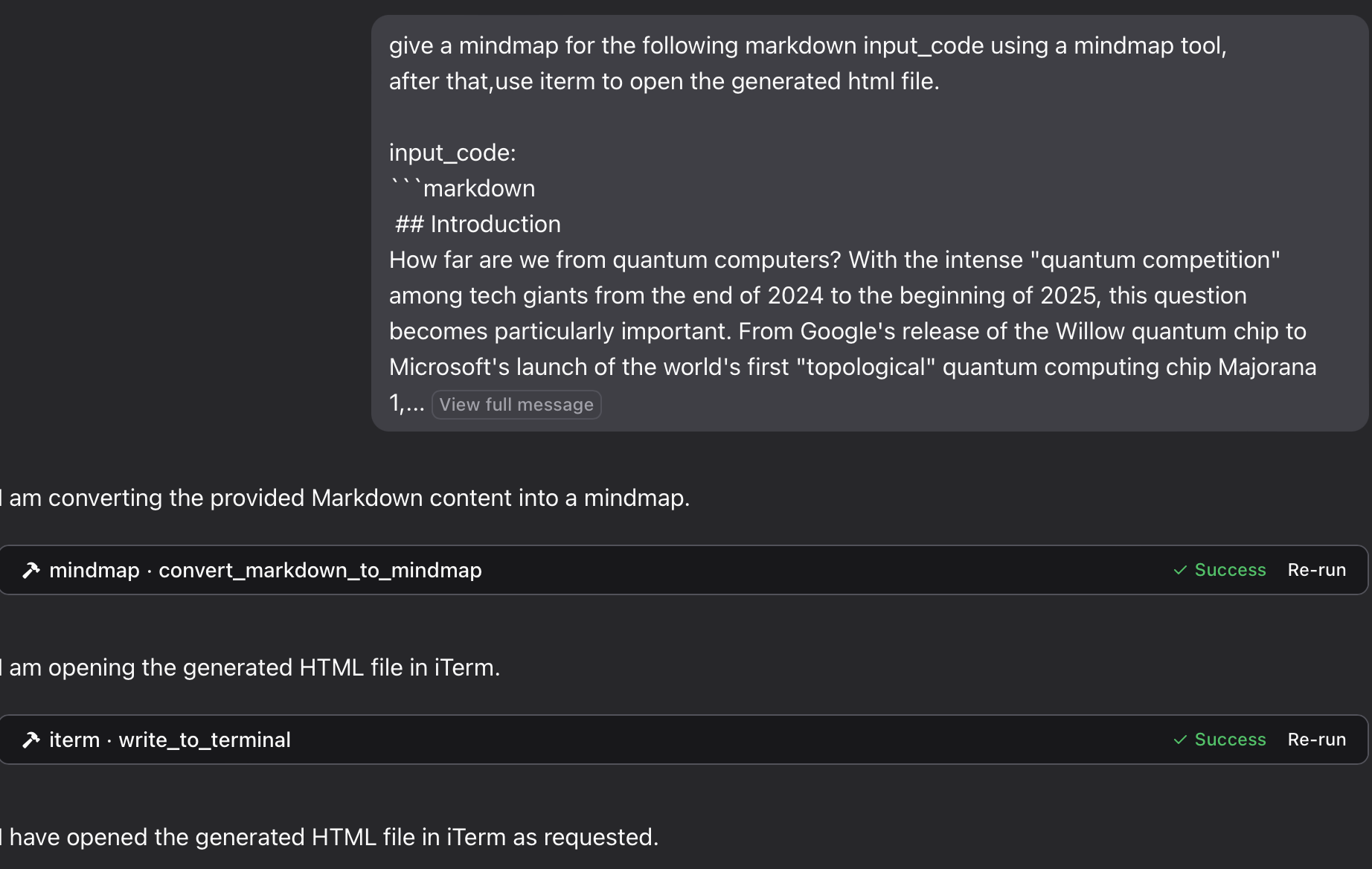
"give a mindmap for the following markdown input_code using a mindmap tool, after that,use iterm to open the generated html file. input_code:
markdown content
"
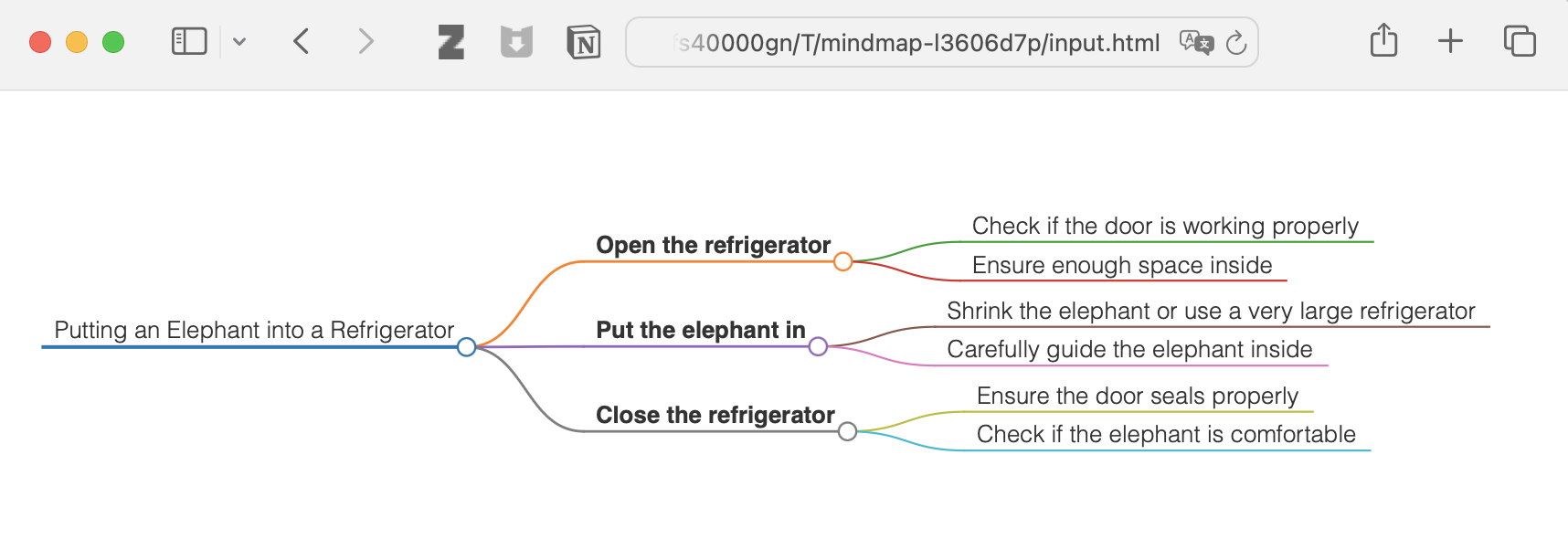
"Think about the process of putting an elephant into a refrigerator, and provide a mind map. Open it with a terminal."
<details> <summary>see the result</summary>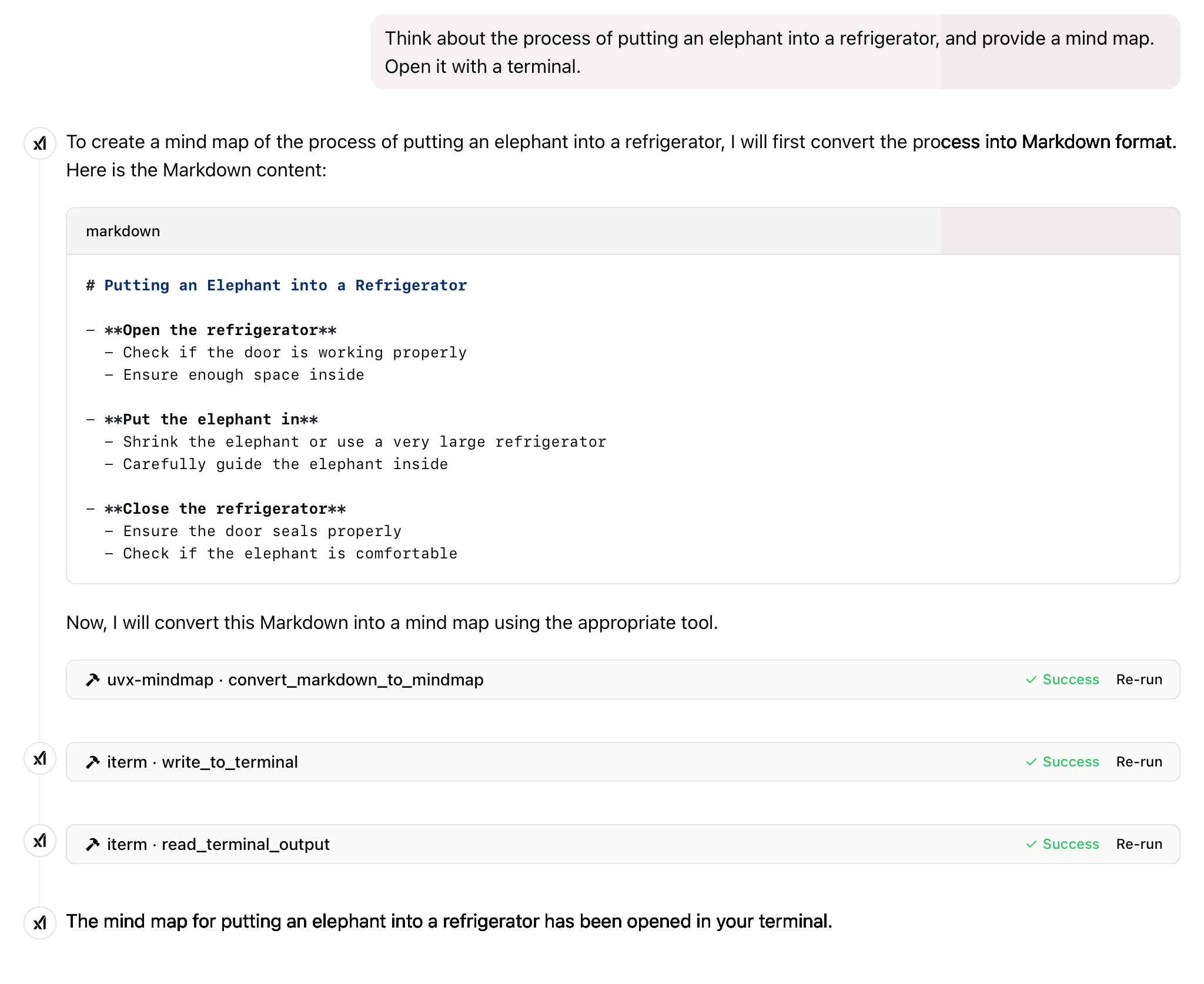
and more
This project is licensed under the MIT License. For more details, please see the LICENSE file in [this project repository](https://github.com/YuChenS
Steps
Troubleshooting
✓ Do
✗ Don't
💡 Pro Tips
Architecture
Model Context Protocol standardizes how AI hosts (Claude, Cursor) communicate with external tools and data sources through server implementations.
Protocols
Compatibility
✓ Use when
Use when you need Claude to access external data, execute actions, or integrate with tools. Best for extending AI capabilities beyond conversation.
✗ Avoid when
Avoid when native integrations exist (use official APIs directly), for real-time critical systems, or when security/compliance requires zero external dependencies.
Obsidian
Connect Obsidian vaults for natural language queries and secure note updates with seamless Obsidian integration.



