Create modern React UI components instantly with Magic AI Agent. Integrates with top IDEs for fast, stunning design and
 by
by Add new capabilities to Claude beyond text generation
Example: Access external data sources, execute code, interact with tools and services
Transform Claude from chatbot to action-taking agent
Provide Claude with access to relevant context and data
Example: Load project documentation, access knowledge bases, query databases
Get more accurate, context-aware responses
Automate multi-step workflows combining AI and external tools
Example: Research → Summarize → Create document → Send notification
Complete complex tasks end-to-end without manual steps
Time estimate: 15-60 minutes depending on server complexity
Prerequisites
Oh My Posh
Validate Oh My Posh theme configurations quickly and reliably against the official schema to ensure error-free prompts a
XcodeBuild MCP
By Sentry. MCP server and CLI that provides tools for AI agents working on iOS and macOS Xcode projects. Build, test, li
Screenshot Capture
Capture screenshots across macOS, Windows, and Linux using advanced screen capture and recording software for analysis,
Inspo MCP
Real production websites for coding agents.
BugBug
Manage browser tests and suites with BugBug's software automation tester, headless browsers, and real-time error reporti
Useful MCP listing: Magic is the kind of server we cite when onboarding engineers to host + tool permissions.
I recommend Magic for teams standardizing on MCP; the explainx.ai page compares cleanly with sibling servers.
Magic reduced integration guesswork — categories and install configs on the listing matched the upstream repo.
Magic is a well-scoped MCP server in the explainx.ai directory — install snippets and categories matched our Claude Code setup.
Magic has been reliable for tool-calling workflows; the MCP profile page is a good permalink for internal docs.
Magic is a well-scoped MCP server in the explainx.ai directory — install snippets and categories matched our Claude Code setup.
Magic is among the better-indexed MCP projects we tried; the explainx.ai summary tracks the official description.
According to our notes, Magic benefits from clear Model Context Protocol framing — fewer ambiguous “AI plugin” claims.
Strong directory entry: Magic surfaces stars and publisher context so we could sanity-check maintenance before adopting.
Magic reduced integration guesswork — categories and install configs on the listing matched the upstream repo.
showing 1-10 of 68
Share your MCP server with the developer community
Select a client to integrate this server.
Claude Desktop configuration
{
  "mcpServers": {
    "@21st-dev/magic": {
      "command": "npx",
      "args": ["-y", "@21st-dev/magic@latest", "API_KEY=\"your-api-key\""]
    }
  }
}Generates React UI components using natural language descriptions with AI. Integrates with popular IDEs to create TypeScript-supported components with real-time previews.
Magic is an official MCP server published by 21st-dev that provides AI assistants with tools and capabilities via the Model Context Protocol. Create modern React UI components instantly with Magic AI Agent. Integrates with top IDEs for fast, stunning design and It is categorized under developer tools, design.
You can install Magic in your AI client of choice. Use the install panel on this page to get one-click setup for Cursor, Claude Desktop, VS Code, and other MCP-compatible clients. This server runs locally on your machine via the stdio transport.
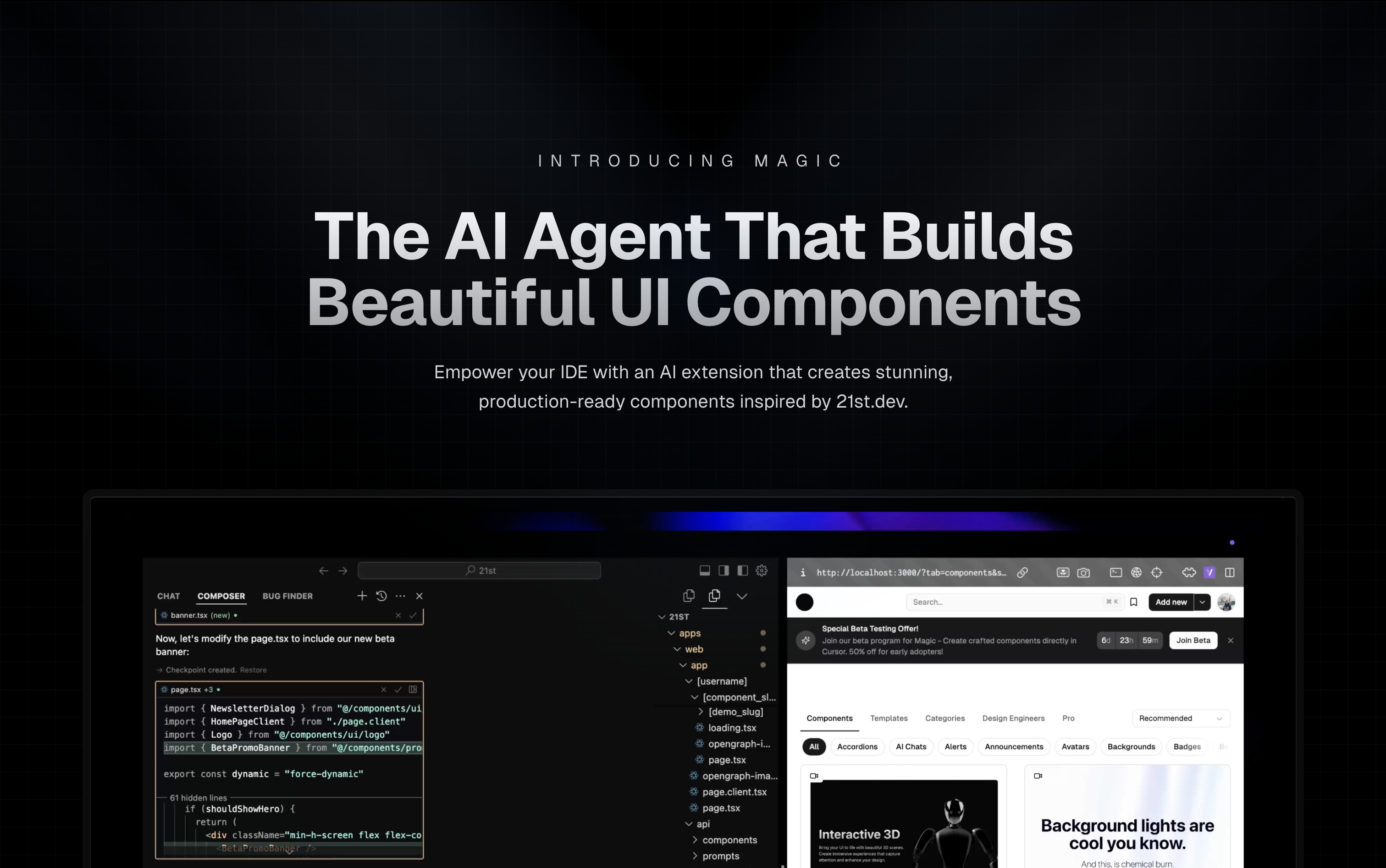
Magic Component Platform (MCP) is a powerful AI-driven tool that helps developers create beautiful, modern UI components instantly through natural language descriptions. It integrates seamlessly with popular IDEs and provides a streamlined workflow for UI development.
Tell Agent What You Need
/ui and describe the component you're looking for/ui create a modern navigation bar with responsive designLet Magic Create It
Seamless Integration
Generate API Key
Choose Installation Method
One command to install and configure MCP for your IDE:
npx @21st-dev/cli@latest install <client> --api-key <key>
Supported clients: cursor, windsurf, cline, claude
If you prefer manual setup, add this to your IDE's MCP config file:
{
  "mcpServers": {
    "@21st-dev/magic": {
      "command": "npx",
      "args": ["-y", "@21st-dev/magic@latest", "API_KEY="your-api-key""]
    }
  }
}
Config file locations:
~/.cursor/mcp.json~/.codeium/windsurf/mcp_config.json~/.cline/mcp_config.json~/.claude/mcp_config.jsonFor one-click installation, click one of the install buttons below:

First, check the install buttons above for one-click installation. For manual setup:
Add the following JSON block to your User Settings (JSON) file in VS Code. You can do this by pressing Ctrl + Shift + P and typing Preferences: Open User Settings (JSON):
{
  "mcp": {
    "inputs": [
      {
        "type": "promptString",
        "id": "apiKey",
        "description": "21st.dev Magic API Key",
        "password": true
      }
    ],
    "servers": {
      "@21st-dev/magic": {
        "command": "npx",
        "args": ["-y", "@21st-dev/magic@latest"],
        "env": {
          "API_KEY": "${input:apiKey}"
        }
      }
    }
  }
}
Optionally, you can add it to a file called .vscode/mcp.json in your workspace:
{
  "inputs": [
    {
      "type": "promptString",
      "id": "apiKey",
      "description": "21st.dev Magic API Key",
      "password": true
    }
  ],
  "servers": {
    "@21st-dev/magic": {
      "command": "npx",
      "args": ["-y", "@21st-dev/magic@latest"],
      "env": {
        "API_KEY": "${input:apiKey}"
      }
    }
  }
}
Magic AI Agent only writes or modifies files related to the components it generates. It follows your project's code style and structure, and integrates seamlessly with your existing codebase without affecting other parts of your application.
Yes! All generated components are fully editable and come with well-structured code. You can modify the styling, functionality, and behavior just like any other React component in your codebase.
If you exceed your monthly generation limit, you'll be prompted to upgrade your plan. You can upgrade at any time to continue generating components. Your existing components will remain fully functional.
Authors can publish components to 21st.dev at any time, and Magic Agent will have immediate access to them. This means you'll always have access to the latest components and design patterns from the community.
Magic AI Agent can handle components of varying complexity, from simple buttons to complex interactive forms. However, for best results, we recommend breaking down very complex UIs into smaller, manageable components.
mcp/
├── app/
│   └── components/     # Core UI components
├── types/             # TypeScript type definitions
├── lib/              # Utility functions
└── public/           # Static assets
IdeInstructions: Setup instructions for different IDEsApiKeySection: API key management interfaceWelcomeOnboarding: Onboarding flow for new usersWe welcome contributions! Please join our Discord community and provide feedback to help improve Magic Agent. The source code is available on GitHub.
Magic Agent is currently in beta. All features are free during this period. We appreciate your feedback and patience as we continue to improve the platform.
MIT License
For more information, join our Discord community or visit 21st.dev/magic.
Steps
Troubleshooting
✓ Do
✗ Don't
💡 Pro Tips
Architecture
Model Context Protocol standardizes how AI hosts (Claude, Cursor) communicate with external tools and data sources through server implementations.
Protocols
Compatibility
✓ Use when
Use when you need Claude to access external data, execute actions, or integrate with tools. Best for extending AI capabilities beyond conversation.
✗ Avoid when
Avoid when native integrations exist (use official APIs directly), for real-time critical systems, or when security/compliance requires zero external dependencies.
Mastra Docs
Mastra Docs: AI assistants with direct access to Mastra.ai’s full knowledge base for faster, smarter support and insight




