



If you have ever read a doc that says "32k context" or "$2.50 per million input tokens" and only half-trusted your mental model, this article is the missing layer: what a token is, why providers count them, and how that connects to limits, bills, and rate limits.
Scope: this is a concepts guide. For dollar math, prompt caching, and agent pipelines, read Caveman skill: token economics and API pricing next.
Tokens are not the same as words
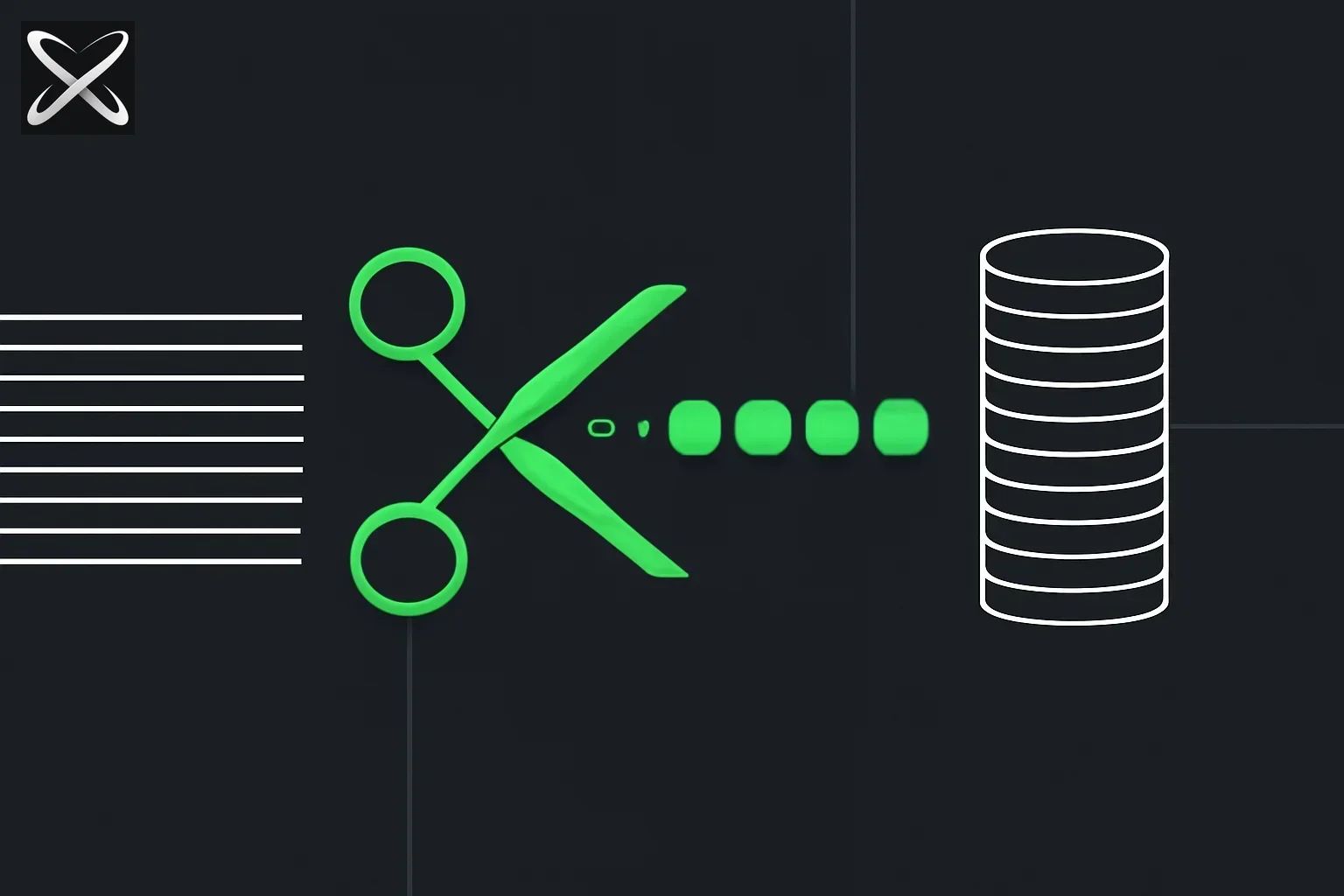 How LLM tokens work — text ribbon cut into token beads feeding a stacked coin cost meter
In daily language we count words. Under the hood, a large language model consumes a sequence of tokens: integer IDs from a fixed vocabulary, produced by a tokenizer (families you will see in papers include BPE, WordPiece, and vendor-specific schemes).
- A token can be a short whole word (e.g.
hellomight be one token). - A token can be a subword — long or rare strings are often split into several pieces.
- Punctuation, spaces, and code are also encoded as one or more tokens. Code and JSON are often longer in token count than a casual glance suggests, because braces, semicolons, and indentation are all billed like anything else.
Why it matters: a "short" line in the editor can still be thousands of tokens once the app attaches system instructions, open files, tool schemas, and prior turns.
Heuristics (English prose, ballpark only): people often use ~4 characters per token, or on the order of one token per ¾ of a word. Do not use heuristics for billing—use the provider's tokenizer or usage dashboard for the model you run.
How Tokenization Really Works
When you send text to an LLM, the tokenizer breaks it down using Byte Pair Encoding (BPE) or similar algorithms:
- Start with a vocabulary of common subword units learned during training
- Match the longest possible sequences from the vocabulary
- Convert to integer IDs that the model processes
- Each token typically represents 3-4 characters in English
For example, the sentence "Understanding tokenization" might become:
["Under", "stand", "ing", " token", "ization"](5 tokens)- Or
[8640, 1302, 287, 11241, 1634]as the model sees it
Different models use different tokenizers, which is why the same text might be:
- 100 tokens in GPT-4
- 105 tokens in Claude
- 98 tokens in Llama
Interactive Token Visualizer
Want to see how your text is tokenized? Try our interactive visualizer below to understand token boundaries and compare costs across different models:
Input vs output tokens
| Kind | What counts | Intuition |
|---|---|---|
| Input (prompt) tokens | System prompt, your message, full chat history the client sends, retrieved documents, tool parameters and tool results, images (often a separate budget), etc. | Everything the model must read to respond. |
| Output (completion) tokens | The model's generated text (and sometimes separate billed fields, depending on product). | Everything the model writes. |
Two common surprises:
- "I only typed one sentence." The service may still include all prior turns and in-scope files in the request—input can be huge compared to your last line.
- Long replies compound: output tokens in turn become input on the next turn, so verbosity in chat and agent loops can inflate both sides of the ledger.
On frontier models, output is often priced higher per token than input—see each vendor's rate card (e.g. OpenAI, Anthropic).
Why Output Costs More
Output tokens are typically 3-5x more expensive than input tokens:
- GPT-4 Turbo: $10/1M input, $30/1M output (3x)
- Claude 3.5 Sonnet: $3/1M input, $15/1M output (5x)
- GPT-3.5 Turbo: $0.50/1M input, $1.50/1M output (3x)
Reasons for the price difference:
- Generation is computationally different from reading—each output token requires a full forward pass through the model
- Prevents abuse of long-winded responses that would otherwise be "free"
- Encourages concise outputs which improve user experience and reduce latency
- Reflects actual compute costs of autoregressive generation
Context window: how many tokens fit in one go
The context window (e.g. 128k or 1M in marketing tables) is the maximum combined budget the model is built to process in a single request: your input plus the room reserved for the reply (how the split is defined depends on the API—read the spec for your model).
- If you exceed the limit, the system may error, truncate early content, or summarize—behavior is not uniform across products.
- A larger window is not a free pass: it means bigger prompts are possible, which can mean higher API cost or faster burn through subscription credits if the app sends whole trees or long histories by default.
Context Window Comparison (2026)
| Model | Context Window | Use Case |
|---|---|---|
| GPT-4 Turbo | 128k tokens | ~96,000 words or ~300 pages |
| Claude 3.5 Sonnet | 200k tokens | ~150,000 words or ~470 pages |
| Gemini 1.5 Pro | 2M tokens | ~1.5M words or ~4,700 pages |
| GPT-3.5 Turbo | 16k tokens | ~12,000 words or ~37 pages |
| Llama 3 70B | 8k tokens | ~6,000 words or ~18 pages |
Important: Just because a model can handle 2M tokens doesn't mean you should use them all:
- Latency increases with context size
- Costs scale linearly with input tokens
- Attention degradation can occur with very long contexts (the "lost in the middle" problem)
Why billing uses tokens (not pages or words)
- The model is literally trained and served as a function over token sequences—that is the native interface to the stack.
- Token count tracks compute and memory use more consistently than "words" across languages, markup, and code.
- Vendors can publish a single table—$/million input and $/million output—that scales with workload size.
You can still plan in paragraphs and files; the invoice will still speak in tokens.
Update — September 22, 2026: Hugging Face tokenizers v1 RC keeps the same token IDs while speeding up pretokenization — relevant if you preprocess at scale on the Hub stack. HF Tokenizers v1 RC (~30× encode vs v0.23) →
Update — August 17, 2026: Because tokenizers differ by model, this cuts both ways when comparing providers, not just content types — the same document can produce meaningfully different token counts on two different models' tokenizers, so a lower price-per-token doesn't guarantee a lower bill. Why "price per token" is misleading, with the numbers →
Token Counts by Content Type
Different types of content have wildly different token densities:
| Content Type | Characters per Token | Example |
|---|---|---|
| English prose | ~4 chars | "The quick brown fox" = ~4-5 tokens |
| Code (Python) | ~3 chars | def hello(): = ~5-6 tokens |
| JSON data | ~2.5 chars | {"name":"John"} = ~8-10 tokens |
| Chinese text | ~1.5 chars | "你好世界" = ~6-8 tokens |
| Compressed/Base64 | ~1.5 chars | Very token-heavy |
Takeaway: Code and structured data consume tokens faster than you might expect. A 1000-character JSON payload might use 400+ tokens.
"Cached" input (one paragraph)
Some APIs discount long unchanged prefixes of a prompt when they qualify for cached or reused input (rules differ by provider). The idea: if most of an agent's prompt is a stable system block plus tool definitions, you pay less for that slice on the next call when caching hits. For production patterns, see the Caveman post and your vendor's prompt caching documentation.
How Prompt Caching Works
Anthropic's Claude offers prompt caching with dramatic savings:
- First request: Full input cost ($3/1M tokens for Claude 3.5 Sonnet)
- Cached requests: $0.30/1M tokens (10x cheaper!) for cached portion
- Cache duration: ~5 minutes of inactivity
Example savings:
Without caching:
- 50,000 token system prompt + tools = $0.15 per request
- 100 requests = $15.00

With caching:
- First request: $0.15
- Next 99 requests: $0.015 each = $1.485
- Total: $1.635 (89% savings!)
Requirements:
- Cached prefix must be ≥1024 tokens
- Must be sent in the same order each time
- Cache expires after ~5 minutes of inactivity
Subscriptions vs APIs
- Chat and IDE products often show "messages" or a single usage meter. Underneath, that still maps to model calls and token-like budgets you may not see line by line.
- API usage pages usually show per-request or per-month token totals, which is closer to marginal cost modeling for an app you ship.
Either way, the scarce resource in aggregate is tokens over time (and provider capacity), which is where rate limits and plan tiers come from.
Subscription vs API: Cost Comparison
| Plan Type | Example | Token Budget | Best For |
|---|---|---|---|
| ChatGPT Plus | $20/month | "Unlimited" with caps | Casual users, learning |
| Claude Pro | $20/month | 5x more usage than free | Power users, research |
| API Pay-as-you-go | Variable | Unlimited, billed per token | Production apps |
| Enterprise | Custom | Custom quotas + SLA | Teams, mission-critical |
Hidden truth: Subscription plans have soft limits enforced by:
- Rate limits (e.g., 40 messages per 3 hours)
- Usage caps that reset monthly
- Throttling during peak hours
- Different model access tiers
For developers: If you're building an app, API access gives you:
- Transparent per-token pricing
- Higher rate limits
- Programmatic access
- Fine-grained usage tracking
Practical habits
- Measure with your real stack: provider usage APIs, IDE panels, or token counters in CI.
- Trim what you add to every turn—large readmes and logs belong behind retrieval or on-demand file reads, not by default in global context, unless you truly need them every time.
- Prefer structured, reusable instructions (agent skills and templates) over pasting the same long preamble each session.
Advanced Token Optimization Strategies
1. System Prompt Compression
- Use abbreviations in internal instructions (the model understands)
- Remove redundant examples (2-3 good examples > 10 mediocre ones)
- Leverage few-shot learning sparingly
2. Context Management
- Implement sliding window for chat history (keep last N turns)
- Use summarization for old conversations
- Store embeddings instead of raw text for retrieval
3. Response Control
- Set max_tokens limits to prevent rambling
- Use stop sequences to end generation early
- Request structured outputs (JSON, bullets) which are often shorter
4. Caching Everything You Can
- Cache system prompts that don't change
- Cache tool definitions across calls
- Cache few-shot examples and references
Token Counting Tools
Before deploying, test your actual token usage:
OpenAI Models (GPT-3.5, GPT-4):
import tiktoken

encoding = tiktoken.encoding_for_model("gpt-4")
tokens = encoding.encode("Your text here")
print(f"Token count: {len(tokens)}")
Claude Models:
from anthropic import Anthropic

client = Anthropic(api_key="your-key")
count = client.count_tokens("Your text here")
print(f"Token count: {count}")
Online Tools:
- OpenAI Tokenizer: platform.openai.com/tokenizer
- Anthropic Console: Shows token counts in API playground
- tiktokenizer.vercel.app — Visual token inspector
Real-World Token Economics
Case Study: Chat Application
Let's calculate costs for a typical customer support chatbot:
Assumptions:
- 1,000 conversations per day
- Average: 500 input tokens + 200 output tokens per message
- 5 messages per conversation
- Using GPT-4 Turbo ($10 input, $30 output per 1M tokens)
Daily costs:
Input: 1,000 × 5 × 500 = 2.5M tokens
Output: 1,000 × 5 × 200 = 1M tokens

Input cost: 2.5M × $10/1M = $25
Output cost: 1M × $30/1M = $30
Total per day: $55

Monthly: $55 × 30 = $1,650
With optimizations:
- Caching system prompt (500 tokens) → Save ~$12.50/day
- Compress to 3 messages history → Save ~$10/day
- Use GPT-3.5 for simple queries (70%) → Save ~$28/day
Optimized monthly cost: ~$140 (91% savings)
Case Study: Code Documentation Generator
Scenario: Generate docs for 100 repositories
Per repo:
- Input: 50k tokens (code) + 5k tokens (instructions) = 55k tokens
- Output: 10k tokens (docs)
Using Claude 3.5 Sonnet ($3 input, $15 output):
Input: 100 × 55k = 5.5M tokens → $16.50
Output: 100 × 10k = 1M tokens → $15.00
Total: $31.50 for all 100 repos
Alternative with Haiku ($0.25 input, $1.25 output):
Total: $2.63 for all 100 repos
Lesson: Match model power to task complexity. Documentation generation doesn't need Sonnet's reasoning.
Common Token Mistakes (and How to Avoid Them)
Mistake #1: Not counting system prompts
Problem: "My prompt is only 50 tokens but I'm billed for 1,500!"
Reality: Your app likely includes:
- System prompt: 800 tokens
- Tool definitions: 600 tokens
- Your message: 50 tokens
- Total input: 1,450 tokens
Fix: Use console.log or debug mode to see full prompts sent to API.
Mistake #2: Exponential growth in chat apps
Problem: Each message adds both input AND output from previous turn.
What happens:
- Turn 1: 100 input + 80 output = 180 tokens
- Turn 2: 100 + 180 (history) + 80 output = 360 tokens
- Turn 3: 100 + 360 (history) + 80 output = 540 tokens
- Turn 10: 4,500+ tokens per request
Fix: Implement sliding window or summarization after N turns.
Mistake #3: Sending code files without chunking
Problem: A 10,000-line Python file = ~40,000 tokens
Reality: Most models can't meaningfully process files that large. Attention degrades.
Fix: Use retrieval, chunking, or selective file reading.
Mistake #4: Ignoring cached pricing
Problem: Paying full price when 90% of prompt is identical across calls.
Fix: Structure prompts to put stable content (system prompt, tools) in cacheable prefix.
Deep Dive: The Tokenization Algorithm
Understanding how tokenization actually works helps you write more token-efficient prompts.
Byte Pair Encoding (BPE) Explained
Most modern LLMs use Byte Pair Encoding, invented for text compression and adapted for NLP:
How BPE builds a vocabulary:
- Start with all bytes (256 base symbols)
- Find the most common byte pair in training data
- Merge it into a new token and add to vocabulary
- Repeat for N iterations (typically 50k-100k merges)
Example of BPE learning:
Initial: ["t", "h", "e", " ", "q", "u", "i", "c", "k"]
Most common pair: "t" + "h" → merge to "th"
Next: "th" + "e" → merge to "the"
Result: Common words become single tokens
Why this matters:
- Common words (the, and, is) → 1 token
- Common subwords (-ing, -tion, un-) → 1 token
- Rare words → split into multiple tokens
- Code patterns (
def,import,//) → often 1 token
Vocabulary Size and Its Impact
| Model | Vocabulary Size | Implications |
|---|---|---|
| GPT-2 | 50,257 tokens | Smaller vocab = more splits = longer sequences |
| GPT-3/4 | ~100,000 tokens | Balanced for multilingual use |
| Claude | ~100,000 tokens | Optimized for code and reasoning |
| Llama 2 | 32,000 tokens | Smaller = faster, but more tokens per text |
Larger vocabularies:
- ✅ Fewer tokens per text (cheaper)
- ✅ Better rare word handling
- ❌ Larger embedding tables (more memory)
- ❌ Slower generation (more vocab to sample from)
Smaller vocabularies:
- ✅ Faster inference
- ✅ Smaller model files
- ❌ More tokens per text (more expensive)
- ❌ Worse rare word handling
Cross-Language Token Efficiency
Token efficiency varies dramatically by language:
Token Cost by Language (relative to English)
| Language | Tokens per Word | Example Cost Multiplier |
|---|---|---|
| English | 1.0x baseline | $10 per 1M words |
| Spanish | 1.2x | $12 per 1M words |
| French | 1.3x | $13 per 1M words |
| German | 1.4x | $14 per 1M words (compound words split more) |
| Russian | 1.5x | $15 per 1M words (Cyrillic less common in training) |
| Arabic | 1.7x | $17 per 1M words |
| Chinese | 2.0x | $20 per 1M words (each character often 1+ tokens) |
| Japanese | 2.2x | $22 per 1M words (mixing scripts compounds issue) |
| Korean | 2.5x | $25 per 1M words |
| Thai | 3.0x | $30 per 1M words (no spaces = poor tokenization) |
Why this happens:
- Training data bias: Models trained predominantly on English develop English-optimized vocabularies
- Character density: Languages using non-Latin scripts get fewer characters per token
- Morphology: Agglutinative languages (Turkish, Finnish) create longer word forms
- Writing systems: Languages without spaces (Thai, Chinese) split poorly
Real-world impact:
A Thai company using Claude for customer support might pay 3x more per conversation than a US company with identical usage patterns.
Code vs Natural Language
Token efficiency also varies by programming language:
| Language | Chars per Token | Why |
|---|---|---|
| Python | ~3.2 | Concise syntax, common in training |
| JavaScript | ~3.5 | Similar to Python |
| Java | ~2.8 | Verbose syntax, many keywords |
| C++ | ~2.6 | Template syntax, operators |
| JSON | ~2.2 | Braces, quotes, commas each add tokens |
| YAML | ~3.0 | Indentation and colons |
| SQL | ~3.5 | Keywords well-represented |
Optimization tip: When sending structured data to LLMs:
- Prefer JSON for machine parsing (even if token-heavy)
- Use markdown tables for small datasets the model should read
- Use CSV for token efficiency with tabular data
- Avoid XML (most token-inefficient format)
Advanced Token Optimization Playbook
Strategy 1: Prompt Compression Techniques
Before compression (expensive):
You are a helpful AI assistant. Please analyze the following
customer feedback and extract key themes, sentiment, and
actionable insights. Be thorough and detailed in your analysis.
Provide specific examples from the feedback to support your
findings. Format your response with clear headings and bullet points.

Customer feedback: [5000 words of feedback]
Tokens: ~1,400
After compression (cheap):
Analyze feedback. Extract: themes, sentiment, actions.
Use examples. Format: headings, bullets.

[5000 words of feedback]
Tokens: ~1,280 (9% savings)
Aggressive compression:
Extract themes+sentiment+actions from feedback below.
Examples+bullets.

[5000 words of feedback]
Tokens: ~1,260 (10% savings)
Key insight: LLMs understand abbreviated instructions. Save verbose explanations for end users.
Strategy 2: Dynamic Context Windowing
Instead of sending full chat history, implement intelligent windowing:
def get_relevant_context(messages, max_tokens=4000):
    """Keep most recent + most relevant messages within budget"""

    # Always keep system prompt + last 2 messages
    core_messages = [messages[0], messages[-2], messages[-1]]
    core_tokens = count_tokens(core_messages)

    remaining_budget = max_tokens - core_tokens

    # Add older messages by relevance score
    relevant_old = rank_by_relevance(
        messages[1:-2],
        query=messages[-1]
    )

    for msg in relevant_old:
        msg_tokens = count_tokens(msg)
        if msg_tokens <= remaining_budget:
            core_messages.insert(-2, msg)
            remaining_budget -= msg_tokens
        else:
            break

    return core_messages
Savings: 40-70% on long conversations while maintaining quality.
Strategy 3: Streaming and Truncation
Set aggressive max_tokens limits and use streaming to stop early:
response = client.chat.completions.create(
    model="gpt-4-turbo",
    messages=messages,
    max_tokens=500,  # Hard cap
    stream=True,
    stop=["\n\n\n", "---", "In summary"]  # Stop sequences
)

for chunk in response:
    content = chunk.choices[0].delta.content
    if should_stop_early(content):
        break  # Stop streaming
    print(content, end="")
Savings: 20-50% on output costs by preventing rambling.
Strategy 4: Model Routing
Route requests to cheapest capable model:
def route_request(query, context):
    complexity = assess_complexity(query)

    if complexity == "simple":
        # Use cheapest model
        return call_gpt35(query, context)
    elif complexity == "medium":
        # Use mid-tier
        return call_claude_haiku(query, context)
    else:
        # Use premium only when needed
        return call_gpt4(query, context)
Example routing rules:
- FAQ/simple questions → GPT-3.5 ($0.50 input)
- Analysis/summarization → Claude Haiku ($0.25 input)
- Complex reasoning → GPT-4 ($10 input)
- Code generation → Claude Sonnet ($3 input)
Savings: 60-80% on mixed workloads.
Token Efficiency Patterns by Use Case
Use Case 1: Customer Support Chatbot
Anti-pattern:
# Sends entire knowledge base every time
system_prompt = load_entire_kb()  # 50k tokens
Optimized pattern:
# Semantic search for relevant docs only
relevant_docs = vector_search(query, top_k=3)  # ~2k tokens
system_prompt = f"Use these docs:\n{relevant_docs}"
Savings: 96% on input tokens
Use Case 2: Code Documentation Generator
Anti-pattern:
# Send entire codebase
prompt = f"Document this:\n{entire_repo}"  # 500k+ tokens
Optimized pattern:
# Process file by file with caching
cached_prefix = """You are a code documentor.
Style: concise, examples, JSDoc format."""

for file in files:
    response = generate(
        cached_prefix=cached_prefix,  # Cached!
        prompt=f"Document:\n{file}"   # Only new content
    )
Savings: 90%+ with prompt caching
Use Case 3: Content Moderation
Anti-pattern:
# Use GPT-4 for every message
result = gpt4_moderate(message)  # $10 per 1M tokens
Optimized pattern:
# Fast filter + selective GPT-4
if simple_filter(message):  # Regex, keyword lists
    return "safe"
elif likely_violation(message):  # ML classifier
    return gpt4_moderate(message)  # Only edge cases
Savings: 95%+ by filtering obvious cases
Measuring and Monitoring Token Usage
Essential Metrics to Track
-
Tokens per Request (TPR)
- Input TPR: avg input tokens across all requests
- Output TPR: avg output tokens
- Target: Establish baseline, reduce by 20% over 3 months
-
Token Efficiency Ratio (TER)
snippetTER = Useful Output Characters / Total Tokens- Measures information density
- Higher = more efficient
- Target: TER > 3.0 for production apps
-
Cost per User Interaction (CPUI)
snippetCPUI = Total Token Cost / Number of Interactions- Normalizes across varying conversation lengths
- Target: CPUI < $0.01 for most B2C apps
-
Cache Hit Rate
snippetHit Rate = Cached Tokens / Total Input Tokens- Only relevant if using prompt caching
- Target: >70% for stable system prompts
Monitoring Dashboard Example
import anthropic
from datetime import datetime, timedelta

client = anthropic.Anthropic()

def get_token_analytics(days=7):
    end = datetime.now()
    start = end - timedelta(days=days)

    # Fetch usage data
    usage = client.usage.list(
        start_date=start.isoformat(),
        end_date=end.isoformat()
    )

    total_input = sum(u.input_tokens for u in usage)
    total_output = sum(u.output_tokens for u in usage)
    total_cached = sum(u.cached_tokens for u in usage)

    input_cost = total_input * 3.00 / 1_000_000
    output_cost = total_output * 15.00 / 1_000_000
    cache_savings = total_cached * 2.70 / 1_000_000

    return {
        "total_tokens": total_input + total_output,
        "input_tokens": total_input,
        "output_tokens": total_output,
        "cached_tokens": total_cached,
        "total_cost": input_cost + output_cost,
        "cache_savings": cache_savings,
        "cache_hit_rate": total_cached / total_input if total_input > 0 else 0
    }
Alert Rules
Set up alerts for:
- Spike alerts: Token usage > 3x daily average
- Cost alerts: Daily spend > $X threshold
- Efficiency alerts: TER drops below threshold
- Cache alerts: Hit rate drops below 50%
Future of Tokenization
Emerging Trends (2026 and Beyond)
1. Character-level models
- Eliminate tokenization entirely
- Process raw bytes
- More expensive but more flexible
- Example: Google's ByT5
2. Multimodal tokenization
- Unified tokens for text, images, audio, video
- Example: GPT-4o uses ~170 tokens per image
- Future: More efficient image encoding
3. Adaptive tokenization
- Model learns optimal tokenization per language/domain
- Reduces multilingual tax
- Research stage, not production yet
4. Token-free billing
- Some providers experimenting with time-based pricing
- Example: "GPU-seconds" instead of tokens
- Removes optimization incentives (good or bad?)
Best Practices That Will Last
Even as tokenization evolves, these principles remain:
- Measure everything - You can't optimize what you don't measure
- Cache aggressively - Stable content should be cached
- Match model to task - Don't use GPT-4 for simple tasks
- Compress prompts - Models understand terse instructions
- Monitor costs - Set alerts before bills surprise you
Frequently Asked Questions (Expanded)
Does whitespace count as tokens?
Yes. Spaces, tabs, and newlines are tokenized:
- Single space: usually part of next word's token
- Multiple spaces: can be 1-2 tokens
- Newlines: typically 1 token each
- Indentation: multiple tokens in code
Optimization tip: Minimize unnecessary whitespace in prompts:
# Bad: 145 tokens
prompt = """
Please analyze this text:

    [Text here]

And provide insights.
"""

# Good: 138 tokens
prompt = "Analyze this text:\n[Text here]\nProvide insights."
Can I save tokens by using abbreviations?
Yes, but carefully:
- ✅ Common abbreviations: LLM understands "doc", "msg", "txt"
- ✅ Domain-specific: "API", "SQL", "HTTP" are fine
- ⚠️ Custom abbreviations: May confuse model or hurt quality
- ❌ Over-compression: "extr snmnt frm fb" hurts understanding
Test before deploying. Quality matters more than token savings.
Why does my token count differ from the API?
Common causes:
- Different tokenizers: GPT-3.5 vs GPT-4 vs Claude
- Special tokens: System markers, message boundaries
- Invisible formatting: Chat format wrapping
- Tool calls: Function definitions add hidden tokens
Solution: Always use official tokenizer for your model:
- OpenAI:
tiktokenlibrary - Anthropic:
client.count_tokens()method - Don't rely on word counts or estimates
What happens if I exceed the context window?
Behavior varies by provider:
OpenAI:
- Returns error:
maximum context length exceeded - Request fails, you're not charged
- Must reduce input or increase max_output
Anthropic:
- Truncates input (usually oldest messages)
- Request succeeds but quality degrades
- You're charged for what was processed
Best practice: Track token counts before sending requests.
Read next
- Update — September 15, 2026: A viral thread inflated a real new distillation paper into a claim that Meta "just invented" byte-level models — we fact-checked it and explained what byte-level modeling actually solves. No, Meta didn't just invent byte-level LLMs →
- Caveman skill: token economics, API pricing, and cutting verbose output
- What is a context window? (2026 model snapshot)
- What are parameters in an LLM?
- LLM parameters + top 10 model sizes (July 2026)
- What is MCP? Model Context Protocol
- Claude Opus 4.7: models, limits, and pricing
- AI Token Costs Surge: Enterprise Reality Check
- Gary Tan's 400x Productivity with Claude Code
- The AI credit resale market: is cheap Claude/GPT access safe? — what "80% off tokens" offers actually are, and the proxy risks behind them
Quick Reference: Token Math Cheat Sheet
1 token ≈ 4 characters (English)
1 token ≈ 0.75 words (English)
1 page (500 words) ≈ 650-750 tokens
1,000 tokens ≈ 3-4 paragraphs

Common costs (2026):
GPT-4 Turbo: $10 in / $30 out per 1M
Claude Sonnet: $3 in / $15 out per 1M
GPT-3.5: $0.50 in / $1.50 out per 1M
Claude Haiku: $0.25 in / $1.25 out per 1M

1M tokens ≈ 750k words ≈ 1,500 pages
Tokenizer behavior and plan limits are vendor- and model-specific; always read the current documentation for the product you use.