



WebAssembly (WASM) is a portable compilation target for compute-intensive workloads and code written in languages such as Rust, C++, and Go. Its value depends on the task, toolchain, and integration with JavaScript.
This guide covers WASM fundamentals, language integration, performance optimization, and real-world deployment patterns with examples you can adapt and verify in your own application.
What is WebAssembly?
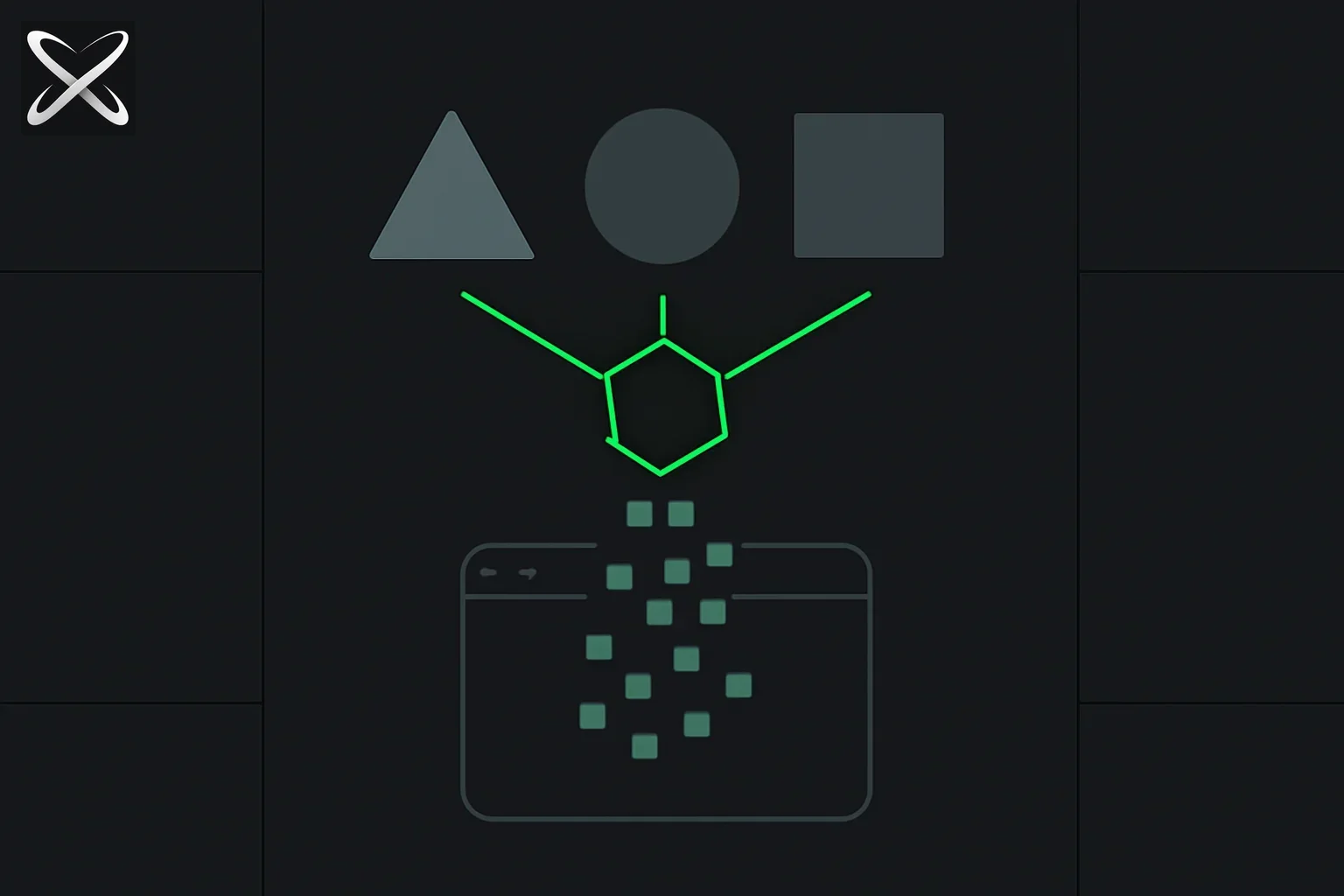 WebAssembly explained — three different source-language shapes compiling through one gate into a browser window
WebAssembly is a binary instruction format that runs in modern web browsers at near-native speed. Think of it as a compile target for languages like Rust, C++, and Go—they compile to WASM bytecode that executes in a sandboxed environment alongside JavaScript.
Key characteristics
| Property | Value |
|---|---|
| Execution speed | Workload-dependent; benchmark the complete integration |
| Memory model | Linear memory (typed arrays) |
| Security | Sandboxed, same-origin policy |
| Interop | Calls JavaScript, called from JavaScript |
| File size | Binary format; size depends on toolchain and dependencies |
| Languages | Rust, C/C++, Go, AssemblyScript, Kotlin, C#, Python |
WebAssembly vs JavaScript: When to Use What?
| Factor | JavaScript | WebAssembly |
|---|---|---|
| Best for | UI logic, DOM, async I/O | CPU-intensive computation |
| Performance | Good (JIT optimized) | Compiled by the runtime; workload-dependent |
| Startup time | Download, parse, and execution costs | Download and compilation costs |
| Bundle size | Depends on application and tooling | Depends on application and tooling |
| Development speed | Fast (dynamic, REPL) | Slower (compile step) |
| Memory safety | Implicit (GC) | Explicit (manual or via Rust) |
| Debugging | Excellent (DevTools) | Good (source maps, improving) |
| DOM access | Direct | Via JavaScript glue code |
Decision framework:
Use WebAssembly when:
- Performance is critical (crypto, image processing, physics)
- Porting existing C/C++/Rust code
- Predictable performance needed (measure initialization and runtime costs)
- Running sandboxed third-party code
- Cross-language code reuse (shared logic across web/native)
Use JavaScript when:
- DOM manipulation and UI logic
- Async I/O operations (fetch, WebSockets)
- Rapid prototyping
- Bundle size is more important than speed
- Team lacks WASM expertise
Use both (common pattern):
- JavaScript for UI and orchestration
- WebAssembly for performance-critical kernels
Getting Started with WebAssembly
1. Your First WASM Module (Rust)
Install Rust and wasm-pack:
# Install Rust
curl --proto '=https' --tlsv1.2 -sSf https://sh.rustup.rs | sh

# Install wasm-pack
cargo install wasm-pack
Create a Rust library:
// src/lib.rs
use wasm_bindgen::prelude::*;

#[wasm_bindgen]
pub fn add(a: i32, b: i32) -> i32 {
    a + b
}

#[wasm_bindgen]
pub fn fibonacci(n: u32) -> u32 {
    match n {
        0 => 0,
        1 => 1,
        _ => fibonacci(n - 1) + fibonacci(n - 2),
    }
}
Build for web:
wasm-pack build --target web
Use from JavaScript:
import init, { add, fibonacci } from './pkg/your_crate.js';

async function run() {
  await init(); // Initialize WASM module

  console.log('2 + 3 =', add(2, 3)); // 5
  console.log('fib(10) =', fibonacci(10)); // 55
}

run();
2. Performance Comparison
Let's benchmark JavaScript vs WASM for a compute-intensive task:
// JavaScript version
function fibonacciJS(n) {
  if (n <= 1) return n;
  return fibonacciJS(n - 1) + fibonacciJS(n - 2);
}

// Benchmark
console.time('JS fib(40)');
const resultJS = fibonacciJS(40);
console.timeEnd('JS fib(40)'); // Measure on your device

console.time('WASM fib(40)');
const resultWASM = fibonacci(40);
console.timeEnd('WASM fib(40)'); // Measure on your device
Record timings from your own environment. This example illustrates the measurement procedure; it does not report a measured result or a typical speedup.
Language Ecosystems
Rust (Recommended for New Projects)
Why Rust:
- Best WASM tooling (wasm-pack, wasm-bindgen)
- Memory safety without GC overhead
- Rich ecosystem (crates.io packages often work with WASM)
- Excellent documentation and community
Popular Rust + WASM crates:
| Crate | Purpose |
|---|---|
| wasm-bindgen | JS ↔ Rust interop |
| web-sys | Web API bindings (DOM, Canvas, WebGL) |
| js-sys | JavaScript standard objects |
| yew | React-like framework in Rust |
| serde | Serialization (JSON, etc.) |
Example: Image processing
use image::{imageops, ImageBuffer, Rgba};
use wasm_bindgen::prelude::*;

#[wasm_bindgen]
pub fn blur_image(data: &[u8], width: u32, height: u32) -> Vec<u8> {
    let img = ImageBuffer::<Rgba<u8>, _>::from_raw(width, height, data)
        .expect("Invalid image data");

    let blurred = imageops::blur(&img, 5.0);
    blurred.into_raw()
}
C/C++ (Emscripten)
Why C/C++:
- Massive existing codebases to port
- Mature libraries (OpenCV, FFmpeg, SQLite)
- Performance (highly optimized C/C++ code)
Setup with Emscripten:
# Install Emscripten SDK
git clone https://github.com/emscripten-core/emsdk.git
cd emsdk
./emsdk install latest
./emsdk activate latest
source ./emsdk_env.sh
Example:
// hello.cpp
#include <emscripten/emscripten.h>

extern "C" {
  EMSCRIPTEN_KEEPALIVE
  int multiply(int a, int b) {
    return a * b;
  }
}
Compile:
emcc hello.cpp -o hello.js \
  -s EXPORTED_FUNCTIONS='["_multiply"]' \
  -s EXPORTED_RUNTIME_METHODS='["ccall"]'
Use from JavaScript:
const Module = await import('./hello.js');
const result = Module.ccall('multiply', 'number', ['number', 'number'], [5, 6]);
console.log(result); // 30
Go (TinyGo)
Why Go:
- Simple syntax, familiar to many developers
- Concurrent patterns (goroutines compile to WASM)
- Standard library (parts work with WASM)
Example with TinyGo:
// main.go
package main

import "syscall/js"

func add(this js.Value, args []js.Value) interface{} {
    return args[0].Int() + args[1].Int()
}

func main() {
    js.Global().Set("add", js.FuncOf(add))
    select {} // Keep program running
}
Compile:
tinygo build -o main.wasm -target wasm main.go
AssemblyScript (TypeScript-like)
Why AssemblyScript:
- TypeScript syntax (easy for JS developers)
- No context switching (looks like JavaScript)
- Faster development than Rust/C++
Limitation: Smaller ecosystem than Rust/C++.
// assembly/index.ts
export function fibonacci(n: i32): i32 {
  if (n <= 1) return n;
  return fibonacci(n - 1) + fibonacci(n - 2);
}
Real-World Use Cases (2026 Production Data)
1. Cryptographic Operations
Use case: Encryption, hashing, signature verification
Why WASM:
- Potential benefits for selected compute workloads
- Reuse of reviewed implementations — constant-time behavior needs separate verification
- Code reuse (same crypto library on web and server)
Example libraries:
- libsodium (C) via Emscripten
- RustCrypto (Rust) via wasm-bindgen
Compare the chosen implementation with the browser APIs appropriate to your security requirements. This guide provides no measured encryption benchmark.
2. Image and Video Processing
Use case: Filters, compression, format conversion
Why WASM:
- Native library reuse with workload-dependent performance
- Access to native libraries (OpenCV, FFmpeg)
Example: Figma uses WASM for:
- Image export (PNG, JPG, SVG rendering)
- Vector manipulation
- Plugin execution (sandboxed)
Measure decoding, processing, and presentation together before claiming an improvement.
3. Document Parsing
Use case: PDF rendering, Office document parsing
Libraries:
- PDF.js (Mozilla) — uses WASM for parsing
- pdfium (Google) — compiled to WASM
- docx-rs (Rust) — Office formats
Evaluate the parser you intend to ship against representative documents, including malformed and large inputs.
4. Data Compression
Use case: gzip, brotli, zstd compression
Compare compressed size, processing time, memory, and loading cost for your chosen codec and inputs.
5. Game Engines
Major engines with WASM support:
- Unity (WebGL + WASM)
- Unreal Engine (experimental)
- Godot (stable)
- Custom engines (Rust + WebGPU)
Why WASM:
- Predictable performance (measure runtime behavior)
- Physics engines (Box2D, Rapier)
- Asset loading (custom formats)
6. Scientific Computing
Use case: Simulations, data analysis, visualization
Libraries:
- NumPy (Python) via Pyodide
- Eigen (C++) for linear algebra
- Rust ndarray
Example: TensorFlow.js uses WASM for CPU inference for selected CPU inference workloads.
Performance Optimization
1. Minimize JS ↔ WASM Calls
Crossing the boundary is expensive:
// BAD: Many small calls
for (let i = 0; i < 1000000; i++) {
  wasmAdd(i, 1); // 1M boundary crosses
}

// GOOD: Pass arrays
const input = new Int32Array(1000000);
wasmProcessArray(input); // 1 boundary cross
2. Use Shared Memory (Threads)
Enable threads for parallel work:
use rayon::prelude::*;

#[wasm_bindgen]
pub fn parallel_sum(data: &[i32]) -> i32 {
    data.par_iter().sum()
}
Compile with:
wasm-pack build --target web -- --features threads
Threaded speedups depend on workload size and deployment support. Measure rather than assuming linear scaling.
3. Optimize Binary Size
Techniques:
# Enable optimizations
wasm-pack build --release

# Strip debug symbols
wasm-strip pkg/your_crate_bg.wasm

# Use wasm-opt (Binaryen)
wasm-opt -Oz -o output.wasm input.wasm
Inspect the actual release artifact before and after optimization and verify that behavior remains correct.
4. Streaming Compilation
Don't block on WASM load:
// BAD: Blocking
const wasmModule = await import('./pkg/module.js');

// GOOD: Streaming (starts compiling during download)
const wasmModule = await WebAssembly.instantiateStreaming(
  fetch('./module.wasm')
);
Enterprise Adoption Patterns (2026)
Common Integration Patterns
1. Hybrid Architecture
┌─────────────────────────────┐
│     JavaScript (UI Layer)    │
│   - React/Vue components     │
│   - Event handling           │
│   - API calls                │
└──────────┬──────────────────┘
           │
           ▼
┌─────────────────────────────┐
│  WebAssembly (Compute Layer) │
│   - Image processing         │
│   - Cryptography             │
│   - Data transformation      │
└─────────────────────────────┘
2. Plugin Architecture (Shopify, Figma)
- Sandboxed execution — untrusted third-party code
- Resource controls needed — sandboxed plugins can still consume compute
- Language flexibility — plugins in Rust, C++, AssemblyScript
3. Progressive Enhancement
let processImage;

if (typeof WebAssembly === 'undefined') {
  // Fallback to JavaScript
  processImage = processImageJS;
} else {
  // Use WASM
  const wasm = await import('./image-processor');
  processImage = wasm.processImage;
}
Debugging and Tooling
Browser DevTools (2026)
All major browsers support:
- WASM debugging with source maps
- Step-through Rust/C++ code
- Memory inspection
- Performance profiling
Chrome DevTools:
// Set breakpoint in WASM code
debugger;

// Inspect WASM memory
const memory = new Uint8Array(wasmModule.memory.buffer);
console.log(memory.slice(0, 100));
Source Maps
Rust (automatic with wasm-pack):
wasm-pack build --dev # Includes source maps
C++ (Emscripten):
emcc -g -gsource-map main.cpp -o main.js
Testing
Rust:
#[cfg(test)]
mod tests {
    use super::*;

    #[test]
    fn test_add() {
        assert_eq!(add(2, 3), 5);
    }
}
Run tests:
wasm-pack test --headless --firefox
Common Pitfalls
| Pitfall | Problem | Solution |
|---|---|---|
| Too many JS ↔ WASM calls | Boundary crossing overhead | Batch operations, pass arrays |
| Large binary size | Slow initial load | Use wasm-opt, code splitting |
| No fallback | Breaks on old browsers | Feature detection, JS fallback |
| Memory leaks | Manual memory management | Use Rust (auto memory safety) |
| Blocking compilation | Slow startup | Use streaming compilation |
| No SIMD | Missing performance | Enable SIMD feature flag |
WebAssembly + WebGPU: Maximum Performance
Combining WASM (CPU) and WebGPU (GPU):
// Rust: Game logic in WASM
#[wasm_bindgen]
pub fn update_physics(delta: f32) -> Vec<f32> {
    // CPU-based physics calculations
    // Returns vertex positions
}
// JavaScript: Rendering in WebGPU
const positions = wasmModule.update_physics(deltaTime);
device.queue.writeBuffer(vertexBuffer, 0, positions);
renderPass.draw(positions.length / 3);
Use cases:
- Game engines — physics (WASM) + rendering (WebGPU)
- CAD tools — mesh operations (WASM) + display (WebGPU)
- Simulations — computation (WASM) + visualization (WebGPU)
For more on WebGPU, see our WebGPU guide.
Browser Support (2026)
| Browser | Support | Notes |
|---|---|---|
| Chrome 57+ | ✅ Full | Since 2017 |
| Firefox 52+ | ✅ Full | Since 2017 |
| Safari 11+ | ✅ Full | Since 2017 |
| Edge 16+ | ✅ Full | Since 2017 |
| Mobile | ✅ Full | iOS Safari, Android Chrome |
WebAssembly is universally supported in 2026. Feature detection:
if (typeof WebAssembly === 'object' &&
    typeof WebAssembly.instantiate === 'function') {
  // WASM supported
}
Conclusion
WebAssembly can complement JavaScript in computation-heavy applications and projects that reuse native libraries. Choose it for a specific workload and validate the integration.
Key takeaways:
- Not a JavaScript replacement — use both together
- Rust has best tooling for new WASM projects
- Measure end-to-end results before claiming a performance improvement
- Check required features in your supported browsers
- Mature ecosystem with production-ready libraries
Start with simple modules (crypto, image processing) and gradually expand. The Rust ecosystem offers the smoothest onboarding in 2026.
For AI-powered development workflows, explore the MCP ecosystem and agent skills to integrate WASM compilation into your development pipeline.
Resources
- WebAssembly.org — official site
- MDN WebAssembly — comprehensive docs
- Rust and WebAssembly Book — excellent tutorial
- wasm-pack — Rust → WASM toolchain
- Emscripten — C/C++ → WASM
- AssemblyScript — TypeScript → WASM
Related on explainx.ai: Transformers.js crosses 10M monthly downloads — WASM-powered in-browser AI inference · Ternlight — 7MB browser embedding model
Further reading:
Happy compiling!
How do you benchmark a Wasm integration honestly?
Begin with the application's bottleneck rather than a language comparison. Measure the complete user path: loading the module, preparing input, moving data across the boundary, computing, and consuming the output. A faster kernel can still make the application slower if startup or serialization dominates a small task.
Use equivalent algorithms and representative inputs. The recursive Fibonacci example is useful for learning exports, but it is a poor proxy for image editing or model inference. Compare correctness first, then timing. State the browser, hardware, build configuration, input size, and whether the module was already warm when you report a result.
What should an image-processing experiment measure?
For a proposed blur implementation, keep the source image and intended visual result fixed. Measure decoding, buffer preparation, processing, and presentation separately. If the processing kernel improves but buffer copying grows, consider batching work or keeping reusable data inside the module. Avoid repeatedly crossing the JavaScript boundary for individual pixels.
Test small and large images, then repeat on a device representative of your audience. A result on a workstation does not establish mobile responsiveness. Keep the UI responsive and expose progress or cancellation when the operation is long enough to interrupt a user's task.
What does the deployment need besides a Wasm file?
Check the exact artifact generated by your toolchain. Some modules need JavaScript glue and an import object, while others can be instantiated directly. Do not replace generated initialization code with a raw streaming call unless you understand the module's imports. MDN's JavaScript API guide explains loading and memory integration.
Verify that the deployed server delivers the binary with the appropriate content type and that its URL survives the application's asset pipeline. A local build can succeed while a production base path makes the binary unreachable. Open the deployed network request and inspect loading errors before changing compiler flags.
What changes when you add threads?
Thread support depends on the toolchain, libraries, runtime features, and browser deployment requirements. A feature name in a build command does not supply all those pieces automatically. Confirm the selected toolchain's documented setup and test the exact hosting environment before enabling a threaded path by default.
Also decide what happens when an optional feature is unavailable. A smaller single-threaded implementation may be a sufficient fallback. The fallback must be exercised; a branch nobody runs until a customer has an unsupported device is not useful resilience.
How should an AI coding agent help with Wasm?
Give the agent an explicit boundary: preserve the public JavaScript API while implementing one measured kernel. Supply representative input and independently known output. Ask for the build command, generated artifacts, and integration changes in the review report. That makes the change inspectable without pretending that compiling a module proves a performance win.
Keep dependency and binary-size changes visible in the diff. A new native library can add licenses, loading cost, and maintenance work even when its algorithm is useful. The official WebAssembly use cases show where the format can help, but your workload determines whether those benefits outweigh the integration cost.