



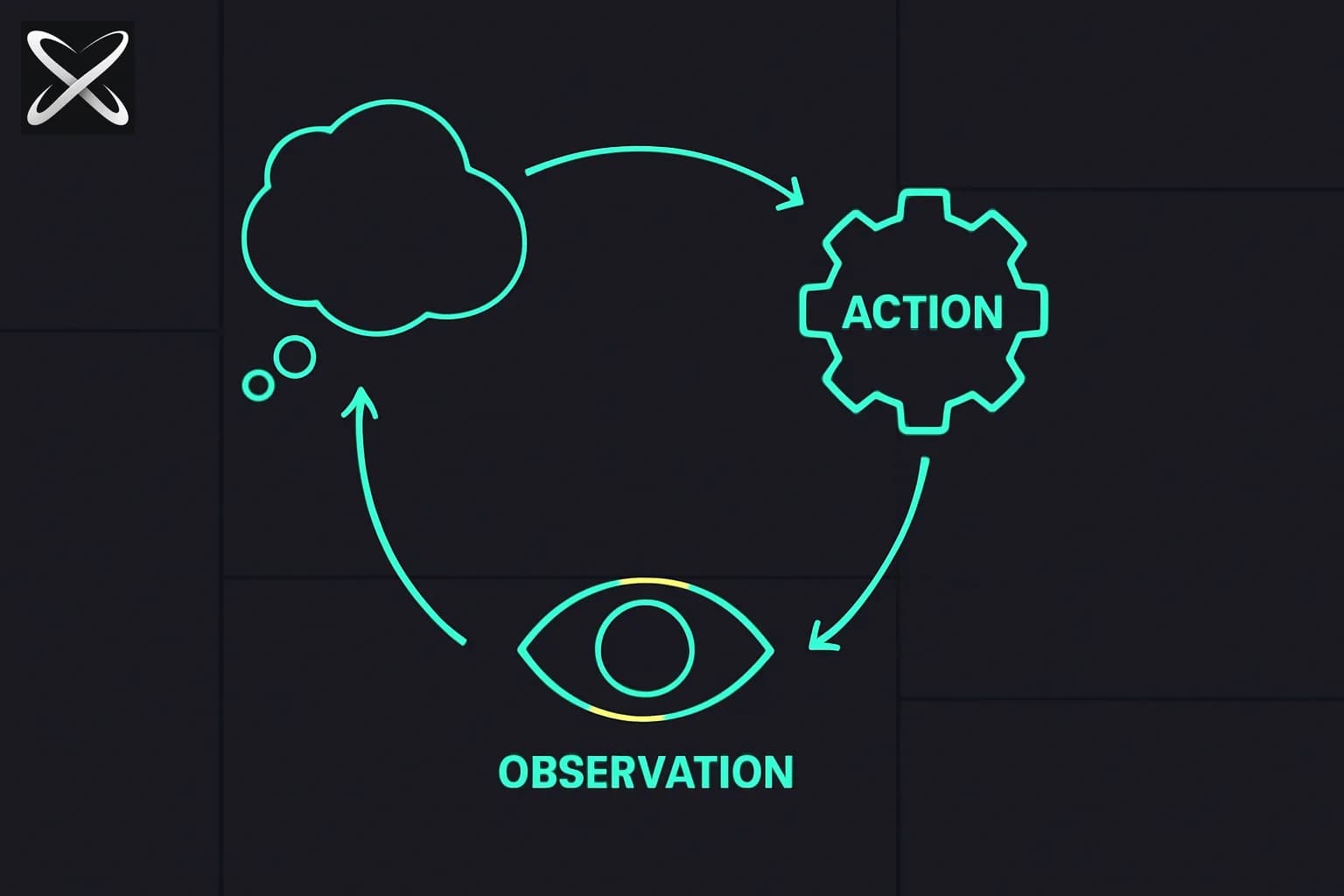
If you have used LangChain agents, Claude Code, or any production AI agent in the last two years, you have been using ReAct. You may not have known the name, but the pattern is everywhere: the model thinks out loud, takes an action, gets a result back, thinks again. That loop — Thought, Action, Observation, repeat — is ReAct.
This article explains the pattern from first principles, shows you how to write a ReAct prompt from scratch, walks through real examples, and covers the failure modes you will hit in production.
What ReAct Is
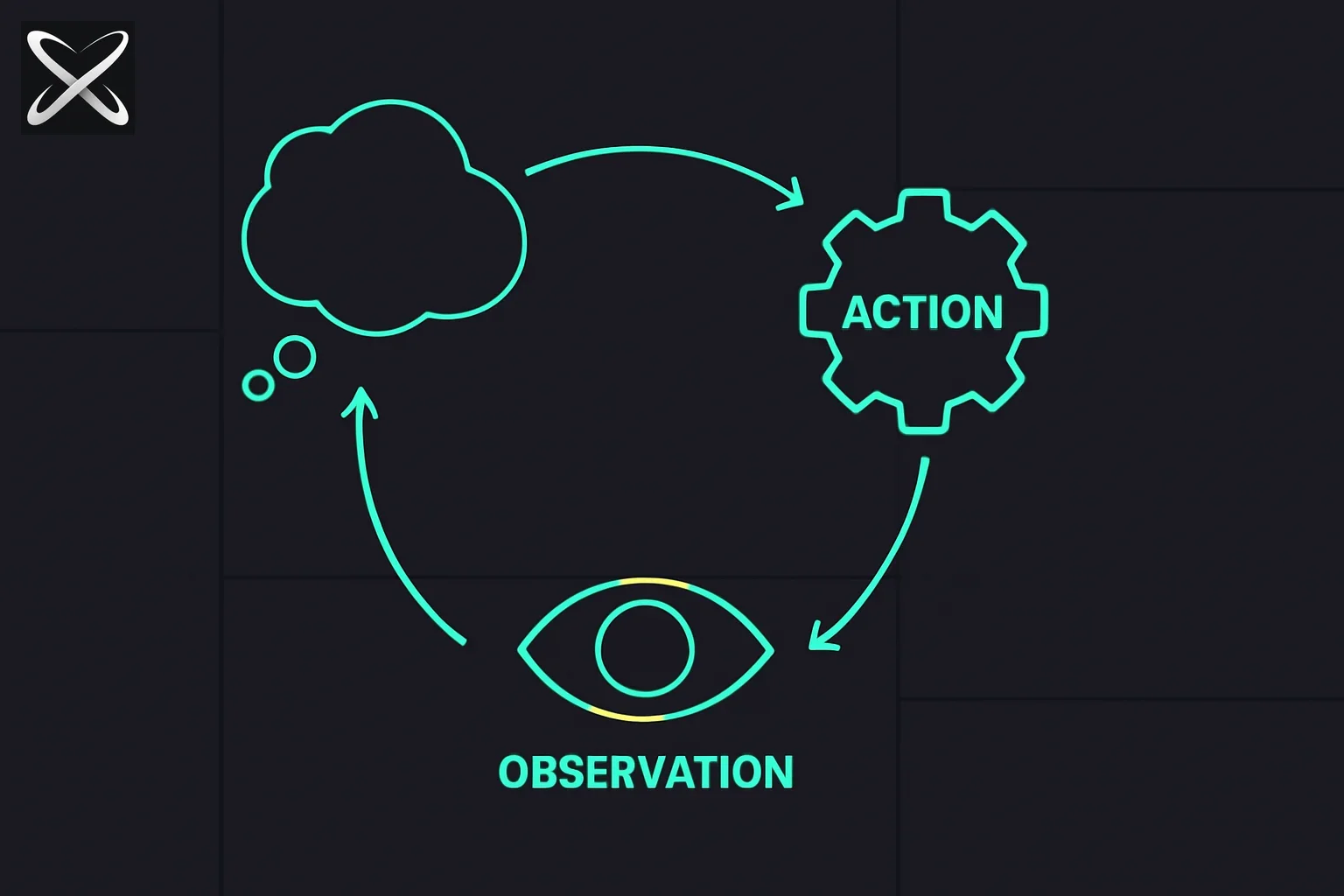 ReAct prompting diagram: a continuous loop of thought, action, and observation nodes
ReAct stands for Reasoning + Acting. It was introduced in the paper "ReAct: Synergizing Reasoning and Acting in Language Models" by Yao et al. in 2022. The core insight is deceptively simple: language models get better at tool use when they reason out loud before each action, not just before the final answer.
Before ReAct, tool-calling approaches gave models a list of tools and let them call them — but without any structured reasoning step in between. The model would call a search API, get results, and either answer or call another tool. This worked, but it produced brittle, opaque behavior that was hard to debug.
ReAct added an explicit reasoning step. Instead of jumping straight to a tool call, the model first writes a Thought explaining why it is making that call. This does two things: it keeps the model's reasoning grounded (harder to hallucinate when you have to explain yourself), and it makes the agent's behavior legible to you.
The paper showed that ReAct significantly outperformed chain-of-thought prompting on knowledge-intensive tasks (HotpotQA, FEVER) and decision-making tasks (ALFWorld, WebShop). That performance gap is why the pattern became the default architecture for production agents.
The ReAct Loop Structure
The core loop has three steps that repeat:
┌─────────────────────────────────────────────────────────┐
│                        REACT LOOP                        │
│                                                         │
│   ┌──────────┐    ┌──────────┐    ┌───────────────┐    │
│   │  THOUGHT │───▶│  ACTION  │───▶│  OBSERVATION  │    │
│   │          │    │          │    │               │    │
│   │ Model    │    │ Tool call│    │ Tool result   │    │
│   │ reasons  │    │ or step  │    │ comes back    │    │
│   └──────────┘    └──────────┘    └───────┬───────┘    │
│        ▲                                   │            │
│        └───────────────────────────────────┘            │
│                                                         │
│   Loop repeats until model outputs: Final Answer        │
└─────────────────────────────────────────────────────────┘
Thought: The model reasons about the current state. What does it know? What does it need? What is the best next action? This step happens inside the context window — no external call yet.
Action: The model specifies a concrete action, usually a tool call. It names the tool and provides the parameters. The tool is then actually invoked by the orchestrating code (not by the model — models do not run code directly).
Observation: The tool result comes back. This gets appended to the context as an Observation. The model reads it and starts a new Thought.
The loop runs until the model produces a Final Answer (or hits your iteration limit).
ReAct vs Chain-of-Thought
These two techniques are often confused because both involve the model "thinking" before answering. The difference is whether there is an external feedback loop.
| Chain-of-Thought | ReAct | |
|---|---|---|
| Reasoning steps | Yes | Yes |
| External tool calls | No | Yes |
| External feedback | No | Yes (Observations) |
| Number of passes | Single | Multiple |
| Best for | Self-contained problems | Tasks requiring external info |
| Latency | Low | Higher (multiple API calls) |
| Cost | Lower | Higher |
Use chain-of-thought when the model already has all the information it needs. Use ReAct when the task requires retrieving information, executing code, or taking actions in the world.
ReAct vs Simple Tool Calling
Modern LLM APIs all support tool calling (also called function calling). You define tools as JSON schemas, and the model returns a structured call to one of them. This is not the same as ReAct.
Without ReAct (simple tool calling):
User: What is the stock price of NVIDIA?
Model: [calls get_stock_price("NVDA")]
Result: $142.50
Model: NVIDIA's stock price is $142.50.
The model calls the tool, gets the result, answers. No reasoning about why it chose that tool, no intermediate thinking.
With ReAct:
User: What is the stock price of NVIDIA and why did it move today?

Thought: The user wants two pieces of information: the current price and
the reason for today's movement. I should get the price first, then search
for news about NVIDIA today.

Action: get_stock_price("NVDA")
Observation: {"price": 142.50, "change": "+4.2%", "volume": "high"}

Thought: NVIDIA is up 4.2% on high volume. I need to find out why.
Let me search for recent NVIDIA news.

Action: web_search("NVIDIA stock news today June 2026")
Observation: "NVIDIA announced new AI chip partnership with [company]..."

Thought: I now have both the price and the reason for the movement.
I can give a complete answer.

Final Answer: NVIDIA is trading at $142.50, up 4.2% today on high volume.
The move is driven by an announcement of a new AI chip partnership...
The reasoning is explicit. Every action is justified. When something goes wrong, you can see exactly where.
Writing a ReAct Prompt from Scratch
A ReAct system prompt needs to do four things: explain the format, list available tools, set the stopping condition, and (optionally) show an example.
System Prompt Structure
You are an AI assistant that can use tools to answer questions.

You have access to the following tools:
- web_search(query: str) -> str: Search the web and return relevant results
- read_url(url: str) -> str: Read the content of a webpage
- calculator(expression: str) -> float: Evaluate a math expression

Use the following format EXACTLY:

Thought: [Your reasoning about what to do next]
Action: [tool_name(parameters)]
Observation: [The result of the action — this will be filled in for you]

Repeat Thought/Action/Observation as many times as needed.
When you have enough information to answer, write:
Final Answer: [Your complete answer to the user's question]

Rules:
- Always write a Thought before every Action
- Never make up an Observation — wait for the real result
- Stop as soon as you have enough information
- If a tool returns an error, try a different approach
Formatting Thought/Action/Observation
The exact format matters because your orchestrating code parses it. Common approaches:
Tag-based (easier to parse):
<thought>I need to find the current price...</thought>
<action>get_stock_price("NVDA")</action>
<observation>142.50</observation>
Label-based (closer to original ReAct paper):
Thought: I need to find the current price...
Action: get_stock_price("NVDA")
Observation: 142.50
JSON-based (easiest to parse programmatically):
{
  "thought": "I need to find the current price...",
  "action": "get_stock_price",
  "action_input": {"ticker": "NVDA"}
}
LangChain uses the label-based format by default. If you are building your own loop, JSON is the most reliable to parse.
Full ReAct Examples
Example 1: Web Research Task
Prompt: "What is the current price of NVIDIA stock and why did it move today?"
Thought: I need two things: the current NVIDIA stock price and today's
news explaining the price movement. Let me start with the price.

Action: get_stock_price("NVDA")
Observation: {"ticker": "NVDA", "price": 142.50, "change_pct": 4.2,
              "change_abs": 5.75, "volume": 95000000}

Thought: NVIDIA is up 4.2% on 95M volume (above average). I need to find
out what drove this. Let me search for NVIDIA news from today.

Action: web_search("NVIDIA stock news today 2026-06-27")
Observation: "NVIDIA announces expanded partnership with Microsoft Azure
for next-gen AI training clusters. Deal estimated at $2B annually.
CEO Jensen Huang presented at Microsoft Build."

Thought: I have everything I need. The price is $142.50, up 4.2%, driven
by the Microsoft Azure partnership announcement.

Final Answer: NVIDIA (NVDA) is trading at $142.50, up 4.2% ($5.75) today
on above-average volume of 95 million shares. The move is driven by
NVIDIA's announcement of an expanded partnership with Microsoft Azure
for next-generation AI training infrastructure, reported to be worth
approximately $2 billion annually. CEO Jensen Huang presented the deal
at Microsoft Build.
Example 2: Code Debugging Task
Prompt: "Find the bug in this function and fix it."
def calculate_average(numbers):
    total = 0
    for n in numbers:
        total += n
    return total / len(numbers)
Thought: I need to analyze this function for bugs. It calculates an
average by summing all numbers and dividing by count. The obvious
failure case is an empty list — dividing by zero. Let me verify.

Action: run_code("calculate_average([])")
Observation: ZeroDivisionError: division by zero

Thought: Confirmed — the function crashes on empty input. I should also
check if it handles non-numeric input.

Action: run_code("calculate_average([1, 'two', 3])")
Observation: TypeError: unsupported operand type(s) for +=: 'int' and 'str'

Thought: Two bugs: empty list causes ZeroDivisionError, and non-numeric
values cause TypeError. The fix should handle both. For the empty list,
return None or raise a descriptive error. For non-numeric values, either
filter them or raise a TypeError with a clear message.

Final Answer: The function has a division-by-zero bug when called with
an empty list. Here is the fixed version:

def calculate_average(numbers):
    if not numbers:
        raise ValueError("Cannot calculate average of empty list")
    if not all(isinstance(n, (int, float)) for n in numbers):
        raise TypeError("All elements must be numeric")
    return sum(numbers) / len(numbers)
Example 3: Multi-Step Task
Prompt: "Check my calendar for tomorrow, find a 30-minute free slot in the afternoon, and draft a meeting invite for a team sync."
Thought: I need to do this in order: (1) get tomorrow's calendar,
(2) find a free 30-minute slot in the afternoon, (3) draft the invite.

Action: get_calendar_events("2026-06-28")
Observation: [
  {"start": "09:00", "end": "10:00", "title": "Standup"},
  {"start": "11:00", "end": "12:00", "title": "Design review"},
  {"start": "14:00", "end": "15:00", "title": "1:1 with manager"}
]

Thought: Tomorrow I have meetings at 9-10am, 11am-12pm, and 2-3pm.
Free afternoon slots: 1:00-2:00pm and 3:00-4:00pm (assuming workday
ends at 5pm). The earliest free afternoon slot is 1:00-1:30pm.

Action: draft_calendar_invite({
  "title": "Team Sync",
  "date": "2026-06-28",
  "start": "13:00",
  "end": "13:30",
  "description": "Weekly team sync to align on priorities and blockers."
})
Observation: {"draft_id": "inv_abc123", "status": "drafted"}

Final Answer: Found a free slot at 1:00-1:30pm tomorrow (June 28).
I have drafted a meeting invite titled "Team Sync" for that time with
description "Weekly team sync to align on priorities and blockers."
Draft ID: inv_abc123. Ready to send when you confirm.
ReAct Failure Modes
1. Observation Hallucination
The most dangerous failure: the model invents tool outputs instead of waiting for real ones. This happens when the model is too eager to move toward an answer.
What it looks like:
Thought: I should search for the stock price.
Action: get_stock_price("NVDA")
Observation: {"price": 142.50}  ← model wrote this, not the tool
Prevention: Your orchestrating loop should insert Observations, not the model. If you are using a label-based format, parse out everything after Action: and stop the model generation there. Then inject the real tool output as Observation: before asking the model to continue.
2. Reasoning Loops
The model gets stuck cycling through the same thoughts without progress. Often triggered by a tool returning an unhelpful result that the model does not know how to handle.
What it looks like:
Thought: I need to find X. Let me search.
Action: web_search("X")
Observation: No results found.
Thought: I need to find X. Let me search again.
Action: web_search("X")
Observation: No results found.
[repeats]
Prevention: Add a maximum iteration count (10 is usually enough). Add a rule to the system prompt: "If a tool returns no results, try a different query or approach, or acknowledge that the information is not available."
3. Action Explosion
The model makes far more tool calls than necessary, either being overly thorough or genuinely unsure which action will help.
Prevention: Instruct the model to reason about efficiency: "Use the minimum number of tool calls needed. Before making an action, ask yourself if you already have enough information."
ReAct in Modern Frameworks
LangChain / LangGraph: LangChain's create_react_agent function implements the full ReAct loop. LangGraph extends this with explicit graph-based state management, making it easier to add custom logic between steps (retries, human-in-the-loop, branching).
Coding-agent harnesses: coding agents use repeated tool actions and returned results, which makes ReAct a useful teaching analogy. That resemblance does not establish that a particular product implements the original text-prompt format or exposes every internal reasoning step.
Structured tool-calling APIs: a host can submit a tool result and request another model step. Provider-specific message formats differ; do not assume they contain the original ReAct Thought/Action/Observation labels or expose private reasoning.
Rolling your own: You need a loop that: (1) sends the current context to the model, (2) parses the output to extract the action, (3) calls the real tool, (4) appends the observation, (5) checks for Final Answer or max iterations.
def react_loop(system_prompt, user_query, tools, max_iterations=10):
    messages = [
        {"role": "system", "content": system_prompt},
        {"role": "user", "content": user_query}
    ]

    for i in range(max_iterations):
        response = llm.complete(messages)
        content = response.content

        if "Final Answer:" in content:
            return extract_final_answer(content)

        action_name, action_input = parse_action(content)
        observation = tools[action_name](**action_input)

        messages.append({"role": "assistant", "content": content})
        messages.append({
            "role": "user",
            "content": f"Observation: {observation}"
        })

    return "Max iterations reached without a final answer."
ReAct as the Foundation of Loop Engineering
ReAct is one useful model for understanding repeated agent tool use. The layers vary: some add memory (the model can retrieve past observations), some add planning (the model generates a multi-step plan before acting), some add subagents (individual ReAct loops for subtasks). But the core — reason, act, observe, repeat — stays the same.
Understanding ReAct makes everything else legible. When you read about "agent loops," "chain-of-thought with tool use," or "plan-and-execute architectures," you are reading about variations on ReAct.
When NOT to Use ReAct
ReAct adds latency and cost. Every Thought/Action/Observation cycle is at least two API calls (one to get the action, one for the tool). For simple tasks, this is waste.
Skip ReAct for:
- Classification tasks — "Is this email spam?" needs one call, not a loop.
- Summarization — You provided the document, the model has it, no tools needed.
- Translation — Single-pass, model has all information.
- Formatting tasks — Converting JSON to CSV, reformatting text.
- Questions the model can answer from training data — "What is the capital of France?" does not need web search.
Use ReAct for:
- Tasks requiring current information (web search, APIs)
- Tasks requiring multi-step execution (write code, run tests, fix failures)
- Tasks requiring reading/writing files or databases
- Tasks where intermediate state needs to be verified
The rule of thumb: if the model could answer correctly with no tools and no loop, do not use ReAct.
Practical Checklist for Building a ReAct Agent
Before you ship a ReAct-powered feature, verify each of these:
- System prompt clearly explains the Thought/Action/Observation format
- Every available tool is documented with name, input schema, and example output
- Maximum iteration limit is set (default 10, adjust based on task complexity)
- Your parsing code correctly identifies action calls without letting the model write fake Observations
- You have at least 10 test cases covering happy path, tool failure, and edge cases
- You log every Thought/Action/Observation for debugging
- You have a fallback for when max iterations is hit (either a graceful degradation or an error message, not a crash)
Read next
- Structured Output and JSON Mode Prompting Guide
- Evaluating Prompts: How to Measure Quality
- Agent Harness Engineering: When the Model Stays Fixed and the Scaffolding Wins
- AI Benchmarks Complete Guide
- Agentic Era: AI Future 2026–2030
Keep an action record without requiring private reasoning
The original ReAct paper studies interleaving reasoning and actions. A modern production implementation does not need to expose a model's private reasoning trace to preserve useful observability. Log the actual tool name, arguments, result, timing, and any concise user-facing action explanation the system supports.
For the calendar example, retain the requested date, returned events, proposed slot, and draft identifier. Those artifacts let you verify whether the slot was free and whether the output remained a draft. A persuasive explanation from the model cannot substitute for those actual results.
Apply action permissions outside the text prompt. A drafting tool and a sending tool should have distinct capabilities, and your runtime should enforce the authorized boundary. If the iteration limit is reached, report what completed and what remains unresolved instead of claiming a final result simply because the loop stopped.