



The Context Problem in AI Systems
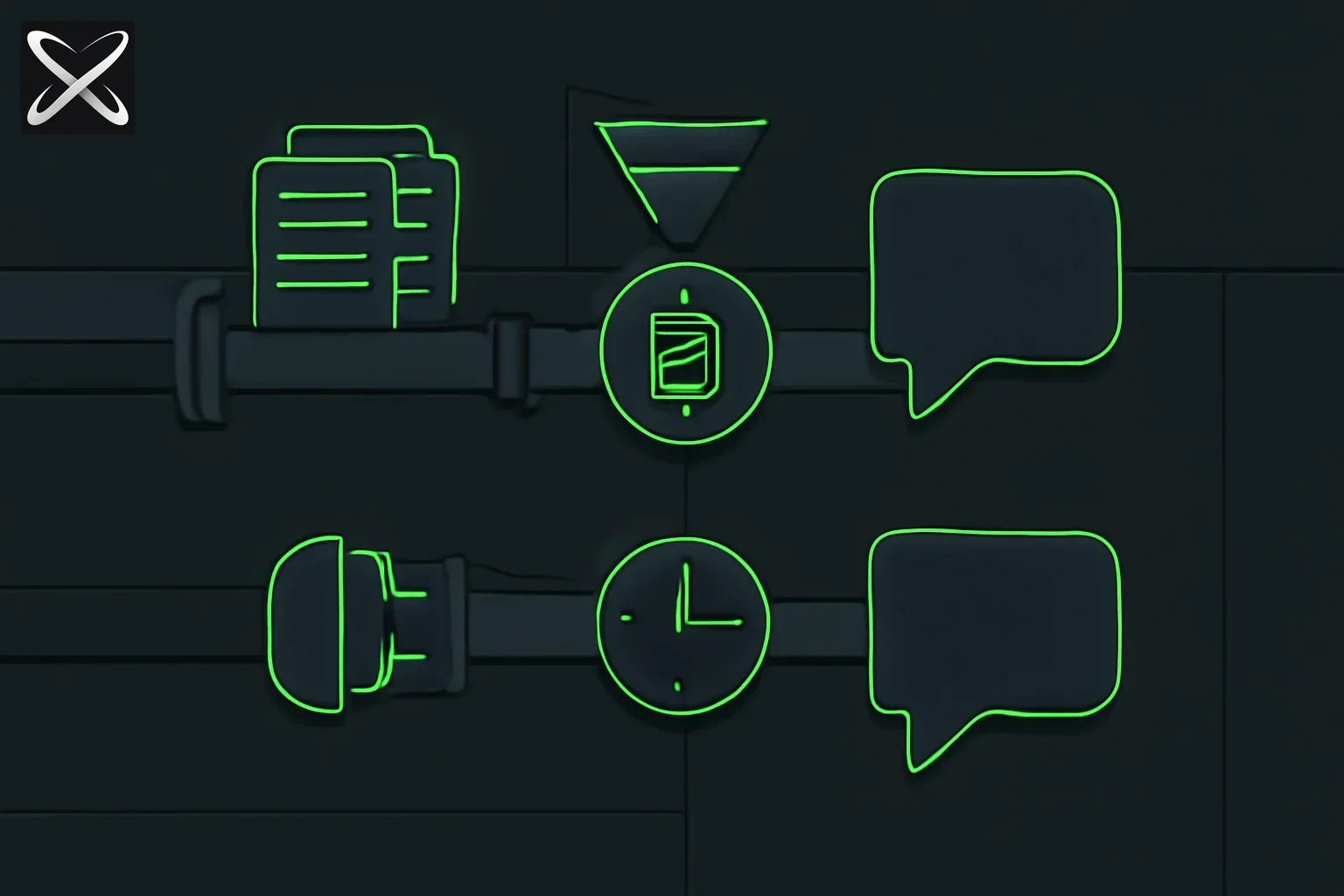 RAG versus MCP explained — document retrieval pipeline compared to a live tool-connection pipeline feeding the same output
Modern Large Language Models (LLMs) like GPT-4, Claude, and Gemini are incredibly powerful, but they share a critical limitation: they're frozen in time. Once trained, they don't know about:
- Your company's proprietary documentation
- Real-time data (stock prices, weather, database records)
- Events that happened after their training cutoff
- Your specific business logic and workflows
Two architectural patterns have emerged to solve this "context problem":
- RAG (Retrieval-Augmented Generation): Retrieve relevant documents and inject them into the prompt
- MCP (Model Context Protocol): Give the LLM real-time access to tools and data sources
While they're often mentioned as alternatives, they're actually complementary approaches solving different aspects of the same problem. This guide explains both, their trade-offs, and when to use each.
What is RAG (Retrieval-Augmented Generation)?
RAG is an architectural pattern that enhances LLM responses by retrieving relevant documents from an external knowledge base and including them in the prompt.
How RAG Works (5 Steps)
graph LR
    A[User Query] --> B[Embed Query]
    B --> C[Vector Search]
    C --> D[Retrieve Docs]
    D --> E[Augment Prompt]
    E --> F[LLM Response]
-
User asks a question: "What's our refund policy for enterprise customers?"
-
Query is embedded: Convert the question into a vector (array of numbers) using an embedding model like
text-embedding-3-largeorvoyage-2 -
Semantic search: Search your vector database (Pinecone, Weaviate, Qdrant) for documents with similar embeddings
-
Retrieve top-K documents: Get the 3-5 most relevant chunks (typically 500-1000 tokens each)
-
Augment the prompt: Inject retrieved documents into the LLM prompt:
snippetContext: [Retrieved Doc 1: Enterprise Refund Policy - Section 4.2...] [Retrieved Doc 2: Customer Success SLA - Refund Timeline...] User Question: What's our refund policy for enterprise customers? Answer based strictly on the provided context. -
LLM generates response: The model answers using the retrieved context
RAG Tech Stack
Embedding Models:
- OpenAI
text-embedding-3-large(3072 dimensions) - Cohere
embed-v3(1024 dimensions) - Voyage AI
voyage-2(1536 dimensions, optimized for retrieval)
Vector Databases:
- Pinecone: Fully managed, scales to billions of vectors
- Weaviate: Open-source, supports hybrid search (vector + keyword)
- Qdrant: Rust-based, high performance, local-first
- pgvector: PostgreSQL extension, great for existing Postgres apps
- ChromaDB: Developer-friendly, perfect for prototyping
RAG Frameworks:
- LangChain: Most popular, extensive integrations
- LlamaIndex: Specialized for document loading and indexing
- Haystack: Production-focused, built by Deepset
- txtai: Lightweight, embeddings-first
RAG Use Cases
✅ Where RAG Excels:
- Documentation Q&A: Internal wikis, API docs, knowledge bases
- Research: Academic papers, legal documents, medical records
- Historical data: Past support tickets, archived emails, log files
- Semantic search: Finding conceptually similar content, not just keyword matches
- Content that doesn't change frequently: Policies, procedures, reference materials
❌ Where RAG Struggles:
- Real-time data: Stock prices, live sensor readings, current weather
- Frequent updates: Databases that change constantly
- Multi-step reasoning: Requires chaining multiple retrievals
- Action execution: Can't book flights, send emails, or update records
- Structured queries: SQL databases are better queried directly
What is MCP (Model Context Protocol)?
MCP is an open protocol (developed by Anthropic) that provides LLMs with standardized access to external tools, data sources, and business logic through "MCP servers."
How MCP Works (Tool-Based Architecture)
graph LR
    A[User Query] --> B[LLM]
    B --> C{Needs Tool?}
    C -->|Yes| D[MCP Server]
    D --> E[Execute Tool]
    E --> F[Return Result]
    F --> B
    C -->|No| G[Final Response]
-
User asks a question: "What's the current price of TSLA stock?"
-
LLM determines it needs a tool: The model recognizes it needs real-time data and selects the
stock-pricetool from available MCP servers -
MCP server is called: The stock market MCP server receives the tool call:
get_stock_price(symbol="TSLA") -
Tool executes: The MCP server fetches live data from a financial API
-
Result returned to LLM:
{"symbol": "TSLA", "price": 242.84, "timestamp": "2026-05-22T14:30:00Z"} -
LLM generates response: "Tesla (TSLA) is currently trading at $242.84."
MCP Architecture
MCP consists of three components:
1. MCP Hosts (AI Applications):
- Claude Desktop
- Claude Code CLI
- Cursor IDE
- Custom AI agents
2. MCP Clients (in your code):
@modelcontextprotocol/sdk(TypeScript/JavaScript)mcp(Python)- Built into frameworks like LangGraph, Autogen
3. MCP Servers (data/tool providers):
- Pre-built servers: PostgreSQL, Google Drive, GitHub, Slack, etc.
- Custom servers: Your proprietary APIs and business logic
MCP Server Example
Here's a simple MCP server that provides stock price tools:
import { Server } from "@modelcontextprotocol/sdk/server/index.js";
import { StdioServerTransport } from "@modelcontextprotocol/sdk/server/stdio.js";

const server = new Server({
  name: "stock-server",
  version: "1.0.0",
}, {
  capabilities: {
    tools: {},
  },
});

// Register a tool
server.setRequestHandler("tools/list", async () => ({
  tools: [{
    name: "get_stock_price",
    description: "Get the current price of a stock",
    inputSchema: {
      type: "object",
      properties: {
        symbol: { type: "string", description: "Stock ticker symbol" },
      },
      required: ["symbol"],
    },
  }],
}));

// Handle tool calls
server.setRequestHandler("tools/call", async (request) => {
  if (request.params.name === "get_stock_price") {
    const { symbol } = request.params.arguments;
    const price = await fetchStockPrice(symbol); // Your API call
    return {
      content: [{
        type: "text",
        text: JSON.stringify({ symbol, price, timestamp: new Date() }),
      }],
    };
  }
});

const transport = new StdioServerTransport();
await server.connect(transport);
MCP Use Cases
✅ Where MCP Excels:
- Real-time data: Weather, stock prices, sensor readings, live databases
- Action execution: Send emails, create tickets, update records, book appointments
- API integration: Connect LLMs to your existing REST/GraphQL APIs
- Multi-step workflows: Chain multiple tool calls (fetch data, process, then update)
- Frequently changing data: Databases, CRMs, project management tools
- Structured queries: Direct SQL, GraphQL, or API calls instead of semantic search
❌ Where MCP Struggles:
- Unstructured documents: PDFs, long-form text, research papers (use RAG instead)
- Semantic search: Finding conceptually similar content across large corpora
- Historical archives: Large, static document collections
- Offline scenarios: MCP requires live connections to data sources
RAG vs MCP: Head-to-Head Comparison
| Aspect | RAG | MCP |
|---|---|---|
| Primary Purpose | Retrieve relevant documents | Provide tool access |
| Data Type | Unstructured text, documents | Structured data, APIs, actions |
| Query Method | Semantic similarity (vector search) | Direct tool calls (function calling) |
| Latency | Medium (embedding + search + LLM) | Low-Medium (tool call + LLM) |
| Accuracy | Depends on retrieval quality | Depends on tool implementation |
| Cost | Embedding costs + vector DB storage | API call costs + server hosting |
| Setup Complexity | Medium (chunking, embedding, indexing) | Low-Medium (define tools, write handlers) |
| Data Freshness | Stale (requires re-indexing) | Real-time (live queries) |
| Scalability | Excellent (vector DBs scale well) | Good (depends on underlying services) |
| Best For | Knowledge bases, documentation, research | Live data, actions, integrations |
When to Use RAG
Choose RAG when your use case involves:
1. Large Document Collections
Example: A legal AI assistant needs to search through 10,000+ case law documents.
Why RAG: Vector search can semantically match user queries to relevant passages across millions of pages. MCP would be impractical for this scale of unstructured text.
2. Historical/Archived Data
Example: A customer support bot searching through 5 years of resolved tickets.
Why RAG: Past tickets are static; indexing them once and searching via embeddings is more efficient than querying a database repeatedly.
3. Semantic Search Requirements
Example: "Find documentation about authentication" should match docs containing "login," "OAuth," "SSO," etc.
Why RAG: Embedding-based search captures semantic meaning, not just keyword matches.
4. Proven, Simple Architecture
Example: A startup building their first AI feature.
Why RAG: RAG is mature, well-documented, and supported by every major LLM framework. It's the "default" choice for many AI applications.
When to Use MCP
Choose MCP when your use case involves:
1. Real-Time Data
Example: An AI trading assistant that needs current stock prices and portfolio balances.
Why MCP: RAG would require constantly re-indexing prices (every second!). MCP calls the financial API directly.
2. Action Execution
Example: "Send an email to the team about tomorrow's meeting."
Why MCP: RAG can't execute actions. MCP can define a send_email tool that actually sends the email.
3. Frequently Changing Data
Example: A project management AI that queries Jira for current sprint status.
Why MCP: Jira data changes constantly. MCP queries live; RAG would require continuous re-indexing.
4. Structured Databases
Example: "How many users signed up last week?"
Why MCP: This is a SQL query, not a semantic search. MCP can execute: SELECT COUNT(*) FROM users WHERE created_at > NOW() - INTERVAL '7 days'
5. Multi-System Orchestration
Example: "Check GitHub for open PRs, then notify the team via Slack."
Why MCP: Requires calling multiple APIs in sequence. MCP supports chaining tool calls.
Hybrid Architecture: RAG + MCP Together
The most powerful production systems use both RAG and MCP. Here's how they complement each other:
Architecture Pattern: RAG for Context, MCP for Actions
async function handleUserQuery(query: string) {
  // Step 1: RAG - Retrieve relevant documentation
  const relevantDocs = await vectorDB.search(query, topK: 3);

  // Step 2: Build context with retrieved docs
  const context = `Documentation:\n${relevantDocs.join('\n\n')}`;

  // Step 3: LLM processes with MCP tools available
  const response = await anthropic.messages.create({
    model: "claude-sonnet-4.5",
    messages: [{
      role: "user",
      content: `${context}\n\nUser: ${query}`
    }],
    tools: mcpTools, // MCP servers provide real-time data/actions
  });

  // Step 4: Execute any tool calls (MCP)
  if (response.stop_reason === "tool_use") {
    const toolResults = await executeMCPTools(response.content);
    // Continue conversation with tool results...
  }

  return response;
}
Real-World Example: Enterprise Support Bot
Scenario: User asks "What's the status of ticket #12345 and what's our SLA policy?"
RAG component:
- Retrieve SLA policy documents from vector DB
- Find similar past tickets and their resolutions
MCP component:
- Call Zendesk MCP server:
get_ticket(id: "12345")→ Returns live ticket status - Call internal API:
check_sla_compliance(ticket_id: "12345")→ Returns SLA metrics
Combined response:
Based on our SLA policy [from RAG], enterprise tickets must be
resolved within 24 hours. Ticket #12345 [from MCP] was created
6 hours ago and is currently assigned to Sarah in Engineering.
It's within SLA and similar issues [from RAG] were typically
resolved by restarting the sync service.
Implementation Guide: Building Both
RAG Implementation (Python with LlamaIndex)
from llama_index import VectorStoreIndex, SimpleDirectoryReader
from llama_index.vector_stores import PineconeVectorStore
from llama_index.embeddings import OpenAIEmbedding
import pinecone

# 1. Load documents
documents = SimpleDirectoryReader("./docs").load_data()

# 2. Initialize vector store
pinecone.init(api_key="your-key")
vector_store = PineconeVectorStore(
    pinecone_index=pinecone.Index("my-index")
)

# 3. Create index
index = VectorStoreIndex.from_documents(
    documents,
    vector_store=vector_store,
    embed_model=OpenAIEmbedding(model="text-embedding-3-large")
)

# 4. Query
query_engine = index.as_query_engine(similarity_top_k=3)
response = query_engine.query("What's our refund policy?")
print(response)
MCP Implementation (TypeScript)
// Define your MCP server
import { Server } from "@modelcontextprotocol/sdk/server/index.js";

const server = new Server({
  name: "company-data",
  version: "1.0.0",
});

// Register tools
server.setRequestHandler("tools/list", async () => ({
  tools: [
    {
      name: "query_database",
      description: "Execute SQL query on company database",
      inputSchema: {
        type: "object",
        properties: {
          query: { type: "string" },
        },
        required: ["query"],
      },
    },
    {
      name: "send_notification",
      description: "Send notification to a user",
      inputSchema: {
        type: "object",
        properties: {
          userId: { type: "string" },
          message: { type: "string" },
        },
        required: ["userId", "message"],
      },
    },
  ],
}));

// Handle tool calls
server.setRequestHandler("tools/call", async (request) => {
  const { name, arguments: args } = request.params;

  if (name === "query_database") {
    const results = await db.query(args.query);
    return { content: [{ type: "text", text: JSON.stringify(results) }] };
  }

  if (name === "send_notification") {
    await notificationService.send(args.userId, args.message);
    return { content: [{ type: "text", text: "Notification sent" }] };
  }
});
Performance Considerations
RAG Performance
Latency Breakdown (typical):
- Embedding generation: 50-200ms
- Vector search: 50-500ms (depends on DB size)
- LLM generation: 1-5 seconds
- Total: ~2-6 seconds
Optimization Strategies:
- Cache embeddings for common queries
- Use faster embedding models (e.g.,
voyage-lite-02) - Implement hybrid search (vector + keyword) for better precision
- Pre-compute embeddings offline; only search at query time
- Use reranking models (Cohere Rerank, Cross-Encoder) to improve top-K selection
MCP Performance
Latency Breakdown (typical):
- Tool selection: 0-100ms (LLM decides which tool)
- Tool execution: 100ms-5s (depends on underlying API)
- LLM generation: 1-5 seconds
- Total: ~1-10 seconds (highly variable)
Optimization Strategies:
- Implement tool call caching
- Use parallel tool execution when possible
- Set aggressive timeouts for slow APIs
- Provide detailed tool descriptions to reduce incorrect tool selections
- Cache frequently accessed data at the MCP server level
Cost Analysis
RAG Costs (Monthly, 1M queries)
- Embedding API: 1M queries × $0.13/1M tokens ≈ $130
- Vector DB: Pinecone serverless ≈ $70-150 (depends on read/write ratio)
- LLM API: 1M queries × $3/1M input tokens ≈ $3,000 (main cost)
- Total: ~$3,200/month
MCP Costs (Monthly, 1M queries)
- Tool execution: Depends entirely on underlying APIs (could be $0-$10,000+)
- LLM API: 1M queries × $3/1M tokens ≈ $3,000
- Server hosting: $50-500 (depends on scale)
- Total: ~$3,050-$13,500/month (highly variable)
Cost Optimization: Hybrid systems can be more expensive but provide better user experience and accuracy.
The Future: Where Are We Headed?
RAG Evolution
Multimodal RAG: Retrieve images, videos, and audio alongside text (already emerging with GPT-4V, Gemini 2.0)
Graph RAG: Microsoft's approach using knowledge graphs instead of flat vectors for better relationship understanding
Agentic RAG: AI agents that dynamically decide when to retrieve, what to retrieve, and how to reformulate queries
MCP Adoption
Universal MCP Support: More AI applications (Cursor, VS Code, OpenAI Codex) adopting MCP as standard
MCP Marketplace: Centralized repositories of pre-built MCP servers (like npm for AI tools)
Security & Governance: Enterprise-grade MCP servers with audit logs, permissions, and compliance
Summary: Choosing the Right Approach
Use this decision tree:
Does your AI need to search unstructured documents?
├─ YES → Use RAG
└─ NO → Does it need real-time data or actions?
    ├─ YES → Use MCP
    └─ NO → Does it need both?
        ├─ YES → Use RAG + MCP (Hybrid)
        └─ NO → Prompt engineering might be enough
Quick Guidelines
Choose RAG for:
- Documentation, wikis, knowledge bases
- Historical archives, past records
- Semantic search over large text corpora
- Static or slowly-changing content
Choose MCP for:
- Real-time data (prices, weather, status)
- Action execution (send email, create ticket)
- Frequently updated databases
- API integrations and tool orchestration
Choose Both (Hybrid) for:
- Enterprise AI assistants
- Complex customer support systems
- Multi-step workflows requiring both context and actions
- Production systems needing maximum capability
Next Steps:
- See a real cost case study: Castform + Neon — RL post-training a 4B model to match GPT-5.6 Sol on retrieval at ~100x lower cost
- Choose the intervention: Prompt engineering vs fine-tuning vs RAG
- See the full loop: How AI agents work end to end
- Learn Building Production RAG Systems
- Explore MCP Server Development Guide
- Read Vector Database Comparison 2026
- Discover LangChain vs LlamaIndex vs Haystack
- Compare Semantica: context graphs with decision provenance — the graph-native alternative when auditability matters more than recall
- Try MCP Official Documentation
- See live-search benchmark data: OpenRouter's Web Search Benchmarks — quality, cost, and speed across Exa, Parallel, Perplexity, and native model search
- New (Aug 2026): Mixedbread Toast 1 — a dedicated search subagent frontier models can delegate retrieval to
- New (Aug 2026): Andrew Ng names "grounding models with data" as a core AI engineering sub-skill — this same RAG-vs-tool-retrieval decision, framed as part of his AI Engineering Skills Map
- New (Sep 2026): A developer put all 3.1M arXiv papers into one 16TB Hugging Face dataset — ready-made corpus infrastructure for a scientific-literature RAG system, plus the licensing and dedup checks to run before indexing it
This article reflects the state of RAG and MCP technologies as of May 2026. Both architectures continue to evolve rapidly.