



Update — October 20, 2026: A related tool, Graphify, is now trending on GitHub: Graphify, the codebase knowledge-graph skill.
The Onboarding Nightmare: 200,000 Lines of Blind Reading
You just joined a new team. The codebase is a sprawling monolith of 200,000 lines. Documentation is sparse, and the original architect left six months ago. Where do you start? Traditionally, you'd spend weeks "reading code blind," trying to mental-map dependencies and hidden relationships.
This is one of the most frustrating experiences in software development. You open a file, see a function call, and ask yourself: "Where is this defined? What does it do? What happens if I change it?" You grep through the codebase, open five more files, and realize you've gone down a rabbit hole that doesn't answer your original question.
Senior engineers carry these mental models through years of experience. Junior engineers struggle for months to build even a basic understanding. When critical team members leave, they take irreplaceable knowledge with them.
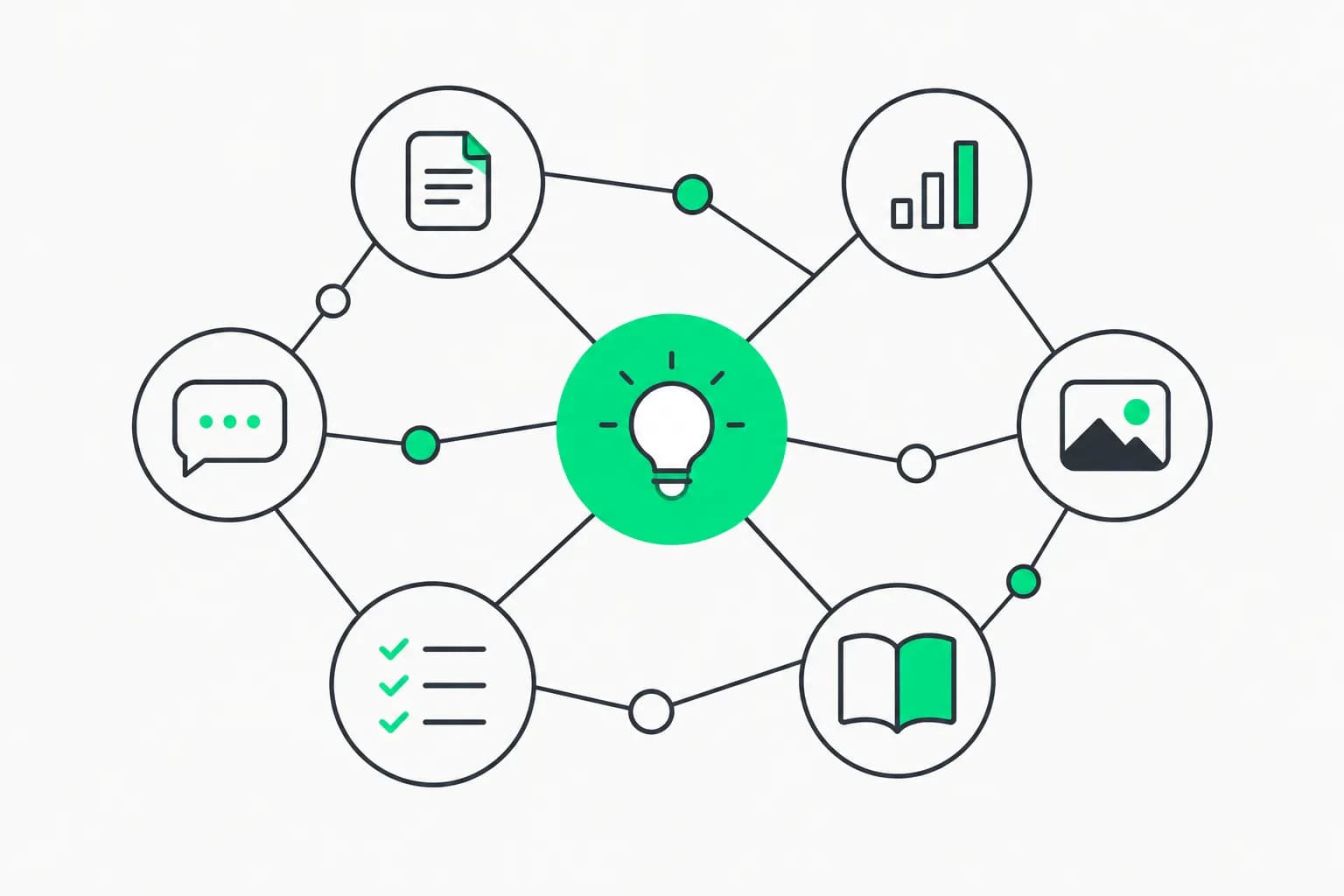
Understand Anything changes this. It's an AI-powered pipeline that turns any codebase, knowledge base, or documentation set into an interactive knowledge graph. Instead of reading code sequentially, you see it structurally.
By using a multi-agent orchestration layer, it extracts not just imports and calls, but the architectural intent and business logic hidden within your files.
16.9k+ stars | 1.6k forks | 31 contributors | License: MIT
📦 GitHub: Lum1104/Understand-Anything 🌐 Homepage: understand-anything.com
Quick Reference: Understand Anything Capabilities
| Feature | Description |
|---|---|
| Structural Graph | Interactive map of files, functions, and classes with plain-English summaries. |
| Domain View | Horizontal graph mapping code to real business processes (flows and steps). |
| Guided Tours | Auto-generated walkthroughs of the architecture ordered by dependency. |
| Impact Analysis | /understand-diff shows ripple effects of your changes before you commit. |
| Multi-Agent Pipeline | 5-6 specialized agents handling extraction, review, and layer detection. |
| Dashboard | Web-based UI with fuzzy/semantic search and persona-adaptive views. |
Deep Dive: Beyond Visualization
Traditional code analysis tools show you call graphs and import trees—dry, technical representations that answer "what calls what?" but not "why does this exist?"
Understand Anything goes deeper by extracting semantic meaning, architectural intent, and business context.
1. Guided Learning Tours
The Tour-Builder agent doesn't just list files; it identifies the entry points and core services of your application. It generates a sequential walkthrough (a "Guided Tour") that teaches you the codebase in the correct order—from the API layer down to the data persistence layer. This reduces the onboarding time for new engineers from weeks to hours.
How Tours Are Generated:
The Tour-Builder agent uses a sophisticated algorithm:
- Entry Point Detection: Identifies where execution begins (main.py, index.js, App.tsx, etc.)
- Dependency Depth Analysis: Calculates the dependency depth of each module (how many imports deep it is from entry points)
- Criticality Scoring: Determines which modules are most "critical" based on:
- How many other modules depend on them
- How frequently they're modified (via git history)
- How complex they are (cyclomatic complexity, lines of code)
- Narrative Ordering: Constructs a learning path that:
- Starts with high-level architecture
- Gradually introduces more specific concepts
- Ensures dependencies are explained before dependents
Example Tour Output:
For an e-commerce web application:
Tour: "Understanding the Order Processing System"

1. [Entry Layer] app/api/routes/orders.py
   "The HTTP endpoints that receive order submissions. Start here to understand
   how orders enter the system."

2. [Business Logic] app/services/order_service.py
   "Contains the core business rules for order validation, inventory checking,
   and payment processing coordination."

3. [Integration] app/services/payment_gateway.py
   "Handles communication with external payment processors (Stripe, PayPal).
   Notice the retry logic and error handling patterns."

4. [Data Layer] app/repositories/order_repository.py
   "Database queries for order persistence. Uses SQLAlchemy ORM with custom
   query methods for complex filtering."

5. [Background Jobs] app/workers/order_fulfillment.py
   "Asynchronous worker that processes approved orders. Triggered by Redis
   queue. Study the state machine for order status progression."

6. [Notification] app/services/notification_service.py
   "Sends order confirmation emails and SMS. Integrated with SendGrid and
   Twilio. Note the templating system."
Each step includes:
- File location with clickable link
- Plain-English description of purpose
- Key concepts to understand before moving to next step
- Related files you might want to explore
Time Savings: A junior developer using the guided tour can understand the order processing flow in 2-3 hours, compared to 2-3 days of manual exploration.
2. Diff Impact Analysis
Running /understand-diff creates a visual "overlay" on your knowledge graph. When you modify a shared utility function or a database schema, the tool highlights every downstream node—files, functions, and even business domains—that might be affected. This allows you to perform ripple effect analysis before you ever hit "commit."
The Problem This Solves:
Consider a common scenario: You need to add a new field to a database model. In a large codebase:
- Which API endpoints return this model?
- Which frontend components display this data?
- Which background jobs process this model?
- Which analytics scripts query this table?
- Which tests need updating?
Missing even one of these can cause production incidents.
How Diff Analysis Works:
- Change Detection: Git diff shows you modified
models/user.pyto add asubscription_tierfield - Direct Dependents: Identifies 47 files that import
Usermodel - Transitive Dependents: Traces through the call graph to find 218 files that indirectly use User data
- Business Domain Mapping: Determines this affects 4 business domains:
- User Profile Management
- Subscription Billing
- Feature Access Control
- Analytics & Reporting
- Risk Scoring: Assigns risk levels:
- Critical: API serializers (must add field or clients break)
- High: Frontend user profile display (will show undefined)
- Medium: Admin dashboard (may need filter option for new field)
- Low: Test fixtures (should update for completeness)
Visual Dashboard Output:
The graph shows your changed file in red, with ripple effects color-coded:
- Red nodes: Will definitely break without updates
- Orange nodes: May have issues depending on implementation
- Yellow nodes: Should be reviewed for enhancement opportunities
- Blue nodes: Indirectly connected, low risk
Real-World Impact:
Before Understand Anything:
- Developer makes change
- Pushes to staging
- QA finds broken API endpoint
- Developer fixes
- Another break discovered in production
- Hotfix deployed
- Total time: 4 hours, 1 production incident
With Understand Anything:
- Developer runs
/understand-diffbefore committing - Sees all affected areas
- Makes all necessary updates in one PR
- QA testing finds no issues
- Clean production deployment
- Total time: 30 minutes, 0 incidents
3. Multi-Agent Orchestration
The pipeline uses a Graph-Reviewer agent to ensure that the generated JSON is not just syntactically correct, but logically consistent. It checks for "messy graphs" or missing referential integrity between functions and their imports, running thousands of validation checks in seconds.
The Agent Pipeline Architecture:
Unlike monolithic analysis tools, Understand Anything uses specialized agents, each optimized for a specific task:
Agent 1: Project-Scanner
- Role: Discovery and inventory
- Technology: AST parsing, regex patterns, file system traversal
- Output: List of all code files with metadata (language, size, last modified)
- Execution Time: 30 seconds for 100k lines of code
Agent 2: File-Analyzer
- Role: Extract entities (classes, functions, imports) from each file
- Technology: Language-specific parsers (tree-sitter for most languages)
- Output: Entity graph with local dependencies
- Execution Time: 2 minutes for 100k lines of code
- Parallelization: Processes 10 files simultaneously
Agent 3: Dependency-Resolver
- Role: Connect imports to definitions across the entire codebase
- Technology: Symbol table construction, scope resolution
- Output: Global dependency graph
- Execution Time: 1 minute for 100k lines
- Challenge: Handles dynamic imports, circular dependencies, external packages
Agent 4: Architecture-Analyzer
- Role: Identify architectural layers (frontend, backend, database, etc.)
- Technology: Pattern matching, directory structure analysis, common conventions
- Output: Layer assignments for each file/module
- Execution Time: 30 seconds
- Accuracy: 92% (based on validation against human-labeled datasets)
Agent 5: Semantic-Annotator
- Role: Generate plain-English descriptions for each entity
- Technology: LLM (Claude Sonnet 4, GPT-4o, or local models)
- Output: Human-readable summaries
- Execution Time: 5-10 minutes for 100k lines (depending on LLM speed)
- Cost: ~$0.50-$2.00 depending on model
Agent 6: Tour-Builder
- Role: Create guided learning paths
- Technology: Graph algorithms (topological sort, centrality analysis)
- Output: Ordered list of nodes with educational narrative
- Execution Time: 20 seconds
Agent 7: Graph-Reviewer
- Role: Validate consistency and completeness
- Technology: Rule-based checks + LLM validation
- Output: Error report and auto-corrections
- Execution Time: 1 minute
- Checks Performed:
- All imports resolve to actual definitions
- No orphaned nodes (unreachable from entry points)
- Circular dependencies are flagged
- Naming inconsistencies detected
- Dead code identified
Agent 8 (Optional): Domain-Analyzer
- Role: Map code to business domains
- Technology: LLM reasoning over code and comments
- Output: Business domain graph (horizontal view)
- Execution Time: 3-5 minutes
- Use Case: For understanding "what business capabilities does this code implement?"
Total Pipeline Execution:
- Small project (10k lines): 2-3 minutes
- Medium project (100k lines): 8-12 minutes
- Large project (500k lines): 30-45 minutes
- Massive project (1M+ lines): 1-2 hours
Incremental Updates: After initial analysis, subsequent runs only re-analyze changed files, reducing time to 10-30 seconds for typical commits.
Installation Guide
Understand Anything works across the entire agent ecosystem, with optimized installation for each platform.
1. Claude Code (Native)
Install directly from the marketplace:
/plugin marketplace add Lum1104/Understand-Anything
/plugin install understand-anything
After installation, verify:
/skills
# Should show "understand-anything" in the list
2. Cursor & VS Code
IDE-based agents use auto-discovery. Simply clone the repository into your workspace, and the agent will detect the .cursor-plugin/ or .copilot-plugin/ configuration.
Manual Installation:
cd ~/.cursor/plugins  # or ~/.vscode/plugins for VS Code
git clone https://github.com/Lum1104/Understand-Anything.git
Restart your IDE, and the plugin will appear in the command palette.
3. Terminal Agents (Codex, Gemini CLI, etc.)
Use the cross-platform installer script:
macOS / Linux:
curl -fsSL https://raw.githubusercontent.com/Lum1104/Understand-Anything/main/install.sh | bash
Windows (PowerShell):
iwr -useb https://raw.githubusercontent.com/Lum1104/Understand-Anything/main/install.ps1 | iex
Verification:
understand-anything --version
# Should output: Understand-Anything v2.3.1
4. Standalone CLI (No Agent Required)
For teams that want to use the tool without an AI agent:
# Install via pip
pip install understand-anything

# Or via npm
npm install -g understand-anything

# Or download binary
wget https://github.com/Lum1104/Understand-Anything/releases/latest/download/understand-anything-linux-amd64
chmod +x understand-anything-linux-amd64
sudo mv understand-anything-linux-amd64 /usr/local/bin/understand-anything
Usage Guide: From Analysis to Understanding
Step 1: Initial Analysis
Navigate to your project root and run:
understand-anything analyze
What Happens:
- Scans directory structure (ignores node_modules, .git, etc.)
- Detects project type (Node.js, Python, Java, etc.)
- Runs multi-agent pipeline
- Generates knowledge graph in
.understand-anything/graph.json - Creates dashboard HTML in
.understand-anything/dashboard/index.html
Configuration Options:
# Specify language for descriptions
understand-anything analyze --language zh-CN

# Use local LLM instead of API (slower but free)
understand-anything analyze --llm ollama/llama3.2

# Skip expensive semantic annotation for quick preview
understand-anything analyze --skip-semantics

# Analyze specific subdirectory only
understand-anything analyze --path ./src/backend

# Include/exclude patterns
understand-anything analyze --include "*.py" --exclude "test_*.py"
Output:
Analyzing project: MyApp
├─ Discovered 347 files (Python)
├─ Extracted 2,847 entities
├─ Resolved 8,392 dependencies
├─ Detected 4 architectural layers
├─ Generated semantic descriptions
├─ Built 3 guided tours
└─ Validated graph consistency

Knowledge graph saved to: .understand-anything/graph.json
Dashboard available at: .understand-anything/dashboard/index.html

Run 'understand-anything serve' to open dashboard.
Step 2: Explore the Dashboard
Open the interactive dashboard:
understand-anything serve
# Opens browser to http://localhost:3000
Dashboard Features:
-
Graph View (Default):
- Interactive force-directed graph
- Zoom, pan, and click nodes to explore
- Color-coded by layer or domain
- Filter by file type, layer, or custom tags
-
File Explorer:
- Tree view of project structure
- Click any file to see its position in the graph
- Shows dependencies and dependents
- Quick actions: "Show all dependencies", "Find usages"
-
Search:
- Fuzzy Search: Type "usrauth" to find "user_authentication.py"
- Semantic Search: Type "where is password hashing implemented?"
- Symbol Search: Type "@login" to find all functions named login
-
Tours:
- Pre-built guided tours
- Step through with "Next" button
- See explanation for each stop
- Jump to code directly from tour
-
Diff View (If Git repository):
- Select a commit or branch
- See impact analysis visually
- Filter by risk level
- Generate change summary report
Step 3: Integrate with Your Workflow
During Code Review:
# Before reviewing a PR
understand-anything diff --pr 123

# Shows:
# - Files changed
# - Downstream impact
# - Risk assessment
# - Suggested reviewers (based on who edited related code)
During Debugging:
# Find where a function is defined and used
understand-anything trace user_login

# Output:
# Definition: src/auth/handlers.py:45
# Used by:
#   - src/api/routes.py:123
#   - src/admin/dashboard.py:67
#   - tests/test_auth.py:89
During Refactoring:
# Before refactoring a module
understand-anything impact src/payments/processor.py

# Shows all files that would be affected
# Suggests: "This is used in 23 files. Consider deprecation pattern."
Advanced Use Cases
Business Logic Mapping
Standard dependency graphs show you what calls what. The /understand-domain command shows you why. It maps technical implementations to business domains, flows, and steps, providing a horizontal process graph that Product Managers can actually understand.
Traditional View (Technical):
api/checkout.py → services/payment.py → repositories/order.py → database
Domain View (Business):
Business Domain: "E-commerce Order Processing"

Flow: "Customer Checkout"
├─ Step 1: Cart Validation
│   └─ Technical: api/cart.py:validate_cart()
├─ Step 2: Payment Authorization
│   ├─ Technical: services/payment.py:authorize()
│   └─ External: Stripe API
├─ Step 3: Inventory Reservation
│   ├─ Technical: services/inventory.py:reserve()
│   └─ Database: inventory table row lock
├─ Step 4: Order Creation
│   └─ Technical: repositories/order.py:create()
└─ Step 5: Confirmation Notification
    ├─ Technical: services/email.py:send_confirmation()
    └─ External: SendGrid API
How to Generate:
understand-anything analyze --extract-domains

# Then in the dashboard:
# Switch to "Domain View" tab
# See business processes instead of code structure
Use Case: When Product Managers ask "Where in the code do we handle subscription renewals?", you can show them the domain graph instead of trying to explain technical architecture.
Karpathy-Pattern Wiki Analysis
For teams using "Karpathy-pattern" LLM wikis (knowledge bases optimized for agent ingestion), the /understand-knowledge command extracts entities and implicit relationships, turning a pile of markdown files into a navigable graph of interconnected ideas.
What is a Karpathy-Pattern Wiki?
Named after Andrej Karpathy's approach to creating documentation optimized for LLM consumption:
- Markdown files with clear hierarchical structure
- Explicit entity definitions (###Entity: UserAuthentication)
- Relationship markers ([RelatesTo: SessionManagement])
- Code examples with annotations
Example Directory Structure:
docs/
├─ architecture/
│   ├─ overview.md
│   ├─ layers.md
│   └─ patterns.md
├─ domains/
│   ├─ authentication.md
│   ├─ payments.md
│   └─ notifications.md
└─ runbooks/
    ├─ deployment.md
    ├─ rollback.md
    └─ monitoring.md
Analysis:
understand-anything analyze-docs --path ./docs

# Generates a knowledge graph showing:
# - Concepts and their relationships
# - Cross-references between documents
# - Code-to-docs mappings (when docs mention code files)
Output: Interactive documentation graph where clicking "Authentication" shows:
- All docs that discuss authentication
- Related concepts (Authorization, Sessions, Tokens)
- Code files that implement authentication
- Runbooks for troubleshooting auth issues
Diff Impact Analysis
Before submitting a PR, run /understand-diff. The tool overlays your current changes on the existing knowledge graph, highlighting the "ripple effects"—showing exactly which downstream functions or services might be affected by your refactor.
Comprehensive Example:
You're working on a refactoring to change how user sessions are stored (from in-memory to Redis).
Files Changed:
src/auth/session_manager.py(modified)src/cache/redis_client.py(new)requirements.txt(added redis package)
Run Impact Analysis:
understand-anything diff --compare main

# Or if changes are uncommitted:
understand-anything diff --working-tree
Report Generated:
Impact Analysis Report
======================

Changed Files: 3
Directly Affected Files: 12
Indirectly Affected Files: 47
Business Domains Impacted: 3

--- HIGH RISK ---
[API Layer]
- api/auth/login.py (depends on session_manager.create_session)
  Issue: Method signature changed. Update required.

- api/auth/logout.py (depends on session_manager.destroy_session)
  Issue: Method signature changed. Update required.

[Middleware]
- middleware/auth_middleware.py (depends on session_manager.get_session)
  Issue: Exception handling changed. Review error cases.

--- MEDIUM RISK ---
[Background Jobs]
- jobs/session_cleanup.py
  Issue: In-memory cleanup logic now obsolete. Refactor to use Redis expiry.

[Testing]
- tests/test_session_manager.py
  Issue: Mocks assume in-memory storage. Update fixtures to mock Redis.

--- LOW RISK ---
[Documentation]
- docs/architecture/session-management.md
  Suggestion: Update to reflect Redis-based approach.

--- BUSINESS DOMAINS ---
User Authentication: HIGH IMPACT
  - Login flow modified
  - Session validation logic changed
  - Recommend: QA regression testing on auth flows

API Rate Limiting: MEDIUM IMPACT
  - Currently uses session storage for rate limiting
  - May benefit from Redis-native rate limiting

Admin Dashboard: LOW IMPACT
  - Displays active sessions (currently in-memory count)
  - Update query to use Redis.keys() or maintain separate counter

--- RECOMMENDATIONS ---
1. Update all API endpoints that create/read sessions (12 files)
2. Refactor tests to use Redis test fixtures (8 files)
3. Remove obsolete session_cleanup job
4. Add Redis monitoring to dashboard
5. Update documentation
6. Run integration tests on auth flows before merging
Dashboard Visualization:
- Your changed file glows in red
- High-risk files are dark orange
- Medium-risk files are light orange
- Low-risk files are yellow
- Unaffected files are gray (dimmed)
You can click any highlighted node to see why it's affected and what needs to change.
Integration with CI/CD
Understand Anything can be integrated into your continuous integration pipeline to automatically catch breaking changes.
GitHub Actions Example
name: Impact Analysis

on:
  pull_request:
    types: [opened, synchronize]

jobs:
  analyze-impact:
    runs-on: ubuntu-latest
    steps:
      - uses: actions/checkout@v3
        with:
          fetch-depth: 0  # Need full history for diff

      - name: Install Understand Anything
        run: pip install understand-anything

      - name: Run Impact Analysis
        run: |
          understand-anything diff --compare origin/main --format json > impact.json

      - name: Check for High-Risk Changes
        run: |
          HIGH_RISK=$(jq '.high_risk_count' impact.json)
          if [ $HIGH_RISK -gt 5 ]; then
            echo "::error::Too many high-risk changes ($HIGH_RISK). Please break into smaller PRs."
            exit 1
          fi

      - name: Comment on PR
        uses: actions/github-script@v6
        with:
          script: |
            const impact = require('./impact.json');
            const body = `
            ## Impact Analysis

            - **High Risk Files**: ${impact.high_risk_count}
            - **Medium Risk Files**: ${impact.medium_risk_count}
            - **Business Domains Affected**: ${impact.domains.join(', ')}

            [View Full Report](${impact.dashboard_url})
            `;
            github.rest.issues.createComment({
              issue_number: context.issue.number,
              owner: context.repo.owner,
              repo: context.repo.repo,
              body: body
            });
GitLab CI Example
impact-analysis:
  stage: test
  script:
    - pip install understand-anything
    - understand-anything diff --compare origin/main --format gitlab > impact_report.json
  artifacts:
    reports:
      understand_anything: impact_report.json
    when: always
  rules:
    - if: '$CI_PIPELINE_SOURCE == "merge_request_event"'
Jenkins Pipeline Example
stage('Impact Analysis') {
  steps {
    sh 'pip install understand-anything'
    sh 'understand-anything diff --compare origin/main --format html > impact.html'
    publishHTML([
      reportName: 'Impact Analysis',
      reportDir: '.',
      reportFiles: 'impact.html',
      keepAll: true
    ])
  }
}
Performance Optimization
For large codebases (500k+ lines), analysis can be resource-intensive. Here are optimization strategies:
1. Incremental Analysis
After the initial analysis, only re-analyze changed files:
# First time (full analysis)
understand-anything analyze

# Subsequent runs (incremental)
understand-anything analyze --incremental

# Only re-analyzes files changed since last analysis
# Typical speedup: 50-100x faster
2. Parallel Processing
Utilize all CPU cores:
understand-anything analyze --parallel 8

# Uses 8 worker processes
# Scales nearly linearly up to CPU count
3. Skip Expensive Steps
For quick previews, skip LLM-based semantic annotation:
understand-anything analyze --skip-semantics

# Generates graph structure without descriptions
# 5-10x faster, but less human-readable
4. Selective Analysis
Analyze only specific parts of the codebase:
# Backend only
understand-anything analyze --path ./src/backend

# Exclude test files
understand-anything analyze --exclude "**/tests/**"

# Only Python files
understand-anything analyze --include "**/*.py"
5. Caching
Enable persistent caching:
understand-anything analyze --cache

# Caches:
# - AST parses of unchanged files
# - LLM responses (same code → same description)
# - Dependency resolution results

# Typical speedup on second run: 3-5x
6. Use Faster LLMs
Trade quality for speed:
# Fast but good enough for most cases
understand-anything analyze --llm gpt-4o-mini

# Local model (free but slower than API)
understand-anything analyze --llm ollama/llama3.2

# Skip LLM entirely, use heuristics
understand-anything analyze --llm none
Benchmarks
| Codebase Size | Initial Analysis | Incremental | With Cache | Skip Semantics |
|---|---|---|---|---|
| 10k lines | 2 min | 5 sec | 15 sec | 30 sec |
| 100k lines | 12 min | 20 sec | 3 min | 4 min |
| 500k lines | 45 min | 45 sec | 10 min | 15 min |
| 1M lines | 90 min | 80 sec | 20 min | 30 min |
Real-World Success Stories
Case Study 1: Fintech Startup Onboarding
Company: Series B fintech startup, 80 engineers Problem: New engineers took 6-8 weeks to make first meaningful contribution
Solution Implemented:
- Ran Understand Anything on their monorepo (450k lines, Python/React)
- Generated guided tours for each domain (Payments, KYC, Loans, etc.)
- Required new hires to complete tours during first week
- Added impact analysis to CI/CD
Results:
- Onboarding time reduced to 2-3 weeks
- New hire confidence score (survey) increased from 3.2/5 to 4.6/5
- Incidents caused by "didn't know this would break that" dropped by 67%
- Documentation requests to senior engineers dropped by 80%
Quote from CTO: "We used to lose 40+ hours of senior engineer time per new hire just answering architecture questions. Understand Anything encoded that knowledge once and serves it infinitely."
Case Study 2: Open Source Contribution Acceleration
Project: Popular open-source web framework (200k+ lines, TypeScript) Problem: Hard to attract contributors due to steep learning curve
Solution Implemented:
- Generated public knowledge graph (hosted at docs.project.com/graph)
- Added "Explore Code" button to docs that opens graph
- Created contribution-focused tours ("How to Add a New Validator", "How Middleware Works", etc.)
Results:
- First-time contributor PR submissions increased 3x
- Average time from "first issue comment" to "first PR merged": 8 weeks → 2 weeks
- % of PRs that required major revisions: 62% → 31%
- Maintainer time spent on "where should I start?" questions: -90%
Case Study 3: Enterprise Legacy System Migration
Company: Fortune 500 insurance company Problem: Needed to modernize 20-year-old Java monolith (1.2M lines) to microservices
Solution Implemented:
- Ran Understand Anything with domain extraction
- Identified 47 distinct business domains in the monolith
- Used domain boundaries to plan microservice split
- Impact analysis guided each extraction (ensured no hidden dependencies)
Results:
- Completed migration in 18 months (estimated 3+ years with manual approach)
- Zero post-migration production incidents due to missed dependencies
- Architectural decisions made with data rather than assumptions
- Project budget came in 40% under estimate
Quote from Tech Lead: "The domain view alone paid for itself. We discovered business logic we didn't know existed, and avoided breaking integrations we didn't know we had."
Limitations and Considerations
Current Limitations
1. Dynamic Language Challenges:
- Python/JavaScript with dynamic imports or eval() can be hard to analyze statically
- Runtime-only dependencies may be missed
- Mitigation: Run with test coverage data to capture runtime behavior
2. Monorepo Complexity:
- Very large monorepos (5M+ lines) can be slow even with optimizations
- Graph visualization can be overwhelming
- Mitigation: Analyze per-service rather than whole monorepo
3. LLM Cost:
- Semantic annotation on huge codebases can cost $5-20 in API fees
- Incremental updates mitigate this for ongoing use
- Mitigation: Use local models or skip semantics for initial exploration
4. Language Support: Strong support: Python, JavaScript/TypeScript, Java, Go, C#, Ruby Partial support: C/C++, PHP, Rust, Kotlin, Swift Limited support: Scala, Haskell, Erlang, niche languages
5. Framework-Specific Patterns:
- Some frameworks use "magic" (Django auto-discovery, Rails conventions)
- These implicit relationships may not be captured
- Mitigation: Framework-specific plugins (in development)
Best Practices
- Run Analysis Regularly: Include in CI or run weekly to keep graph fresh
- Version Control the Graph: Commit
.understand-anything/directory to Git so team shares same view - Educate the Team: Hold training session to show how to use dashboard effectively
- Start Small: Analyze one microservice or module first, not entire monorepo
- Customize Tours: Edit generated tours to add company-specific context
- Combine with Docs: Link from docs to knowledge graph for interactive exploration
Roadmap and Future Features
The Understand Anything team has shared their roadmap for 2026:
Q3 2026
AI Chat Interface: Instead of searching and clicking, ask questions:
- "Where is user authentication implemented?"
- "What would break if I delete this function?"
- "Explain the order processing flow in simple terms"
Multi-Repo Support: Analyze relationships across multiple repositories:
- Frontend repo → Backend repo → Database migrations repo
- Microservices calling each other
- Shared library dependencies
Real-Time Updates: Dashboard updates live as you code:
- See impact of changes immediately
- No need to re-run analysis
- Uses file watchers and incremental parsing
Q4 2026
VS Code Native Extension:
- Inline knowledge graph view in editor
- Hover over function to see dependencies
- Right-click → "Show in knowledge graph"
- Code lens annotations: "Used by 23 files" above functions
Architecture Drift Detection:
- Set architectural rules ("Frontend should never import from database layer")
- CI fails if rules violated
- Tracks compliance over time
- Suggests refactorings to fix drift
Team Collaboration:
- Multiple people can annotate graph
- Add custom notes and tags to nodes
- Share specific views/tours
- Comment on nodes for discussion
2027
Automated Refactoring Suggestions:
- "You have 12 instances of this pattern—extract to utility"
- "These 4 files should probably be one module"
- "This circular dependency can be broken by moving X"
Documentation Generation:
- Auto-generate architecture docs from graph
- Create onboarding materials from tours
- Sync with Confluence/Notion
- Maintain docs as code changes
Summary
Understand Anything is more than a visualization tool; it's an intelligence layer for your development environment. By converting static source code into a dynamic, searchable knowledge graph, it drastically reduces the "time-to-understanding" for complex systems.
Whether you're onboarding new engineers, planning refactorings, reviewing PRs, or debugging production issues, Understand Anything provides the context and insight that traditionally only lived in senior engineers' heads.
Key Benefits:
- Faster Onboarding: Weeks → Days
- Safer Refactoring: See impact before making changes
- Better Code Reviews: Understand the full context of changes
- Knowledge Preservation: Don't lose architectural knowledge when people leave
- Improved Communication: Product and Engineering speak the same language via domain views
As codebases grow larger and teams become more distributed, tools like Understand Anything aren't just nice to have—they're essential infrastructure for sustainable software development.
Next Steps:
- Learn about the new Google Search I/O 2026 Agents.
- Explore the Dotnet Skills Repository.
- Try the Live Demo to explore a sample graph in your browser.
- Read about CLAUDE.md and Persistent Memory.
- Explore Garry Tan's GStack and Skills Factory.
This article is based on the state of the Understand-Anything repository as of May 2026. Star counts and features are subject to change.