



React Server Components (RSC) have transformed from experimental feature to default architecture for modern React applications in 2026. Frameworks like Next.js 13+ have made server-first the standard, with RSC enabling zero-bundle-size components, automatic code splitting, and seamless server-client composition.
This comprehensive guide covers RSC fundamentals, architectural patterns, performance optimization, and migration strategies based on 2026 production deployments.
What Are React Server Components?
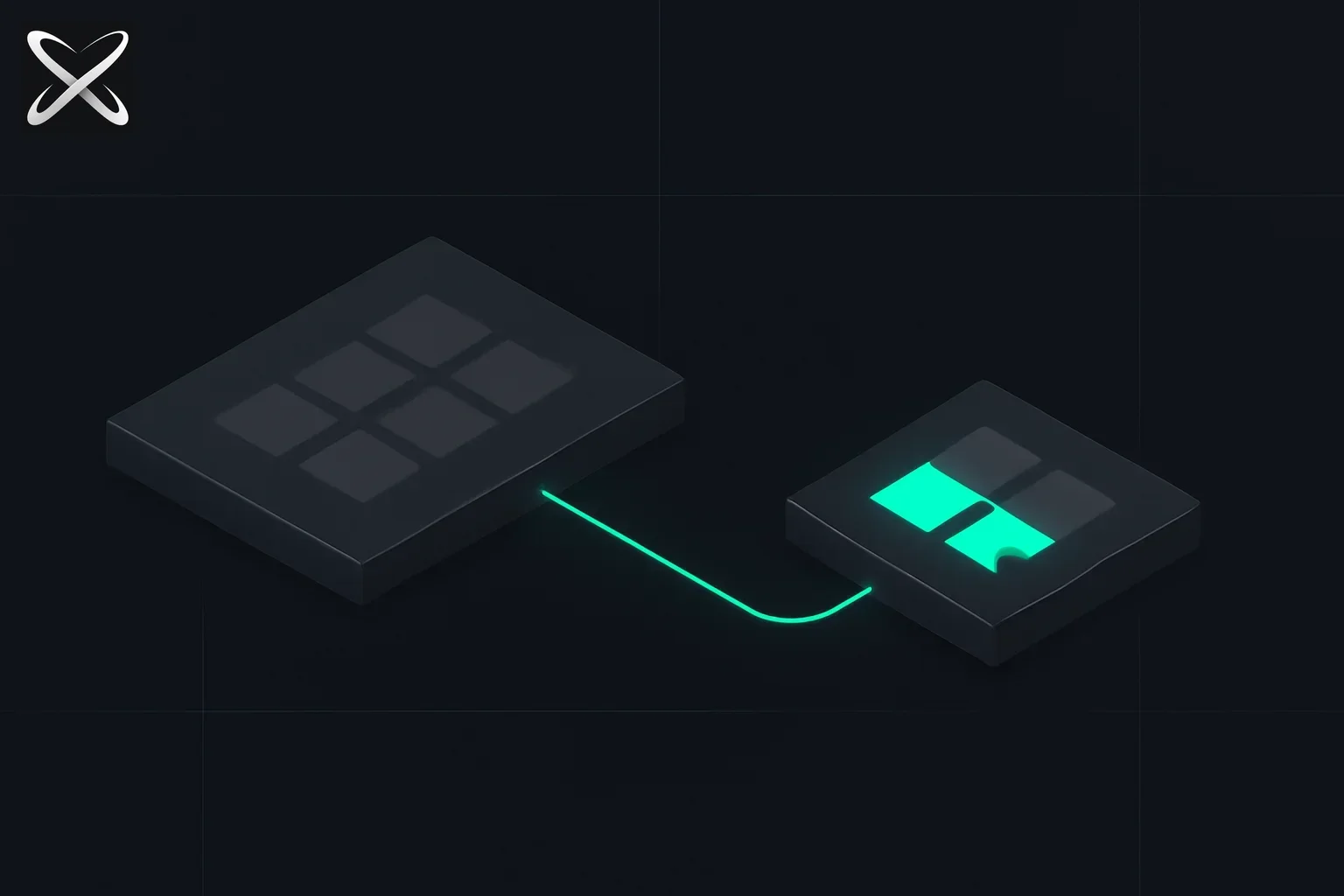 React Server Components explained — server platform streaming a thin data thread to a lighter interactive client platform
React Server Components are components that render exclusively on the server. They:
- Never send code to the client (zero bundle impact)
- Access backend resources directly (databases, filesystems, internal APIs)
- Automatically code-split (only Client Components increase bundle)
- Stream to the client (progressive rendering)
- Compose with Client Components (seamless integration)
Server vs Client Components
| Factor | Server Components | Client Components |
|---|---|---|
| Where they run | Server only | Server (for SSR) + Client |
| Bundle impact | Zero | Full component code |
| Can use hooks | ❌ (no useState, useEffect) | ✅ All hooks |
| Can access backend | ✅ Direct database, filesystem | ❌ API only |
| Can have interactivity | ❌ No event handlers | ✅ onClick, onChange, etc. |
| Default in Next.js App Router | ✅ Yes | ❌ Must add 'use client' |
| When to use | Data fetching, static UI | Interactivity, browser APIs |
Architecture: Server-First by Default
The Mental Model
┌─────────────────────────────────────┐
│         Server Components           │
│  (Default - no 'use client')        │
│  - Data fetching                    │
│  - Layout, static UI                │
│  - Large dependencies               │
│  - Backend access                   │
└──────────────┬──────────────────────┘
               │
               ▼ Compose
┌─────────────────────────────────────┐
│        Client Components            │
│  (Explicit 'use client')            │
│  - Interactive UI                   │
│  - Event handlers                   │
│  - Browser APIs                     │
│  - Real-time updates                │
└─────────────────────────────────────┘
Rule: Server by Default, Client When Needed
// ✅ Server Component (default in App Router)
async function ProductPage({ id }) {
  const product = await db.product.findUnique({ where: { id } });

  return (
    <div>
      <h1>{product.name}</h1>
      <p>{product.description}</p>

      {/* Client Component for interactivity */}
      <AddToCartButton product={product} />
    </div>
  );
}

// ✅ Client Component (explicit directive)
'use client';

import { useState } from 'react';

export function AddToCartButton({ product }) {
  const [loading, setLoading] = useState(false);

  const handleClick = async () => {
    setLoading(true);
    await addToCart(product.id);
    setLoading(false);
  };

  return (
    <button onClick={handleClick} disabled={loading}>
      {loading ? 'Adding...' : 'Add to Cart'}
    </button>
  );
}
Data Fetching: Async Components
Server Components can be async—fetch data directly in the component:
Before (Client-side fetching)
'use client';

import { useState, useEffect } from 'react';

function ProductList() {
  const [products, setProducts] = useState([]);
  const [loading, setLoading] = useState(true);

  useEffect(() => {
    fetch('/api/products')
      .then(res => res.json())
      .then(data => {
        setProducts(data);
        setLoading(false);
      });
  }, []);

  if (loading) return <div>Loading...</div>;

  return (
    <div>
      {products.map(p => <ProductCard key={p.id} product={p} />)}
    </div>
  );
}
Problems:
- Waterfall: HTML → JS bundle → fetch → render
- Bundle size: Entire component code shipped
- Loading states: Manual loading/error handling
After (Server Component)
// Server Component (no 'use client')
async function ProductList() {
  // Direct database access (no API route needed)
  const products = await db.product.findMany();

  return (
    <div>
      {products.map(p => <ProductCard key={p.id} product={p} />)}
    </div>
  );
}
Benefits:
- No waterfall: Data fetched before sending HTML
- Zero bundle: Component code stays on server
- Explicit states: Use loading, empty, and error UI appropriate to the route
- Direct access: Skip API layer
Streaming and Suspense
Streaming lets you send UI progressively as data becomes available.
Pattern: Loading States with Suspense
// app/products/page.js
import { Suspense } from 'react';

export default function ProductsPage() {
  return (
    <div>
      <h1>Products</h1>

      {/* Show fallback while ProductList loads */}
      <Suspense fallback={<ProductsSkeleton />}>
        <ProductList />
      </Suspense>

      {/* Show recommendations in parallel */}
      <Suspense fallback={<div>Loading recommendations...</div>}>
        <Recommendations />
      </Suspense>
    </div>
  );
}

// Slow data fetch
async function ProductList() {
  const products = await db.product.findMany(); // May take 500ms
  return products.map(p => <ProductCard key={p.id} product={p} />);
}

// Independent data fetch (parallel)
async function Recommendations() {
  const recs = await getRecommendations(); // May take 300ms
  return recs.map(r => <RecommendationCard key={r.id} rec={r} />);
}
Timeline:
- Instant: Shell HTML sent (header, title, skeletons)
- 300ms: Recommendations stream in (replace skeleton)
- 500ms: Products stream in (replace skeleton)
No waterfalls—both fetch in parallel.
Advanced: Streaming Layout
// app/dashboard/layout.js
export default function DashboardLayout({ children }) {
  return (
    <div className="dashboard">
      <Suspense fallback={<NavSkeleton />}>
        <NavigationMenu />
      </Suspense>

      <main>
        <Suspense fallback={<ContentSkeleton />}>
          {children}
        </Suspense>
      </main>

      <Suspense fallback={<SidebarSkeleton />}>
        <Sidebar />
      </Suspense>
    </div>
  );
}
Each section streams independently as data arrives.
Composition Patterns
Server Component Composing Client Components
// ✅ Server Component can render Client Components
async function ProductPage({ id }) {
  const product = await getProduct(id);
  const reviews = await getReviews(id);

  return (
    <div>
      <ProductDetails product={product} />

      {/* Client Component for interactivity */}
      <ReviewForm productId={id} />

      {/* Server Component for data */}
      <ReviewList reviews={reviews} />
    </div>
  );
}

// Client Component
'use client';

export function ReviewForm({ productId }) {
  const [rating, setRating] = useState(5);

  return (
    <form>
      <StarRating value={rating} onChange={setRating} />
      <button type="submit">Submit Review</button>
    </form>
  );
}
Client Component CANNOT Import Server Component
// ❌ DOESN'T WORK
'use client';

import ServerComponent from './ServerComponent'; // Error!

export function ClientComponent() {
  return <ServerComponent />; // Can't do this
}
Solution: Pass as children
// ✅ WORKS
'use client';

export function ClientWrapper({ children }) {
  const [expanded, setExpanded] = useState(false);

  return (
    <div>
      <button onClick={() => setExpanded(!expanded)}>
        Toggle
      </button>
      {expanded && children}
    </div>
  );
}

// Server Component uses it:
async function Page() {
  const data = await fetchData();

  return (
    <ClientWrapper>
      <ServerComponent data={data} />
    </ClientWrapper>
  );
}
Performance Benefits
Bundle Size Reduction
Illustrative before values (not a measured deployment):
- Initial JS bundle: 450KB (gzipped)
- Time to Interactive: 2.8s (mid-range mobile)
Illustrative after values (not a guaranteed outcome):
- Initial JS bundle: 180KB (gzipped) — 60% smaller
- Time to Interactive: 1.1s — 61% faster
Why?
- Server Components code never sent to client
- Dependencies stay on server (date-fns, markdown parsers, etc.)
- Automatic code splitting per route
Real-World Example
// Server Component (zero client bundle impact)
import { marked } from 'marked'; // 50KB (stays on server)
import Prism from 'prismjs'; // 30KB (stays on server)

async function BlogPost({ slug }) {
  const post = await getPost(slug);
  const html = marked(post.content); // Rendered on server
  const highlighted = Prism.highlight(html, Prism.languages.javascript);

  return (
    <article>
      <h1>{post.title}</h1>
      <div dangerouslySetInnerHTML={{ __html: highlighted }} />

      {/* Only this small component sent to client */}
      <LikeButton postId={post.id} />
    </article>
  );
}

// Client Component (only this adds to bundle)
'use client';

export function LikeButton({ postId }) {
  const [liked, setLiked] = useState(false);

  return (
    <button onClick={() => setLiked(!liked)}>
      {liked ? '❤️' : '🤍'}
    </button>
  );
}
Bundle impact:
- marked (50KB): ❌ Not sent to client
- Prism (30KB): ❌ Not sent to client
- LikeButton: ✅ ~2KB sent to client
Illustrative savings only: actual transfer sizes depend on package versions, bundling, and the code used.
Data Fetching Patterns
Pattern 1: Parallel Fetching
// ❌ Waterfall (bad)
async function DashboardBad() {
  const user = await getUser();
  const posts = await getPosts(user.id); // Waits for user
  const comments = await getComments(user.id); // Waits for posts

  return <Dashboard user={user} posts={posts} comments={comments} />;
}

// ✅ Parallel (good)
async function DashboardGood() {
  const [user, posts, comments] = await Promise.all([
    getUser(),
    getPosts(),
    getComments(),
  ]);

  return <Dashboard user={user} posts={posts} comments={comments} />;
}
Pattern 2: Streaming with Suspense
// ✅ Best: Streaming (instant shell, progressive data)
function Dashboard() {
  return (
    <div>
      <Suspense fallback={<UserSkeleton />}>
        <UserProfile />
      </Suspense>

      <Suspense fallback={<PostsSkeleton />}>
        <Posts />
      </Suspense>

      <Suspense fallback={<CommentsSkeleton />}>
        <Comments />
      </Suspense>
    </div>
  );
}

async function UserProfile() {
  const user = await getUser(); // Fast query
  return <div>{user.name}</div>;
}

async function Posts() {
  const posts = await getPosts(); // Slower query
  return posts.map(p => <PostCard key={p.id} post={p} />);
}
Timeline:
- 0ms: Shell HTML sent (skeletons visible)
- 100ms: User profile streams in
- 300ms: Posts stream in
- 450ms: Comments stream in
User sees content progressively instead of waiting for slowest query.
Pattern 3: Deduplication
Memoization depends on the data-access mechanism. Arbitrary database calls are not automatically deduplicated by RSC; the following composition needs a shared memoized helper if you want to avoid repeated queries:
async function Page() {
  return (
    <div>
      <Header /> {/* Calls getUser() */}
      <Sidebar /> {/* Calls getUser() */}
      <Content /> {/* Calls getUser() */}
    </div>
  );
}

// Same request deduplicated automatically
async function Header() {
  const user = await getUser(); // Request 1
  return <div>{user.name}</div>;
}

async function Sidebar() {
  const user = await getUser(); // Reuses Request 1
  return <div>{user.avatar}</div>;
}
With a correctly shared request-scoped memoized helper, these components can reuse the result. See React cache for its documented behavior.
Caching Strategies
Next.js App Router Caching (2026)
| Cache Type | Scope | Duration | Revalidation |
|---|---|---|---|
| Request memoization | Single request | Per-request | Automatic |
| Data cache | Server | Persistent | revalidate option |
| Full Route cache | Server | Until deploy | Dynamic routes |
| Router cache | Client | Session | Prefetch |
Revalidation Options
// Revalidate every 60 seconds
async function ProductList() {
  const products = await fetch('https://api.example.com/products', {
    next: { revalidate: 60 } // ISR: Regenerate every 60s
  });

  const items = await products.json();
  return items.map(p => <ProductCard key={p.id} product={p} />);
}

// Revalidate on-demand
export async function revalidateProducts() {
  revalidatePath('/products'); // Revalidate specific path
  revalidateTag('products'); // Revalidate tagged requests
}

// Opt out of caching (always fresh)
async function RealTimeDashboard() {
  const data = await fetch('https://api.example.com/stats', {
    cache: 'no-store' // Always fetch fresh
  });

  return <Stats data={data} />;
}
Server Actions: Mutations Made Easy
Server Actions let you mutate data from Client Components without API routes.
Example: Form Handling
// Server Action (defined in Server Component file)
async function createPost(formData) {
  'use server'; // Directive

  const title = formData.get('title');
  const content = formData.get('content');

  await db.post.create({
    data: { title, content }
  });

  revalidatePath('/posts');
  redirect('/posts');
}

// Client Component
'use client';

export function NewPostForm() {
  return (
    <form action={createPost}>
      <input name="title" placeholder="Title" />
      <textarea name="content" placeholder="Content" />
      <button type="submit">Create Post</button>
    </form>
  );
}
Benefits:
- No API route needed
- Type-safe (TypeScript)
- Progressive enhancement (works without JS)
- Automatic revalidation
Advanced: Optimistic Updates
'use client';

import { useOptimistic } from 'react';

export function TodoList({ initialTodos }) {
  const [optimisticTodos, addOptimisticTodo] = useOptimistic(
    initialTodos,
    (state, newTodo) => [...state, newTodo]
  );

  async function createTodo(formData) {
    const todo = { id: Date.now(), text: formData.get('text'), done: false };

    // Optimistically add to UI
    addOptimisticTodo(todo);

    // Actually create on server
    await createTodoAction(formData);
  }

  return (
    <div>
      {optimisticTodos.map(todo => (
        <div key={todo.id}>{todo.text}</div>
      ))}

      <form action={createTodo}>
        <input name="text" />
        <button>Add</button>
      </form>
    </div>
  );
}
Migration from Pages Router
Step-by-Step Migration
1. Create app/ directory alongside pages/
my-app/
├── app/          # New App Router
│   ├── layout.js
│   └── page.js
├── pages/        # Old Pages Router (still works)
│   ├── index.js
│   └── about.js
└── package.json
2. Move routes incrementally
// pages/blog/[slug].js (old)
export async function getServerSideProps({ params }) {
  const post = await getPost(params.slug);
  return { props: { post } };
}

export default function BlogPost({ post }) {
  return <div>{post.title}</div>;
}
// app/blog/[slug]/page.js (new)
export default async function BlogPost({ params }) {
  const post = await getPost(params.slug);
  return <div>{post.title}</div>;
}
3. Identify Client Components
Add 'use client' to components with:
useState,useEffect, hooks- Event handlers (
onClick,onChange) - Browser APIs (
window,localStorage)
4. Migrate data fetching
- getServerSideProps → async Server Component
- getStaticProps → async Server Component with
revalidate - getInitialProps → async Server Component (avoid if possible)
Common Migration Patterns
| Old Pattern | New Pattern |
|---|---|
getServerSideProps | async function Page() |
useEffect + fetch | Async Server Component |
| API route for data | Direct database access |
_app.js | layout.js |
_document.js | layout.js with <html> |
useRouter | useRouter from 'next/navigation' |
Real-World Architecture (2026)
Typical Enterprise App Structure
app/
├── layout.js                 # Root layout (Server Component)
├── page.js                   # Home page (Server Component)
├── globals.css
│
├── (auth)/                   # Route group
│   ├── layout.js             # Auth layout
│   ├── login/
│   │   └── page.js           # Login (Client Component)
│   └── register/
│       └── page.js
│
├── dashboard/
│   ├── layout.js             # Dashboard layout (Server)
│   ├── page.js               # Dashboard home (Server)
│   ├── loading.js            # Loading UI
│   ├── error.js              # Error boundary
│   │
│   ├── analytics/
│   │   ├── page.js           # Server: fetch data
│   │   └── _components/
│   │       ├── Chart.client.js   # Client: interactivity
│   │       └── Stats.server.js   # Server: heavy compute
│   │
│   └── settings/
│       └── page.js
│
└── api/                      # Still needed for webhooks, etc.
    └── webhook/
        └── route.js
Performance Metrics (Before/After)
Illustrative measurement worksheet; these values are not reported production results:
| Metric | Pages Router | App Router (RSC) | Improvement |
|---|---|---|---|
| Initial JS | 420KB | 165KB | -61% |
| FCP | 1.8s | 0.9s | -50% |
| LCP | 3.2s | 1.4s | -56% |
| TTI | 4.1s | 1.7s | -59% |
| Lighthouse | 72 | 94 | +22pts |
Common Pitfalls
| Pitfall | Problem | Solution |
|---|---|---|
| Client Component at root | Entire tree becomes Client | Move 'use client' down, compose with Server |
| Props serialization | Pass functions/classes | Only pass serializable data (JSON) |
| Import Server in Client | Can't import Server Component | Pass as children prop |
| Missing Suspense | Blocking on slow data | Wrap in <Suspense> for streaming |
| Over-fetching | N+1 queries | Use Promise.all or ORM with eager loading |
Framework Support (2026)
| Framework | RSC Support | Maturity |
|---|---|---|
| Next.js 13+ (App Router) | ✅ Full | Production-ready (2022+) |
| Remix | 🟡 Beta | Experimental (2026) |
| Gatsby 5+ | 🟡 Partial | Limited support |
| Astro | ✅ Via React integration | Stable |
| Custom (React team packages) | ✅ Available | Advanced users only |
Recommendation: Use Next.js App Router for production (most mature).
Trace the boundary with one interactive product page
Think of a product page as two responsibilities. The server gathers the product information and renders the description. A small interactive component manages the add-to-cart button's pending state. The server passes the button only the data it needs, such as a product identifier and visible label.
Do not pass an entire internal record merely because it is available. Review the properties crossing the boundary and exclude private fields. Server-only execution keeps implementation code off the client, but data rendered into the response or passed to Client Components still reaches the browser. The Next.js component guide explains this boundary and composition model.
Follow the import graph when deciding where the client directive belongs. A directive near the application root can pull substantial interactive code into the client module graph. Move it to the smallest useful interactive entry point, then pass server-rendered content through supported composition patterns. Filename conventions alone do not establish the boundary.
Distinguish missing loading UI from missing error UI
A server-fetched list can still take time, fail, or return no results. Plan all three states. Suspense provides a way to represent waiting when the framework supports streaming that work; it does not make the underlying request instant or guarantee a successful result.
For a search page, keep the query visible while results load. For an empty result, explain that the request completed without matches. For an unavailable backend, show a recoverable failure rather than pretending there were no matches. Those differences help both users and operators understand what happened.
When two requests are independent, start them together where appropriate. When the second needs an identifier returned by the first, preserve that dependency. Replacing every sequence with a parallel call can fetch the wrong data or remove a necessary authorization step.
Review caching as a data policy
Write down which values may be shared between requests and which are specific to a user. Product descriptions and account permissions have different freshness and privacy needs. Do not apply a broad caching rule simply because a diagram labels a layer “server.”
React's cache reference documents memoizing a function for Server Component work. An arbitrary database helper does not become deduplicated just because two components call it. Use the appropriate supported mechanism and verify its scope rather than assuming all repeated backend work is automatically merged.
After a mutation, identify the views that need to reflect it. A successful write and a refreshed display are separate events. Test whether the current page, a subsequent navigation, and another relevant view show the intended result. Invalidation details depend on the framework version and caching configuration.
Establish a migration baseline you can compare
Migrate one representative route first. Capture its JavaScript transfer, loading behavior, and an interactive task on a comparable device and network. Then repeat the measurement after the change. Keeping server libraries out of the client can reduce shipped JavaScript, but the final improvement depends on the route and its remaining Client Components.
Inspect functionality alongside speed. A faster product page with a broken cart action is not a successful migration. Include keyboard use, loading feedback, errors, and authorization in the route review. Keep the old route behavior documented until the replacement meets those requirements.
Use the React Server Components documentation for the underlying model and your framework's versioned documentation for integration details. The architecture gives you useful placement choices; measured route behavior decides whether you used those choices well.
Conclusion
React Server Components represent a fundamental shift in React architecture—from client-first to server-first. In 2026, they've become the default for new React apps, enabling:
- Less client JavaScript where server-only work is removed
- Potential loading improvements that require route measurements
- Deliberately structured data fetching
- Seamless server-client composition
- Better developer experience (less boilerplate)
Key takeaways:
- Server by default, Client when needed (interactivity)
- Async components eliminate fetch boilerplate
- Streaming + Suspense provide progressive rendering
- Server Actions simplify mutations
- Migration is incremental (can mix with Pages Router)
Start with Next.js App Router—it provides the smoothest RSC experience in 2026.
For AI-powered React development, explore the MCP ecosystem and agent skills for automated component generation and refactoring.
Resources
- React Server Components (Official) — React team docs
- Next.js App Router — comprehensive guide
- React 19 Release — latest features
- Suspense for Data Fetching — streaming guide
- Server Actions — mutations docs
Further reading:
Happy coding!