



Update — July 16, 2026: GeForce NOW exited early access in India on July 15 — RTX 5080 Ultimate rigs, UPI billing, tiers from free to ₹1,999/month. Full India pricing breakdown: GeForce NOW India launch.
GPU prices are at historical highs. An RTX 5090 retails at $2,000 or more. A mid-range RTX 4070 Ti sits above $700 new. The cause is straightforward: AI data centers are buying every chip NVIDIA can manufacture, leaving the consumer gaming market competing for scraps at elevated prices.
Into this gap steps cloud gaming—and specifically NVIDIA's GeForce Now, which puts a 4090-class GPU in your hands for $20 per month, handles DLSS 4 AI upscaling on the server side, and works on Macs, Chromebooks, Android phones, iPhones, and smart TVs that couldn't run a AAA game locally to save their lives.
This is the complete guide to cloud gaming in 2026: how it works, why it matters more now than at any previous point, how to set up and use GeForce Now, what the real limitations are, and how to decide whether to stream your games or buy hardware.
What cloud gaming actually is
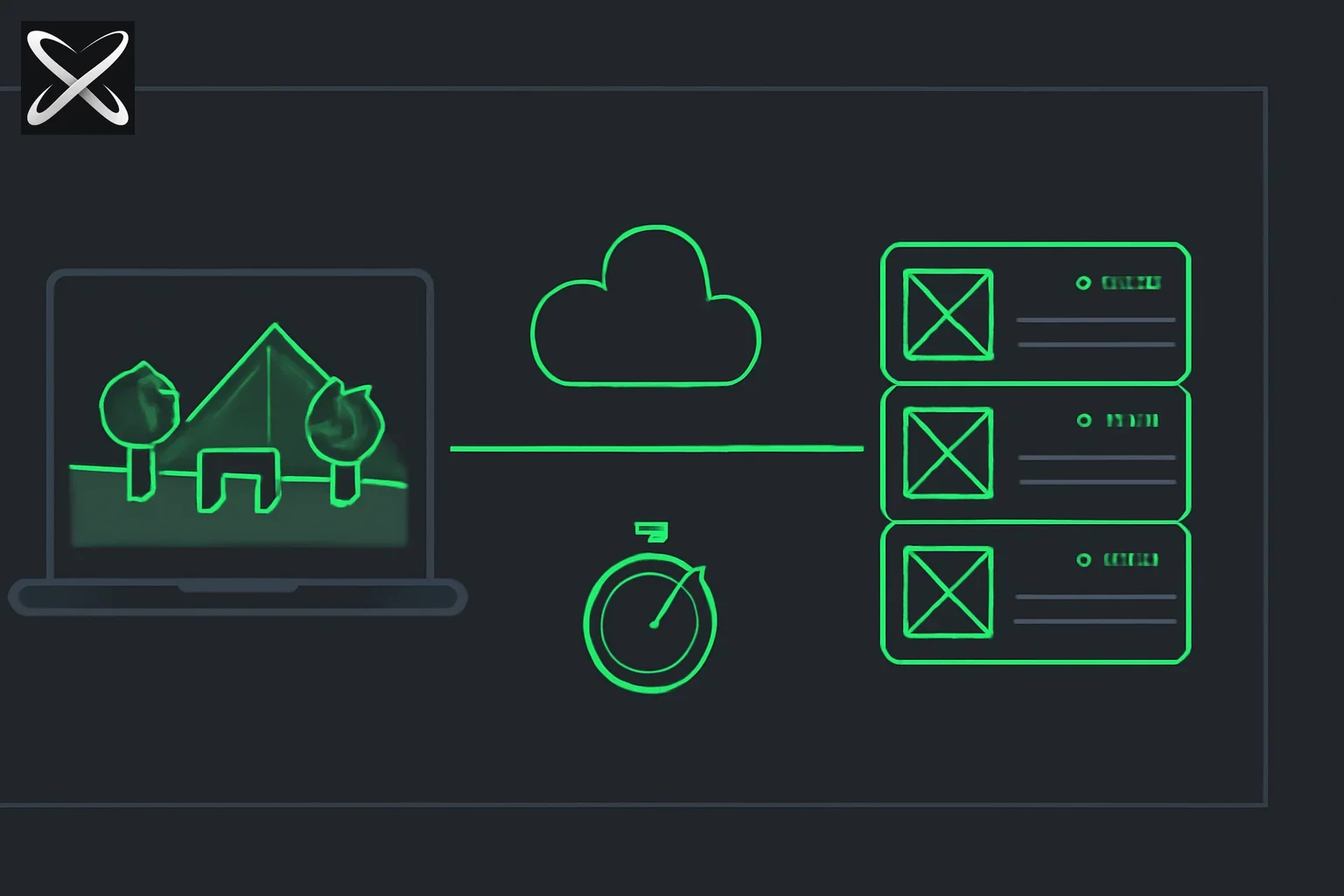 GeForce Now cloud gaming diagram: a thin laptop streaming a rendered game scene from a distant GPU server rack
The premise of cloud gaming is simple: instead of your local GPU rendering every frame of a game, a remote server does it. That server streams the resulting video to your device over the internet. Your device sends back controller inputs, keyboard presses, and mouse movements. You see the output.
Your device's job shifts from compute to display and input forwarding. A phone with a modern screen, a decent internet connection, and a Bluetooth controller can play Cyberpunk 2077 at maximum settings through cloud gaming—because the GPU doing the work is in a data center, not in your pocket.
Latency is the defining metric. The pipeline is: you press a button → your device encodes and transmits that input → the server receives and processes it → the game renders the result → the server encodes and transmits video → your device decodes and displays it. Every step takes time:
- Input processing: ~1ms
- Network round trip (your device to data center): varies, typically 8–50ms depending on geography
- Frame render at server-side GPU: ~6–8ms at RTX 4090 speeds
- Video encode (H.265 or AV1): ~4–6ms
- Return network transit and decode on device: ~5–12ms
Total: 20–80ms depending on your location and connection. The general benchmarks:
- Under 20ms — Excellent, indistinguishable from local gaming for most players
- 20–30ms — Good, competitive gaming is comfortable
- 30–50ms — Playable, suitable for most single-player and casual multiplayer
- 50–80ms — Noticeable lag; works for slow-paced games, frustrating for fast ones
- Above 80ms — Most players will feel the input delay
Geography is the dominant variable. If you live within a few hundred kilometers of a NVIDIA data center with a wired broadband connection, you can achieve 20–30ms total latency. If you're far from a data center or on Wi-Fi, 50–70ms is more realistic.
Why cloud gaming matters more in 2026 than ever before
The GPU price crisis created by AI demand
Cloud gaming has been theoretically appealing for a decade. What changed in 2026 is the economic equation on the hardware side.
As covered in depth in our piece on PC gaming hardware prices and AI data center demand, the AI infrastructure boom has consumed so much GPU and memory supply that consumer hardware prices have reached levels that are pushing mainstream gamers out of the DIY PC market entirely. A Tom's Hardware survey from May 2026 found 60% of PC gamers have no plans to build a new PC in the next two years.
The numbers are stark:
- RTX 5090: $2,000–$2,200 at launch, climbing
- RTX 5080: $1,100+
- RTX 4090 (previous gen): $1,400–$1,600 used
- RTX 4070 Ti Super: $700+ new
- RTX 4070: $450–$550 used
Meanwhile, GeForce Now Ultimate delivers a 4090-class gaming experience for $20/month. That is the core value proposition of cloud gaming in 2026: the AI industry inadvertently made cloud gaming dramatically more economical relative to hardware ownership.
Gaming on hardware that can't run AAA games
The second major driver is device proliferation. In 2026, many people's primary computing devices are:
- Apple Silicon Macs (M3/M4 series) — excellent for professional work, but Mac gaming support remains thin for the heaviest AAA titles
- Chromebooks — entirely incapable of running Windows games natively
- iPads and Android tablets — excellent screens, no way to run Elden Ring
- Smart TVs and streaming sticks — displays capable of 4K/120fps, no game processing capability
Cloud gaming converts every internet-connected screen with a controller into a capable gaming platform. That is a structural change in who can access PC-quality gaming, not merely a cost optimization.
The AI-gaming connection is direct
The same hardware scarcity that drives up GPU prices for consumers is the reason cloud gaming infrastructure exists. NVIDIA, Google, Microsoft, and the cloud gaming startups running servers are all competing in the same GPU market. NVIDIA's unique advantage: they manufacture the GPUs themselves. NVIDIA data centers running GeForce Now use the same Ada Lovelace architecture (RTX 4080/4090 class) as the chips gamers can't afford to buy—because NVIDIA controls both supply chains.
The AI training boom → GPU scarcity → elevated consumer prices cycle is, counterintuitively, a tailwind for GeForce Now specifically, because it widens the gap between "cost to access a high-end GPU via subscription" and "cost to own one outright."
How GeForce Now works
NVIDIA operates data centers across North America, Europe, and Asia-Pacific stocked with banks of RTX 4080 and 4090-class GPUs. When you launch a game session through the GeForce Now app:
- NVIDIA spins up a virtual machine — a complete Windows gaming environment with your game pre-installed and configured, running on dedicated GPU hardware
- Your game library is linked — GeForce Now connects to your Steam, Epic Games Store, or GOG account. You use your own game licenses; you don't re-purchase games
- The session runs on NVIDIA hardware — the GPU on the server renders every frame at the resolution and settings appropriate for your tier
- Video is encoded and streamed — NVIDIA encodes output using H.265 or AV1 (depending on your device's decoder support) and streams it to your device
- You send back inputs — your keyboard, mouse, or controller inputs are transmitted to the session with minimal overhead
- You close the session — progress is saved to the game's cloud save (Steam Cloud, etc.); the VM is released for the next player
NVIDIA's structural advantage over competitors is the vertical integration: they designed the GPUs, they run the data centers, they wrote the graphics drivers, and they built DLSS—the AI upscaling technology that runs natively on their hardware. No other cloud gaming provider has this depth of integration.
The supported library question
GeForce Now does not give you access to all PC games. NVIDIA must secure a partnership agreement with each game publisher before a title can be streamed. Publishers retain the right to opt out (and several have historically done so).
As of 2026, GeForce Now supports over 2,000 titles across Steam, Epic, and GOG. The library includes virtually all major AAA releases from EA, Ubisoft, CD Projekt Red, Rockstar, Bethesda (now Microsoft), and most indie publishers. But:
- Niche indie titles are often unsupported
- Some older games with complicated licensing aren't available
- Publishers can (and do) remove titles — Activision Blizzard pulled games during a dispute before the Microsoft acquisition; most eventually returned
The workflow before subscribing: go to the GeForce Now Game Library page on NVIDIA's website, search your existing Steam/Epic wishlist, and verify your most-played titles are supported. Don't subscribe assuming your entire library works—it won't.
GeForce Now tiers in 2026
NVIDIA offers four access options, ranging from free to a per-day pass:
| Tier | Price | Server GPU | Max Resolution | Max FPS | Session Length |
|---|---|---|---|---|---|
| Free | $0/month | RTX 3080-class | 1080p | 60fps | 1 hour |
| Performance | $10/month | RTX 4080 | 1440p | 120fps | 6 hours |
| Ultimate | $20/month | RTX 4090 | 4K | 120fps + DLSS 4 | 8 hours |
| Day Pass | $4/day | RTX 4090 | 4K | 120fps + DLSS 4 | 24 hours |
Free tier is genuinely useful for testing. The 1-hour session limit forces you to re-queue, and during peak hours you may wait 10–20 minutes for a slot, but you get real gameplay at 1080p/60fps. If you're evaluating whether cloud gaming works on your connection, start here.
Performance tier at $10/month hits a strong value point. An RTX 4080 at 1440p/120fps is what most PC gamers with $700–$900 GPU budgets aim for. Getting there for $10/month is exceptional value.
Ultimate tier at $20/month is where DLSS 4 becomes the story. NVIDIA's Multi Frame Generation can turn a 4090's rendered 60fps into apparent 120fps output—and that runs on the server, not your device. 4K at 120fps with DLSS 4 is, visually, indistinguishable from a local 4090 setup for most players.
Day Pass makes sense for occasional gaming or testing the Ultimate tier before committing monthly. At $4/day with a 24-hour window, a 3-day gaming weekend costs $12—less than a month of Performance tier.
How to set up GeForce Now: step by step
Step 1: Check your game library
Before paying anything, go to geforcenow.com/games and search for the titles you play most. This step is non-negotiable. Many users have subscribed only to discover their most-played games aren't in the supported library.
Step 2: Test your connection
From the GeForce Now homepage, run the network test (available without signing in). This connects to the nearest NVIDIA data center and measures round-trip latency, available bandwidth, and packet loss. If latency comes back above 60ms or you see significant packet loss, the experience will be frustrating regardless of tier.
Step 3: Create a NVIDIA account and subscribe
Sign up at geforcenow.com. Choose your tier. Payment is monthly with no annual lock-in on Performance and Ultimate, which is appropriate given that your gaming habits and NVIDIA's pricing may change.
Step 4: Link your game stores
In the GeForce Now app settings, link your Steam, Epic Games Store, and/or GOG accounts. This is how NVIDIA verifies you own the games you're launching. The actual game files are pre-installed on NVIDIA's servers; your account link is the license check.
Step 5: Download the GeForce Now app
The app is available for:
- Windows (the primary client, most features)
- macOS (full support, the main reason Macs are viable gaming devices)
- Android (phone and tablet, requires a compatible controller)
- iOS/iPadOS (via browser streaming on iOS due to App Store restrictions; native app available in regions where allowed)
- NVIDIA Shield TV (dedicated hardware, best living room experience)
- LG and Samsung smart TVs (built-in app, no additional device needed)
- Chromebook (via Android app or browser)
- Any modern browser (fallback option, slightly higher latency)
Step 6: Launch a game
In the app, your linked game library appears. Click a supported title. GeForce Now allocates a session, the virtual machine starts (typically within 30–90 seconds), and your game appears as if running locally. Sign into Steam/Epic within the session if prompted for authentication.
Session management tips
- Wired Ethernet always outperforms Wi-Fi — even a 200 Mbps Wi-Fi connection has higher jitter than a 50 Mbps wired one, and jitter causes more visible artifacts in game streaming than bandwidth
- Sessions have time limits — save before they expire; the app warns you with 10 and 5 minute notices
- Progress saves to cloud — Steam Cloud and Epic's cloud saves work normally; your progress is not lost when a session ends
- Re-queuing on Free tier — during peak hours (evenings, weekends), expect wait times; this is the main reason to pay for Performance or Ultimate
DLSS 4 and AI upscaling: why it matters for cloud gaming
DLSS (Deep Learning Super Sampling) is NVIDIA's AI-powered rendering technology, and in 2026 it has reached a level of sophistication that fundamentally changes what's achievable in cloud gaming.
How DLSS works
At its core, DLSS trains a neural network on millions of high-resolution game frames. The network learns the relationship between a lower-resolution render and what the full-resolution version should look like. At runtime, the GPU runs this trained model to upscale a 1080p render to appear as 4K, doing so faster and with better image quality than traditional upscaling methods (bilinear, Lanczos, etc.).
The computational cost of running the DLSS neural network is much lower than rendering the additional pixels natively. A 4090 rendering natively at 4K might hit 60fps; with DLSS upscaling from 1440p, it hits 90–100fps with comparable visual quality.
DLSS 4: Multi Frame Generation
DLSS 4, introduced with NVIDIA's Ada architecture refresh and deployed broadly in 2026, adds Multi Frame Generation: instead of rendering every frame and upscaling resolution, the AI model generates additional frames between rendered frames using temporal prediction.
The result: if the GPU renders 30 frames per second, DLSS 4 Multi Frame Generation can synthesize 2–3 additional frames between each rendered frame, delivering apparent 90–120fps output from 30fps of rendered content. Combined with DLAA (NVIDIA's anti-aliasing using the same neural network), the result is smoother, sharper output than many games achieve locally on equivalent hardware.
Why this matters for cloud gaming specifically: the DLSS 4 computation runs on the server's RTX 4090, not on your local device. Your phone or MacBook doesn't need any AI processing capability—it's just receiving encoded video. The AI work happens at the data center. This is the reason GeForce Now Ultimate's "4K/120fps" claim is achievable: DLSS 4 is doing significant work on the server side to produce that output.
The broader AI angle
DLSS exemplifies a pattern increasingly common across the industry: AI processing improving the quality of compute-intensive tasks without linearly scaling hardware requirements. The same principle applies in AI inference serving (where model quantization reduces compute), video transcoding (where neural codecs like AV1 achieve better quality per bit), and rendering (where path tracing AI denoisers enable ray tracing on mid-range hardware).
Cloud gaming in 2026 is the convergence of AI compute (DLSS) and networked compute delivery—and the result is a gaming experience that would have required a $3,000 PC three years ago.
Latency deep dive: the technical reality
Understanding latency sources helps set realistic expectations for different game genres and geographies.
The latency stack
| Component | Typical Latency | Notes |
|---|---|---|
| Input processing (local device) | 1–2ms | Controller/keyboard read rate |
| Input transmission to server | 8–25ms | Depends on network distance |
| Game logic update | 1–3ms | Server-side processing |
| GPU frame render | 6–10ms | RTX 4090 at high settings |
| DLSS 4 processing | 2–4ms | AI upscale + frame generation |
| Video encode (AV1/H.265) | 4–6ms | NVIDIA's encoder is hardware-accelerated |
| Video transmission to device | 8–25ms | Same network, return journey |
| Video decode on device | 2–5ms | Hardware decode on modern devices |
| Display (monitor/TV frame timing) | 4–8ms | 120Hz display = 8.3ms max |
| Total (near data center, wired) | ~36–88ms | Wide range based on distance |
A player in Seattle connecting to NVIDIA's Portland data center on a wired connection might see 20–30ms round-trip network latency, yielding total input-to-display lag around 40–50ms. A player in rural Europe connecting to the Frankfurt data center over Wi-Fi might see 60–80ms network latency, totaling 80–100ms—the outer edge of playable.
NVIDIA's data center locations (2026)
NVIDIA has expanded GeForce Now infrastructure across three regions:
North America: Northern Virginia, Dallas, Los Angeles, San Jose, Portland, Chicago
Europe: Frankfurt, Amsterdam, London, Paris, Stockholm
Asia-Pacific: Tokyo, Seoul, Singapore, Sydney, Mumbai
The app automatically connects you to the lowest-latency data center. If you're within 500km of one of these locations on a good broadband connection, cloud gaming is a viable substitute for local hardware. If you're further out, the latency math is less favorable.
Genre sensitivity to latency
| Game Genre | Latency Tolerance | Recommendation |
|---|---|---|
| Turn-based strategy (Civilization, XCOM) | Very High — 200ms+ fine | Excellent for cloud |
| RPG, open world (Elden Ring, Cyberpunk 2077) | High — 70ms+ acceptable | Very good for cloud |
| Racing (Gran Turismo, Forza) | Medium — 50ms preferred | Good with wired connection |
| Sports games (FIFA, NBA 2K) | Medium — 50ms preferred | Good with wired connection |
| Battle royale (Fortnite, Apex Legends) | Low — under 40ms preferred | Depends on proximity to DC |
| Tactical FPS (CS2, Valorant) | Very Low — under 20ms preferred | Buy hardware if competitive |
| Fighting games | Extremely Low — <16ms preferred | Cloud generally unsuitable |
Cloud gaming alternatives in 2026
GeForce Now is not the only option. The competitive landscape has matured into several distinct services with different value propositions:
| Service | Provider | Price | GPU Quality | Library | Best For |
|---|---|---|---|---|---|
| GeForce Now Ultimate | NVIDIA | $20/month | RTX 4090, DLSS 4 | 2,000+ Steam/Epic/GOG titles | Best visual quality, existing PC library |
| GeForce Now Performance | NVIDIA | $10/month | RTX 4080 | 2,000+ Steam/Epic/GOG titles | Mid-tier quality, existing PC library |
| Xbox Cloud Gaming | Microsoft | Included in Game Pass Ultimate ($15/mo) | Custom Xbox Series X chip | 300+ Game Pass titles | Game Pass subscribers, casual play |
| PlayStation Plus Premium | Sony | $18/month | PS4/PS5 hardware | PS4/PS5 library subset | PlayStation exclusives, Sony ecosystem |
| Shadow | Blade | $30/month | Varies (RTX 3080-class) | Full Windows PC (any software) | Power users, non-gaming workloads too |
| Boosteroid | Independent | $10/month | RTX 3080-class | 700+ titles | Budget option, European users |
| Amazon Luna | Amazon | $10/month + channel add-ons | Custom GPU | Luna+ library + channel packs | Amazon Prime members, casual library |
GeForce Now vs Xbox Cloud Gaming
These two services represent the primary choice for most cloud gaming newcomers in 2026.
Choose GeForce Now if:
- You have an existing Steam, Epic, or GOG library you want to use
- Maximum visual quality (4K, 120fps, DLSS 4) matters to you
- You primarily play PC game titles
- You want to play titles on Mac that aren't available as Mac builds
Choose Xbox Cloud Gaming if:
- You already pay for Game Pass Ultimate for Xbox or PC access
- You want zero friction—no library linking, just browse and play
- You're primarily a casual gamer who wants access to a rotating catalog
- You want to play on Android or browser without paying an extra service
The key distinction: GeForce Now streams games you already own; Xbox Cloud Gaming is a catalog service. Neither is universally superior; they serve different consumption models.
Shadow: the full cloud PC
Shadow occupies a different category. Rather than streaming individual games, Shadow gives you a full Windows virtual machine with a GPU—you can install any Windows software, use it as a general computing environment, and play any game regardless of publisher partnerships. It costs $30/month, making it the most expensive option, but the flexibility is unmatched. Organizations using it as a cloud workstation for GPU-intensive creative work (3D modeling, video editing) get legitimate value beyond gaming.
The AI industry connection: how data center economics shape cloud gaming
The relationship between AI and cloud gaming in 2026 is more intertwined than it might appear, and worth understanding before deciding whether to subscribe or buy hardware.
NVIDIA's GPU allocation problem
NVIDIA's latest chips—the Blackwell architecture (B200, GB200 series)—are prioritized almost entirely for AI workloads. Hyperscalers (Microsoft Azure, Google Cloud, AWS, Meta) have booked these chips years in advance at prices 5–10x higher per unit than consumer cards. As discussed in our analysis of closed-source AI vs local open-source alternatives, the compute-in-the-cloud vs compute-locally debate plays out in gaming just as it does in AI inference.
GeForce Now is therefore increasingly running on Ada Lovelace hardware (RTX 4090-class, the previous generation) while the newest Blackwell chips go to AI customers. This is not a deficiency—RTX 4090-class hardware with DLSS 4 produces excellent gaming performance—but it illustrates the hierarchy: AI revenue is orders of magnitude more valuable per GPU than gaming revenue, and chip allocation reflects that.
Why this dynamic benefits cloud gaming subscribers
The AI industry's appetite for GPU compute has two effects on consumer gamers:
- Hardware prices remain elevated — buying a consumer RTX 5090 costs $2,000+ because the supply-demand curve is distorted by AI demand
- Cloud gaming becomes relatively cheaper — NVIDIA has massive GPU infrastructure, amortizes the cost across thousands of subscribers per server rack, and has pricing power to keep subscriptions affordable
The result: the gap between "cost to access a 4090-class GPU via subscription" and "cost to own one" widened dramatically in 2025–2026 and continues widening. Cloud gaming is the beneficiary of a supply chain distortion created by AI.
AI codecs improving cloud gaming quality
A less-discussed connection: AI-driven video codecs are improving the bandwidth efficiency of game streaming. AV1 encoding (supported on NVIDIA's RTX 30/40 series encoders) delivers approximately 30% better quality per bitrate compared to H.265. Neural video enhancement, where device-side AI processing upscales the received video stream, is beginning to appear in streaming apps.
The practical effect: services that required 50 Mbps for acceptable 4K quality in 2024 can deliver comparable results at 30–35 Mbps in 2026. This expands the viable user base to people with moderate broadband connections.
Should you stream or buy? The honest breakdown
This is the decision that matters. Cloud gaming is not universally the right answer. Here is the honest analysis.
When cloud gaming wins
You are a casual-to-moderate gamer (10–25 hours per week). At this level, the subscription cost is justified by convenience. You don't manage drivers, hardware failures, or component upgrades. The GPU is always current.
You are on a Mac, Chromebook, or tablet. Cloud gaming is not a compromise here—it is the only path to AAA PC gaming. A MacBook Pro M4 streams GeForce Now at the same quality as a Windows gaming laptop; the local chip is irrelevant.
You do not have $400–$2,000 available for GPU hardware. $20/month is accessible in a way that $1,600 upfront is not. Monthly cost spreading is real financial value.
You game across multiple devices. Start a session on your TV, continue on your laptop during travel, pick it up on your phone. The session portability is a genuine quality-of-life improvement over a fixed desktop.
The math check: $20/month × 24 months = $480 total. A used RTX 4070 in mid-2026 costs approximately $400–$450. At 24 months, buying hardware roughly breaks even with the Ultimate subscription. Before that break-even: cloud wins. After it: owning hardware wins (assuming zero maintenance costs and no GPU upgrades).
When buying hardware wins
You are a competitive gamer. Latency is not a preference here—it is performance. CS2 and Valorant players optimizing for 1ms response times cannot accept 40–60ms cloud overhead. Buy hardware, run locally, chase sub-20ms input lag.
Your game library is heavily niche or unsupported. If 40% of your most-played games aren't in NVIDIA's supported list, the value proposition collapses. Check the library first; don't assume.
You live far from any NVIDIA data center. If you're in a rural area or a country without nearby infrastructure, the latency will be frustrating regardless of your subscription tier. The technology works at 20–40ms; it struggles at 80–100ms.
You want to use the GPU for non-gaming tasks. Video editing, 3D rendering, machine learning experiments, local AI inference—none of this is available through GeForce Now. The subscription buys gaming compute only.
You game more than 5–6 hours every day. Heavy daily users hit the session time limits and find the re-queue friction irritating. At that intensity, hardware ownership is more economical long-term.
The hybrid approach
Some gamers use both: a mid-range local GPU (RTX 4060 Ti, ~$300 used) for daily competitive play and lower-latency titles, supplemented by GeForce Now Ultimate for visually demanding single-player games where 4K/120fps DLSS 4 output is worth paying for. This costs more than either option alone but covers both use cases optimally.
The future of cloud gaming: 2026 and beyond
Several trends suggest cloud gaming's trajectory continues improving over the next three to five years.
5G and edge computing reducing latency
The deployment of 5G mmWave in dense urban areas is beginning to eliminate Wi-Fi as a latency liability. More impactful: edge computing deployments by major carriers are placing GPU nodes within 20km of population centers, reducing the data center distance problem. If NVIDIA's infrastructure scales to match, the 80ms rural latency problem gradually becomes a 30ms problem.
AI encoding: better quality at lower bitrates
Neural video codecs continue improving. Google's research on per-content model training, NVIDIA's work on encoder optimization, and the AV1 standard's adoption all point toward streaming comparable visual quality at 30–40% lower bandwidth requirements by 2027–2028. This matters for mobile users and people in markets with bandwidth caps.
Device-side AI processing
The next phase of cloud gaming may involve hybrid compute: the server renders the scene, transmits a compressed stream, and the local device's neural processing unit (NPU) runs a super-resolution model to upscale the final output. Apple Silicon Macs and modern Android flagship chips both include NPUs capable of real-time inference. This splits the AI work between server and client, potentially improving quality at lower server-side bandwidth costs.
GPU prices and the AI demand curve
The most important external variable: when AI GPU demand plateaus—when hyperscalers have built enough infrastructure and efficiency improvements reduce the GPU-per-inference ratio—the pricing distortion in consumer hardware will ease. If RTX 6080-class cards become available at $400–$500 in 2027–2028, the economics of cloud gaming shift. For now, that scenario is speculative; GPU demand shows no plateau.
The consumer trajectory
The realistic projection: cloud gaming becomes the default option for casual gamers within the next three to five years, not because local gaming disappears, but because:
- The economics favor it for moderate users
- Device proliferation means more non-gaming hardware that can receive streams
- The AI infrastructure built for LLM training is dual-use as gaming infrastructure
- DLSS-class AI upscaling keeps server-side render quality ahead of what users can achieve locally at the same price point
Competitive and enthusiast gamers will continue buying hardware. Everyone else increasingly streams.
Getting started: the practical checklist
Before subscribing to any cloud gaming service in 2026:
- Check the supported game library — visit geforcenow.com/games and verify your most-played titles are available
- Run the NVIDIA network test — measure your actual latency to the nearest data center before paying
- Start with the Free tier — play for a few sessions to confirm the experience is acceptable on your connection
- Use wired Ethernet — if your setup allows it, wired always outperforms Wi-Fi for streaming stability
- Set your display correctly — on a 120Hz screen, configure GeForce Now to stream at 120fps; the difference versus 60fps is immediately visible
- Test on the device you'll primarily use — performance varies between the Windows app (best), macOS app (excellent), and browser fallback (adequate)
- Understand session limits — save manually before the session timer expires, especially on the Free tier
Cloud gaming in 2026 is not a compromise for people who can't afford hardware. For the right user—on the right connection, playing the right games, at the right distance from a data center—it is a genuinely superior experience: always-current GPU, zero maintenance, and games playable on any device with a screen.
Sources and further reading
- NVIDIA GeForce Now: geforcenow.com — tier details, game library, network test
- NVIDIA DLSS 4 documentation: Technical overview of Multi Frame Generation
- explainx.ai: GeForce NOW India launch — pricing and RTX 5080 tiers (July 2026)
- explainx.ai: PC gaming hardware prices and AI data center demand in 2026
- explainx.ai: Closed-source AI vs local open-source alternatives in 2026
- explainx.ai: Top 10 neural rendering use cases beyond DLSS 5's beauty filter — GeForce NOW is the only route to DLSS 5 without an RTX 50 card
- Xbox Cloud Gaming: xbox.com/play — Game Pass integration and streaming details
- Shadow: shadow.tech — full cloud PC pricing and specifications
- bunpav.com — gaming news and hardware coverage (PlayStation, emulators, platform shifts)
About explainx.ai: We build skills, MCP servers, and training for teams working with AI agents and developer tools. Explore our blog for practical guides on AI hardware trends, GPU economics, developer workflows, and the intersection of AI infrastructure with consumer technology.